
Disputes and rejected payments
A payment that was accepted can still come back. A bank payment is rejected when the bank returns it — closed account, insufficient funds, a stopped payment. A card payment can be disputed by the cardholder with their issuer. In this release REDA Pay records the rejection and gives you a list to work from; the dispute itself — the evidence, the deadlines, the outcome — is handled with Payload in its dashboard.
What REDA Pay records
| Field on the Pay Transaction | Meaning |
|---|---|
| Status rejected | Payload reported the payment returned or declined after acceptance; set through the reject or decline webhook |
| Rejected Date | When it was rejected |
| Status Code, Status Message | Payload's reason, for example a return code for insufficient funds |
| Pending Dispute Resolution | A read-only flag: a rejected card payment, or a rejected bank payment with Payload's "payment stopped" code, that has no Dispute Resolution Date yet |
| Dispute Resolution Date | You fill it in when the case is closed; the transaction leaves the pending list |
| Internal Comments | Your notes on the case |
The list view Disputed - Pending Resolution on the Pay Transactions tab, the report Pending Disputed Transactions and the Pending Disputed Transactions tile on the REDA Pay Admin dashboard all show the transactions whose flag is set.
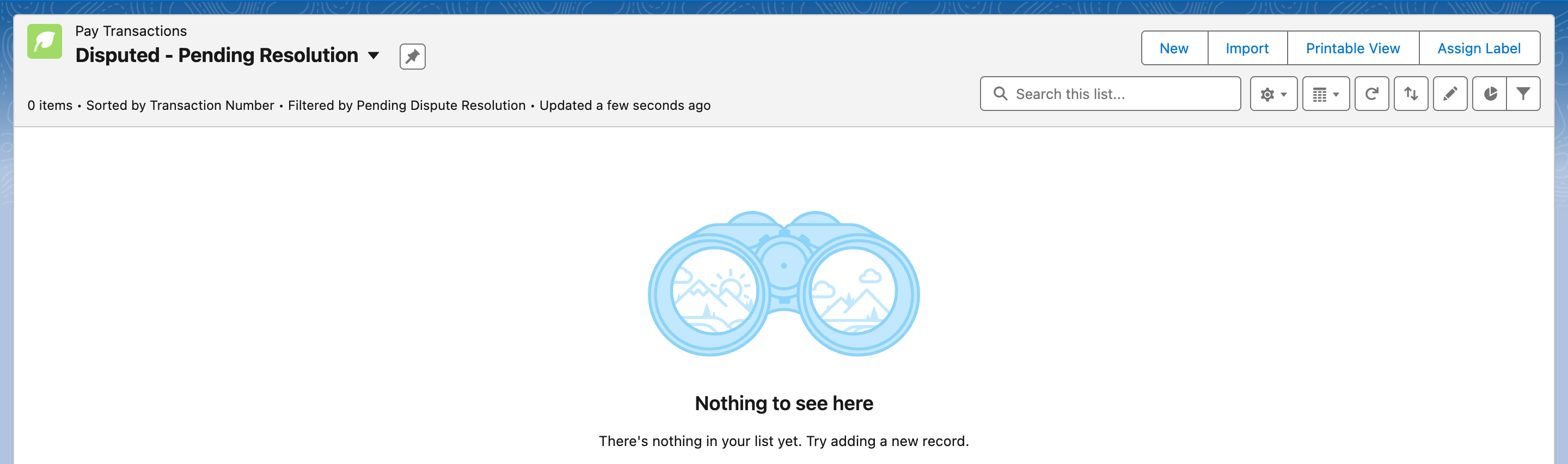
The working list for disputes. A transaction leaves it when you set its Dispute Resolution Date.
The routine
- Watch for rejections. They arrive through webhooks within minutes of Payload learning of them. There is no alert by default: build a flow on Pay Transaction (Status changes to rejected) to notify the order's owner or a finance queue, or check the Disputed - Pending Resolution view daily.
- Read the reason. Status Code and Status Message say why. An insufficient-funds return and a stopped payment call for different conversations.
- Collect again, or respond. For a returned bank payment, contact the customer and take the payment again — a new Pay Order, usually by another method. For a card dispute, respond in the Payload dashboard within the deadline it shows; Salesforce has the order, the customer notes, the amount and the date to support you.
- Close the case in Salesforce. Set Dispute Resolution Date and write Internal Comments with the outcome. The transaction leaves the pending list.
Returned bank payments that are not "disputes"
The Pending Dispute Resolution flag is deliberately narrow: a rejected card payment, or a rejected bank payment whose Payload code says the customer stopped the payment. An ordinary bank return for insufficient funds or a closed account sets Status rejected but does not raise the flag, so it does not appear in the Disputed - Pending Resolution view. Watch those separately:
- Create a Pay Transactions list view, for example Rejected - last 30 days: Status equals rejected, Rejected Date in the last 30 days; show Pay Order, Amount, Status Code and Status Message.
- Or use the packaged report Receipts By Status and read the rejected bar.
- Or build a flow that notifies the order's owner when Status changes to rejected — see Automate payments with flows.
Worked example: a returned rent payment
- On 1 November the autopay for a resident creates P-052020 and charges $1,251.75 from Checking x-7890; T-0014520 is processed, funding pending.
- On 4 November the bank returns it. Payload sends a reject event; REDA Pay re-reads the transaction: Status rejected, Rejected Date 4 November, Status Message naming insufficient funds. The flag is not set, because this is not a stopped payment.
- The Rejected - last 30 days view shows it the same morning. Collections calls the resident, who pays $1,251.75 by card on 6 November through a new immediate payment, P-052031, with the 3% card fee.
- The deposit of 2 November that contained the original payment is later adjusted by Payload; the reversal appears in reconciliation.
Worked example: a card dispute
- A card payment of $500 taken on 10 October is disputed by the cardholder on 20 October. Payload marks it rejected with the chargeback code and sends the event; the Pay Transaction becomes rejected and Pending Dispute Resolution turns on.
- The Disputed - Pending Resolution view and the Admin dashboard tile both show 1.
- In the Payload dashboard, finance uploads the signed application and the payment receipt before Payload's deadline.
- On 15 November Payload rules in your favour. Finance sets Dispute Resolution Date and writes "Won — evidence accepted 15 Nov" in Internal Comments. The transaction leaves the pending view.
What happens to the money
A rejected bank payment never funded, or was funded and then reversed. If it was already in a deposit, Payload reports the reversal and it appears in your reconciliation as a payout line or a later adjustment — see Reconcile deposits and payouts. A card dispute's outcome is recorded by Payload; REDA Pay's transaction keeps the status Payload reports.
What this release does not do
- No chargeback workflow: the transaction types chargeback and chargeback_reversal exist, but no screen creates them and no webhook sets them.
- No fee for returned payments is added by REDA Pay. If you charge one, take it as a separate payment.
- No automatic retry of a rejected bank payment.
Mistakes to avoid
| Mistake | What happens | Fix |
|---|---|---|
| Treating processed as final for bank payments | A rejection days later goes unnoticed | Watch the rejected status or the pending list |
| Refunding a rejected payment | A refund of money you never received | Rejected payments need no refund |
| Closing a case without the date | It stays in the pending list | Set Dispute Resolution Date |
| Expecting the customer's bank reason in plain words | Status Code is Payload's code | Keep a short glossary of the codes you meet |
FAQ
No. The schedule runs again on its next date. Decide whether to revoke it.
Press Sync Transaction on a transaction to re-read it, but you will not know which to sync. Set up webhooks.
In the Payload dashboard. REDA Pay does not submit evidence.