
What are chat scripts?
A chat script is a guided, multi-step conversation that REDA Connect runs with a customer on your behalf — a lightweight bot. You design the sequence once: question 1, then question 2, then question 3. An agent (or an automation) starts the script against a record, REDA Connect sends the first question, and each customer reply triggers the next one. Along the way, the answers can be saved straight onto the Salesforce record — a feedback survey that fills in fields, a pre-qualification flow that captures a budget, a check-in that records a yes/no.
Chat scripts work on both channels, with one restriction: SMS scripts are text-only — every step must be typed text or a Text-type template, matching what SMS itself can carry.
The mental model: template vs running conversation
The single most useful thing to understand about chat scripts is that there are two kinds of Chat Script record, distinguished by the Is Template checkbox:
| Script template | Running conversation (instance) | |
|---|---|---|
| Created by | You, at design time | REDA Connect, automatically, when the script is started |
| Is Template | Ticked | Unticked |
| Contains | The master steps and actions | Its own copy of every step and action |
| Lifetime | Permanent — reused for every customer | One per started conversation; fills up with that customer's answers |
| Where answers land | Never on the template | On the copy's steps (Response field) and, via actions, on the record |
When a script starts, REDA Connect copies the script, steps and actions into a new instance linked to the template. Replies are recorded on that instance. Editing the template’s steps does not rewrite existing copied steps, but some dependencies remain shared: the session duration is read from the template, and referenced Connect Templates are not cloned. See Chat script sessions.
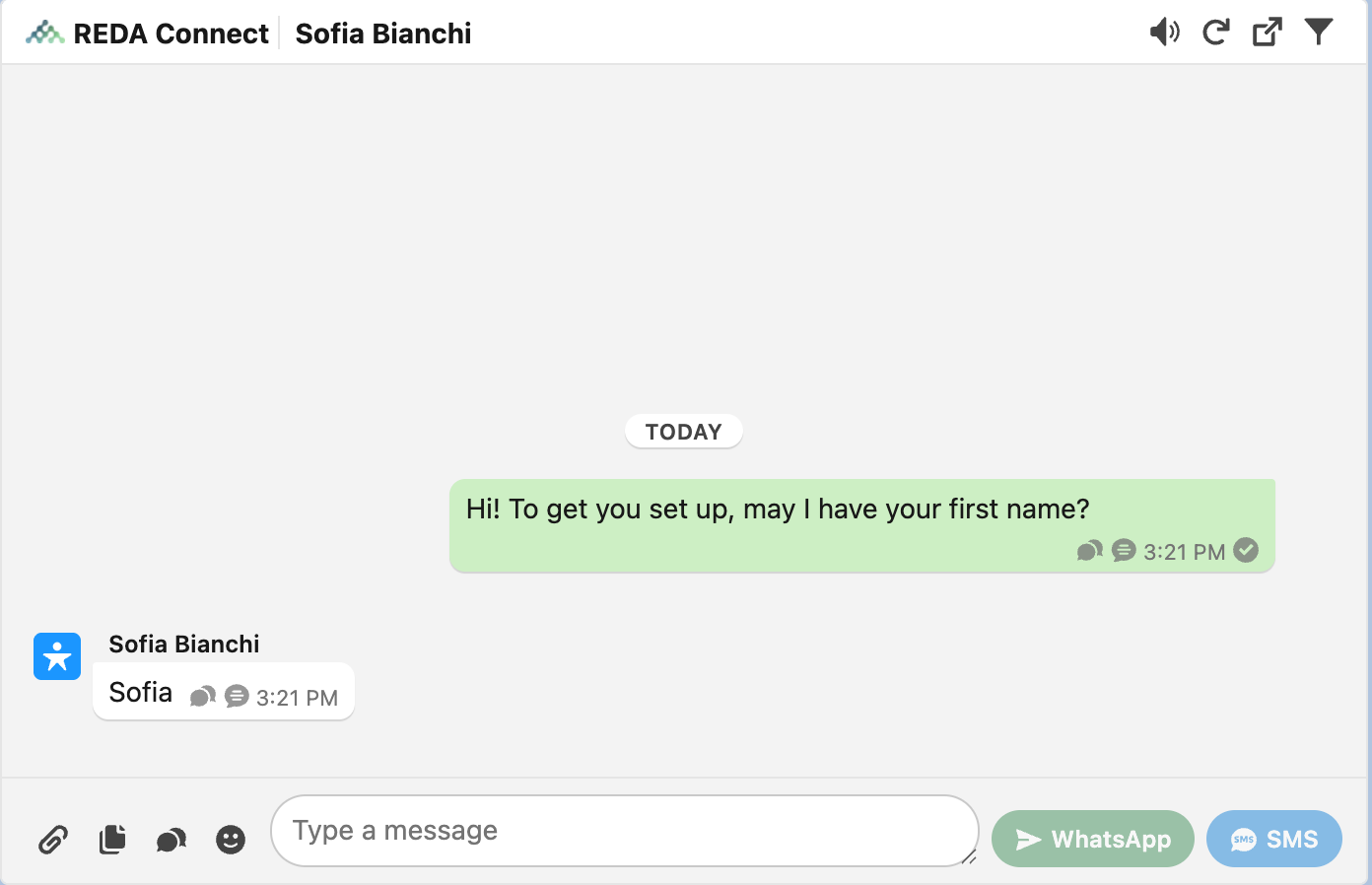
What the customer experiences
From the customer's side there is no "bot" branding — just messages from your number:
- The first step's message arrives like any other WhatsApp/SMS from you.
- They reply. If the conversation's session window is still open, the next step's message arrives. There is no automatic "thanks, got it" between steps — the next question is the acknowledgment.
- After they answer the last step, nothing more is sent. The script completes silently and the conversation simply ends (or an agent takes over in the feed).
- If anything goes wrong on your side — session expired, a step misconfigured — the customer receives nothing: no error message is ever sent to them. Errors are recorded on your Salesforce records only.
Replies are ordinary inbound messages too: they appear in the Connect Feed like any other message, so an agent can watch a scripted conversation and jump in at any time.
The building blocks
| Piece | What it is | Article |
|---|---|---|
| Chat Script (template) | The container: channel, object, session length, first step | Building a chat script |
| Chat Script Steps | One message each, chained via Next Step; the last step is simply the one with no next step | Chat script steps |
| Chat Script Step Actions | Optional per-step field updates that write the customer's answer to the record | Chat script actions |
| Session window | How long, from the start of the conversation, replies keep advancing the script | Chat script sessions |
FAQ
A Connect Template is one message body. A chat script is a sequence of messages with reply-driven flow and optional field updates — each step can itself send a template.
No — steps form a single chain: each step has one Next Step. On WhatsApp you can make answers structured by using Interactive Button/List templates as step messages, but the sequence of steps is linear.
Yes — each script template sets a session window in minutes, counted from when the conversation started. Replies after the window are still recorded, but the script no longer advances. Details in Chat script sessions.
Yes. Just keep every step to typed text or a Text-type template — attaching any other template type to an SMS script step is blocked with: Only Text Message Templates can be provided for SMS Chat Scripts.
Where to go next
- Building a chat script — create your first script template.
- Running a chat script — start it from the Connect Feed and watch the answers come in.