
Depreciation Batch
The admin runbook for the month’s most predictable posting: due depreciation, booked by machine.
Access you'll need. Scheduling and running this batch requires the Accounting Admin v2 permission set; the Accounting Controller v2 can reach the console too. The Accounts Payable v2 and Accounts Receivable v2 sets cannot see it — everyone else meets only the postings it produces.
How the posting works
The schedule already exists
When an asset is capitalized, REDA Financials generates its full depreciation schedule as asset ledger entries — dated, amounted, waiting. The batch never calculates on the fly; it posts what was planned.
Each run posts what's due
Scheduled entries whose date has arrived post to the general ledger — debit depreciation expense, credit accumulated depreciation, per the asset type's accounts.
Assets stay truthful
Net book values fall as entries post, and fully-depreciated assets flip status by themselves — no year-end tidy-up required.
What one posted entry records
| Account | Debit | Credit |
|---|---|---|
| Depreciation Expense (per the asset type's accounts) | The period's due amount | |
| Accumulated Depreciation (per the asset type's accounts) | The period's due amount |
The same shape, every month, for every asset — which is exactly why it's the ideal batch job: predictable in amount, timing and accounts, with all three decided at capitalization.
Scheduling it
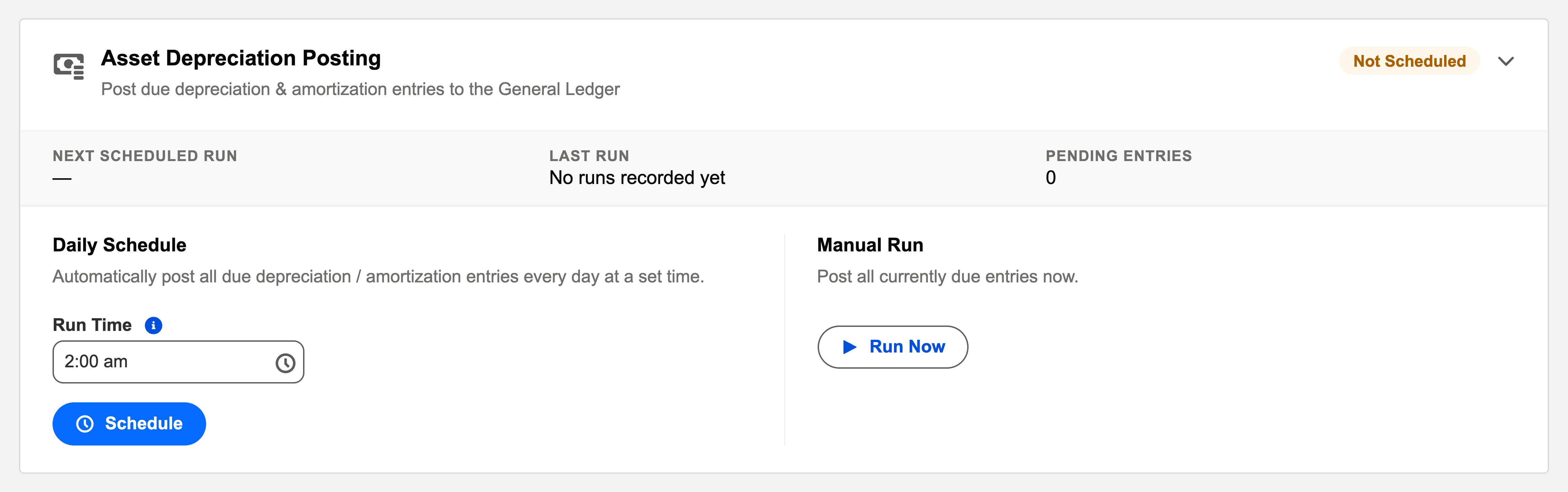
Daily is safe (entries post only when due, and missed days self-catch-up), or run it as a month-end checklist step: Run Now after the period’s last capitalization, before the close.
A worked month-end — Meridian's close step
Meridian Properties Group runs this card as part of the close checklist. The fixed-assets clerk capitalizes the month's final asset purchases; then the administrator clicks Run Now. The batch walks every asset ledger entry due through the period end and posts it — each a debit to the asset type's depreciation expense, a credit to its accumulated depreciation. Net book values tick down across the register; one long-serving asset posts its final entry and flips to fully depreciated on its own. The run's audit entry shows a clean pass, the close proceeds, and the aging snapshot batch photographs a period whose depreciation is already in. The one month a new asset type was missing its accumulated-depreciation account, only that type's assets failed — named in the log — and a one-field fix plus a second Run Now finished the job before the close.
Common mistakes to avoid
| Mistake | Why it hurts | Do this instead |
|---|---|---|
| Closing the period before the depreciation run | The month's due entries fail against the closed books | Make "depreciation posted" a checklist line above "close the period" |
| Expecting Under Construction assets to depreciate | They have no schedule yet — depreciation starts at capitalization | Capitalize first; see Asset Capitalization |
| Leaving a new asset type without its two GL accounts | Every asset of that type fails on posting day | Set depreciation-expense and accumulated-depreciation accounts when creating the type |
| Worrying that daily scheduling posts too much | Needless caution — entries post only when due | Daily is safe and self-catching-up; missed days simply post later |
| Editing ledger figures to "correct" depreciation | The ledger is write-protected, and the schedule remains the source of truth | Adjust the asset (or its schedule) through the fixed-assets screens; let the batch post the result |
Monitoring it
Green means: the card shows Scheduled, the last-run timestamp is from the expected window, and the outcome icon is informational. Anything else, click View Audit Log — the run’s record lists processed / succeeded / failed with a reason per failure. Depreciation posts from each asset’s pre-generated schedule, so the log’s failures point at configuration, not math — a closed period, or an asset type missing one of its GL accounts.
Troubleshooting
| Symptom | Likely cause → action |
|---|---|
| An asset isn’t depreciating | Is it Active (capitalized), with a schedule generated? Under Construction assets don’t depreciate yet — see Asset Capitalization. |
| GL account errors in the log | The asset type is missing its depreciation-expense or accumulated-depreciation account — fix the type, Run Now. |
Where to go next
- Depreciation Batch — what the batch does, in depth.
- Operations Tab — the console.
- Audit Logging — reading run history.
Frequently asked questions
No — the full schedule is generated when the asset is capitalized, as dated, amounted asset ledger entries. The batch's only job is posting the ones whose date has arrived. See Depreciation Schedule Generation.
No — entries post only when due, so most daily passes are no-ops, and missed days catch up by themselves. Daily is the low-maintenance choice.
On the asset: is it Active (capitalized) with a generated schedule? Under Construction assets don't depreciate yet. If the asset is fine, check the batch is scheduled and read the last run's audit entry.
The asset type is missing its depreciation-expense or accumulated-depreciation account. Fix the type once and Run Now — every asset of that type is covered by the same fix.
Automatically — when the final scheduled entry posts, the asset's net book value reaches its end state and its status flips by itself. Nothing to remember at year-end.
Was this article helpful?