
Posting & Unposting JEs
A draft journal is a proposal; posting makes it the record. Because a journal entry writes straight to the general ledger with no document behind it, the posting gates here are the strictest in the system — and the reopening path is just as carefully controlled. Here's both directions.
Access you'll need. Posting, reopening, and voiding journal entries requires the Accounting Admin v2 or Accounting Controller v2 permission set. The Accounts Payable v2, Accounts Receivable v2, and Read Only v2 sets can view entries but not change their status.
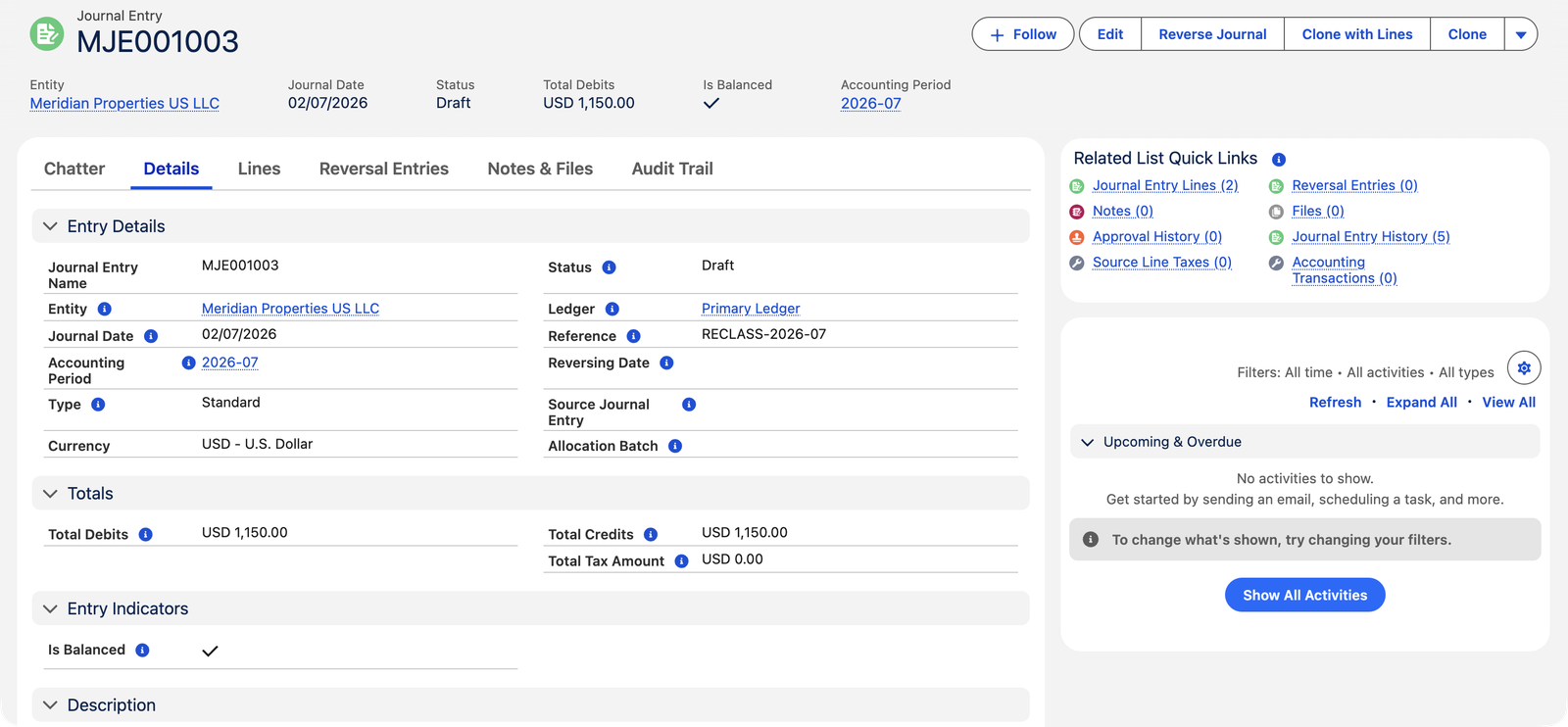
The posting gates
Posting is all-or-nothing: the checks run first, and if any fail, nothing is written. These are the gates a journal passes, with each stop message quoted exactly:
| Gate | The stop message says |
|---|---|
| Essentials present | Entity, Accounting Period, Journal Date and Ledger must all be resolvable. A missing ledger says: "No Ledger is configured. Set a default Ledger on the Entity." |
| At least one line | "Journal Entry must have at least one line." / "At least one line is required before posting." |
| Every line one-sided and non-zero | "Line …: only one of Debit or Credit may be set." · "Line …: Debit or Credit must be greater than zero." |
| Balanced | "Total Debits must equal Total Credits." — and if lines were changed behind the totals: "Transaction does not balance: Debits … != Credits …." |
| Non-zero | "Total posting amount is zero. Add at least one non-zero line." |
| Date inside the period | "Transaction Date … falls outside Accounting Period (… to …)." |
| Open books | "Transaction Date … is on or before the GL book closure date …. Reopen the books to post." — the entity's GL Closed Through date protects finished periods. |
| GL account on every line | "GL Account is required on every posting line." |
| GL account alive | "GL Account is inactive. Activate it or select an alternative." |
| GL account in scope | "GL Account belongs to a different Entity and cannot be used on this transaction." |
| Per-entity balance (intercompany) | "Intercompany posting is out of balance for Entity …: Debits … != Credits …." |
| Reversing date has a period (adjusting entries) | "No Open Accounting Period found for Reversing Date …. Create or open the period first." |
Anything the gates catch comes back wrapped as "Posting failed: …" with the specific reason inside. Fix what it names and post again — nothing was half-written.
What posting does
- Writes one accounting transaction per line — the actual ledger rows, visible on the Accounting Transactions related list.
- Runs the tax engine for any line carrying a Product and Tax Side, splitting net from tax — the tax lands as its own ledger rows (Output Tax / Input Tax) on the mapped tax accounts.
- Carries the dimensions — each line's Cost Center travels onto its ledger row, so dimensional reports see the journal.
- Flags intercompany — when any line's entity differs from the header's, the ledger rows are marked intercompany for consolidation work.
- Stamps the exchange rate on foreign-currency entries (multi-currency organizations) at the moment of posting, so the rate used is on the record.
- Locks the entry: header and lines refuse edits until reopened — "Cannot modify a posted Journal Entry."
Following one entry through
Meridian's June accrual, MJE001002, at the moment of posting:
| Ledger row | Account | Debit | Credit |
|---|---|---|---|
| 1 (from line 1) | Utilities — Buildings | $3,200.00 | |
| 2 (from line 2) | Accrued Expenses and Other Payables | $3,200.00 |
Two lines in, two ledger rows out — journals are the one document where what you write is literally what posts. The record's Status flips to Posted, the Accounting Transactions list shows the two rows, and June's Trial Balance moves by $3,200 on each side. Reopen the entry and the two rows are deleted again; the ledger is exactly as if the post never happened.
Reopening (unposting)
Click Edit on a posted entry and REDA Financials is explicit about the deal: "Continuing will reverse this entry's accounting transactions and revert it to Draft so you can edit it. Post the entry again when you are done." Reopening deletes the entry's ledger rows (and any tax records it created), returns it to Draft, and you fix and re-post. Three guards:
- Closed books — an entry dated on or before the GL closure date can't be reopened; correct with a new entry in the open period instead.
- Reconciled lines — "This Journal Entry cannot be unposted because it has reconciled lines. Remove the reconciliation first."
- Bulk care — posting and reopening also work en masse from the list view; each record passes the same gates individually (Bulk Status Updates).
Voiding
Void is the "this should never stand" option: the ledger entries are removed and the record locks, clearly cancelled, no reason field required. The action's own tooltip states the deal plainly: "Void this journal entry. The Accounting Transactions are removed and the entry becomes immutable until reopened." And the banner on a voided record leaves the way back open: "This journal entry is voided and cannot be edited directly. To make changes, reopen it as Draft — the entry will be editable again and you can re-post it when you are done." Draft entries can simply be deleted; posted and voided ones cannot — the numbered trail stays intact.
Voiding never writes an offsetting entry — the original rows are simply removed. When you need the undo to be visible in the ledger (an accrual unwinding across a period boundary, say), that's a reversal, not a void.
Common mistakes to avoid
| Mistake | Why it hurts | Do this instead |
|---|---|---|
| Reopening a posted entry to "just peek" at Edit | Confirming the Edit banner really does remove the ledger rows — a casual click unposts real accounting | Read posted entries from the record page; only confirm Edit when you mean to change and re-post |
| Trying to fix a closed-period entry by reopening it | The closure gate blocks it — finished months stay finished | Post a correcting entry in the current open period, with a description linking the two |
| Unposting an entry that's been bank-reconciled | Blocked — the books and the bank statement would drift apart | Remove the reconciliation match first, deliberately, then reopen |
| Voiding when a visible undo is needed | Void removes rows silently; auditors reviewing the ledger see nothing where the correction happened | Use Reverse Journal — original and mirror both stay visible |
| Leaving an entry in Draft "until month-end" | Draft entries are invisible to every report — June's numbers are wrong until it posts | Post when the entry is right; reports only see posted accounting |
Who can post
Accounting Controller and Accounting Admin post, reopen, and void journal entries — the same two roles that create them. There's no separate approval step in the system: holding the posting right is the control, so organizations wanting four-eyes review manage it by who holds these permission sets.
Where to go next
- Creating a Journal Entry — getting to a postable draft.
- Bulk Status Updates — posting a batch at once.
- Closing the Books — where the closure date comes from.
Frequently asked questions
Don't try to reopen it — the closure gate exists precisely to stop that. Post a correcting entry in the current open period (reversing the effect and re-recording it correctly), with a description linking the two.
Bulk operations run each record through the full gates independently — the failures list shows the exact message per entry (unbalanced, closed period, inactive account…). Fix those and re-run on the failed subset.
No — voiding a journal entry simply removes its ledger rows (there's no bank statement to mirror, unlike cash receipts). If you need an offsetting entry for the record, that's what a manual reverse is for.
They go with the ledger rows — reopening deletes both the accounting transactions and any tax records the posting created. Re-posting recomputes everything fresh from the lines as they stand then.
Yes, via Draft: reopen the voided entry (the banner offers exactly this), it becomes editable again, and you can re-post it when you are done. Void isn't a shredder — it's a clearly-labelled parking position.
Same protection, both directions. Posting into closed books is refused ("…on or before the GL book closure date…"), and so is unposting an entry dated in them ("Posted entries dated on or before the closure date cannot be unposted."). Once a month is signed off, its accounting doesn't move either way.
Was this article helpful?