
Reporting Frameworks & Taxonomy
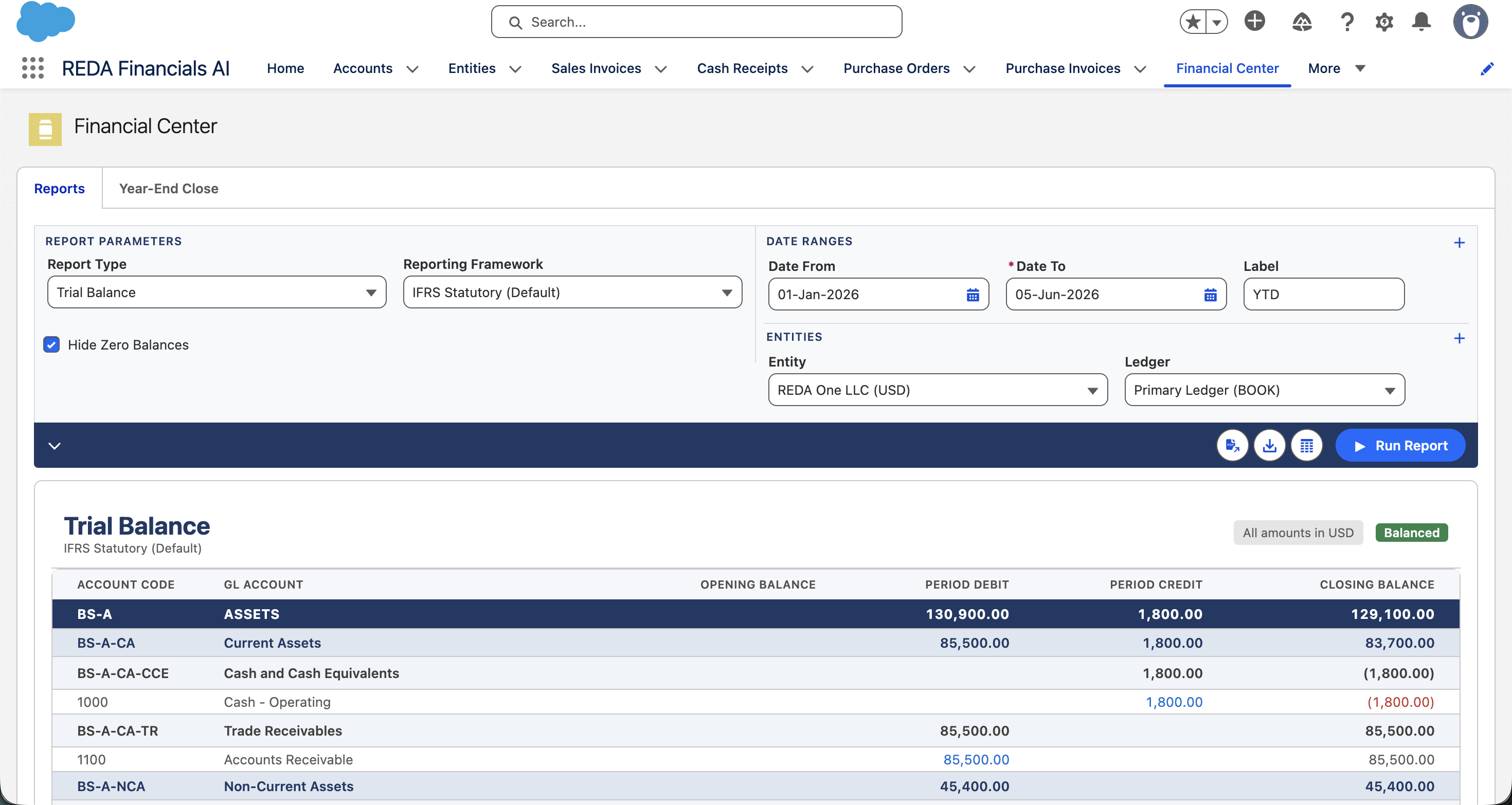
A Reporting Framework is a named, self-contained presentation of your chart of accounts — one complete set of financial-statement structures. The same accounts can be presented under an IFRS Statutory framework for your auditors, a Management Accounts framework for the board, and a Tax framework for filing — each grouping the accounts its own way, with no duplication of the underlying chart.
This is the pattern enterprise systems use (SAP calls them “Financial Statement Versions”, Oracle “Hierarchy Sets”). It’s a key reason one REDA chart can serve many audiences at once.
Access you'll need. Creating and configuring frameworks requires the Accounting Admin v2 or Accounting Controller v2 permission set. Any REDA Financials permission set can run reports using a framework; the Accounts Payable v2, Accounts Receivable v2, and Read Only v2 sets can view frameworks but not change them.
What a framework holds
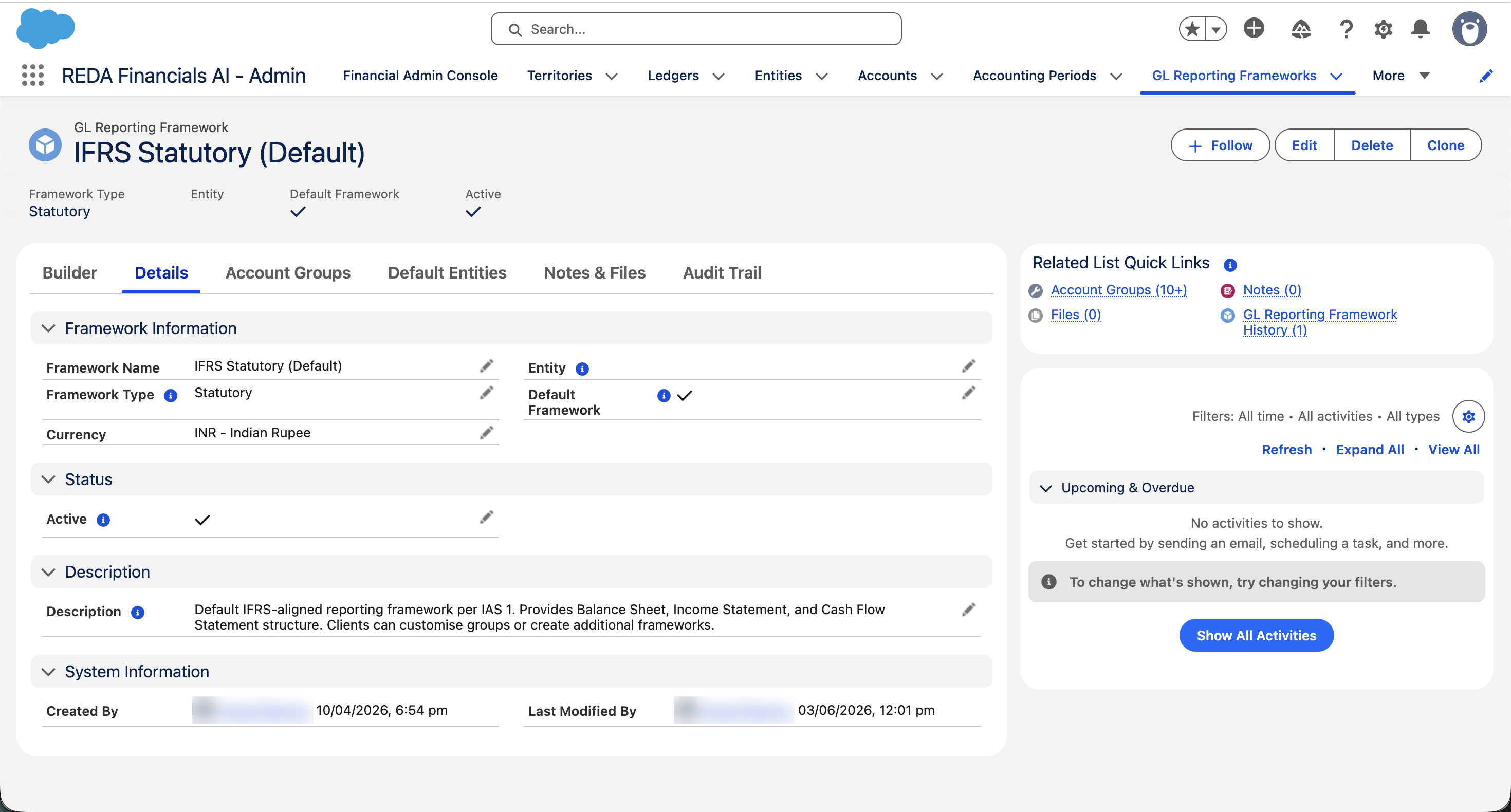
A framework is a container. Inside it live the account groups, arranged into a hierarchy, with accounts assigned to them. The framework record itself carries a few fields that describe and scope it:
| Field | What it controls |
|---|---|
| Framework Name | e.g. IFRS Statutory 2026, Management Accounts. |
| Framework Type required |
The category: Statutory (external audited accounts), Management (internal reporting), Tax (authority submissions), Regulatory, or Custom. |
| Entity | Leave blank for a global framework available to every entity, or set an entity to make it entity-specific — for a company that needs a different presentation from the rest of the group. |
| Default Framework | Marks this as the system-wide default (see below). Only one global framework can hold this at a time. |
| Active | Uncheck to hide it from selection and exclude it from statement generation. The configuration is kept and can be reactivated. |
| Description required |
Who it’s for, which statements it produces, and any standard it must comply with. |
The default framework — global and per entity
So that statements “just work” without choosing a framework every time, REDA resolves a default:
- One global default. Exactly one global framework can be the system-wide default. Set a new one and REDA automatically clears the flag on the previous default — there’s never more than one.
- An optional default per entity. An entity can point to its own Default Reporting Framework, for a company whose statutory presentation differs from the group standard (a different local GAAP or segment layout).
Two protections keep the default reliable: you can’t deactivate the framework that’s currently the global default or one an entity depends on, and you can’t delete a framework that’s in use — deactivate and re-point first.
The built-in taxonomy fallback
Frameworks are always optional. If no framework is resolved, REDA builds the statement from the account’s own classification — the built-in Type → Sub-Type → Sub-Type 2 taxonomy (and the Cash Flow Category for the cash flow statement). Every account already carries this classification, so you get a complete, IFRS-aligned statement with zero framework setup.
When to use multiple frameworks
| Need | Framework |
|---|---|
| External audited accounts | An IFRS Statutory framework (shipped by default). |
| Board / internal reporting with your own sub-totals and groupings | A Management framework. |
| A return structured the way the tax authority expects | A Tax framework. |
| A specific regulator’s layout | A Regulatory framework. |
| One subsidiary on a different local GAAP | An entity-specific framework set as that entity’s default. |
The shipped IFRS framework
REDA ships a ready-to-use “IFRS Statutory (Default)” framework — a complete IAS 1 group hierarchy with the standard accounts already assigned — set as the global default. So your first balance sheet and income statement are IFRS-structured out of the box. You can use it as-is, customise it, or build your own alongside it; it’s a starting point, not a lock.
Where to go next
- Reporting Framework Builder — assemble a framework visually.
- Group Hierarchy Tree — the nested structure inside a framework.
- GL Account Groups & Members — the groups a framework arranges.
- Standard Reports — run statements from your framework.
- Income Statement — a statement a framework produces.
Frequently asked questions
No. Without any framework, REDA builds statements from each account’s built-in Type / Sub-Type classification — and it ships a default IFRS framework anyway. Frameworks are for when you want your own presentation, not a prerequisite for reporting.
Yes — that’s the point. An account can belong to a group in the IFRS framework and a different group in the Management framework. Each framework is independent, and within any one framework the account appears in only one group, so nothing double-counts.
The taxonomy is the automatic structure built from every account’s Type / Sub-Type — always available, no setup. A framework is a structure you design with groups and a hierarchy, giving you control over ordering, sub-totals, and naming. The taxonomy is the fallback; a framework is the upgrade.
Because it’s in use — it’s the global default, or an entity points to it as its default. Re-point those to another framework first, then you can deactivate it. This protects you from leaving an entity with no way to generate statements.
Was this article helpful?