
Product Catalogue Overview
The Product Catalogue is REDA Financials' master list of the things you sell and buy. A Product Code is much more than a name and a price — it is a small bundle of decisions that the system reuses on every transaction: which revenue or expense account to post to, how the line is taxed, what unit it's measured in, and whether buying it creates a fixed asset. And it is mandatory: every Sales Invoice and Purchase Invoice line must carry a product — there are no free-text lines. Set a product up once, set it up well, and every invoice line that picks it is correct without anyone re-keying anything.
Access you'll need. Any REDA Financials permission set can view product codes and pick them on document lines. Creating and editing them requires the Accounting Admin v2 or Accounting Controller v2 permission set; the Accounts Payable v2, Accounts Receivable v2, and Read Only v2 sets are view-only.
Product Code object rather
than the standard Salesforce Product. That keeps the managed package self-contained and lets a
product carry accounting-native fields — default GL accounts, tax behaviour, asset type — that a
generic product record can't.
What a product decides for you
A Product Code feeds four different parts of the system. This is the whole reason it's worth setting up carefully:
| When you pick a product on a line… | The product supplies… |
|---|---|
| Sales Invoice line | Default Revenue GL, list price, description |
| Purchase Invoice / PO line | Default Expense GL, description; if it's an asset, flags the line to create one |
| Tax calculation (any document) | Its Fiscal Profile → the tax treatment that decides which rules fire |
| Purchase of a capital item | Its Asset Type → depreciation method, life, and GL for the Fixed Asset it creates |
The six product types
Every product has a Type. It's the headline classification — it groups your
catalogue for reporting and, critically, the Asset type is what turns a purchase
into a fixed asset.
| Type | Use for |
|---|---|
| Goods | Physical inventory items — a laptop, a box of parts |
| Service | Labour, consulting, support — priced per hour or day |
| Subscription | Recurring, time-based access — priced per month or year |
| Digital | Software, licences, downloadable content |
| Asset | Capital items that become a Fixed Asset when purchased on a PO |
| Other | Anything the above don't cover |
An example catalogue
These four products run through the whole Product section — the same items you met in the UK VAT setup guide, so the tax behaviour lines up end to end. Between them they exercise every product behaviour that matters:
| Product | Type | Unit | Default GL | Fiscal Profile | Shows off |
|---|---|---|---|---|---|
| Management consulting | Service | Hour | 4100 Consulting Revenue | GB-STD-20 | a standard-rated service |
| Laptop | Goods | Each | 4200 Product Revenue | GB-STD-20 | standard-rated goods |
| Printed book | Goods | Each | 4200 Product Revenue | GB-ZERO | a zero-rated product |
| Company van | Asset | Each | 1700 Motor Vehicles | GB-STD-20 | the product→asset bridge |
The fields that matter
A Product Code has a handful of fields. Grouped by what they do:
| Group | Fields | What they're for |
|---|---|---|
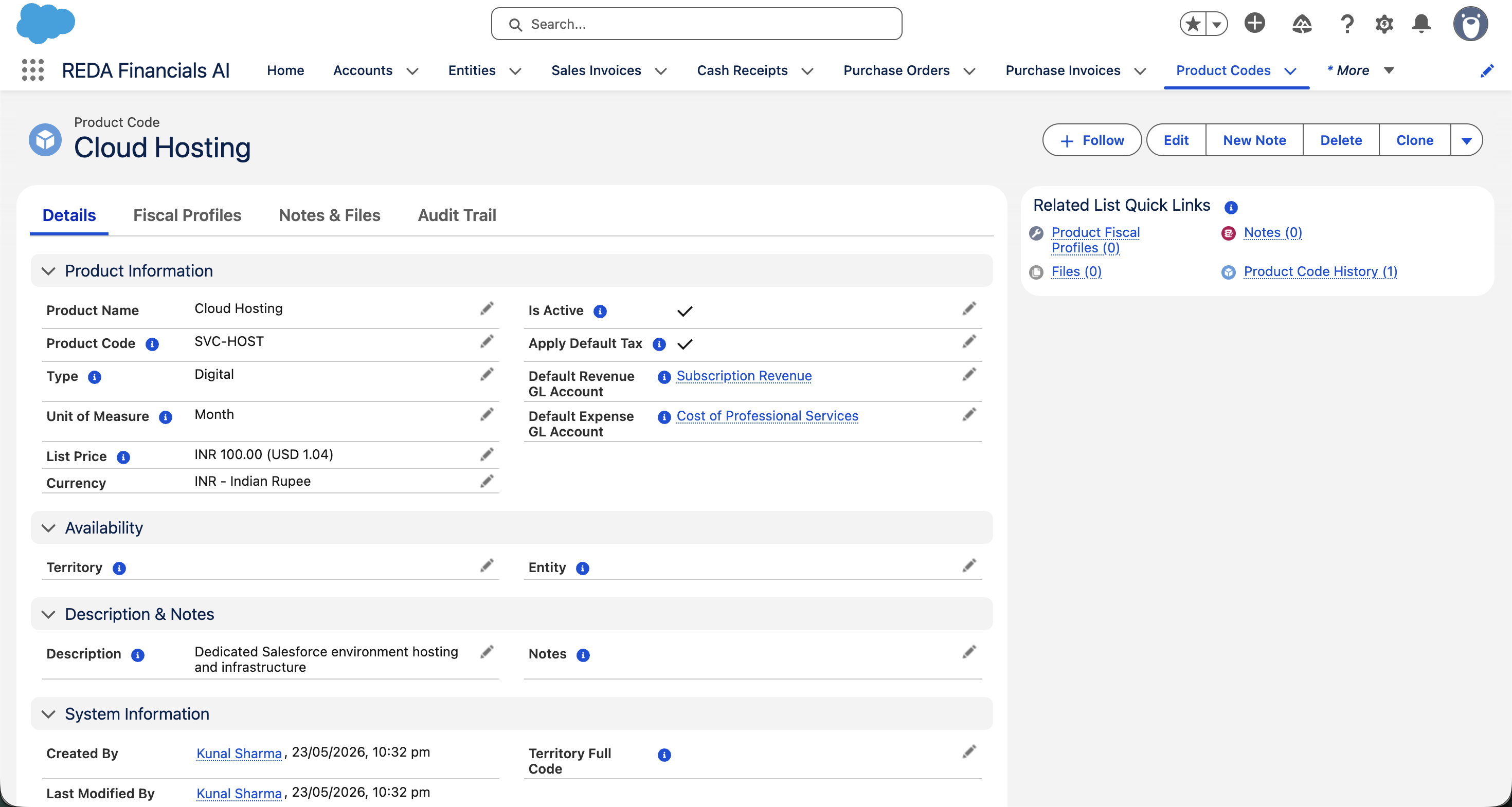
| Identity | Product Code, Name, Description, Type, Unit of Measure | Identify and describe the item; Description pre-fills the line text |
| Posting defaults | Default Revenue GL, Default Expense GL, List Price | Auto-fill the GL account and price on a line |
| Tax | Apply Default Tax | The switch between "use a Fiscal Profile" and "apply catch-all tax" (see below) |
| Asset | Asset Type | For capital items — carries depreciation defaults into the asset |
| Availability | Entity, Territory | Optional — restrict where the product can be used |
| Lifecycle | Is Active, Notes | Retire products without deleting them; internal-only notes |
Each of these is walked field-by-field in Creating Products.
Tax: Fiscal Profile vs "Apply Default Tax"
A product gets its tax treatment one of two ways, and you choose per product:
| Setting | Behaviour | Use when |
|---|---|---|
| Product Fiscal Profile (default approach) | The profile's Tax Profile decides which rules fire — per country | Multi-country, or any product that isn't simply standard-rated |
| Apply Default Tax = on, no profile | Catch-all (standard) tax rules apply without a profile | Simple single-country setups where everything is taxed the same |
| No profile, Apply Default Tax = off | Zero tax — the line is skipped by the engine | Never on purpose — this is the symptom of an unclassified product |
One catalogue, scoped by entity and territory
By default a product is global — usable on any entity's documents. Two optional lookups narrow that:
- Entity — the product belongs to one company only. Use it for an entity's exclusive offerings (a branded bundle only your UK company sells).
- Territory — the product is available to every entity in that territory, and setting a parent territory covers all its sub-territories too. A product tagged
LATAMworks for entities in Brazil, Mexico and Chile alike.
The scoping is enforced when the line is saved, with self-explanatory messages you may meet:
| The message | What to do |
|---|---|
| "This product is restricted to a specific Entity. The parent document is for a different Entity. Pick a product without an Entity restriction, or one matching the document's Entity." | You've reached across company lines — pick that entity's own product, or clear the product's Entity if it should be shared. |
| "This product is restricted to a specific territory and is not available for the parent document's Entity. Pick a product whose Territory matches (or is a parent of) the Entity's Territory, or leave Product.Territory blank for global availability." | The product's region and the entity's region don't line up — choose a regional match or make the product global. |
The payoff — one pick fills the line
Add the Laptop to a Sales Invoice line and choose a quantity. Because the product carries its defaults, the line fills itself in:
| Line field | Filled from the product |
|---|---|
| Description | the product's Description |
| Unit Price | List Price (you can override) |
| GL Account | Default Revenue GL — 4200 |
| Tax | resolved from the GB-STD-20 Fiscal Profile → 20% VAT |
Nobody typed a GL code or a tax rate. That's the entire point of the catalogue.
Where to go next
- Creating Products — build a product end to end, field by field.
- Product Fiscal Profiles — classify a product for tax, per country.
- Products & Assets — how an
Asset-type product creates a Fixed Asset.
Was this article helpful?