
Configuring Accounting Defaults
Accounting defaults are configured at two levels — global (your organisation-wide baseline) and territory (regional overrides). This article shows where and how to set each. For what the defaults are and why they matter, see Understanding Accounting Defaults.
Access you’ll need. Setting accounting defaults requires the Accounting Admin v2 or Accounting Controller v2 permission set. The Accounts Payable v2, Accounts Receivable v2, and Read Only v2 sets can view them but not change them.
Configuring global defaults
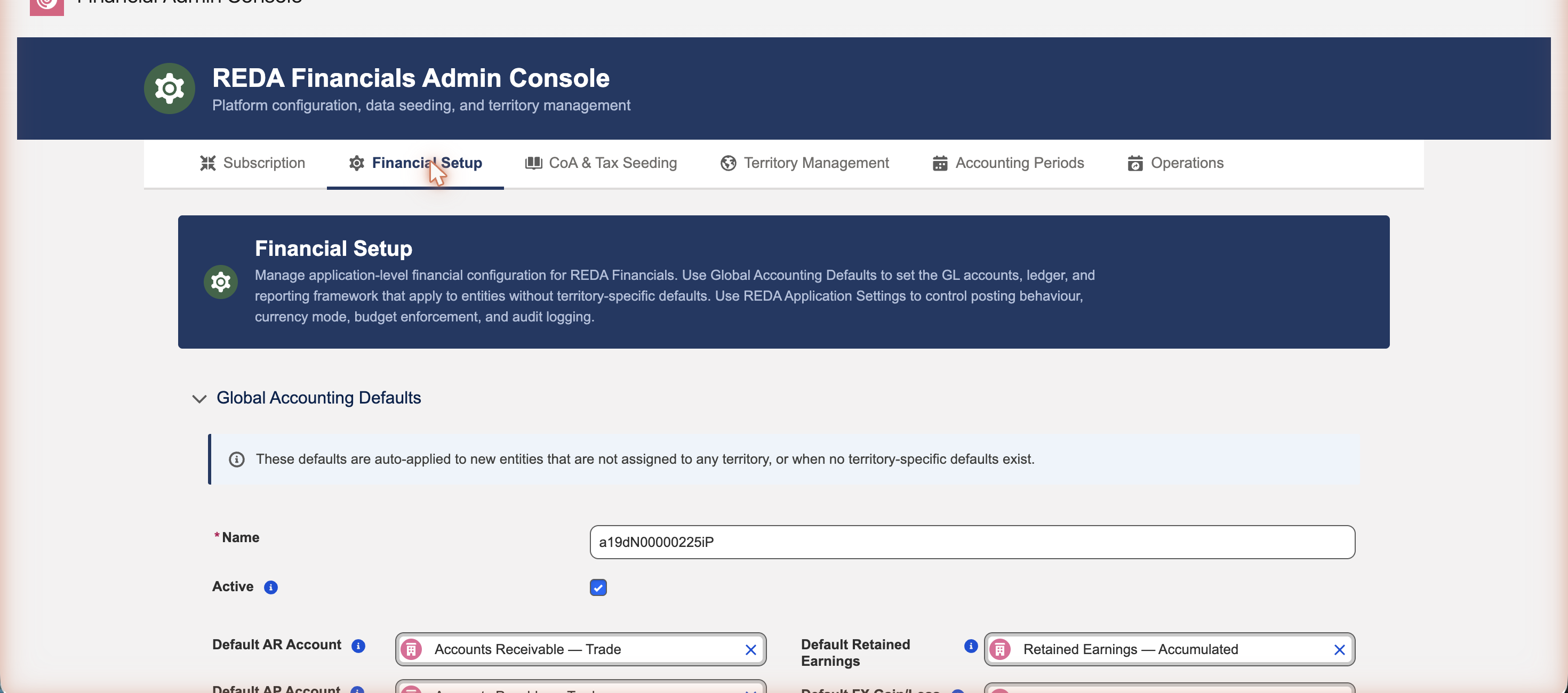
Your global defaults live on the Financial Setup tab of the Financial Admin Console, under Global Accounting Defaults. When you seeded your chart of accounts, REDA already filled these in — so here you’re mainly reviewing and fine-tuning.
- Open the Financial Admin Console and go to the Financial Setup tab.
- Expand Global Accounting Defaults.
- Set each default GL account, ledger, and reporting framework to the account you want — or confirm the seeded values are right.
- Click Save Global Defaults.
Configuring territory defaults
Territory defaults are optional — you only set them for a region that needs different accounts from the global baseline. Leave a territory’s defaults unset and it simply uses the global ones. There are two ways to configure them; both edit the same territory defaults, so use whichever you prefer.
Option 1 — from the Admin Console
- Open the Financial Admin Console and go to the Territory Management tab.
- Find the territory and click its Defaults action.
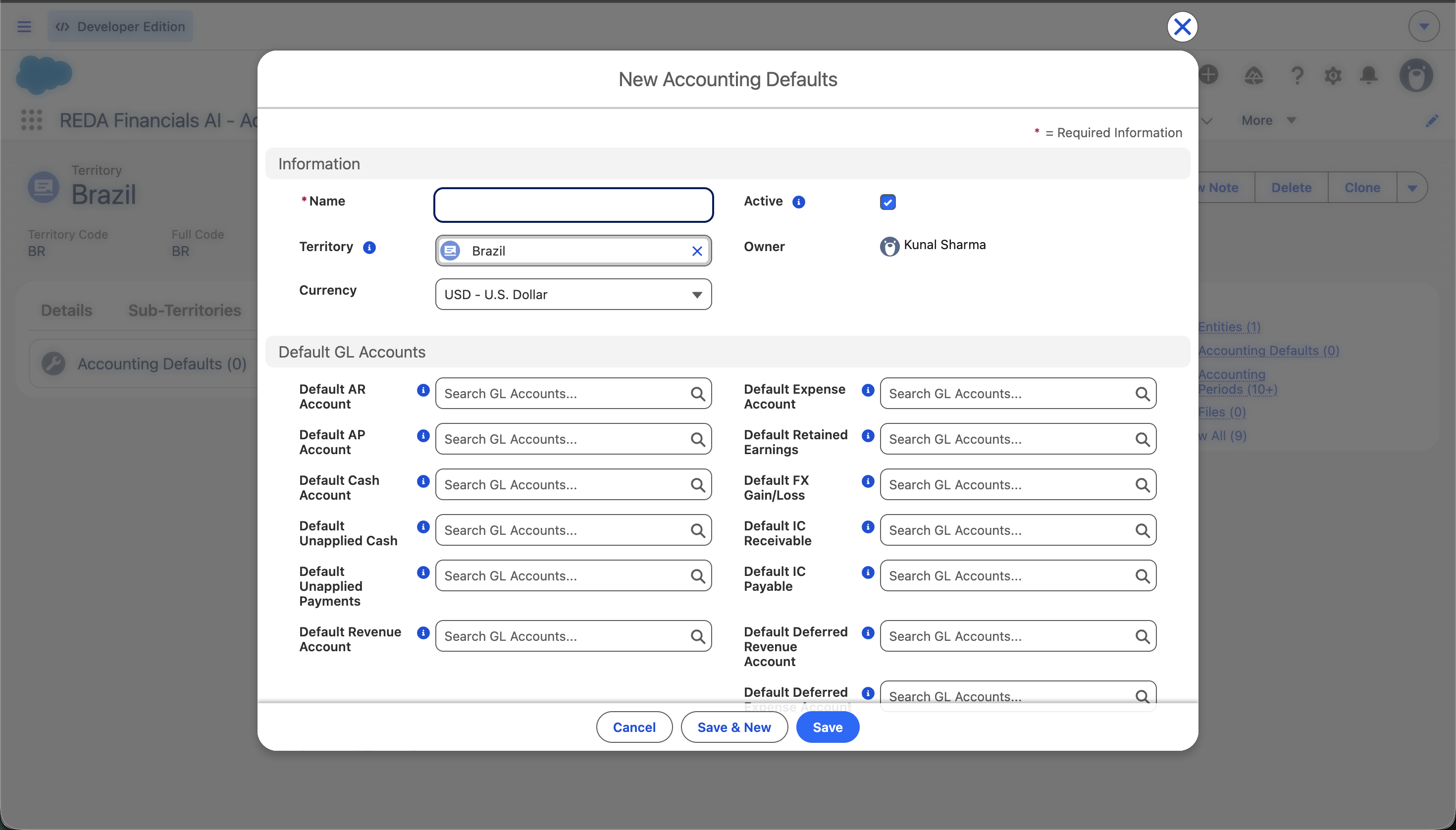
- Set the GL accounts for this territory, then Save. Fill in every account you want the territory to provide — the record is used as a whole.
If the territory has no defaults yet, the form tells you exactly what saving will do: “No defaults configured yet for ‘United States’. Save the form below to create them. They will override the Global record for entities in this territory.”
Option 2 — from the Territories tab
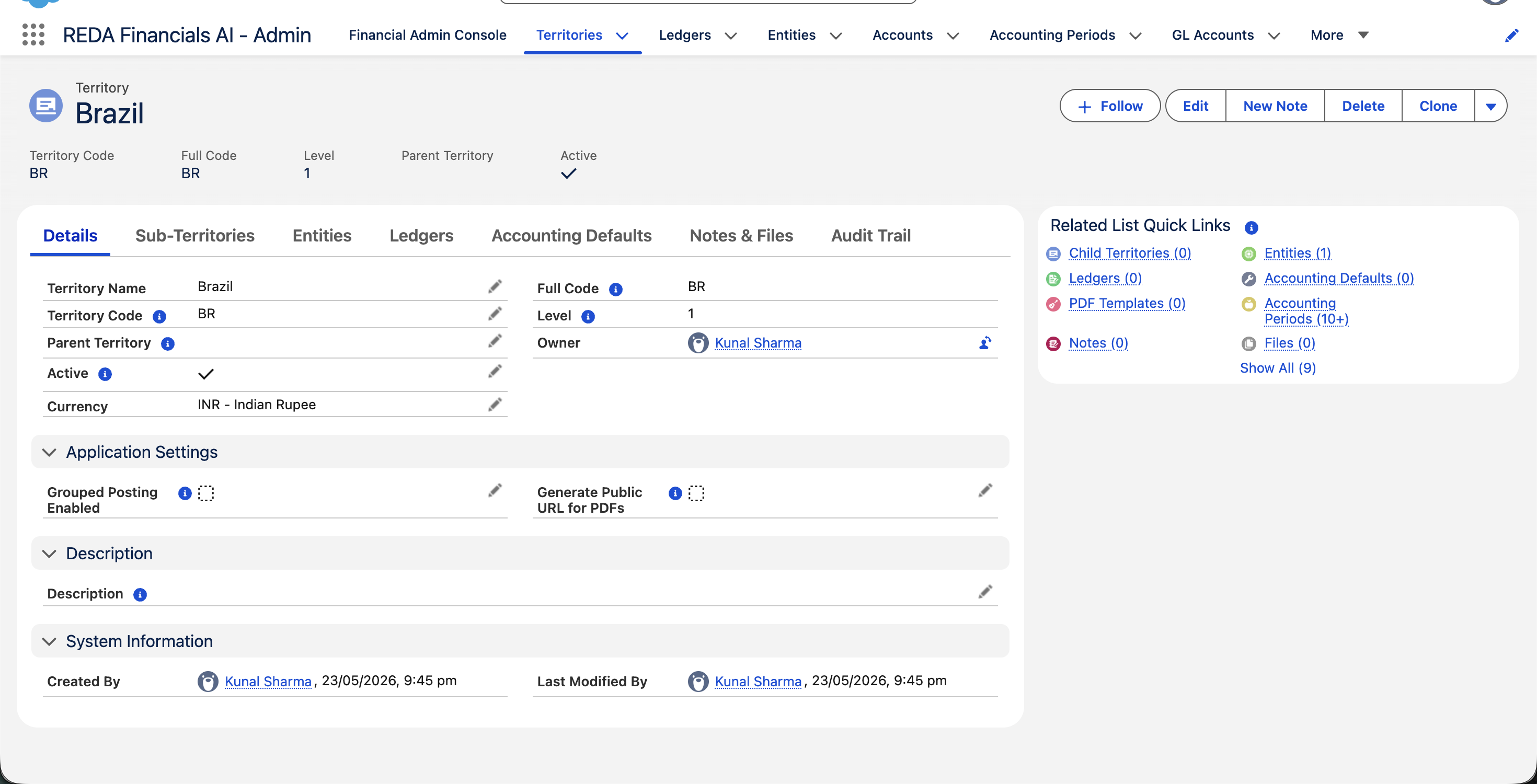
- In the REDA Financials AI - Admin app, open the Territories tab and click into the territory.
- Open its Defaults tab (or the Accounting Defaults related list on the record).
- Create or edit the territory’s defaults record, set the accounts, and Save.
One active record per scope
The system enforces a single active defaults record at each scope — one global, and one per territory. Duplicates are rejected with a message that names the fix:
| The message | What to do |
|---|---|
| “An active Global Accounting Defaults record already exists. Deactivate it first, or edit it instead of creating a new one.” | Edit the existing global record rather than creating a second — the Global Accounting Defaults form does this for you. |
| “An active Accounting Defaults record already exists for this Territory. Deactivate it first, or edit it instead of creating a new one.” | Open the territory’s existing record (the Defaults action edits it in place) instead of adding another. |
| “Only one active Global Accounting Defaults record is allowed. Multiple active Global records were found in this save.” | You imported or mass-created several active records at once — keep one active and deactivate the rest. |
| “Only one active Accounting Defaults record per Territory is allowed. Multiple active records for the same Territory were found in this save.” | The same rule, per territory — one active record each. |
Inactive records are unconstrained — a useful loophole, by design. You can stage a future set of defaults as an inactive record, then swap which record is active when you’re ready to change what new entities inherit.
Where to go next
- Understanding Accounting Defaults — the concepts first.
- How Defaults Flow to Entities — see defaults applied.
- Creating & Managing Territories — where defaults live.
- Territory Codes & Full Codes — how codes are built.
Frequently asked questions
No — the Defaults action on the Territory Management tab and the Defaults tab on the territory record both edit the same territory defaults record. Use whichever is more convenient.
No. When a territory has its own defaults record, REDA uses that record in full — it doesn’t blend accounts across levels, so the parent and global are not consulted to fill its blanks. Fill in every account you want a territory record to provide. If you’d rather inherit the whole global baseline, don’t create a record for that territory. See How Defaults Flow to Entities.
Defaults are copied onto an entity when it’s created, and the entity then owns its accounts. Editing a default changes what new entities inherit; existing entities keep their accounts (update those on the entity directly). That’s why it’s best to finalise defaults before creating entities.
From seeding. When you seed the chart of accounts, REDA maps the standards-based accounts it creates into your global accounting defaults automatically — so the Global Accounting Defaults form is usually already populated when you first open it.
Only if they genuinely differ from the parent. A child territory without a record uses its parent’s defaults; a child and parent both without records use the global defaults. Create a child-level record only when that region posts to different accounts.
It applies only to cash-basis entities, so it’s configured where it’s enforced — on the entity. A cash-basis entity won’t save without one; accrual-basis entities never use it.
Was this article helpful?