
Profit Holding Rules
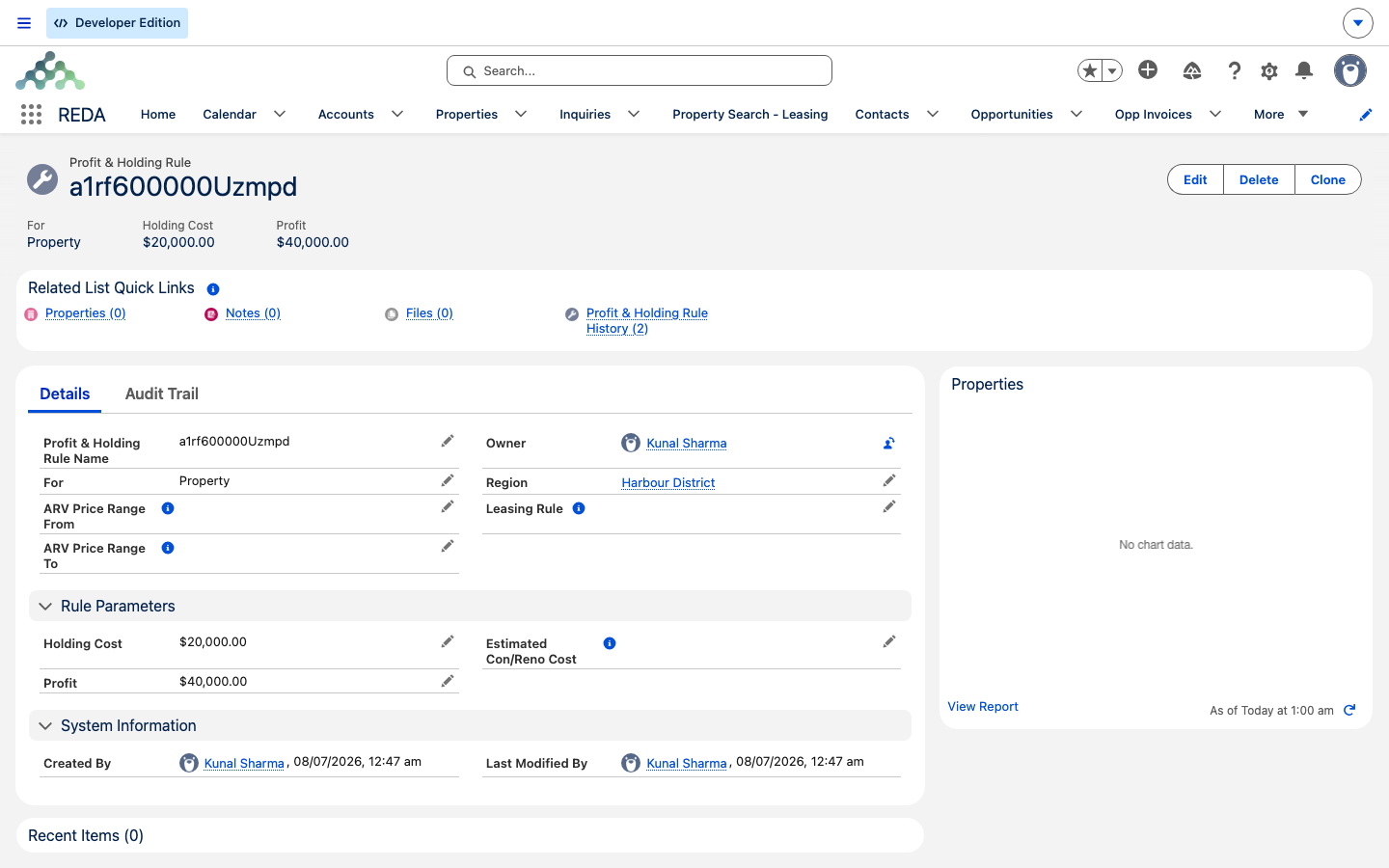
The Profit & Holding Rule (its on-screen label uses the ampersand) is the master-data record that seeds default deal economics onto acquisitions: the estimated construction/renovation cost, holding cost, and target profit that together drive the Maximum Allowed Offer, plus the default leasing rule a property inherits once you own it. This reference explains what each field does, exactly when and how the numbers seed, and — just as important — what the rule does not do. Read it if you're setting up or maintaining these rules per market. Note up front: this is informational master data for deal economics; there is no accounting or deferral logic behind it, and it never posts anything.
Access you'll need. Creating and editing Profit & Holding Rules is a master-data administration task; if you can't open or edit one, ask your administrator to grant the appropriate master-data access. Any user who works acquisitions can pick an existing rule from the lookup.
What a Profit & Holding Rule is
A Profit & Holding Rule captures the default economics for a market segment — a region, an asset kind (land vs a built asset), and an after-repair-value band. You maintain one rule per segment, and when an underwriter picks the matching rule on an acquisition, its cost defaults flow onto the record so nobody has to remember typical renovation, carry, and profit figures for that market. It's a convenience layer: sensible starting numbers that the underwriter then adjusts to the specific deal.
One thing it is not: it does not split or allocate profit between investors or holding accounts. Despite the "profit" in its name, a rule holds a single target-profit figure for the underwriting math — nothing more. If you're looking for how ownership is shared across parties, that lives elsewhere in REDA, not on this record.
The fields
Field labels are shown exactly as they appear on the rule record. Only one field is mandatory — For, which tells REDA whether the rule applies to land or a built asset. Everything else is optional; a rule with only a region and a For value is valid, it simply seeds nothing.
| Field | Required | Purpose |
|---|---|---|
| For (Lot / Property) | Yes | Lot (land) or Property (built asset); matched against the deal or inquiry's Acq Type to decide which rules can be picked |
| ARV Price Range From / To | No | The after-repair-value band this rule is meant for — guidance for choosing the right rule, not an enforced limit |
| Estimated Con/Reno Cost | No | Default renovation budget seeded onto acquisitions |
| Holding Cost | No | Default carry cost (financing, taxes, insurance) seeded onto acquisitions |
| Profit | No | Default target profit seeded onto acquisitions |
| Leasing Rule | No | The leasing policy the acquired property starts with — must be in the same region as the rule |
| Region | No | Market scoping; determines which records can pick this rule and drives its currency display |
Where the rule's numbers go
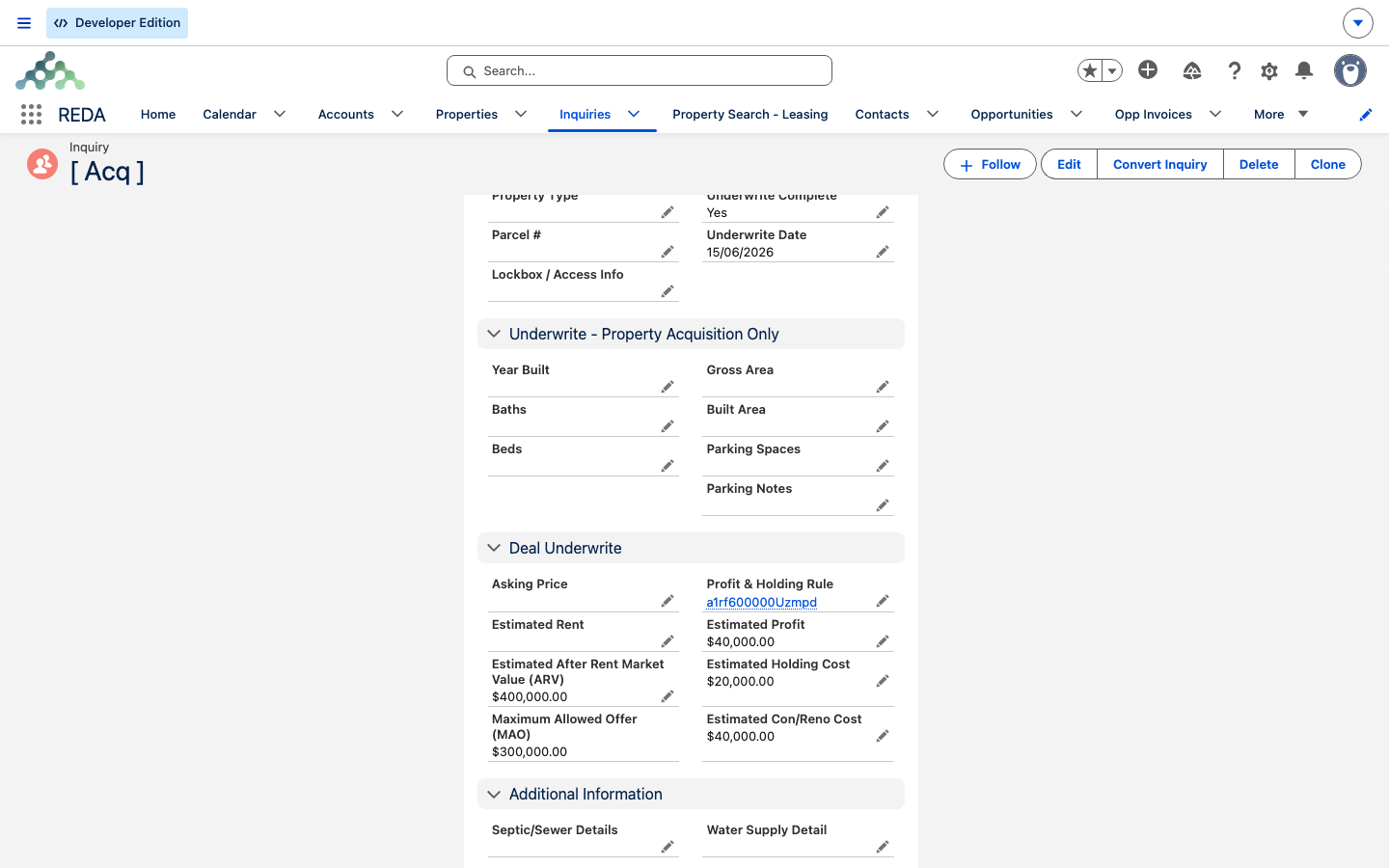
The rule's three cost fields seed the matching estimates on acquisition records, following one consistent behavior worth committing to memory: REDA fills an estimate from the rule only when it is blank. Values you've already typed are never overwritten. That's blank-only seeding.
| Estimate field state when you pick the rule | Result |
|---|---|
| Blank | Filled from the rule |
| Already has a value | Kept — the rule never overwrites it |
| Cleared later, then the rule re-selected | Filled again |
Where the rule can be picked, and what happens on selection:
| Record | Lookup filter | What happens on selection |
|---|---|---|
| Acquisition inquiry | Rule region = inquiry region, and For = Acq Type | Blank estimates fill; the MAO recomputes |
| Acquisition deal | Same filter; defaults from the property when one is linked | Blank estimates fill; the MAO recomputes |
| Property | Rule region = property region | Held as the property's default for future deals; supplies the leasing rule when a property is auto-created |
The seeded estimates then drive the ceiling offer:
The leasing rule connection
A Profit & Holding Rule can name a default Leasing Rule — the leasing policy the property will start with once REDA auto-creates it from a closed acquisition. (If the rule names none, the property falls back to its region's default.) The one validation on this object guards that pairing: the leasing rule you attach must be in the same region as the Profit & Holding Rule. Attach one from a different region and REDA blocks the save:
This "leasing rule" is the post-acquisition policy default; for what a leasing rule then controls, see the leasing section.
What the rule does not do
It helps to be clear about the rule's limits:
Maintaining rules
Worked example: the Harbour District rule
The rule "Harbour District - Property" is set up For Property, covering the ARV band 300,000–500,000, with Con/Reno 40,000, Holding 15,000, Profit 45,000, and Leasing Rule "Harbour District Standard."
Where to go next
- Acquisition Analysis Fields — every underwriting field the rule seeds, defined.
- Acquiring a Property — where the seeded numbers land in the flow.
- Property Creation and Funding an Acquisition — how the rule supplies the property's leasing rule at creation.
- How Acquisitions Work in REDA — the whole pipeline map.
Frequently asked questions
Seeding is blank-only — existing values are preserved. Clear the estimate field and re-select the rule to take its default.
The leasing rule must be in the same region as the Profit & Holding Rule: "Invalid leasing rule. The region specified in the selected leasing rule does not align with the region specified in the profit & holding rule."
The rule's region must match the record's region, and its For value must equal the record's Acq Type (Lot vs Property). If either differs, the rule is filtered out of the lookup.
No — defaults apply only at the moment you select the rule on a record. There's no retroactive recalculation; update open deals individually.
No — the band is guidance only. The lookup filters on region and For, not on price. Pick the rule whose band matches the deal's ARV.
Was this article helpful?