
Accounts in REDA
Every company and person you do business with in REDA — a tenant, a buyer, a property owner, a vendor, an HOA, or one of your own company entities — is anchored to an Account. Unlike inquiries and deals, which are REDA's own records, the Account is the ordinary Salesforce object that ships with the platform: there is no separate "REDA Account". This article explains why REDA uses the standard Account, the four account record types and what each is for, where an account comes from when a conversion creates one you didn't type in, and which REDA record holds which party. No prior REDA experience is assumed — every term is defined as we reach it.
Access you'll need. Account is a standard Salesforce object, so its access is granted separately by your administrator — it is not part of the REDA permission sets. You'll need Account access in addition to whichever line-of-business set (for example REDA - Property Leasing User) lets you work inquiries and deals.
Why REDA uses a standard Account
REDA replaces several standard Salesforce objects with its own: prospects live on the Inquiry instead of the Lead, deals on the REDA Opportunity, service work on the Service Request, and marketing campaigns on the Promotion. The companies-and-people layer, though, stays standard. The Account (a business or party) and the Contact (a person) are the same objects every Salesforce org has, and everything REDA-specific points at them.
This matters in practice: every REDA deal references an Account, and when you convert an inquiry the only three records the conversion is allowed to create are an Account, a Contact, and the deal itself. So the Account is the hub the whole customer relationship hangs off — the deal, the people, the payments, and the reporting all trace back to it.
The four account record types
A record type decides which flavor of account you're looking at — its purpose, its layout, and which lookups can point to it. REDA ships exactly four, all active:
| Record type | Use it for | Notes |
|---|---|---|
| Client | External customers: tenants, buyers, borrowers, and property-management clients | The everyday default; the title-company lookups on sale deals deliberately exclude this type |
| Lease | A leasing tenant's account | Assigned automatically to a leasing prospect's new account on conversion (see below) |
| Internal Entity | Your own company entities — the buying entity on an acquisition, the property-management entity, the entity that owns a property | Must carry an Internal Entity Type; is the record that becomes an accounting entity; the only type that can be Council/HOA-enabled |
| Vendor | Suppliers and contractors | Used as the Vendor on service requests and work orders |
Think of the split as "who is this to us?" — a Client is someone the business serves, a Vendor is someone the business pays for work, an Internal Entity is one of your own legal entities, and a Lease account is a tenant's account created for you during a leasing conversion.
Council / HOA accounts
An account can be flagged as a community body with the Council/ HOA checkbox. When this is checked on a property's parent strata or HOA account, it switches on REDA's council and community features for that community — for example, it is what lets a person on a deal be given a Council Role (see Contact Roles).
The flag is deliberately restricted. It can only be turned on for an Internal Entity account whose Internal Entity Type is Company. Try to check it anywhere else and REDA stops you:
Internal Entity accounts also require you to pick an Internal Entity Type (Company, Employee, Team, or a blank placeholder). Leave it empty and you'll see:
One more community-related setting is worth flagging: a strata or HOA account can also carry an Internal Entity Type of Company and be Council/HOA-enabled at the same time — those two settings work together, and Council/HOA won't turn on without the Company entity type in place.
The Account Owners % field
An account can carry an Account Owners % value — a single percentage on the account itself. REDA won't let it exceed 100:
This is a manual field on the account and is not the same thing as the ownership splits that record who owns a property and in what share. Property ownership — where two or more owners each hold a percentage of a building — lives on the Property, not here. Treat the account's Account Owners % as a standalone figure and manage property ownership shares on the property record.
The account roles you'll meet
Because so much points at the Account, the same account object plays many parts depending on which REDA record references it. Here's the quick map of business party to the record that holds it:
| Business party | Where it lives |
|---|---|
| Tenant | The Account on the lease, with the people attached through Contact Roles |
| Buyer | The Account on a Property Sale deal |
| Borrower | The Borrower Account on a Lending deal |
| Property owner | The owner account on the Property (ownership trail) |
| Your own company entities | Internal Entity accounts — the buying entity, the property-management entity, the owning entity |
| Title / escrow company | The title-company lookups on sale deals (any record type except Client) |
| Vendor / contractor | A Vendor account on a service request or work order |
| HOA / community body | A Council/HOA-enabled account on the parent property |
A few of these carry rules worth knowing. The Account on a deal is required before you can win it — "Account is required to update an opportunity." On a Lending deal the Borrower Account is held to the acquisition it finances: "Borrower Account must be same as Buying Account on Acquisition Opportunity." The Buying Account (Acquisition) and PM Account (Property Management) lookups only offer Internal Entity accounts, since those are your own entities. A leasing deal can also carry a Subsidizer Account whose subsidy is inherited by every lease charge, and a Referral Account carried over from the inquiry for payout and reporting. Ownership of a property, and the Council/HOA link, are set on the Property and its parent — see those articles rather than the account itself.
Where accounts come from
An account is created one of two ways: you create it by hand from the Accounts tab, or REDA creates it for you when you convert an inquiry. Conversion is the common origin, and it's the one that surprises people, so it's worth understanding exactly what it does.
Conversion creates a new account only when you don't pick an existing one in the Convert dialog. The dialog's account picker reads:
Leave it blank and REDA builds a new account, copying a small, predictable set of values from the inquiry:
| Inquiry field | Becomes on the new account |
|---|---|
| Company | Account Name (the auto-formatted value — see below) |
| Phone | Account Phone |
| Inquiry Type | Inquiry Type |
| Region | Region |
The account name and the "Company" field
You never type the account's name during conversion — it comes from the inquiry's Company field, which REDA formats for you before the inquiry is saved. That makes the resulting Account Name predictable:
| Situation | Resulting Account Name |
|---|---|
| A leasing inquiry (Inquiry Type not Company) | First Last [ Lease ] |
| Inquiry Type = Individual (non-leasing) | First Last [ Account ] |
| Inquiry Type = Household | First Last [ Household ] |
| Inquiry Type = Joint | First Last [ Joint ] |
| Inquiry Type = Company | The company name you typed |
The four Inquiry Type values are Individual, Company, Household, and Joint. When you choose Company, a real company name is required — otherwise REDA responds:
The record type conversion assigns
When your administrator has switched on default record-type assignment (it ships on), conversion also stamps a record type on the new account. A Leasing inquiry produces an account with record type Lease; an inquiry with no type produces a Client; other inquiry types take the org default. That's why a converted leasing prospect's account shows up as record type Lease without you choosing it — the leasing conversion did it for you.
Accounts as financial entities
An Internal Entity account can be turned into a financial entity — the accounting record REDA bills, pays, and reports against — once the finance features are in use. When that happens, extra accounting and tax fields appear on the account. You don't set these up here; see activating an internal-entity account as a financial entity for the full walkthrough.
Record type also matters to owner accounting: reconciliation distinguishes Client-type owners (property you manage for someone else) from Internal Entity-type owners (property your own entity owns). See Property Owners & the Ownership Trail for how that plays out — the account's record type is the switch.
Worked example: Meridian's accounts
Meridian Properties is one of the business's own entities — an Internal Entity account with Internal Entity Type set to Company, the entity that manages and owns property. Continental Holdings is an external owner the business serves, so it's a Client-type account. When a new leasing prospect submits a leasing inquiry, REDA sets the inquiry's Company to the auto-formatted First Last [ Lease ]. On conversion, with both Convert-dialog pickers left blank, REDA creates a new account with that name and record type Lease, copying the inquiry's phone and region across. Because the community is council-managed, its strata/HOA account — an Internal Entity of type Company — has the Council/ HOA box checked, which is what lets its residents be given council roles later.
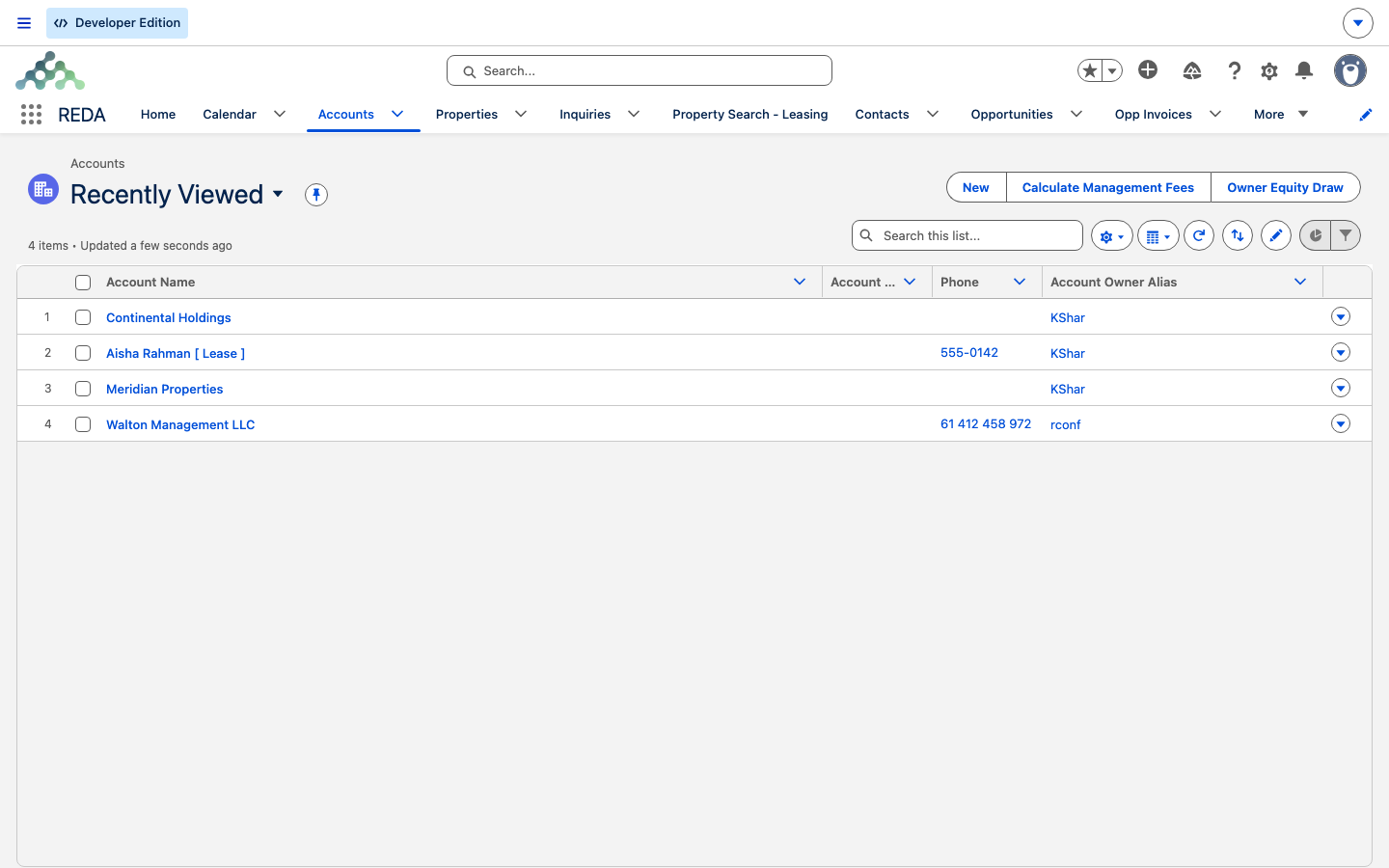
![The Aisha Rahman [ Lease ] account created by conversion](/assets/kb/reda/crm/lease-account.png)
Reference: record types and what conversion writes
The four record types and their purpose:
| Record type | Represents | Special rule |
|---|---|---|
| Client | External customer (tenant, buyer, borrower, PM client) | Excluded from title-company lookups on sale deals |
| Lease | A leasing tenant's account | Auto-assigned on leasing conversion |
| Internal Entity | Your own company entities | Requires an Internal Entity Type; only type that can be Council/HOA-enabled (Company only) |
| Vendor | Supplier / contractor | Used as the Vendor on service requests and work orders |
What a leaving-blank conversion writes onto a new account:
| Inquiry field | Account field |
|---|---|
| Company | Account Name |
| Phone | Account Phone |
| Inquiry Type | Inquiry Type |
| Region | Region |
Where to go next
- Working with Contacts — the people layer that lives under an account.
- Converting an Inquiry — where a converted account (and its contact) comes from.
- Opportunities: the Deal Hub — the deal the account hangs off.
- Contact Roles — how people are attached to a deal.
- Activating a Financial Entity — turning an Internal Entity account into an accounting entity.
- Property Owners & the Ownership Trail — owner accounts and the managed-vs-owned distinction.
Frequently asked questions
Account is a standard Salesforce object, and its access is granted separately by your administrator — no REDA permission set includes Account rights. Ask your administrator to grant you Account access alongside your line-of-business set.
The inquiry's Company field is formatted for you before it's saved, and that value becomes the Account Name on conversion. The bracketed suffix reflects the inquiry — [ Lease ] for a leasing prospect, [ Household ], [ Joint ], or [ Account ] otherwise, or the typed company name when the Inquiry Type is Company.
When default record-type assignment is on (it ships on), a leasing prospect's new account is created as record type Lease; an inquiry with no type becomes a Client. Nothing was chosen by hand — the leasing conversion assigned it.
A Client is an external customer the business serves. An Internal Entity is one of your own company entities (the buying entity, the property-management entity, the owning entity) — it carries the accounting-entity setup and is the only type that can be Council/HOA-enabled.
The Council/HOA flag is valid only on an Internal Entity account whose Internal Entity Type is Company. Set the record type and entity type first, then check the box.
Yes — Vendor is one of the four record types, used as the Vendor on service requests and work orders.
Conversion only reuses an account you explicitly pick in the Convert dialog — there is no fuzzy auto-match. Pick the existing account in the dialog to avoid a duplicate; standard duplicate rules still evaluate the new record.
Was this article helpful?