
Disbursements & Payoffs
This is how loan money moves out. A Loan Disbursement draws loan funds toward a purchase, a renovation, construction, or a property turn. A Loan Payoff uses one loan's escrow to retire another — the refinance move. Both are worked as tickets: short, tracked records with hard limits against your escrow and principal balances. And both share one behavior that surprises everyone the first time: nothing counts until the ticket is closed. By the end you'll be able to create either ticket on a Closed Won loan, satisfy every check, and explain exactly when the totals move. No prior REDA experience is assumed.
Access you'll need. Creating and editing these tickets requires the REDA - Property Lending User permission set.
Two ticket types, one pattern
A ticket in REDA is a short, tracked record for a controlled step — here, moving money on a loan. Both lending tickets follow the same status ladder: New (the default) → In Process → Closed, with Cancelled as the exit. The two types differ only in what they do:
| Loan Disbursement | Loan Payoff | |
|---|---|---|
| Money goes | Out of the loan's escrow to a use (a draw) | Out of this loan's escrow to retire another loan |
| Key fields | Disbursement Type · Disbursement Amount · Acq. Opportunity | The loan being paid off · Payoff Amount |
| Ceiling(s) | Loan Amount | The paying loan's Running Escrow and the target loan's Loan Principal Balance |
| Counts when | Status = Closed | Status = Closed |
| Updates on close | Loan Disbursed Amount · the property's disbursement total · the acquisition's disbursement total | The paying loan's Payoff (Disbursed) · the target loan's Payoff (Received) |
Prerequisites
Both ticket types share two gates you must satisfy before REDA will let you save one against a loan:
Closed Won. Pick any earlier-stage loan and REDA blocks it: "Only Closed Won Lending Opportunity can be selected."The money ceiling for each ticket comes from the loan's balance figures — the escrow and principal balances explained in Escrow & Principal Balances. Creating the ticket from the loan prefills the deal and property (and, for disbursements, the linked acquisition), so most of this is filled in for you.
Recording a disbursement
A disbursement draws money out of the loan for a defined use.
| Disbursement Type | Use it for |
|---|---|
| Acquisition | A purchase-price draw (the acquisition link is required) |
| Renovation | Rehab budget draws |
| Construction | Ground-up or build draws |
| Property Turn | Turn and make-ready spending |
Disbursed money is capped by the loan's principal. If a draw would push the total past it, REDA stops you — at the loan level with "Disbursed Amount must be less or equal to Loan Amount.", and at the property level with "Loan Disbursed Amount can not be greater than Loan Amount."
Recording a payoff
A payoff uses this loan's escrow to retire a different loan on the same property — the mechanics behind a refinance. The ticket sits on the loan that's paying, and points at the loan being paid off.
The two ceilings are the heart of a payoff. The amount can't exceed the escrow available on the paying loan, nor the outstanding principal on the loan being retired:
"Payoff amount must not be greater than Loan Principal Balance Amount on provided Lending Opportunity."
The first is checked against the paying loan's Running Escrow; the second against the paid-off loan's Loan Principal Balance. Both figures are explained in Escrow & Principal Balances.
Closing the ticket counts the money
Work the ticket down its Path — New → In Process — as the money moves in the real world, then set it to Closed on the day funds settle. That's the moment REDA counts it, recomputing the totals:
| Status | Effect on totals | Notes |
|---|---|---|
| New (default) | None | Caps are checked against the current balances |
| In Process | None | Work in flight |
| Closed | Counted | All the totals recompute; escrow and balance figures move |
| Cancelled | None (removed if it was previously counted) | Reopening or cancelling a closed ticket pulls its money back out |
Closing a disbursement raises the loan's Loan Disbursed Amount, the property's disbursement total, and the linked acquisition's disbursement total — and the loan's Running Escrow falls accordingly. Closing a payoff raises the paying loan's Loan Principal Payoff (Disbursed) and the retired loan's Loan Principal Payoff (Received) — dropping the retired loan's principal balance and the paying loan's escrow.
Closed Won (that's the prerequisite for the ticket), the move you make by hand is to advance the retired loan to Payoff Pending — the stage that follows Closed Won and signals a loan whose balance is being worked down. The tickets handle the money; the stages stay in your hands.
Worked example: a draw and a payoff
Take a 750,000.00 loan, Closed Won, on Meridian Court, fully funded so its Running Escrow is 750,000.00.
The draw. Create a Loan Disbursement ticket, type Renovation, amount 120,000.00, with the acquisition linked. While it's In Process, nothing changes. Close it, and the loan's Loan Disbursed Amount becomes 120,000.00, the property's disbursement total becomes 120,000.00, and the loan's Running Escrow falls to 630,000.00 (750,000 minus the 120,000 draw).
The payoff. The property still carries an old bridge loan, Harbour Bridge Loan, with a principal balance of 400,000.00 and the same borrower. On the new loan, create a Loan Payoff ticket, pick Harbour Bridge Loan as the loan to retire, and enter a Payoff Amount of 400,000.00 — within the 630,000.00 escrow and within the 400,000.00 balance, so both ceilings pass. Close it: the new loan's Payoff (Disbursed) becomes 400,000.00 and its escrow falls to 230,000.00; Harbour Bridge Loan's Payoff (Received) becomes 400,000.00 and its principal balance drops to 0.00. Harbour Bridge Loan is already Closed Won, so you then move it yourself to Payoff Pending to mark it as being retired.
What the checks look like. Try a Payoff Amount of 500,000.00 and you'll hit the escrow ceiling message; try to pick the paying loan as the loan to retire and you'll get "Invalid selection. You cannot payoff loan with same loan."
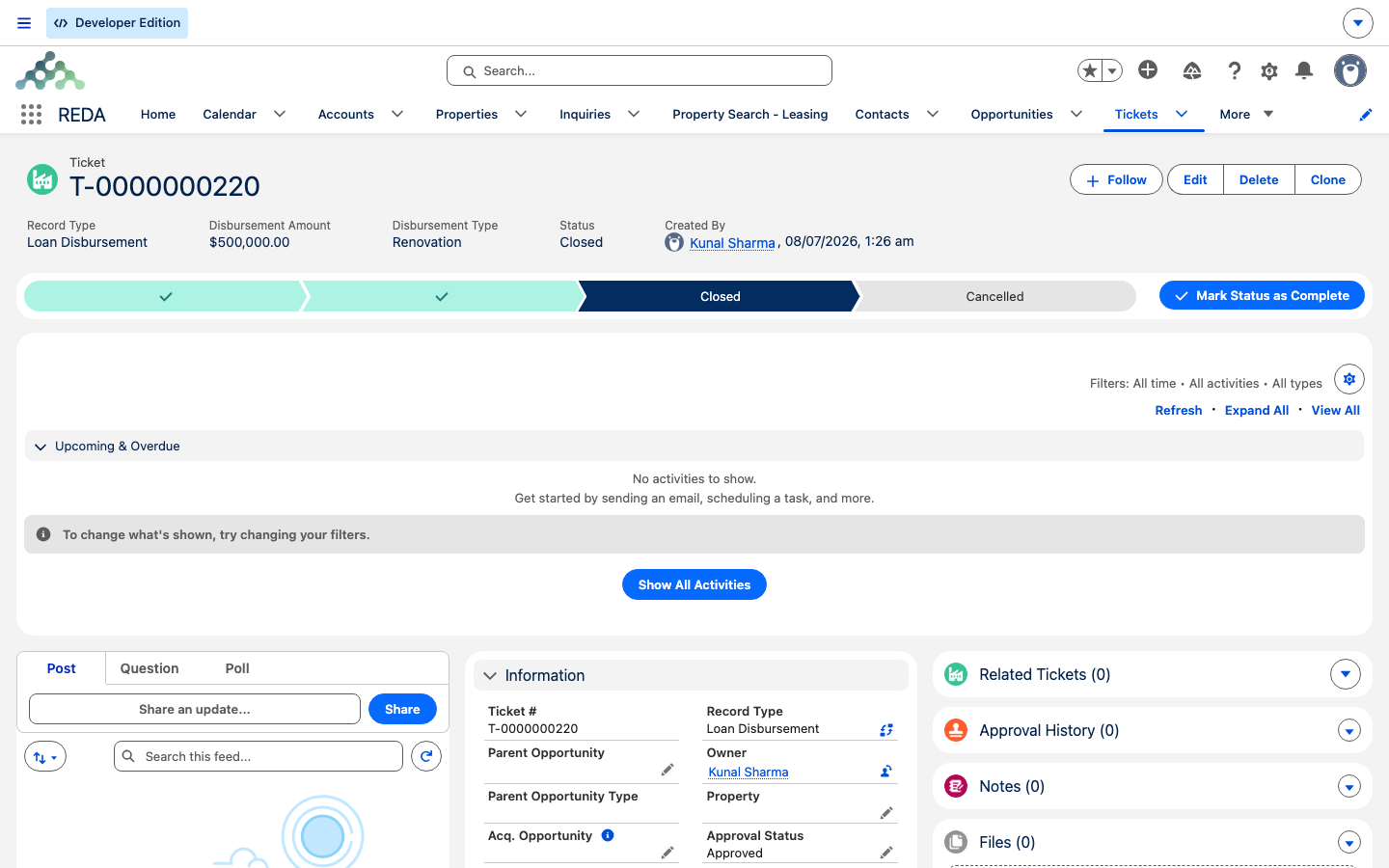
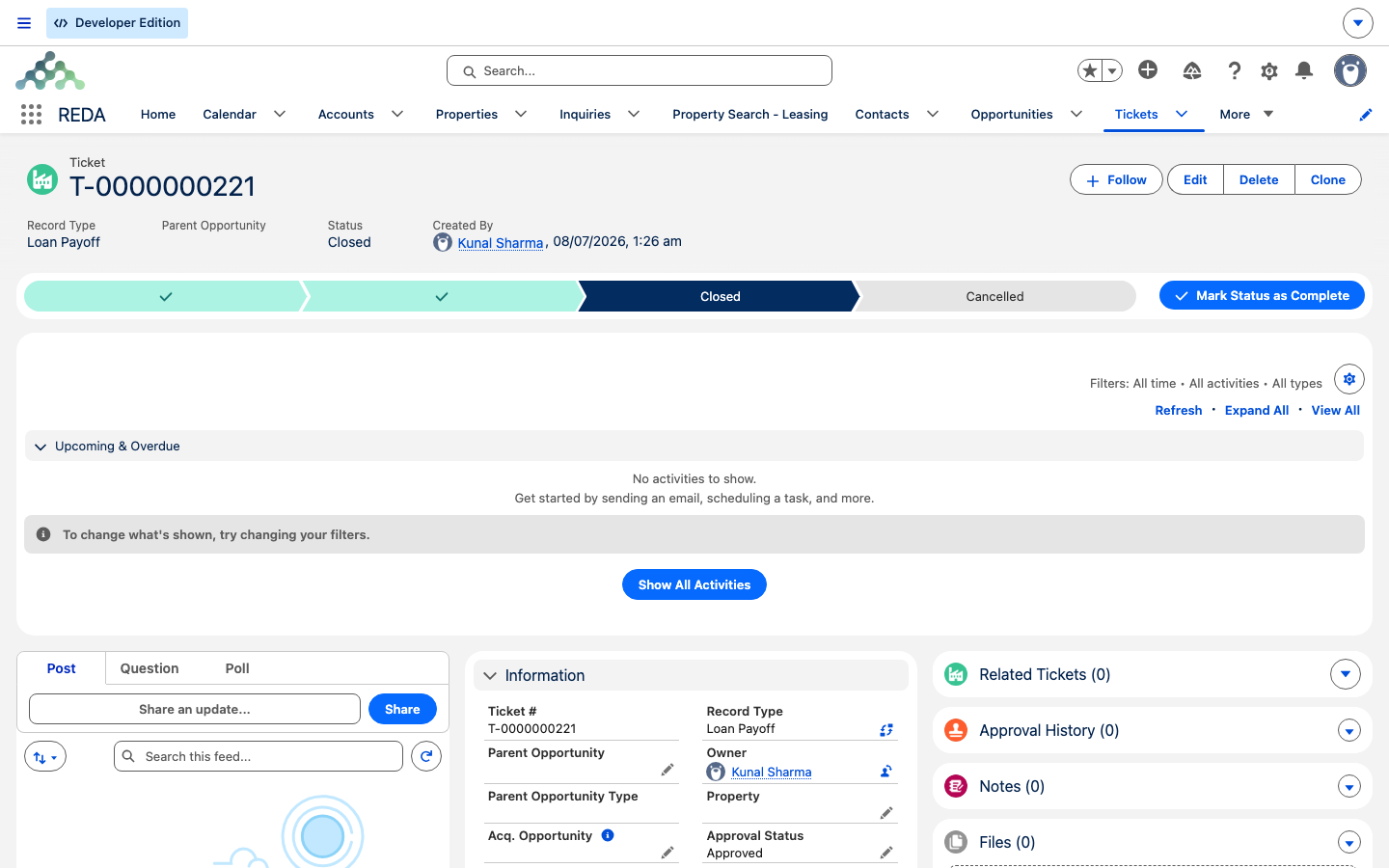
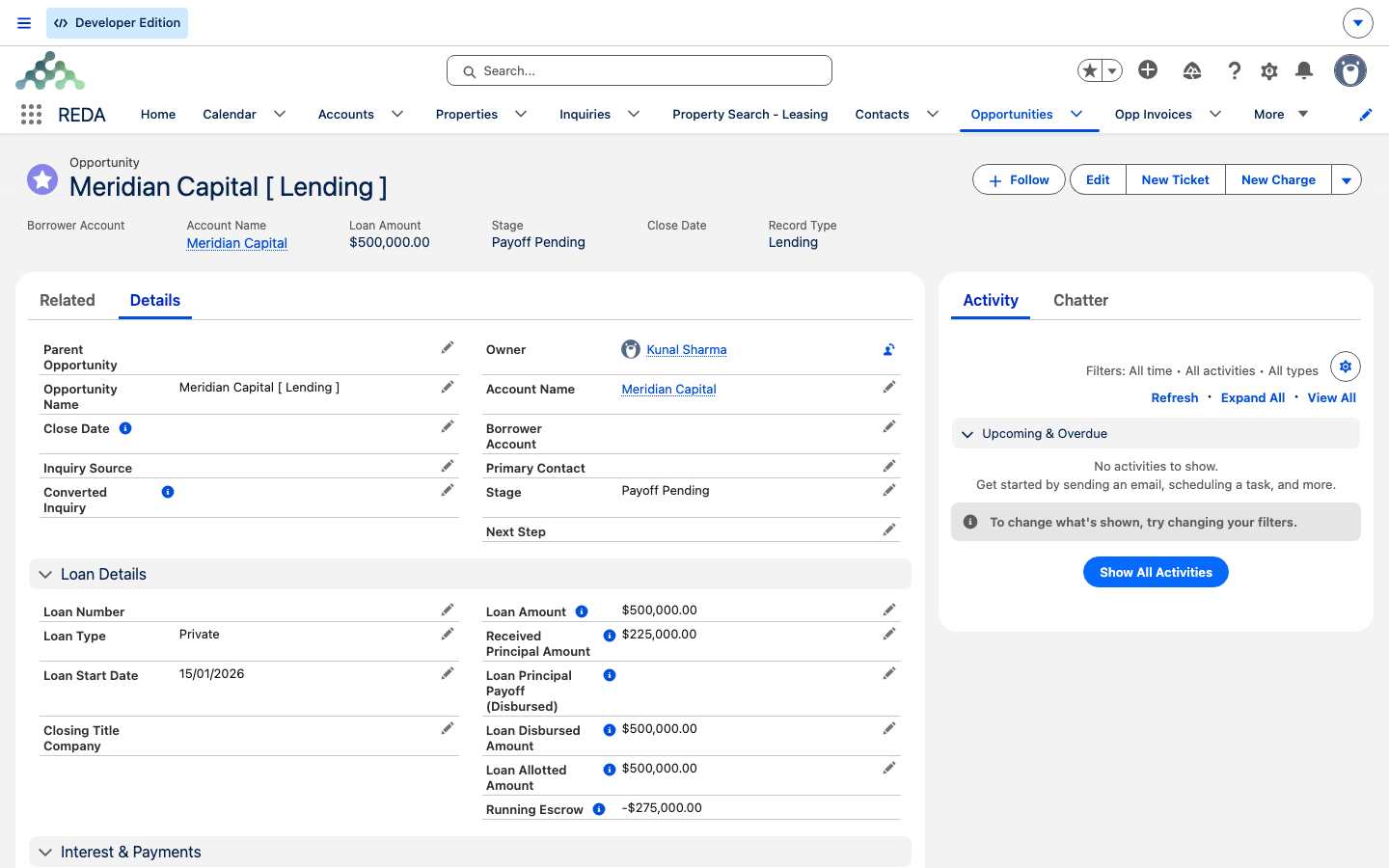
Payoff Pending. Its Loan Details show Loan Disbursed Amount 500,000.00 with the Running Escrow drawn down (here to −275,000.00) — the money the disbursement and payoff tickets moved out of escrow.Reference: the checks in full
| Applies to | Rule | Message |
|---|---|---|
| Both | Loan must be Closed Won | "Only Closed Won Lending Opportunity can be selected." |
| Both | Ticket property must match the deal (or acquisition, for disbursements) | "The property on the ticket must match the property on the Opportunity or Acquisition Opportunity in the case of a Loan Disbursement ticket." |
| Disbursement | Acquisition required when drawing against the acquisition | "You must provide Acquisition Opportunity on Loan Disbursement if disbursement is done against acquisition." |
| Disbursement | Within the loan's principal (loan / property caps) | "Disbursed Amount must be less or equal to Loan Amount." · "Loan Disbursed Amount can not be greater than Loan Amount." |
| Payoff | Within the paying loan's available escrow | "Payoff amount must not be greater than available escrow on Opportunity." |
| Payoff | Within the target loan's principal balance | "Payoff amount must not be greater than Loan Principal Balance Amount on provided Lending Opportunity." |
| Payoff | Target loan must share the borrower | "Only existing lending opportunities with same "Borrower Account" as on provided "Opportunity" can be selected." |
| Payoff | Can't pay a loan off with itself | "Invalid selection. You cannot payoff loan with same loan." |
Where to go next
- Escrow & Principal Balances — the ceilings' formulas, explained in words.
- Lending in REDA — the loan lifecycle and the Closed Won prerequisite.
- Recording Loan Payments — payments versus payoffs.
- Property & Acquisition Loan Rollups — where these totals land on the property.
Frequently asked questions
Only closed tickets count. A ticket at New or In Process moves nothing. Close it the day the funds settle and the totals recompute.
These tickets can only be created against a Closed Won loan: "Only Closed Won Lending Opportunity can be selected." Advance the loan to Closed Won first.
A payoff has two ceilings: the paying loan's available escrow ("Payoff amount must not be greater than available escrow on Opportunity.") and the retired loan's principal balance ("Payoff amount must not be greater than Loan Principal Balance Amount on provided Lending Opportunity."). Reconcile whichever one is lower.
The loan you retire must share the borrower and can't be the paying loan itself: "Only existing lending opportunities with same "Borrower Account" as on provided "Opportunity" can be selected." and "Invalid selection. You cannot payoff loan with same loan."
The acquisition is required when the disbursement is drawn against the acquisition: "You must provide Acquisition Opportunity on Loan Disbursement if disbursement is done against acquisition." The property-match check applies to every draw regardless of type.
No. The ticket moves the money, not the stage. The retired loan is already Closed Won (that's the prerequisite for the payoff ticket), so the move you make by hand is to advance it to Payoff Pending — the stage that follows Closed Won for a loan being worked down.
Was this article helpful?