
Neighbourhoods
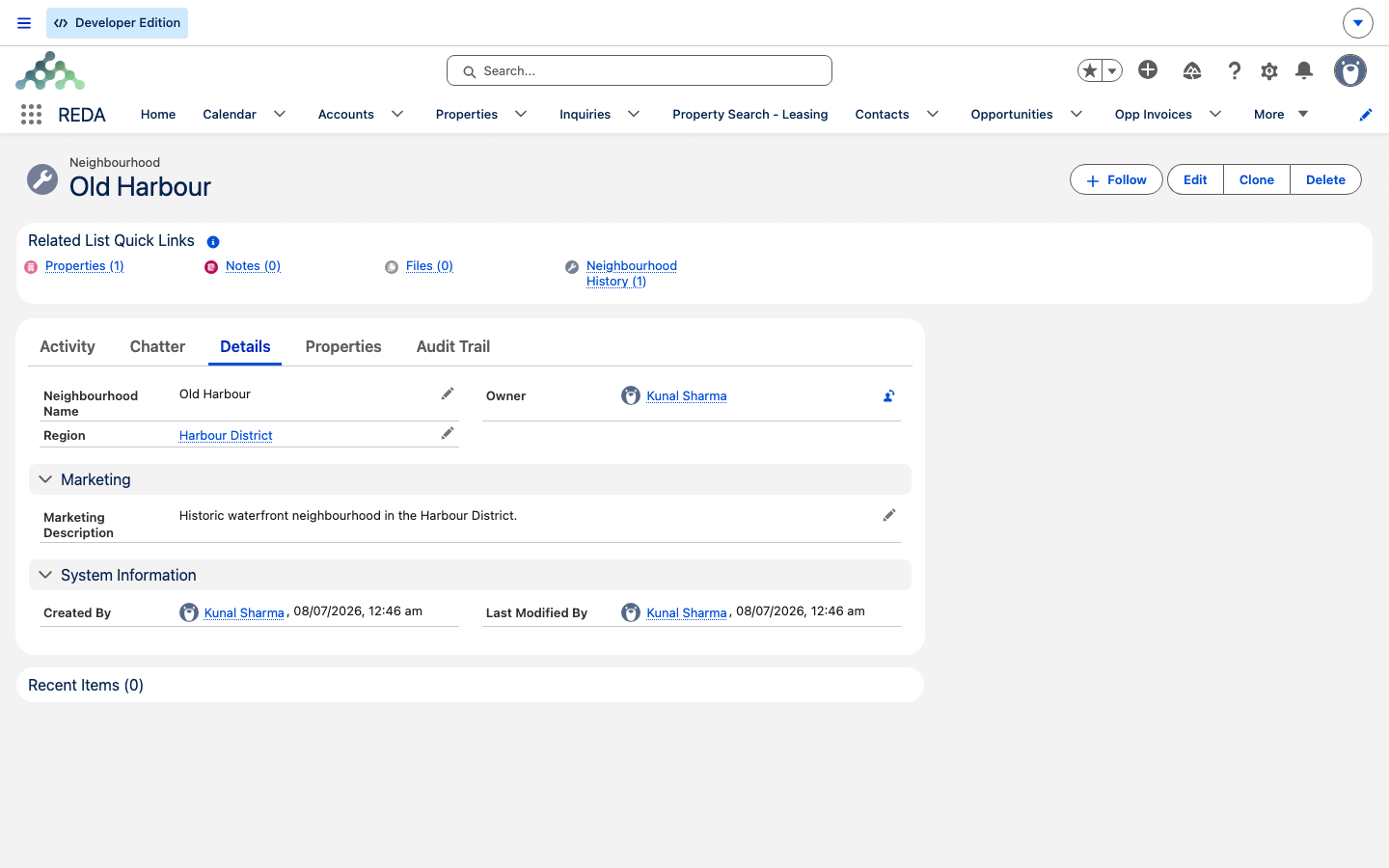
A neighbourhood is a named sub-area of a region — the local name a renter or buyer would actually recognise, sitting one level below the broader region. This short guide is for administrators subdividing a region into marketable areas, and for anyone wondering what the Neighbourhood field on a property does. After reading, you'll be able to create a neighbourhood under the right region, write the marketing description that fronts its listings, and understand that a neighbourhood is a facet people can search leasing by. No prior REDA experience is assumed.
Access you'll need. Neighbourhoods follow REDA's master-data pattern: creating and editing them requires the REDA - Master Data - Admin permission set, while REDA - Master Data - Read Only can view them. If you can create the parent region, you can manage its neighbourhoods.
What a neighbourhood is
A region is the broad geographic backbone in REDA — it sets currency, defaults and visibility. A neighbourhood is a smaller, marketable slice of that region: "Old Harbour" within "Harbour District", say. It exists so your listings can speak the language buyers and renters use, and so people can narrow a search to the exact pocket they want.
A neighbourhood is a light record — a name, its region, and a description. It has no validation rules of its own, so the only guard you'll meet around neighbourhoods belongs to the region (below). Because it hangs off a region, a neighbourhood takes on that region's currency; you don't set currency on the neighbourhood itself.
Creating a neighbourhood
A neighbourhood has just a few fields you fill in:
| Field | What it's for |
|---|---|
| Neighbourhood Name | The local name people recognise. |
| Region | Required. The region this neighbourhood belongs to. It sets the neighbourhood's currency and controls which properties can use it. |
| Marketing Description | Long-form text (up to 32,000 characters) for listings and web content — the copy that fronts this neighbourhood to prospects. |
REDA stamps the region's code onto the neighbourhood when you save; you don't edit that code by hand. Because the region controls the neighbourhood, a region can't be deleted while it still has neighbourhoods under it — REDA blocks the delete so you don't strand them. Move or remove the neighbourhoods first if you ever need to retire a region.
The three manager roles
A neighbourhood is also where three role lookups are set. Each points at a Salesforce user and is inherited by every property beneath it, unless that property sets its own. They are not decoration: REDA resolves them down to the property and stamps them onto approval-bearing records, so a neighbourhood left blank leaves its properties without a named owner for approvals.
| Field | What it does |
|---|---|
| Property Manager | The manager responsible for properties in this neighbourhood. |
| Regional Manager | The regional manager above them. |
| Accounting Manager | The manager responsible for the accounting side. |
Set these when you create the neighbourhood rather than later — properties created beneath it inherit whatever is there at the time.
Where neighbourhoods show up
Once created, a neighbourhood earns its keep in three places:
Worked example: neighbourhoods under Harbour District
Under the region Harbour District, you create two neighbourhoods — Old Harbour and Harbour Heights — each with its own marketing description. You then open Meridian Court #101, confirm its Region is Harbour District, and set its Neighbourhood to Old Harbour (which now appears in the picker because the property is in the matching region). A tenant searching your leasing listings filters by Old Harbour and Meridian Court #101 comes back in the results, with Old Harbour shown in its result row.
Where to go next
- Regions — the parent record that sets currency, defaults and visibility for its neighbourhoods.
- Property Search — how neighbourhoods become filters and columns for prospects.
- Creating Properties — setting a property's region and neighbourhood as you build it.
Frequently asked questions
The Neighbourhood lookup only offers neighbourhoods of the property's own region. Set the property's Region first, then pick — or check that the neighbourhood is filed under the same region.
A region can't be deleted while neighbourhoods still point to it. Move or remove those neighbourhoods first, then delete the region.
In listing and web content for the neighbourhood, wherever your site surfaces it. It's the marketing copy for that area.
Was this article helpful?