
Managing a Property Under a PM Agreement
The agreement is signed, the property is under your management — now what actually changes, and what do you do day to day? This article is the honest answer. It picks up where Property Management Agreements leaves off and shows you how to confirm a property is correctly under management, what the management stamps do and don't change, how everyday leasing and maintenance run on a managed unit, and where the owner-accounting touchpoints — management fees, expense recovery, owner statements — live. It's an orientation guide: it points you to the right article for each task rather than re-teaching the mechanics. No prior REDA experience is assumed.
Access you'll need. Property-management operations require the REDA - Property Management User permission set; REDA - Master Data - Read Only can view but not change. Individual tasks lean on other sets — Work Orders need REDA - Work Order User or REDA - Property Leasing User — which we call out at each step and link to.
What "under management" looks like on the property
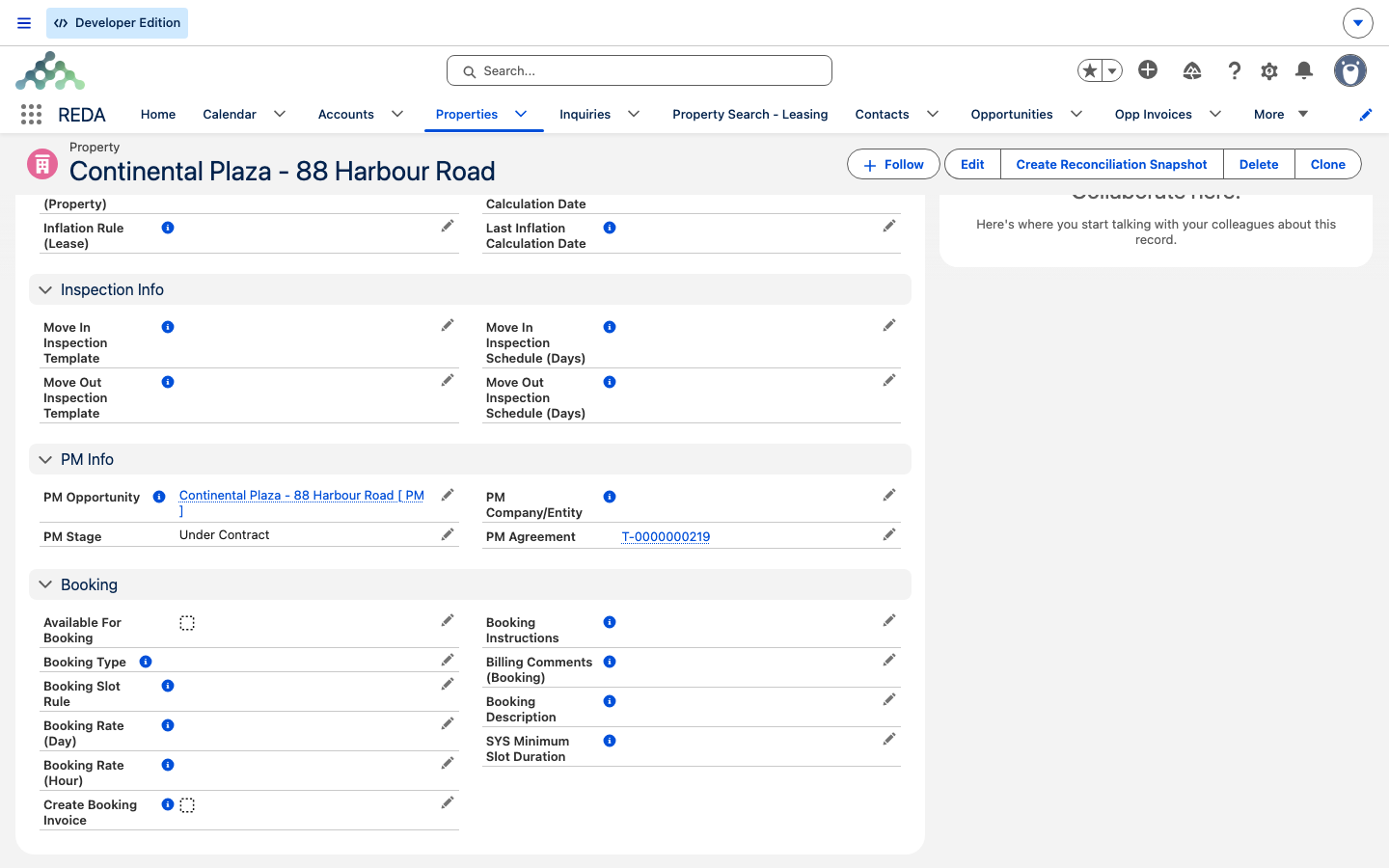
When the management agreement closes, REDA writes four things onto the property's Details tab. Together they are the record that the property is managed:
| Stamp | What it holds |
|---|---|
| PM Agreement | The closed agreement that put the property under management |
| PM Company/Entity | The account that manages and bills for the property — your company |
| PM Opportunity | The management deal |
| PM Stage | A snapshot of that deal's stage (Under Contract once signed) |
To confirm a property is under management, check that these are filled and that the deal reads Under Contract or beyond. One thing to watch: the Owner Account and the PM Company/Entity are two different accounts — the owner owns, your company manages. If they're the same account, the property isn't really third-party managed.
What changes — and what doesn't
Here's the part people most often get wrong, so let's be plain about it. Putting a property under management does not change how leasing, service requests, or work orders behave. A managed unit is leased, maintained, and billed exactly like a property you own and operate yourself. There is no separate "managed" workflow to learn.
What management adds is an owner-accounting layer. The fee terms captured on the agreement become the basis for what you bill the owner, and your PM company becomes the billing entity on invoices REDA generates. So the machinery of running the property is unchanged; a second set of money movements — between you and the owner — is layered on top.
| You bill… | For… | Via |
|---|---|---|
| The tenant | Rent, chargeable maintenance | Lease invoices; a Work Order's Invoice to Tenant |
| The owner | Management, placement, and renewal fees; recovered expenses | Management-fee automation; expense reconciliation |
Everyday operations on a managed unit
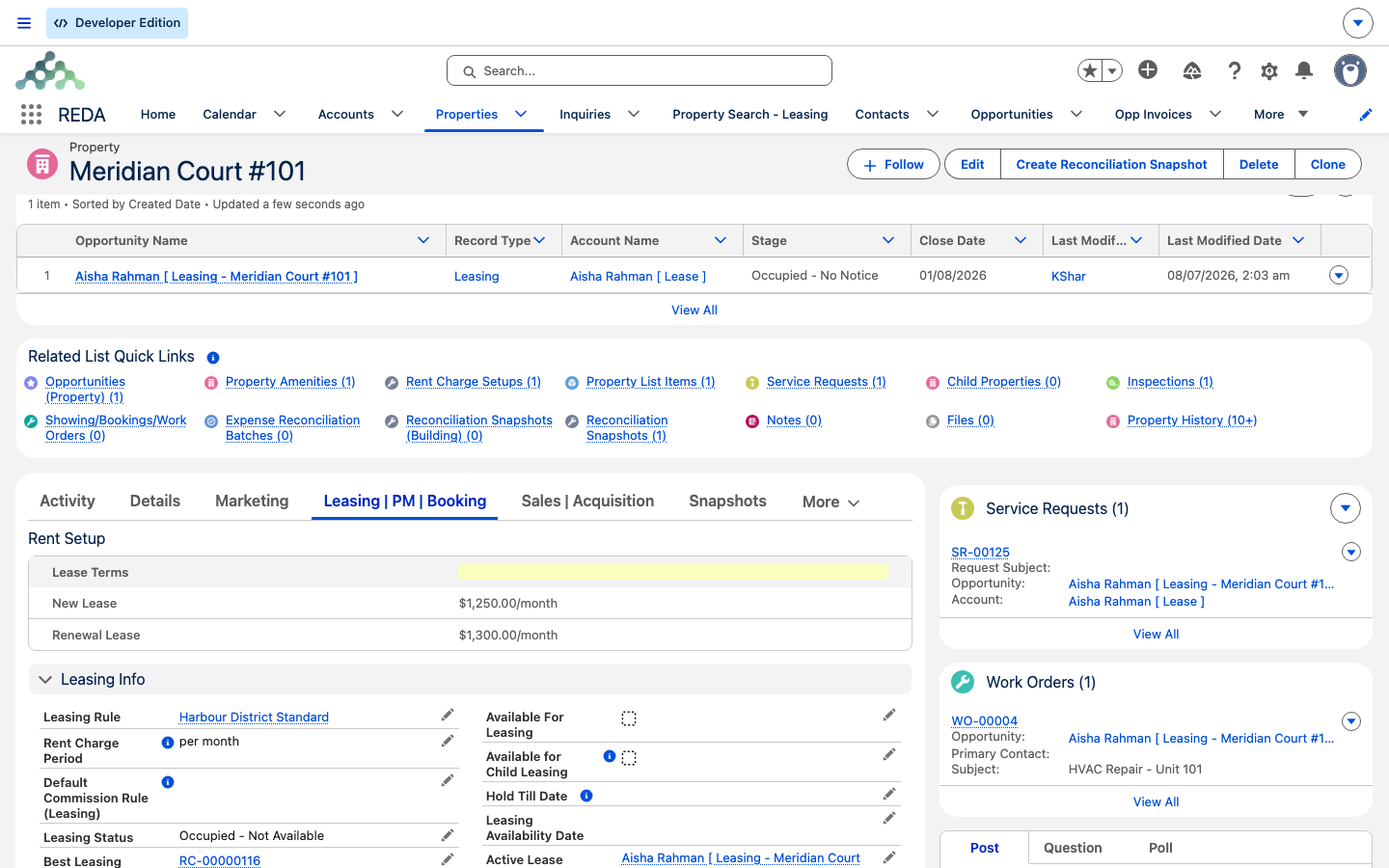
Because a managed property runs like any other, the daily work is the standard REDA flow:
Maintenance and the vendor
The maintenance pipeline on a managed property is the same as anywhere: a Service Request becomes a Work Order, the Work Order is assigned to a Vendor account and scheduled from the property's Maintenance Slot Rule. If the repair is chargeable to the tenant, you tick Invoice to Tenant on the Work Order and REDA raises a tenant invoice when the job is completed. The full mechanics — including the billing fields you must fill in — are in Work Orders; there's nothing management-specific to add here.
Owner-accounting touchpoints
The owner side of the ledger is where management differs from owner-operated stock. Each of these has its own article; this section just orients you to what they are and points you there:
Confirming and changing the relationship
To verify management is live, re-check the property's Details tab: the four PM stamps are filled and the deal reads Under Contract or later. If any stamp is missing, the agreement probably never reached Closed — go back to the agreement and close it properly.
Reference: where each management fact lives
A managed property touches several parts of REDA. Here's where to look for each thing — and which article owns the details:
| What you want | Where it is | Which article owns it |
|---|---|---|
| Is this property managed? | Property → Details → PM Agreement / PM Company/Entity filled | This article |
| Who owns vs. who manages | Property → Owner Account vs. PM Company/Entity | This article |
| The fee terms | The closed agreement | Property Management Agreements |
| Bill the tenant for maintenance | Work Order → Invoice to Tenant | Work Orders |
| Charge the owner (fees) | Management-fee automation (Financials) | Management Fees |
| Recover shared expenses | Expense reconciliation | Expense Reconciliation |
| Owner payouts and statements | Owner draws & statements (Financials) | Owner Draws & Statements |
Worked example: Meridian manages Continental's building
Meridian Properties manages a building owned by Continental Holdings. The agreement has closed, so the building's property record shows PM Agreement = that agreement, PM Company/Entity = Meridian Properties, Owner Account = Continental Holdings, and the deal reading Under Contract. Here's a day in the life:
| What happens | Which ledger |
|---|---|
| A tenant reports a leak → Service Request → Work Order assigned to SwiftFix Maintenance, scheduled from the maintenance calendar | — |
| The leak is tenant-caused, so Invoice to Tenant is ticked; completing the job raises a tenant invoice | Tenant |
| At period end, Meridian bills Continental Holdings the management fee | Owner |
| Meridian runs an expense reconciliation across the building's units; Continental absorbs the vacant unit's share | Owner |
Notice that the tenant-side work is ordinary maintenance — the same as on any property — while the owner-side entries are the layer that management adds. Each has its own article; this trace only points the way.
Where to go next
- Property Management Agreements — create and close the agreement that puts a property under management.
- Work Orders — schedule maintenance and bill the tenant for chargeable repairs.
- Expense Reconciliation — recover shared expenses; the owner absorbs vacancy.
- Management Fees — how the owner is billed for your management service.
- Owner Draws & Statements — the owner payouts and periodic accounting.
Frequently asked questions
On the property's Details tab, the four PM stamps — PM Agreement, PM Company/Entity, PM Opportunity, and PM Stage — are filled, and the deal reads Under Contract or beyond.
No. Day-to-day operations run exactly the same as on a property you own and operate yourself. What's added is an owner-accounting layer — fees, expense recovery, and statements.
The PM Company/Entity recorded on the agreement — your management company.
On the completed Work Order, tick Invoice to Tenant and supply the charge code, amount, and note. See Work Orders for the full billing walkthrough.
There's no automatic un-management — cancelling the agreement reverts nothing. Update the property and its deal by hand to end the relationship.
Was this article helpful?