
Promotions & Lease Discounts
A "First Month Free" offer, a percentage off rent for six months, a move-in incentive tied to a marketing campaign — these are promotions in REDA. A promotion is a reusable credit you build once and then apply to leases as a discount line. This article shows you how to create a valid promotion (the negative-amount and recurrence rules trip everyone the first time), how REDA decides which leases get offered it, how web inquiries are auto-tagged by campaign, and exactly how the credit lands on a lease. No prior REDA experience is assumed.
Access you'll need. Creating and editing promotions requires the REDA - Master Data - Admin permission set; the REDA - Master Data - Read Only set can view them. Applying a promotion to a lease requires the REDA - Property Leasing User set.
What a promotion is
A promotion is a saved discount. When you apply it to a lease, REDA turns it into a charge line — the same kind of line as rent or a fee, except its amount is negative, so it reduces what the tenant owes. Two fields decide whether a promotion is even eligible to appear on a lease:
- Type must be Leasing Promotion. The other type, Standard, is a marketing-tracking record that never reaches a lease — if a Standard promotion "doesn't work" on charges, that's why.
- Is Active must be ticked. This is the real on/off switch: it filters the offers shown on leases, the campaign auto-match, and the promotion picker everywhere.
Creating a promotion
From the Promotions tab, click New and fill in the record. The fields group into five blocks:
| Block | Fields | What to enter |
|---|---|---|
| Classification | Promotion Name · Type · Status · Is Active · Description | Set Type = Leasing Promotion and tick Is Active — those two make it real. Status is informational. |
| Economics | Amount · Charge Code · Promotion Billing Label · Promotion Billing Description · Promotion Notes | Amount must be negative (it's a credit). The Billing Label becomes the charge's name; the Billing Description becomes the invoice's comment. |
| Recurrence | Is Recurring · Recurring Calculation · Recurring Instances · Charge Period · Do Prorate · Instance Based | For a one-time credit, leave recurrence off. For a repeating credit, see below. |
| Scope | Region · Property Type · Property · Leasing Rule · Parent Leasing Promotion | Controls which leases get offered the promotion (see Who gets offered it). |
| Attribution | UTM Campaign · Start Date · End Date · Applicable On Renewal | UTM auto-tags web inquiries; the renewal flag is a hard filter. |
Recurring promotions
A one-time promotion credits once. A recurring promotion credits over several billing periods. To build one, tick Is Recurring and then set a Recurring Calculation — either:
- Fixed Instances — credit for a set number of periods. Provide the number of Recurring Instances and a Charge Period (month by default, or week or day).
- Date Range — credit across a From/To window set on the lease charge itself.
REDA enforces the pairing strictly: a recurring promotion needs a calculation type, and a non-recurring one must have those fields blank. The exact messages are in the FAQ.
Scoping: who gets offered the promotion
A promotion is offered on a lease when any of its scope fields matches — the logic is "or", not "and". A promotion is offered when:
- its Region matches the lease's region (when the promotion sets no property type or rule); or
- its Property Type matches, within the same region (a region is required whenever you set a property type); or
- its Leasing Rule matches the lease's rule (the rule's region must line up with the promotion's region); or
- its Property matches — a specific property and its child properties.
The Parent Leasing Promotion field is for grouping related promotions in reports only; nothing reads it when deciding what to offer.
Web attribution: matching campaigns automatically
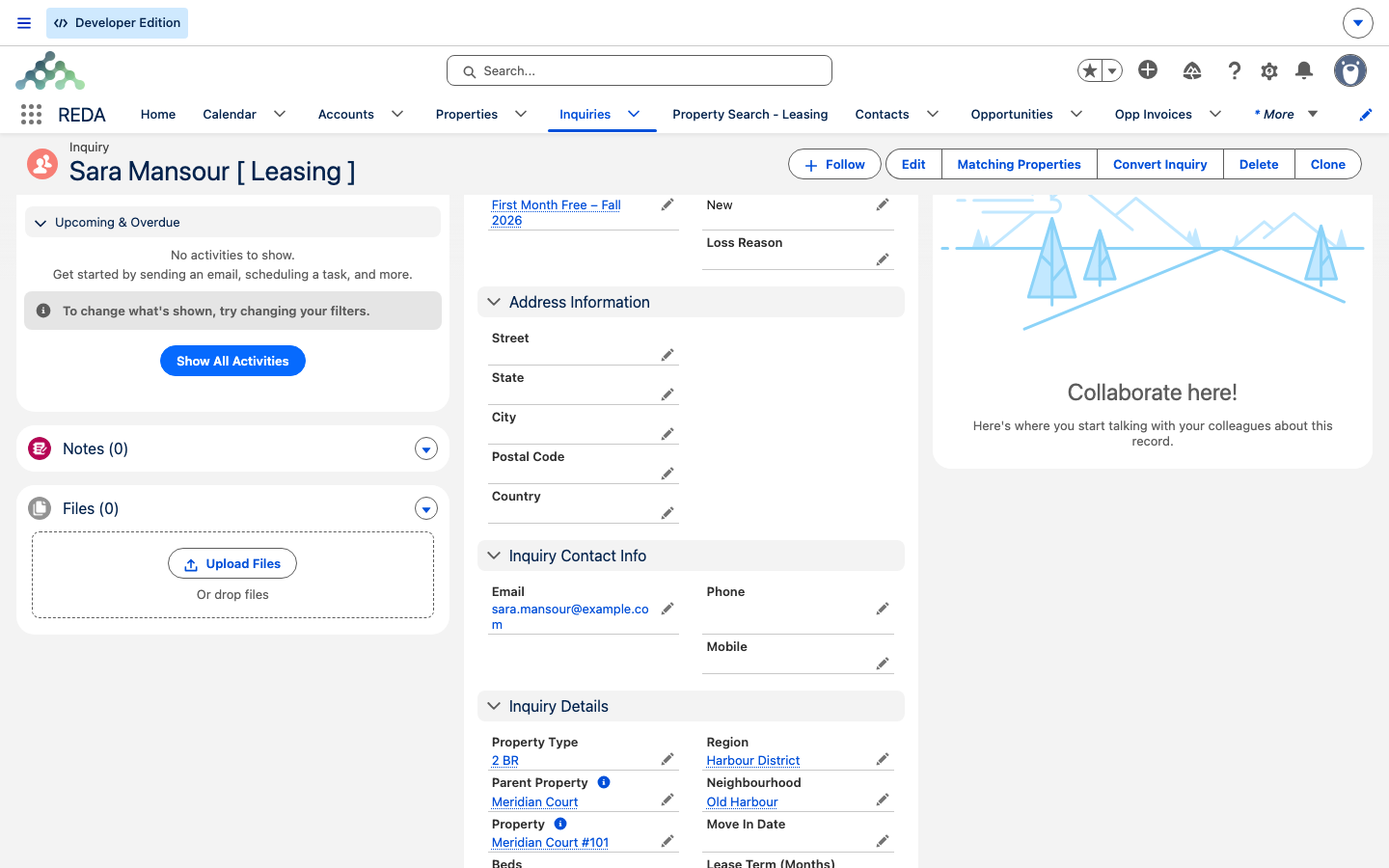
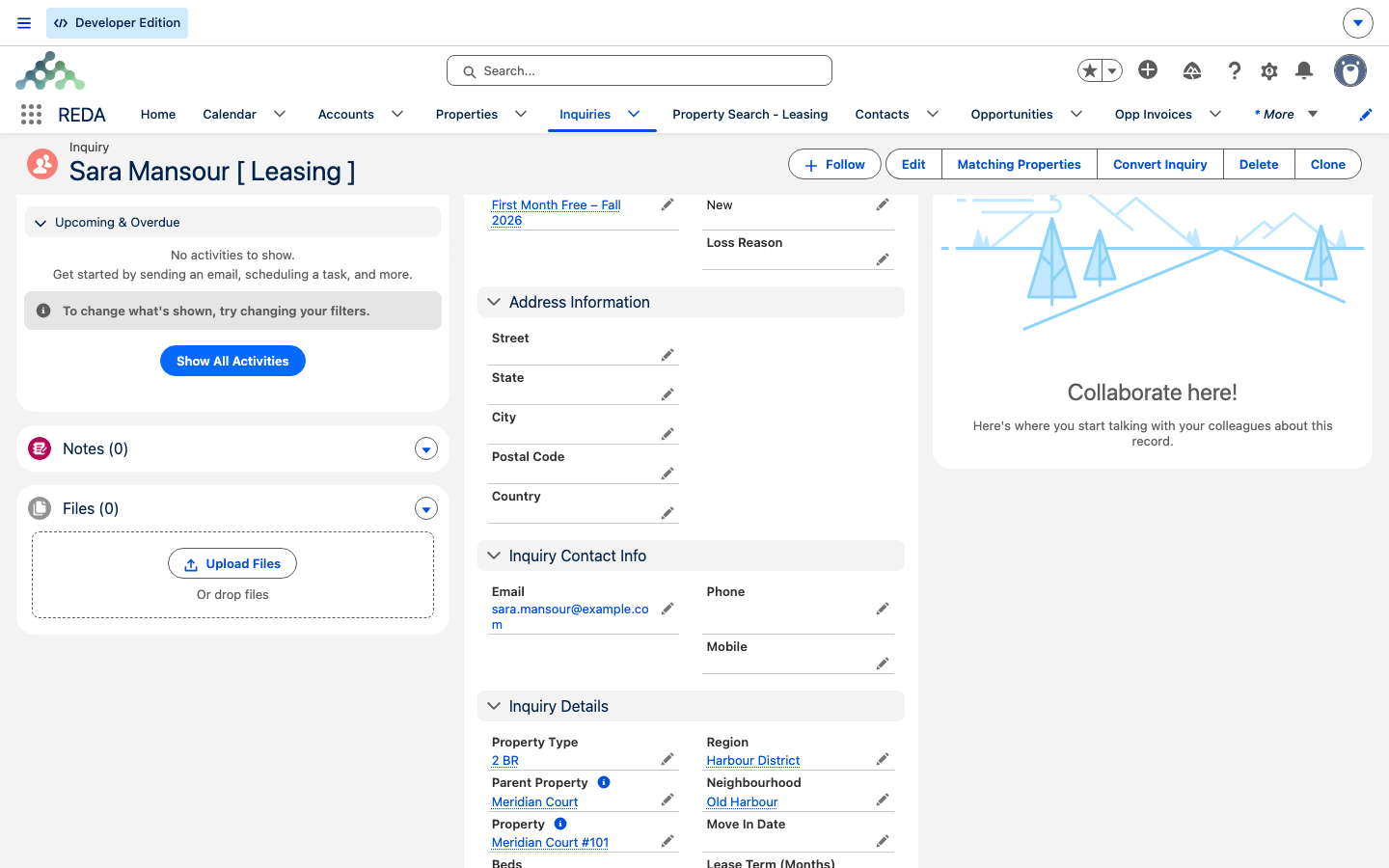
When a web inquiry is saved with a UTM Campaign value and no promotion linked yet, REDA looks for the active promotion whose UTM Campaign matches exactly and stamps it onto the inquiry. This makes marketing attribution automatic — the inquiry that came from your "fall-2026-free-month" ad is tagged with that promotion without anyone typing it.
A few things to know about the match:
- It's one-shot, at inquiry save. There is no back-fill — activating a promotion later does not go back and tag inquiries that already exist.
- An existing link is never overwritten.
- If several active promotions share the same UTM tag, whichever REDA finds first wins — so keep UTM tags unique per active promotion.
- A promotion referenced by any inquiry can't be deleted; retire it by unticking Is Active instead.
Applying a promotion on a lease
Promotions attach to a lease as charge lines — there is no "promotion" field on the lease itself. To apply one:
Child leases in a family are included in the promotion offers alongside the master. And if your organization runs rent-inflation adjustments, promotion credits survive the restructuring — they carry onto the re-created charges rather than getting lost.
Worked example: First Month Free
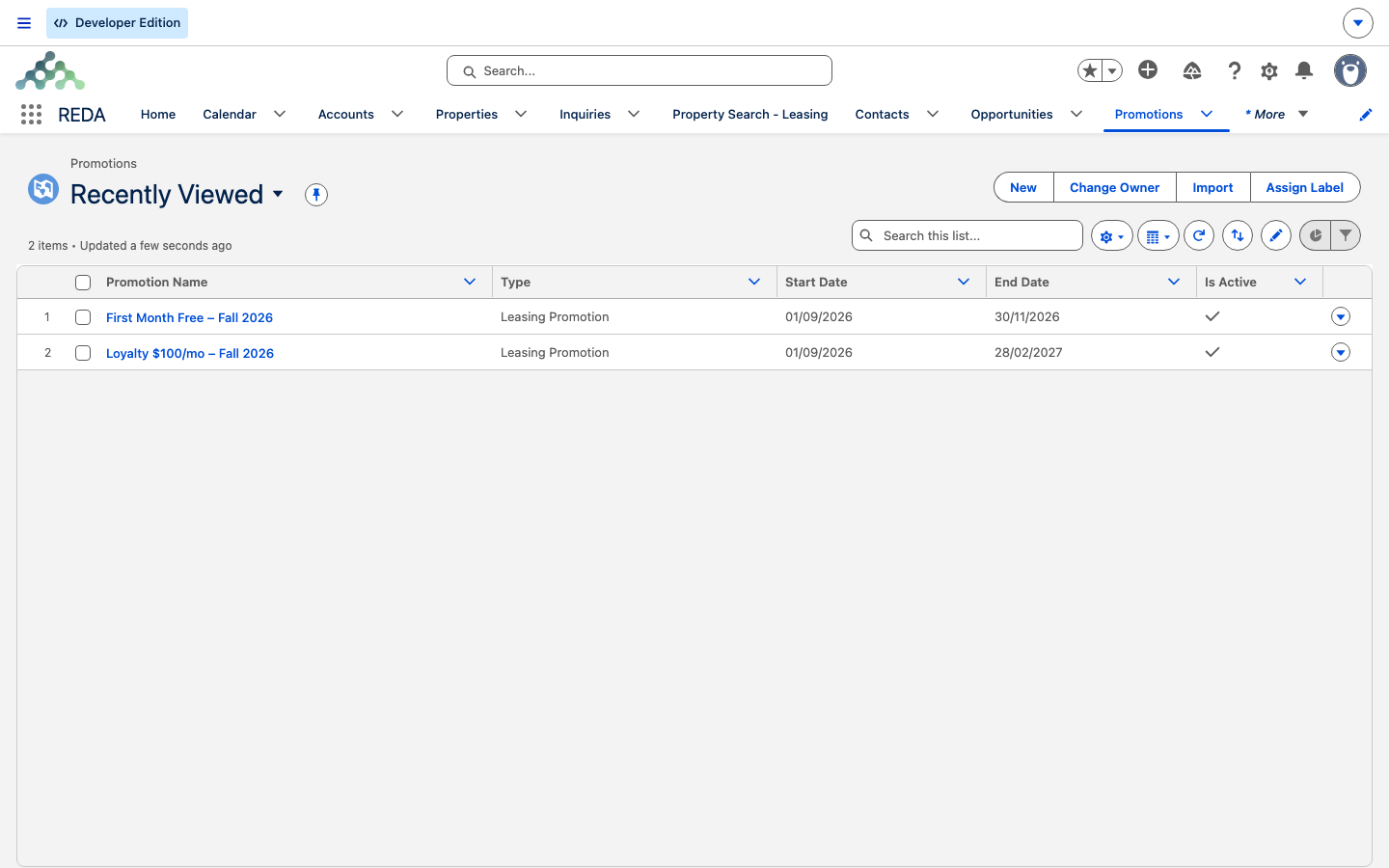
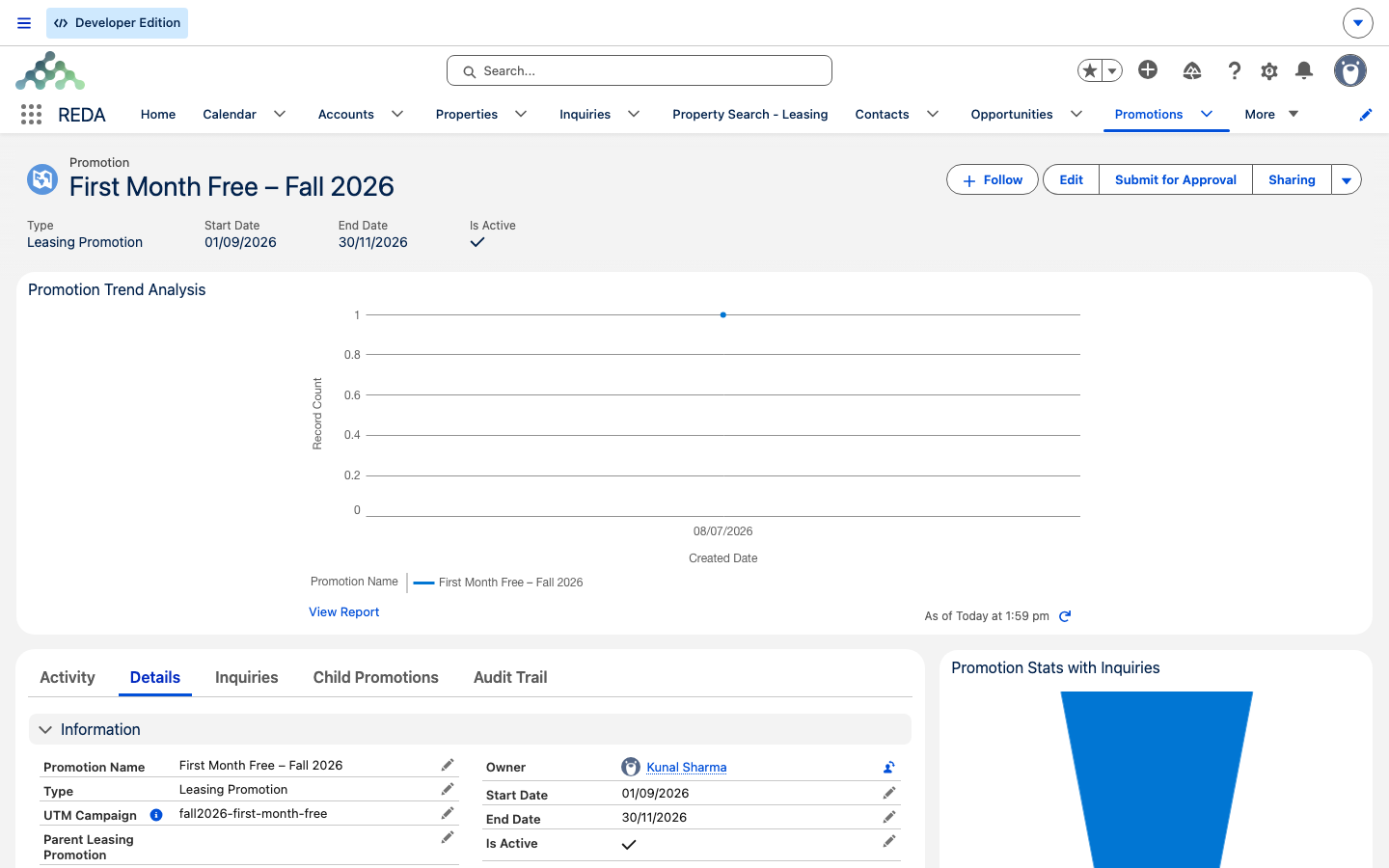
You're running an autumn incentive on Meridian Court. You create a promotion named "First Month Free – Fall 2026": Type Leasing Promotion, Amount −1,200.00 (one month of the 1,200.00 rent), non-recurring, Charge Code "Rent Discount", Billing Label "First Month Free", scope Region = Harbour District, UTM Campaign "fall-2026-free-month", and Is Active ticked.
A web inquiry arrives carrying that UTM value, so REDA auto-links the promotion to it. When the lease is created for Aisha Rahman, you open Terms & Charges, see "First Month Free" in the offered list, tick it, and save — a −1,200.00 credit line (Optional) is added. The first invoice run credits it against the opening rent.
For a repeating incentive instead, you'd build "5% Off Rent for 6 Months": Amount −60.00, Is Recurring on, Recurring Calculation Fixed Instances, Recurring Instances 6, Charge Period month — six monthly credits of 60.00.
Reference: the create-form validation rules
These checks fire while you build a promotion, quoted exactly as they appear:
| When | What REDA shows |
|---|---|
| The amount isn't negative | "Promotion amount must be a negative." |
| Recurring, but no calculation type | "Provide calculation type of recurring promotions." |
| Not recurring, but a calculation type is set | "Recurring Calculation must be blank for non recurring promotions." |
| Not recurring, but instances are set | "Recurring Instances must be blank for non recurring promotions." |
| Prorate ticked on a non-recurring promotion | "Do Prorate can only be checked for recurring promotions." |
| Fixed Instances without instances and a period | "You must provide Recurring Instances and Charge Period for recurring promotions based on fixed instances." |
| A property type without a region | "Region must be provided in order to provide Property Type." |
| A leasing rule from a different region | "Invalid leasing rule. The region specified in the selected leasing rule does not align with the region specified in the campaign." |
Where to go next
- Setting Up Lease Charges — the editor where promotion credits live on a lease.
- Renewing a Lease — where renewal-applicable promotions are offered.
- Web Attribution — how UTM values reach an inquiry.
- How Billing Works — how a credit line posts to an invoice.
- REDA Editions — Promotion versus Campaign across editions.
Frequently asked questions
A promotion is a credit, so the amount has to be negative: "Promotion amount must be a negative." Enter the discount as a negative figure.
The recurrence fields must line up. A recurring promotion needs a calculation type: "Provide calculation type of recurring promotions." A non-recurring one must leave those fields blank: "Recurring Calculation must be blank for non recurring promotions." and "Recurring Instances must be blank for non recurring promotions."
Proration only applies to recurring promotions: "Do Prorate can only be checked for recurring promotions." Turn on Is Recurring first, or leave Do Prorate off.
A Fixed Instances promotion has to say how many periods and how long each is: "You must provide Recurring Instances and Charge Period for recurring promotions based on fixed instances."
Property-type scope is always read within a region: "Region must be provided in order to provide Property Type." Set the region first.
In this release the charge picker doesn't enforce the Start/End dates. An active promotion is offered regardless of its dates. Untick Is Active to retire it.
The campaign match runs once, at inquiry save, and there is no back-fill. Activating a promotion later does not go back and tag inquiries that already existed.
Was this article helpful?