
Contact Roles
A Contact Role is how a person gets onto a deal in REDA. It's a small junction record that says "this person is on this deal, as this kind of party" — a Lessee on a lease, a Buyer on a sale, a Guarantor backing a tenant. This article explains the role values and what each drives, how to add a person to a deal, how the primary contact works (and the one trap to avoid), and what contact roles quietly switch on downstream: resident-portal access, council eligibility, and payment payees. No prior REDA experience is assumed.
Access you'll need. Working a deal's contact roles comes with the same line-of-business permission set that lets you work the deal (for example REDA - Property Leasing User). Because Add Contact can create the person too, you'll also need standard Salesforce Contact access, which your administrator grants separately.
What a contact role is
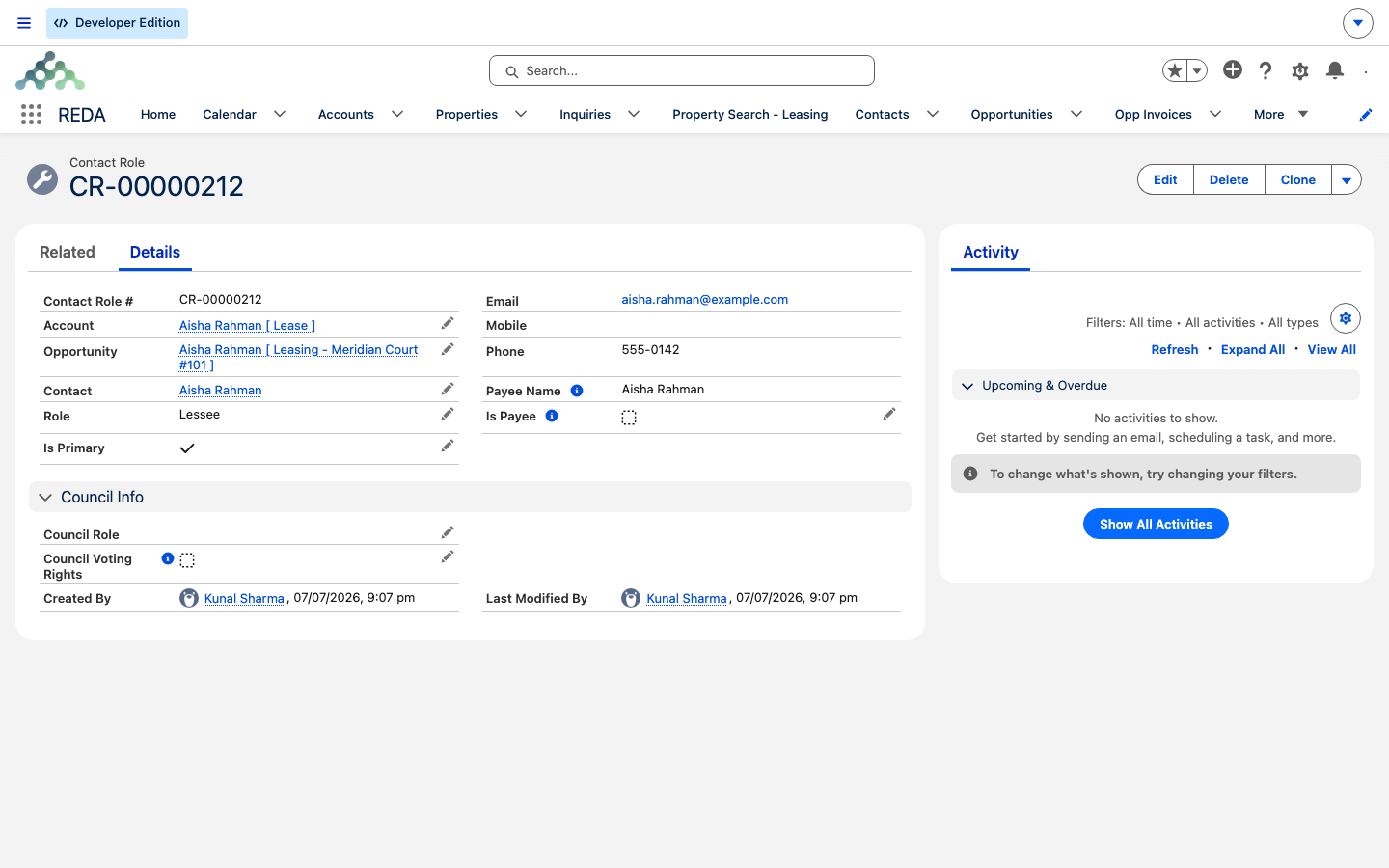
A contact role links a Contact (a person) to an Opportunity (a deal or lease) and records the Role they play. It's REDA's equivalent of the standard deal-contact link. You never name these records — REDA numbers them for you (they show as "Contact Role #…"), so you identify a role by its contact and role, not by a name you typed.
Contact roles arrive two ways: inquiry conversion always creates exactly one (flagged primary), and you add the rest by hand with Add Contact.
The Role values and what they drive
The Role field offers ten values. Seven describe an active party; three "Ex -" values mark someone who has left:
Lessee · Seller · Occupant · Guarantor · PM Client · Buyer · Lender · Ex - Lessee · Ex - Occupant · Ex - Guarantor
The "Ex -" values are a status marker you set by hand: they record that someone has left without deleting the role, so the history of who was on the deal survives. Nothing in REDA acts on them automatically — no automation reads the "Ex -" prefix — so treat them as reporting and audit values, and as a signal to colleagues, rather than as a switch that changes behaviour.
If you leave the Role blank when adding someone, REDA fills it in based on the deal's type:
| Deal type | Default role |
|---|---|
| Leasing | Lessee |
| Acquisition | Seller |
| Lending | Lender |
| Property Management | PM Client |
| Property Sale | Buyer |
So a co-signer added to a lease with the role left blank comes out as Lessee — if you meant Guarantor, pick it explicitly.
Adding a person to a deal
Use Add Contact on the deal's Contact Roles list. It's a guided step-by-step that handles both existing and brand-new people:
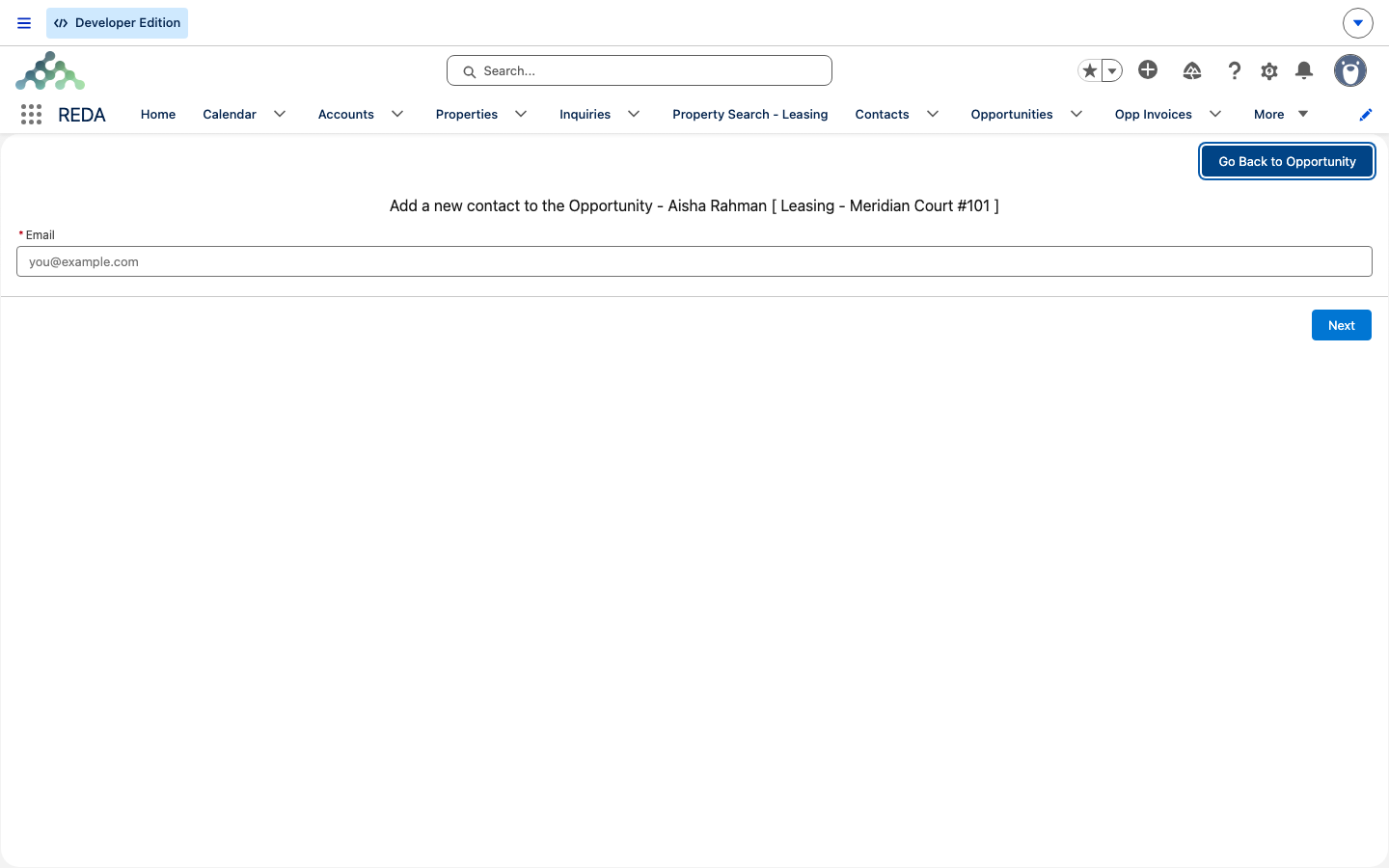
The primary contact
The Is Primary flag marks the deal's main contact. When you add, change, or remove a primary-flagged role, REDA re-derives the deal's Primary Contact — the contact of the first role flagged primary — and cascades that primary contact to any child leases. On a leasing deal, the primary contact even feeds the deal's auto-generated name.
What contact roles switch on downstream
Contact roles aren't just record-keeping — several REDA features read them:
Council roles and the two validation rules
Two rules can stop you when saving a contact role. The first guards the Council Role field — you can only set it when the related deal's property is under a council-enabled parent:
The Council Role values are Lease Hold Tenant and Tenant for Life. The second rule only applies in multi-currency orgs — if yours isn't one, you won't see it:
Worked example: Meridian Court #101
Converting Aisha Rahman's inquiry created Aisha Rahman — Lessee (primary) on the lease for Meridian Court #101. The agent uses Add Contact to add a co-tenant as an Occupant and a co-signer as a Guarantor (for the co-signer, REDA finds an existing contact by email and reuses it rather than creating a duplicate). The deal's Primary Contact stays Aisha. When the lease turns billing-active and the region's portal is on, portal users are provisioned for the active roles, and the finance features mark Aisha (the Lessee) as the payee.
Reference: fields and downstream effects
The fields you'll work with on a contact role:
| Field | What it is | Editable? |
|---|---|---|
| Contact | The person | Yes, at create |
| Opportunity | The deal or lease | Yes, at create |
| Account | The person's account | Yes |
| Role | One of the ten role values | Yes — auto-defaulted when left blank |
| Is Primary | Marks the deal's main contact | Yes — keep exactly one |
| Council Role | Lease Hold Tenant / Tenant for Life | Yes, gated by the council rule |
| Council Voting Rights | Voting flag for council events | Yes |
| Email / Phone / Mobile | Read-only copies of the contact's details | No |
Which role does what:
| Role | Default for | Downstream effect |
|---|---|---|
| Lessee | Leasing deals | Portal candidate; auto payee flag (finance features) |
| Occupant / Guarantor | Manual adds on leases | Household / backing parties; appear in the portal identity chain |
| Seller | Acquisition deals | Counterparty record-keeping |
| Buyer | Property Sale deals | Counterparty record-keeping |
| Lender | Lending deals | Counterparty record-keeping |
| PM Client | Property Management deals | Owner-client contact |
| Ex - Lessee / Ex - Occupant / Ex - Guarantor | — | Historical; set by hand to record that the person has left |
Where to go next
- Working with Contacts — the person record a role points at.
- Accounts in REDA — the account behind the people.
- Converting an Inquiry — where the first contact role comes from.
- The Resident Portal — how roles drive portal access.
- Child Leases — how the primary contact cascades from parent to child.
Frequently asked questions
More than one role is flagged primary, and REDA picks one arbitrarily as the deal's Primary Contact. Keep exactly one role marked primary and uncheck the others.
REDA shows: "You cannot provide Council Role for this Contact Role because related Opportunity is not available for Council Events." The deal's property must sit under a council-enabled parent (a strata/HOA account with the Council/HOA flag set) before a council role can be applied.
A blank Role is auto-filled by deal type, and a leasing deal defaults to Lessee. To record a guarantor, pick Guarantor explicitly.
Portal provisioning fires when the lease is billing-active and the region has the resident portal switched on. Roles added before activation are provisioned at activation. See The Resident Portal.
This only appears in multi-currency orgs: "Currency mismatch: The currency of the Contact's Account Region and the Property Region on the related Opportunity must match when multi-currency is enabled." The contact's account region currency must match the property region currency.
No — the names are system-generated numbers. Identify a role by its Contact and Role instead.
Prefer switching them to the matching Ex - role. Deleting loses the history; the Ex- value keeps it, and makes clear at a glance that the person is no longer a party to the deal.
Primary-contact changes cascade automatically from a parent deal to its child leases.
Was this article helpful?