
Expense Reconciliation: Concepts
An expense reconciliation takes a pool of real building expenses for a period and works out each tenant's fair share — then bills only the shortfall each tenant hasn't already paid. It is how REDA handles recoverable costs like common-area maintenance: the electricity for shared hallways, the cleaning, the landscaping. This article explains the model end to end — how the pool is split across units, how the period is sliced into occupied and vacant stretches, how what was already billed is netted off, and why the owner always absorbs the cost of empty units. No accounting background is assumed; every term and formula is spelled out in words. Setting up and running a batch is a separate article, and so is posting it — this one is the concepts.
Access you'll need. The REDA - Expense Reconciliation Read Only permission set can view batches and their lines. Creating, calculating, and posting a batch requires REDA - Expense Reconciliation Admin. Ask your administrator for the set that matches your role.
What expense reconciliation is for
Some building costs aren't billed to any one tenant month by month — they're shared. Think of the common-area maintenance (CAM) costs of a building: the pool of expense that keeps the shared parts running. At the end of a period you want to recover a fair share of that pool from each tenant, based on how much of the building they occupy and how long they occupied it. That's a reconciliation.
REDA runs it as a batch: you enter the pool of expense for a period and the scope (which building or units), and REDA does the arithmetic — splitting the pool across units, slicing each unit's period into occupied and vacant stretches, subtracting what each tenant was already charged, and leaving a net shortfall to bill. The rest of this article walks that process one layer at a time.
The batch: pool, period, and scope
The batch is the header record for one reconciliation run. It defines three things:
One field on the batch does double duty and causes most of the "why doesn't this number look right?" confusion, so it's worth understanding up front:
The batch also carries two optional exclusions — Exclude Managed Properties and Exclude Owned Properties — which leave out vacancy stretches belonging to client-owned or to your own stock respectively, and a Billing Comment whose text is passed onto every invoice the run creates. An optional Entity field narrows the account scope of the run.
The lines: occupancy versus vacancy
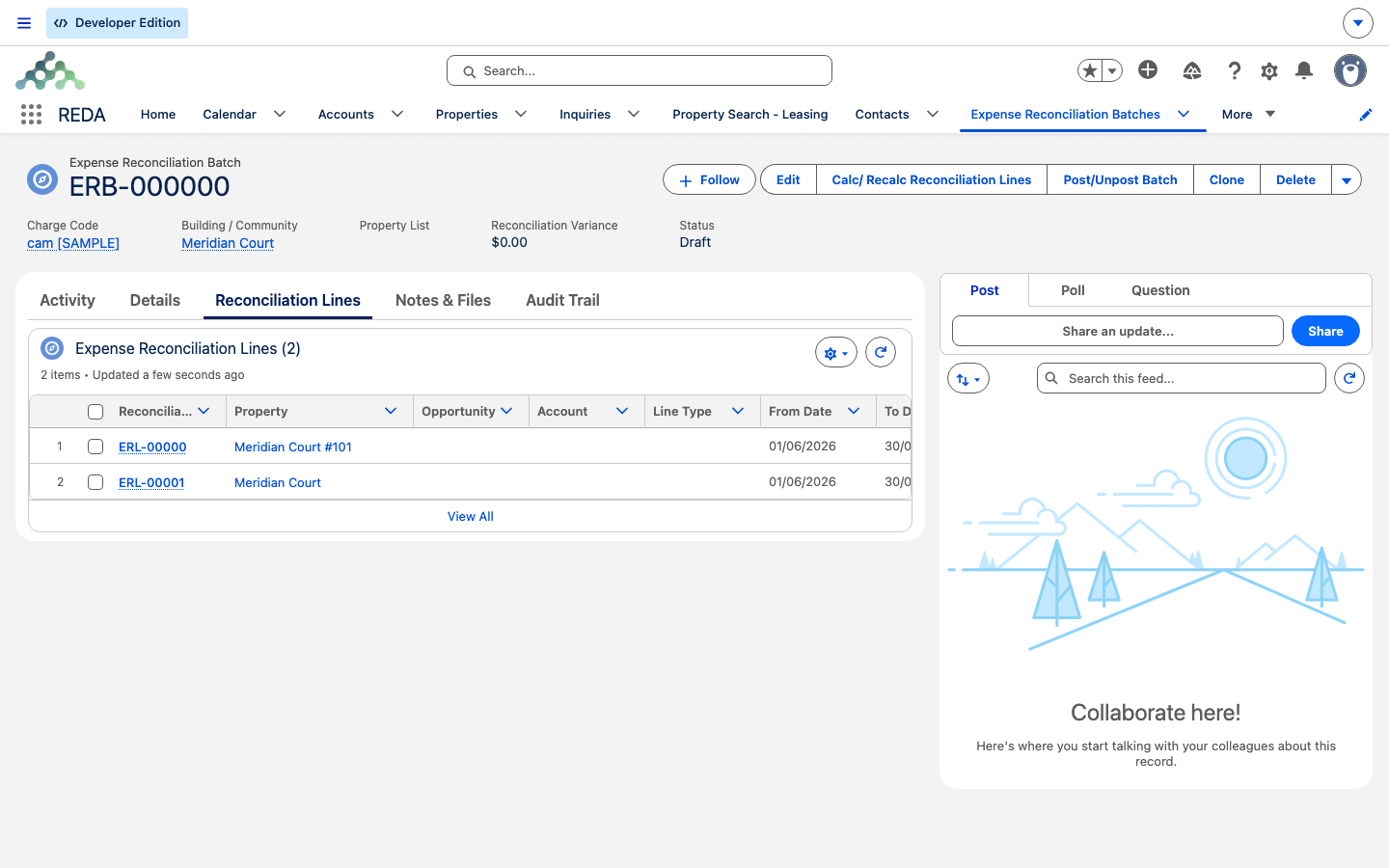
When REDA calculates, it breaks the period into lines — one row per stretch of time per unit. Each line is one of two types, and REDA works out which for you:
- Occupancy — a stretch when a lease covered the unit. The line carries the lease and the tenant.
- Vacancy — a stretch when no lease covered the unit. The line carries the owner of record for that stretch instead of a tenant.
So a unit leased for the first half of the period and empty for the second half produces two lines: one occupancy line for the tenant, one vacancy line for the owner. REDA attributes each vacant stretch to whoever owned the unit during it, using the property's ownership history (and honoring building-level ownership), falling back to the property's current owner where history is thin.
The math, step by step
Every line is computed the same way. Here is the whole calculation in words, using the batch's pool and period:
Excluding reconciliation's own invoices from the "already billed" figure is what lets the same charge code serve both your regular billing and the recovery: recalculating a batch never double-counts the invoices it produced last time.
Who pays what
Only some lines turn into invoices, and this is the takeaway to carry away from the whole article:
The full picture of who gets an invoice:
| Line situation | Invoice? |
|---|---|
| Occupancy line, net total due greater than zero | Yes — the tenant is billed the shortfall (base + tax) |
| Occupancy line, net total due zero or negative | No — the tenant was already fully (or over-) billed |
| Vacancy line (owner interval) | Never — the owner absorbs the cost |
A negative net due means a tenant was already over-billed under that charge code for the period. REDA does not raise an invoice for it — only positive shortfalls bill — but the line still records the overage so you can see it and act on it outside the reconciliation if you choose.
Batch lifecycle and the "Posted" state
A batch moves through a short lifecycle as you work it. Its Status reads:
Draft → Processing → Completed (or Completed with Error) → Posted
Draft is the setup state; Processing is the calculation running in the background; Completed means the lines are built (Completed with Error means some units failed — see Running a Reconciliation Batch); and Posted is the final state once you've billed the tenants.
Reading the header numbers
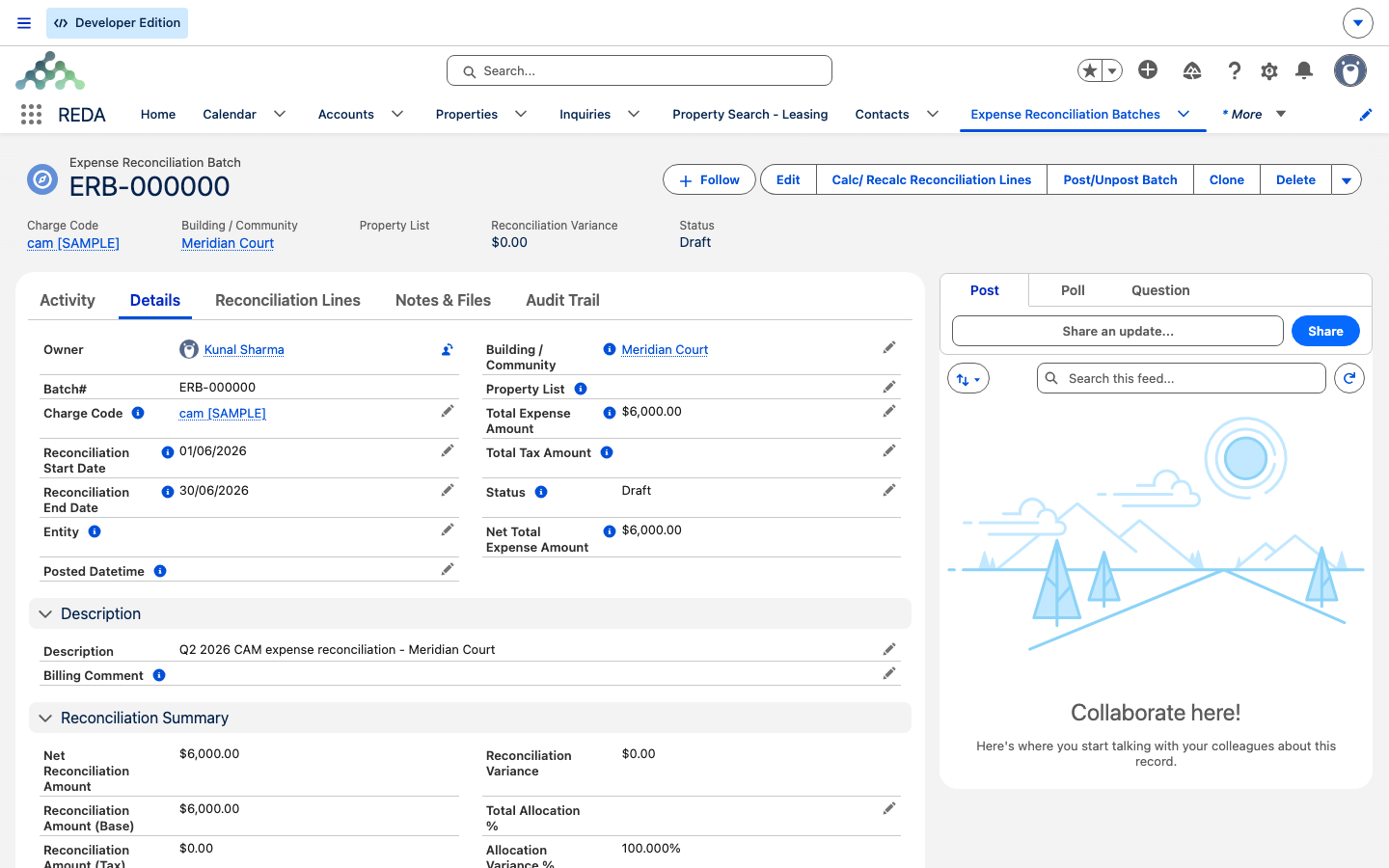
After a calculation, the batch header rolls up the lines so you can sanity-check the run at a glance. These figures stay current as lines change:
| Header figure | What it means |
|---|---|
| Reconciliation Amount (Base) / (Tax) | The sum of every line's due, base and tax |
| Net Reconciliation Amount | Base + tax captured across all lines |
| Reconciliation Variance | Net Total Expense − Net Reconciliation Amount — pool money the lines didn't capture (uncovered days, missing allocations, exclusions) |
| Total Allocation % | How much of the pool your units' allocation percentages add up to |
| Allocation Variance % | 1 − Total Allocation % — the gap to 100% |
A clean run has Reconciliation Variance near zero and Allocation Variance % at zero: the whole pool was captured and the units' shares add up to 100%. A non-zero Allocation Variance % is your signal that the unit (or list) percentages don't sum to 100 — fix them and recalculate.
Worked example: FY26 Q1 CAM at Meridian Court
Meridian Properties reconciles the first-quarter CAM pool for Meridian Court — a building of four equal units, each carrying 25% allocation, owned by Continental Holdings. The batch "FY26 Q1 CAM - Meridian Court" covers 1 Jan 2026 → 31 Mar 2026 (90 days), under charge code "CAM Recovery", with a pool of 12,000.00 expense + 600.00 tax. The per-day rate is 12,000.00 ÷ 90 = 133.333333 base and 600.00 ÷ 90 = 6.666667 tax.
| Unit | Line(s) | Total due | Already billed | Net due | Invoiced? |
|---|---|---|---|---|---|
| #101 | Occupancy, all 90 days | 3,000.00 + 150.00 tax | 2,700.00 + 135.00 | 300.00 + 15.00 = 315.00 | Yes — tenant billed 315.00 |
| #102 | Vacancy, all 90 days (owner: Continental Holdings) | 3,000.00 + 150.00 | 0.00 | — | Never — owner absorbs |
| #103 | Occupancy 45 days + Vacancy 45 days | 1,500.00 / 75.00 each side | (per side) | (per side) | Occupancy side only, if positive |
| #104 | Occupancy, all 90 days, over-billed | 3,000.00 + 150.00 | 3,200.00 | −200.00 | No — already over-billed |
At the header: Net Total Expense = 12,600.00; Total Allocation % = 100% (four units at 25%); Allocation Variance % = 0%. The Reconciliation Variance reflects the vacancy and over-billed shares that don't turn into tenant invoices — money in the pool the tenants aren't charged, which the owner carries. Setting the batch up and calculating it is Running a Reconciliation Batch; billing the 315.00 to unit #101 is Posting & Unposting Reconciliations.
Reference: batch and line fields
The batch header, field by field:
| Field | Who sets it | Meaning |
|---|---|---|
| Building / Community or Property List | You (exactly one) | The scope of the run |
| Charge Code | You (required) | Billing code for created invoices and the "already billed" filter |
| Entity | You (optional) | Additional account scope |
| Reconciliation Start / End Date | You (required) | The recovery period |
| Total Expense Amount / Total Tax Amount | You | The pool (base / tax) |
| Net Total Expense Amount | REDA | Expense + tax |
| Exclude Managed / Exclude Owned Properties | You | Skip vacancy stretches owned by client accounts / by your own entities |
| Reconciliation Amount (Base) / (Tax) | REDA | Sum of line dues |
| Net Reconciliation Amount | REDA | Base + tax captured by lines |
| Reconciliation Variance | REDA | Pool − captured |
| Total Allocation % / Allocation Variance % | REDA | Coverage of allocation percentages / gap to 100% |
| Status / Last Calculation Datetime / Posted Datetime | REDA | Lifecycle bookkeeping |
| Billing Comment | You | Text passed to every created invoice |
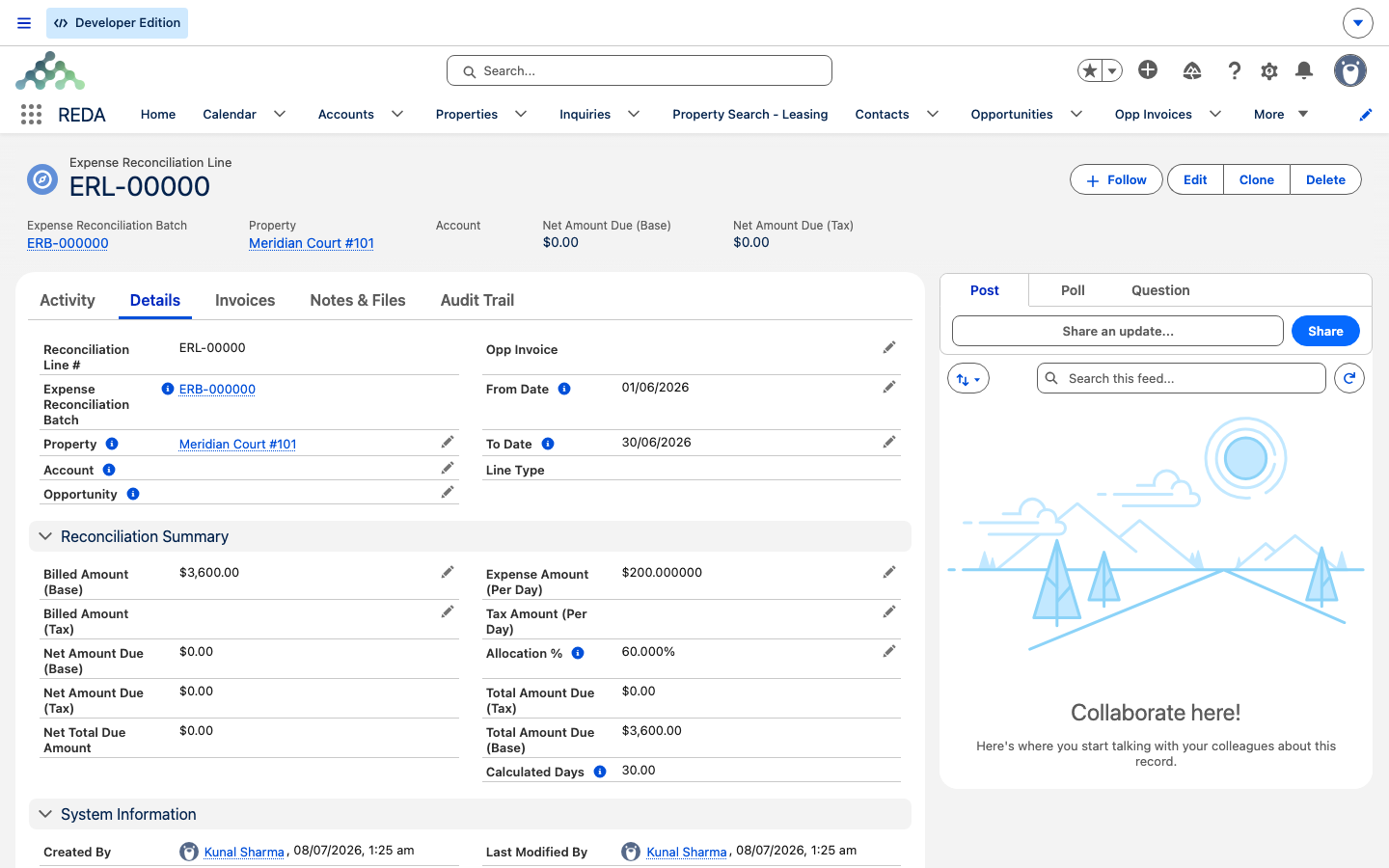
Each line:
| Field | Meaning |
|---|---|
| Line Type | Occupancy (a lease interval) or Vacancy (an owner interval) — derived |
| Property | The unit |
| Opportunity / Account | The lease (occupancy) / the tenant or owner account |
| From / To Date · Calculated Days | The interval; days = (To − From) + 1 |
| Allocation % | The unit's (or list item's) share of the pool |
| Expense / Tax Amount (Per Day) | Pool ÷ period days (stamped at save) |
| Total Amount Due (Base / Tax) | Per-day × days × allocation % |
| Billed Amount (Base / Tax) | In-period invoices under the batch's charge code (excluding recon-created ones) |
| Net Amount Due (Base / Tax) · Net Total Due Amount | Total − billed; base + tax |
| Opp Invoice | The invoice created at posting, if any |
Where to go next
- Running a Reconciliation Batch — create a batch and calculate the lines, with the scope errors.
- Posting & Unposting Reconciliations — bill the tenants, the lock matrix, and unposting.
- Monthly Snapshots & Occupancy Analytics — the other engine: billing audit and occupancy.
- Charge Codes — the defaults the created invoices inherit.
- Owner Draws & Owner Statements — where the recovered money and the owner's absorbed costs surface when you settle up with the owner.
- Third-Party Property Management in REDA — where owner accounting fits in the bigger picture.
Frequently asked questions
By design. Vacancy intervals never generate invoices — the owner absorbs vacancy cost. The vacancy line still documents the amount, but nobody is billed for it.
Whatever was already billed under the batch's charge code, inside the period, on the same property is subtracted first. The tenant is billed only the shortfall that remains.
No. Reconciliation's own invoices are excluded from the billed match, so recalculating a batch never double-counts its own output.
It is one minus the total allocation captured. A non-zero value means your units' allocation percentages don't add up to 100% — fix the unit or list percentages and recalculate.
No — it's one or the other. REDA blocks both: "You can provide either a building/community or a property list, but not both." See Running a Reconciliation Batch.
Was this article helpful?