
Generating Invoices
You've set up a charge on a lease — so how do you actually get the invoice out? This is the practical companion to How Recurring Invoicing Works: that article explains the concept; this one is the task. There are three ways an invoice is produced in REDA — you opt a charge in and it bills now, a scheduled run bills the next period on its own, or an administrator runs the leasing-charge jobs. You'll learn all three, plus the two gates every invoice must clear and the checklist to run when nothing generates. No prior REDA experience is assumed.
Access you'll need. Creating and editing invoices requires the REDA - Invoice Management Admin or REDA - Property Leasing User permission set; REDA - Invoice Management Read Only can view but not change them. Scheduling the background runs and running the admin jobs requires REDA - Master Data - Admin.
First, the two gates
No matter how an invoice is produced, a charge only bills when it clears two gates — the same two explained in How Billing Works in REDA:
One thing worth clearing up about the first gate: Create Opp Invoice is a persistent opt-in. Once you tick it, it stays ticked — REDA never quietly un-ticks it after billing. (Some older field help suggests otherwise; the current behavior is that the switch stays on.)
Generate an invoice on demand
The fastest way to raise an invoice now is simply to opt the charge in. Ticking Create Opp Invoice on a charge — either as you create it, or by flipping it on later — fires invoicing immediately:
The scheduled recurring run
Ongoing rent doesn't need a person to raise each month's invoice — a scheduled background run does it. Each time it runs, the recurring engine looks for leasing deals that are accounting-active, have a property set, and carry recurrence-eligible charges whose Create Opp Invoice is on and whose next recurring date matches the run date, and it raises those invoices. Crucially, it bills in advance: the run on a given day bills the next period, so a run early in one month produces the following period's invoice. The full concept is in How Recurring Invoicing Works.
The leasing-charge admin jobs
For administrators, the Leasing Charges - Admin Jobs action runs behind-the-scenes leasing-charge processing. It's a maintenance utility, scoped to the REDA - Master Data - Admin set — run it without that access and REDA replies "Invalid request or insufficient permissions. Contact your system admin for further assistance." Reach for it when an administrator needs to reprocess leasing charges; day-to-day billing does not require it.
When nothing generates
The most common billing question is "why didn't it bill?" — and it's nearly always one of the gates or a scheduling gap. Work this checklist in order:
| # | Check | Where |
|---|---|---|
| 1 | Is Create Opp Invoice ticked? | The charge |
| 2 | Is the lease accounting-active (an Occupied stage)? | The lease |
| 3 | Is a property set on the lease? | The lease |
| 4 | Is the charge recurrence-eligible (dates or an instance target)? | The charge |
| 5 | Does the next recurring date equal the run date? (A missed day doesn't catch up.) | The charge |
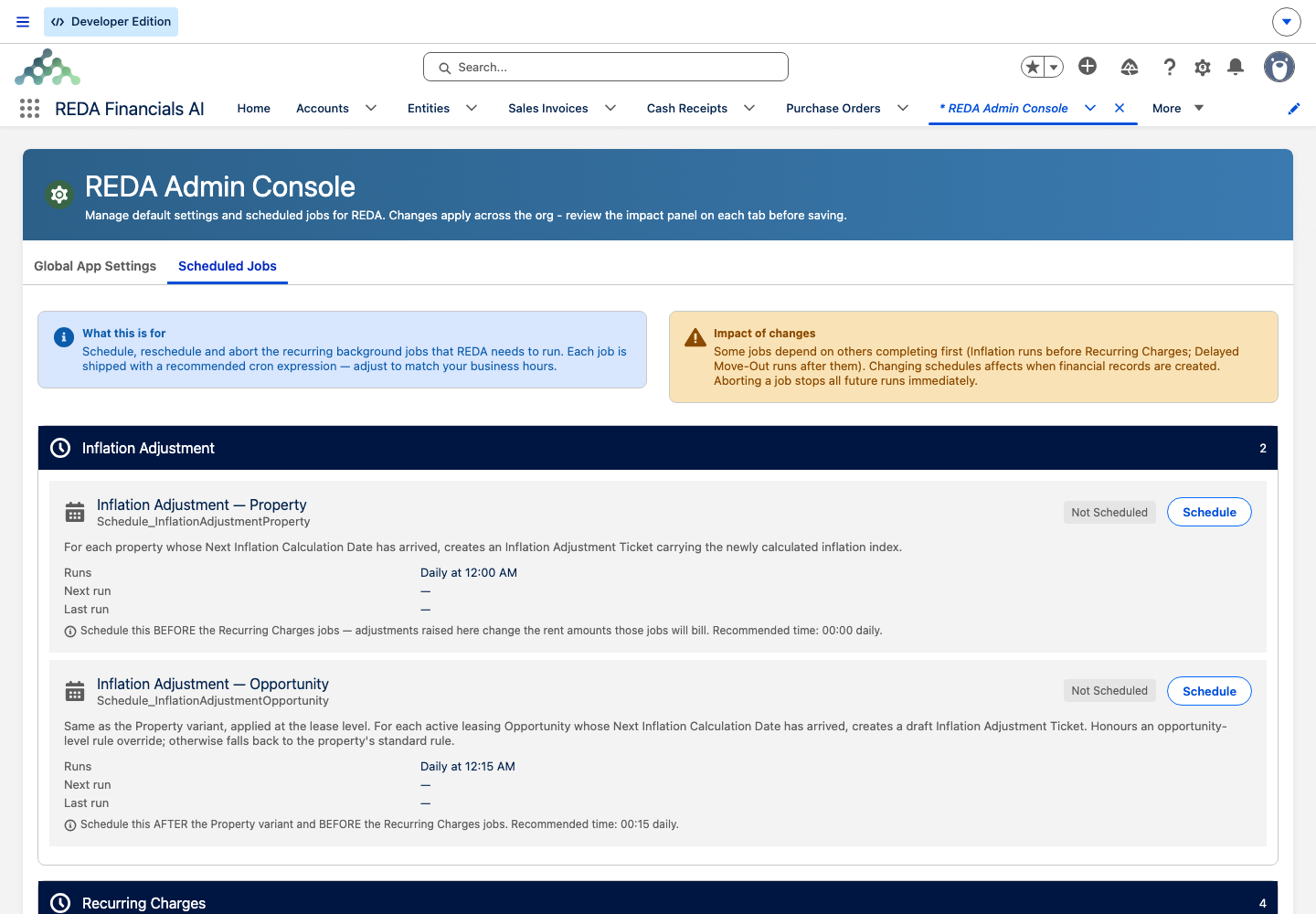
| 6 | Is the period's recurring job actually scheduled? | Admin Console → Scheduled Jobs |
| 7 | Are there errors logged? | REDA Async Logs |
What each generated invoice looks like
However it was produced, a generated invoice reads the same way (walked in full in Invoices Explained):
- Amount — the charge's net amount (charge amount times instances, less any discount), prorated when the charge prorates. See Proration.
- Billing Date — the period's start (today for a one-time charge). Due Date — the billing date plus the charge code's grace days. See Charge Codes.
- Consolidation — groupable recurring invoices are folded into a single batch when two or more share the same grouping key. See Consolidated Invoices (Batches).
The three ways an invoice is produced
| Path | Trigger | Produces | Who does it |
|---|---|---|---|
| On demand | Opt the charge in (tick or flip on Create Opp Invoice) | The first invoice now (one-time: today; recurring: only if the next date has arrived) | Any invoicing or leasing user |
| Scheduled recurring run | The recurring job on its process day | The next period's invoice (advance billing) | Runs itself — but must first be scheduled by an administrator |
| Leasing-charge admin jobs | The Leasing Charges - Admin Jobs action | Behind-the-scenes leasing-charge processing | Master Data Admin |
Worked example: Aisha's first invoice
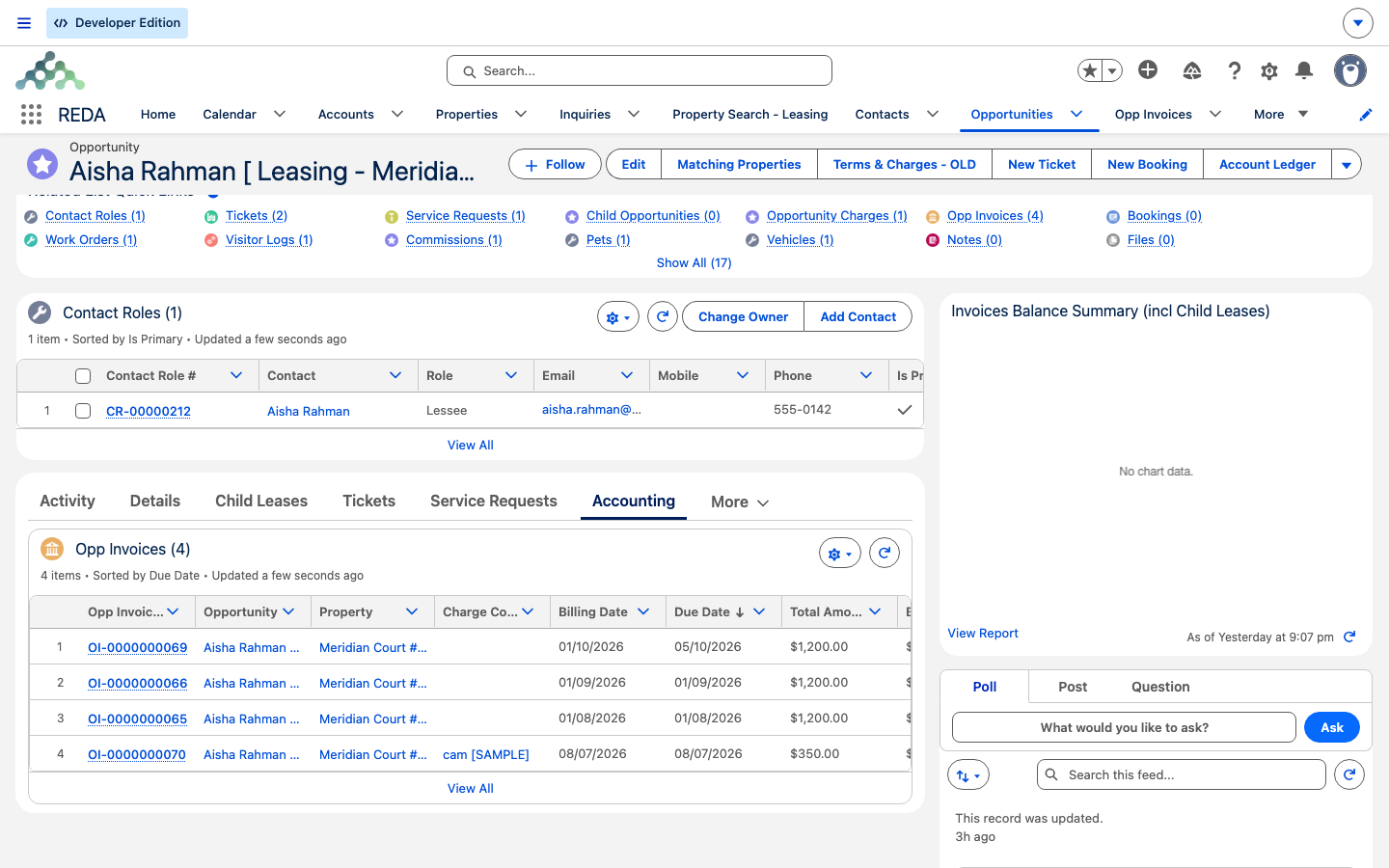
Aisha Rahman is moving into Meridian Court #101 at 1,200.00 a month, and her lease has reached Occupied - Pending Move In — so it's accounting-active.
On demand: the leasing agent adds the rent charge and ticks Create Opp Invoice. The first invoice generates immediately — the opening period's rent, and, if the lease started on or after the rule's threshold day, the next period's too (the by-design first-cycle double invoice explained in How Recurring Invoicing Works).
Scheduled: from the following month, the scheduled recurring run bills the next month's 1,200.00 in advance on its own — provided an administrator has scheduled the monthly recurring job.
The contrast: if the lease were not accounting-active, or the Create Opp Invoice switch were off, nothing would generate — and there would be no error to signal it. That silence is exactly what the checklist above is for.
Where to go next
- How Recurring Invoicing Works — the concept behind the scheduled run, and the first-cycle double invoice.
- How Billing Works in REDA — the two gates, in full.
- Invoices Explained — reading the invoice you just generated.
- Consolidated Invoices (Batches) — how groupable invoices are combined.
- Proration — why a first invoice may not be a round month.
Frequently asked questions
Opt the charge in: tick Create Opp Invoice, and make sure the lease is accounting-active. A one-time charge bills today; a recurring charge bills now only if its next recurring date has already arrived.
No — there's no dedicated button. On-demand generation happens when you opt a charge in; recurring invoices come from the scheduled run; the Leasing Charges - Admin Jobs action is an administrator utility.
Check, in order: is Create Opp Invoice ticked, is the lease accounting-active, is the recurring job actually scheduled, and does the charge's next recurring date equal the run date? A missed day doesn't catch up on its own.
REDA bills in advance — each recurring run bills the next period. That's by design.
No. The recurring jobs ship unscheduled; an administrator must schedule them in the REDA Admin Console. Only the payment-schedule posting job is pre-scheduled.
The switch stays ticked by design — it's a persistent opt-in. That help text is stale; the current behavior is that the flag remains on after invoicing.
Was this article helpful?