
Pets & Vehicles on a Lease
REDA keeps two small household registries against each lease: the tenant's pets (for policy compliance and pet charges) and their vehicles (for parking and resident records). Both attach to the lease rather than to the tenant's account, so the household record travels with the tenancy. This is a short, practical guide: what each registry stores, the simple active/inactive date pattern both use, how records can arrive automatically from online applications, and where pet-related money actually lives. No prior REDA experience is assumed.
Access you'll need. Recording and editing a lease's pets and vehicles requires the REDA - Property Leasing User permission set.
Two registries, one lease
The key idea is that pets and vehicles belong to the lease, not to the person. When a tenant's lease ends, its pet and vehicle records stay with that lease's history rather than following the tenant to a new one. That keeps the record of who lived there, with which animals and which cars, intact for the unit and the tenancy — useful for compliance, parking management, and community operations. Both registries are deliberately lightweight: no statuses, no approvals, no validation rules to satisfy. You fill in a few fields and save.
Registering a pet
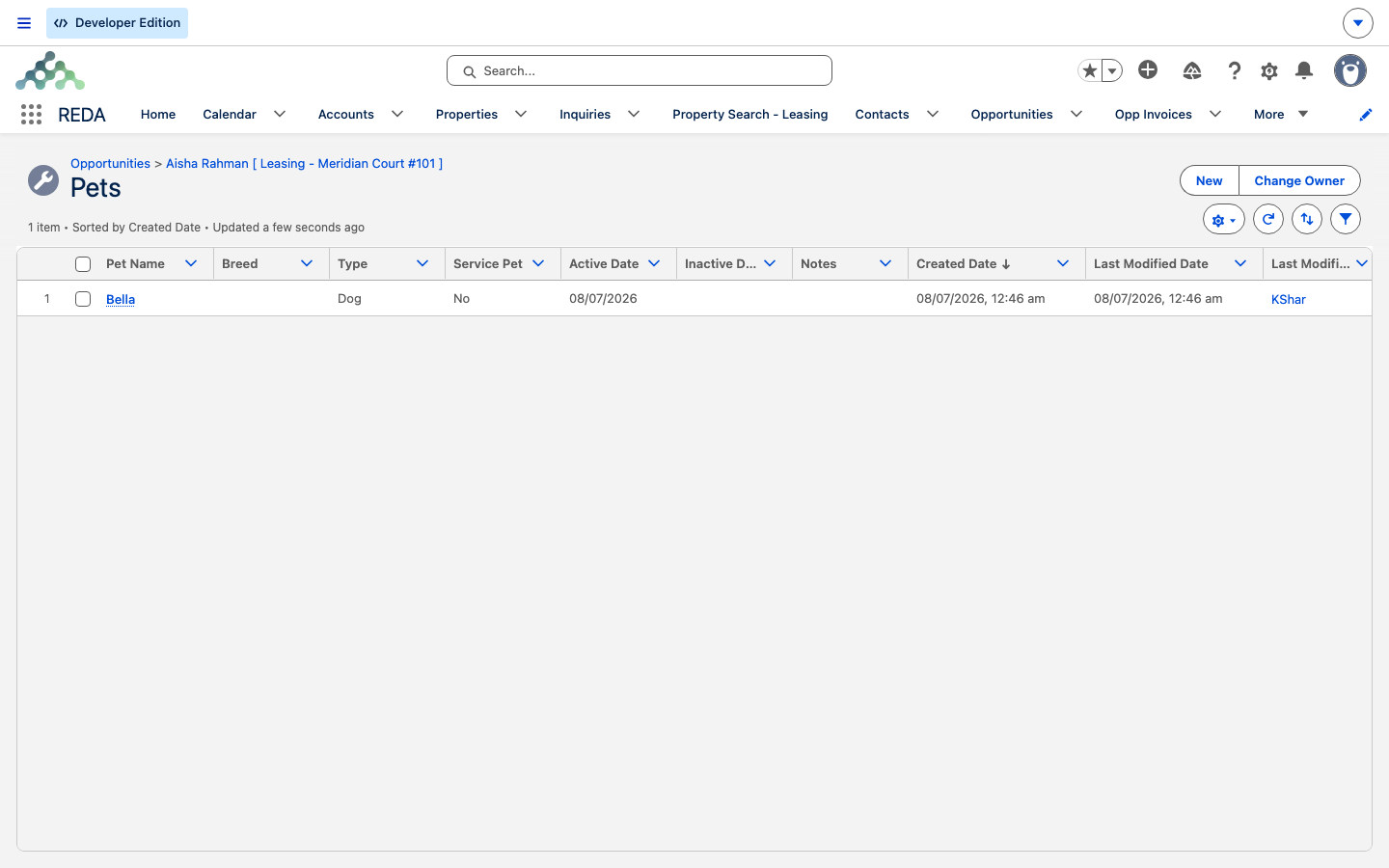
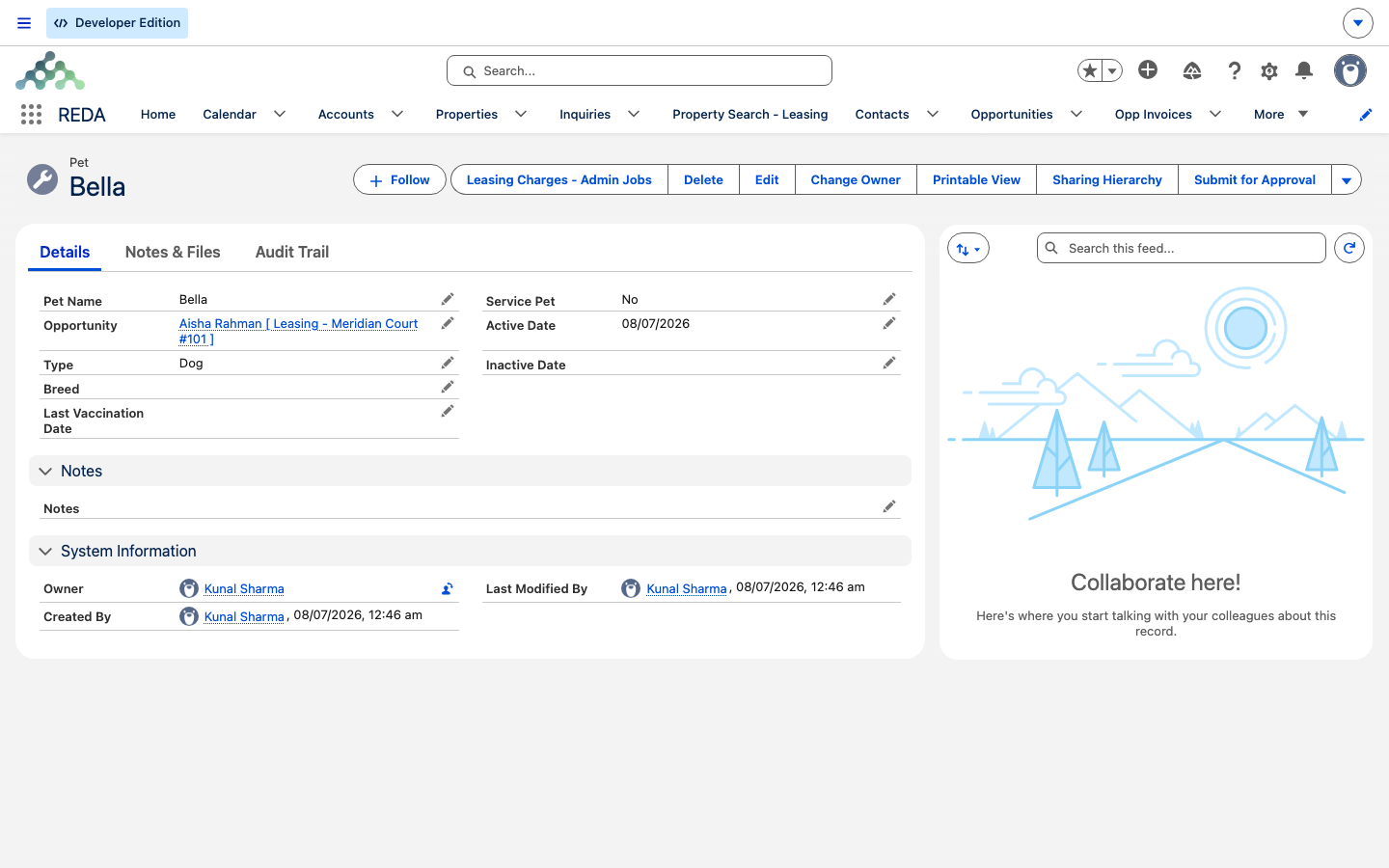
A pet record is short. From the lease's Pets related list, click New and fill in:
| Field | What it holds |
|---|---|
| Pet Name | The pet's name — the record's title. |
| Type | Dog or Cat. |
| Breed | Free text. |
| Service Pet | Yes or No — a compliance marker. Service animals may be exempt from pet fees and restrictions. |
| Last Vaccination Date | For screening and compliance follow-up. |
| Active Date | When the pet joins the household — defaults to today. |
| Inactive Date | When the pet is no longer resident (see below). |
| Notes | Anything else worth recording. |
Registering a vehicle
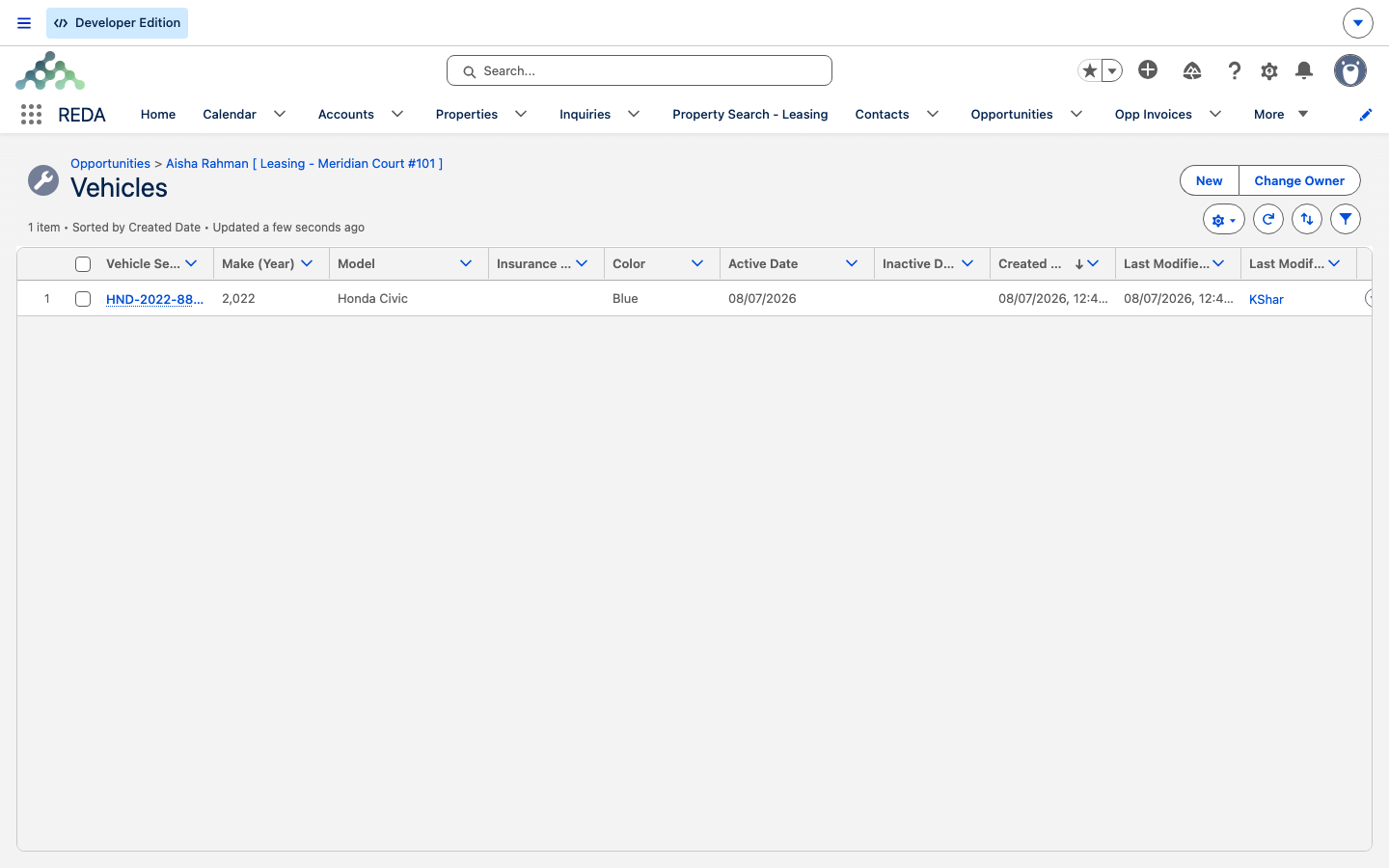
A vehicle record is just as brief. From the lease's Vehicles related list, click New and fill in:
| Field | What it holds |
|---|---|
| Vehicle Serial Number | The record's title — the plate or VIN, per your convention. |
| Make (Year) | The vehicle's manufacture year, as four digits. Despite the word "Make," this field wants the year, not the manufacturer. |
| Model | Free text. |
| Color | Free text. |
| Insurance Expiration Date | The basis for insurance-renewal follow-up. |
| Active Date | When the vehicle is registered — defaults to today. |
| Inactive Date | When the vehicle is no longer resident (see below). |
| Notes | Anything else worth recording. |
The active/inactive window
Both registries share one simple pattern. Each record has an Active Date (defaulting to today) and an Inactive Date. A record is "current" whenever today falls inside that window. When a pet passes away or leaves, or a car is sold, don't delete the record — set its Inactive Date instead. End-dating keeps the household history intact and matches how REDA handles deactivation everywhere else: records are retired, not erased.
Where registrations come from automatically
Your team doesn't always key these in. If your organization uses REDA's online lease applications, the pets and vehicles an applicant declares on the application are captured automatically and linked to the originating inquiry — so the details are already on hand by the time the lease is set up. This automatic intake is part of REDA's online lease application capability rather than the core leasing package; how it flows through is covered in Online Lease Applications.
Charging for pets and parking
One thing the registries deliberately don't hold is money. There is no fee field on a pet or a vehicle record. Pet rent and parking fees are ordinary lease charges — you add them with an Add Lease Charge ticket (for a recurring item like monthly pet rent) or a one-off charge, exactly as you would any other charge on the lease. Keeping the registry and the billing separate means the household record and the chargebook each stay clean. The charge side is covered in Adjusting Lease Charges.
It's worth being clear about the division of labor. The pet record answers "what animal lives here, is it a service animal, and is its vaccination current?" — a compliance and screening question. The pet-rent charge answers "what does the tenant pay for it?" — a billing question. The two are linked only by the fact that they sit on the same lease; changing one never changes the other. So if you waive a pet fee for a service animal, you do that on the charge side by not adding (or by removing) the charge — the Service Pet flag records the exemption's reason but doesn't enforce it.
How the registries connect to community operations
Because pets and vehicles hang off the lease, they sit in the same household chain that powers REDA's front-desk features. A vehicle registry is what a parking or gate operation reads to know which cars belong to the community; a pet registry is what a compliance review reads to confirm a household is within policy. These are operational and compliance records first — think of them as the household inventory for the unit, not as assets to be managed or depreciated.
The people-facing counterparts live nearby: visitors are logged against the lease's contacts, and packages are matched to the unit's active lease. If you're setting up the front desk for a building, the pet and vehicle registries are one half of a fuller picture — see Visitor Access and Packages & Parcels for the rest.
Worked example: Aisha's household
Aisha Rahman, on her lease at Meridian Court #101, registers her household:
| Record | What she enters |
|---|---|
| Pet | Pet Name "Biscuit"; Type Dog; Breed Labrador; Service Pet No; Last Vaccination Date 15 May 2026; Active Date defaulted to today. |
| Vehicle | Vehicle Serial Number "ABC-1234"; Make (Year) 2022; Model "Honda Civic"; Color Blue; Insurance Expiration Date 31 Mar 2027. |
Mid-lease, Aisha's pet rent of 50.00 a month is added with an Add Lease Charge ticket — on the chargebook, not the pet record. A year on, she sells the car: rather than deleting the vehicle record, the leasing team sets its Inactive Date, so the history of what was parked there survives.
Reference: the two registries
Every user-facing field on each registry, side by side.
| Pet | Vehicle |
|---|---|
| Pet Name (record title) | Vehicle Serial Number (record title) |
| Type (Dog / Cat) | Make (Year) — the manufacture year |
| Breed | Model |
| Service Pet (Yes / No) | Color |
| Last Vaccination Date | Insurance Expiration Date |
| Active Date (defaults today) | Active Date (defaults today) |
| Inactive Date | Inactive Date |
| Notes | Notes |
Neither registry has statuses, approvals, or validation rules — a record is simply "current" while today falls inside its active window. Edits to both are tracked, so the history is auditable.
Where to go next
- Adjusting Lease Charges — where pet rent and parking fees are added.
- The Lease Record — the lease these registries hang off.
- Online Lease Applications — how declared pets and vehicles arrive automatically.
- Visitor Access — the front-desk counterpart for people, not pets and cars.
Frequently asked questions
The household record follows the tenancy. When the lease ends, its pets and vehicles stay with that lease's history rather than moving with the person.
Not on the pet record — it holds no amounts. Add a pet-rent lease charge with an Add Lease Charge ticket. See Adjusting Lease Charges.
The vehicle's manufacture year, as four digits — for example 2022. The manufacturer name (such as Honda Civic) goes in Model or Notes.
No — set the Inactive Date. End-dating keeps the household history, which deleting would lose.
If your organization uses REDA's online lease applications, pets and vehicles the applicant declares are captured automatically. See Online Lease Applications.
Was this article helpful?