
Onboarding Borrowers & Lenders
Every lending relationship starts before there's a loan. Someone wants to lend to you, or borrow from you, and you need somewhere to capture that interest, qualify it, and — when it's ready — turn it into an actual loan record with the right parties attached. This article covers that opening chapter: creating a lending inquiry, walking it through the lending funnel, and converting it in one click into a loan deal. No prior REDA experience is assumed; each term is defined as we reach it.
Access you'll need. Working lending inquiries and loans requires the REDA - Property Lending User permission set. Converting an inquiry creates an account and a contact for you; because accounts and contacts sit outside the REDA permission sets, your administrator grants access to them separately — you'll need that access to convert.
What a lending inquiry is
An Inquiry is REDA's lead record — the place a potential relationship is captured before it becomes a deal. Inquiries come in several kinds, one per line of business, and the Lending kind exists to onboard a new investor or lender. So a lending inquiry is where you record "someone wants to lend to us, or borrow from us" and start working toward a loan.
Whether the counterparty is a lender putting money in or a borrower you'll lend to, the lending inquiry is the front door. From it, a single Convert action produces the loan and all the surrounding records in one go.
Creating a lending inquiry
From the Inquiries tab, click New and choose the Lending record type. Fill in the essentials:
Qualifying the inquiry
The inquiry advances through a status ladder shown on its Path. Nothing advances on its own — you set each status by hand as the conversation moves along. For lending, the ladder is:
| Status | Meaning |
|---|---|
| New (default) | Just captured |
| Contacted | First outreach made |
| Strategy Session Scheduled | A lending strategy session is booked |
| Strategy Session Attended | The strategy session happened |
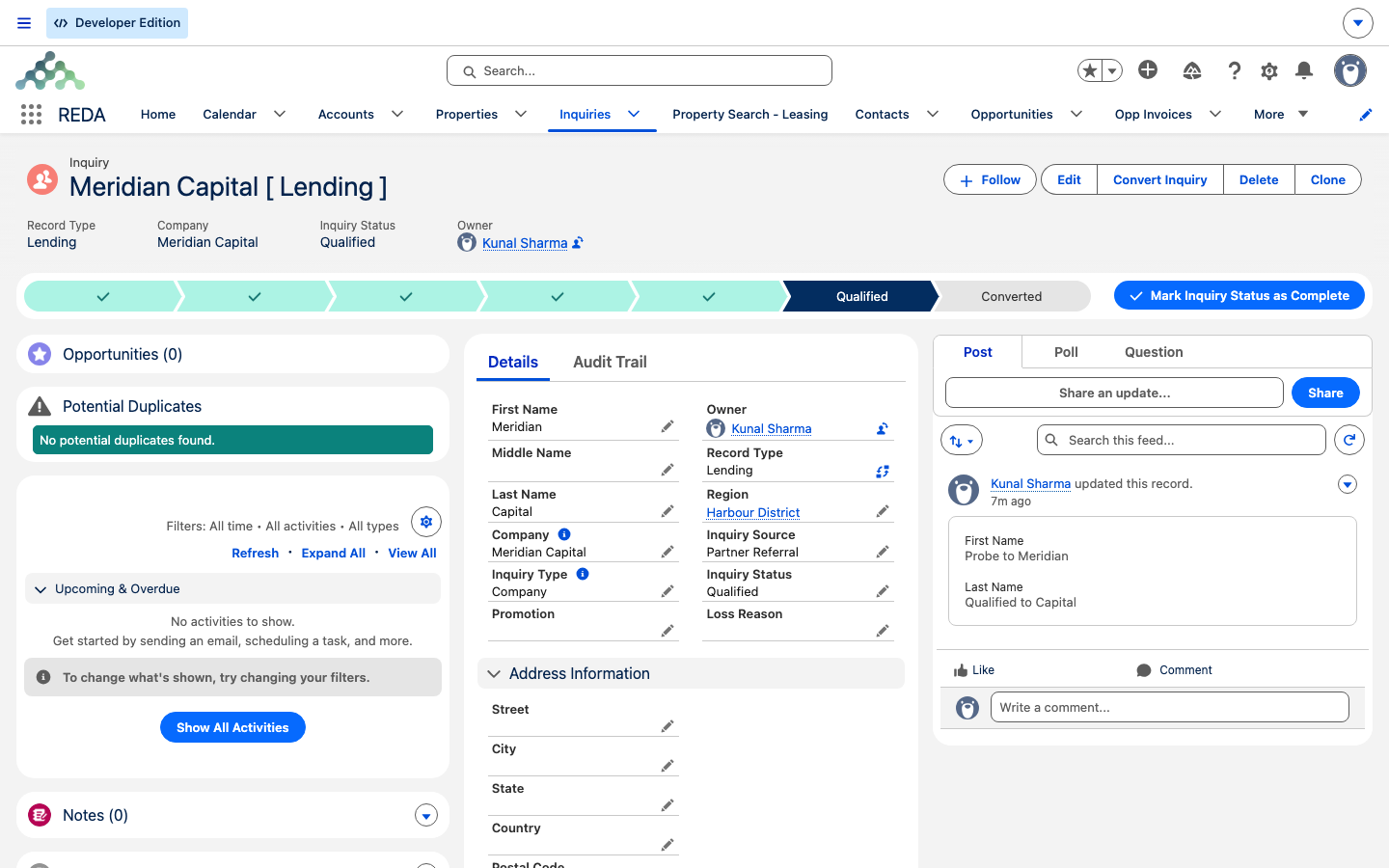
| Qualified | Ready to convert into a loan deal |
| Unqualified | Not proceeding |
| Converted | Converted into a loan deal — set only by the Convert action |
The two Strategy Session steps are the lending-specific qualification touchpoints — the point where you sit down with the borrower or lender and work out whether there's a deal to be done.
Converting to a loan
Once you've worked the inquiry to Qualified, the Convert action turns it into a loan in a single step. The action stays available the whole time an inquiry is open — it appears on any inquiry that hasn't been converted yet, so there's no status you have to reach first; Qualified is simply the natural point to do it. Click Convert and a short dialog opens with two optional choices:
Conversion runs as one all-or-nothing action: if anything goes wrong, the whole thing rolls back — there are no half-converted inquiries. When it succeeds, REDA creates four records from a lending inquiry:
| Record created | From | Notes |
|---|---|---|
| Account | The inquiry's company / identity | Or the existing account you pick |
| Contact | The inquiry's person details | Or the existing contact you pick |
| Loan deal | The lending inquiry | Opens at stage Prospecting |
| Primary contact role | The new or linked contact | Default role Lender |
After conversion
Once converted, the inquiry locks: its status shows Converted and the Convert action disappears, so it can't be converted twice. The new loan opens on the Opportunities tab at stage Prospecting, with the lender contact role already attached. From there you fill in the loan itself — the principal, the collateral property, the terms. That hand-off is covered step by step in Creating a Loan.
Worked example: onboarding a lender
Harbour Capital Partners, an external lender, wants to finance Meridian Capital's purchase of Harbour Tower. You onboard the lender through the inquiry funnel. Here's the whole path from first contact to a live loan:
| You do | REDA does |
|---|---|
| New → Lending inquiry: the lender's contact person and Email, Inquiry Type Company, company name Harbour Capital Partners | Fills in the company/name; shows the inquiry with the [ Lending ] tag |
| Walk the Path: New → Contacted → Strategy Session Scheduled → Strategy Session Attended → Qualified | Tracks the status on the Path (no auto-advance) |
| Click Convert; leave both pickers blank (or pick an existing Harbour Capital Partners account/contact), then Convert Inquiry | Creates the account, contact, a loan deal at Prospecting, and a primary Lender contact role; locks the inquiry |
| Open the new loan and continue in Creating a Loan | Awaits the 500,000.00 loan details on Harbour Tower, with Meridian Capital as borrower |
![The Convert Inquiry dialog on the qualified Meridian Capital [ Lending ] inquiry.](/assets/kb/reda/lending/convert-dialog-lending.png)
Reference: validation messages
| When | Message |
|---|---|
| You try to hand-set the status to Converted | "Please convert inquiry prior updating status to "Converted"." |
| Inquiry Type is Company but the company name is blank | "Please provide valid Company Name" |
| You open Convert on an already-converted inquiry, or without access | "Bad Request. Either the inquiry is already converted OR you do not have sufficient privileges to convert an inquiry. Please contact your system administrator." |
Where to go next
- Creating a Loan — fill in the new loan's principal, parties and collateral.
- Lending in REDA — the loan-is-a-deal model and the honest scope.
- Loan Terms & Allocation — the terms block on the loan.
Frequently asked questions
Either. You can convert a lending inquiry, or create a loan deal directly from the Opportunities tab (see Creating a Loan). The inquiry funnel is for onboarding and qualifying a borrower or lender before there's a loan.
That status is set only by the Convert action. REDA shows "Please convert inquiry prior updating status to "Converted"." Use the Convert action instead.
The inquiry has already been converted. The action hides once conversion is done, so an inquiry can't be converted twice.
Lender — the default primary contact role for a loan created from a lending inquiry.
Yes, unless you pick existing ones in the dialog. It's one all-or-nothing action that creates the account, the contact, the loan deal and the contact role together.
The inquiry is already converted, or you don't have access to convert it. If it's converted, the loan already exists; otherwise, ask your administrator for convert access.
Was this article helpful?