
Setting Up Lease Charges
A lease's chargebook is its contracted money — rent, admin fees, amenities, and promotion credits. This article teaches the Terms & Charges editor: what a charge is (and isn't), where rent comes from, where the fee rows come from, when each line starts invoicing, and the approval lock that freezes it all. Get the chargebook right before you submit the application for approval, and the rest of the lease's billing falls into place. No prior REDA experience is assumed — every term is defined as we reach it.
Access you'll need. Editing lease charges requires the REDA - Property Leasing User permission set; charge creation is also available to Invoice Management Admin and Master Data Admin.
What a charge is (and isn't)
A charge is a recurring template — a contract line that says "this money is due, on this schedule." An invoice is the billed instance that REDA raises from a charge when the time comes. Keeping the two apart is the key to the whole model: you build charges now, and REDA turns them into invoices later.
Billing is opt-in twice. A charge only produces invoices when its invoicing flag is switched on and the lease is accounting-active (or the line is flagged at an earlier application gate). You rarely flip that flag by hand — the lease's stage gates flip it for you as the lease progresses. Once flipped on, the flag stays on; REDA does not switch it back off after billing.
Once invoices start raising, they roll up into the money you watch on the lease: its Total Outstanding Balance — every unpaid invoice and consolidated bill, before credits — and its net balance after credits. That's the practical payoff of getting the chargebook right: each line here becomes an invoice there, and the sum of those invoices is what the tenant owes.
The five kinds of charge lines
Each charge line has a type that decides what it needs:
| Type | What it's for | What it requires |
|---|---|---|
| Lease Charge - Rent | The rent line | Resolved from the property's rent cards |
| Lease Charge - Admin | Admin, application, and move-in fees; deposits | An Admin Charge Setup from the rule |
| Lease Charge - Amenity | Optional amenity add-ons (parking, storage) | A Property Amenity (the property's optional amenities) |
| Lease Charge - Promotion | Discounts and move-in credits | A leasing promotion |
| Settlement Charge | Acquisition / sale / lending closings | Not used on leases day to day |
Admin and amenity lines each demand their source: if you add an admin line without a setup, REDA shows "You must provide Admin Charge Setup for Lease Admin Charge."; add an amenity line without an amenity and you'll see "You must provide Property Amenity for Lease Amenity Charge." The amenity picker offers only the property's optional-type amenities.
The Terms & Charges editor
The Terms & Charges action opens the chargebook editor for the lease. It presents the lines in grids — Recurring, One-Time, and Promotion — and in a co-living arrangement the child leases are included alongside the parent in the promotion grid. The editor also carries a Reset, which regenerates the chargebook from the leasing rules; because that discards your current lines, it is a destructive action and asks you to confirm.
Where rent comes from
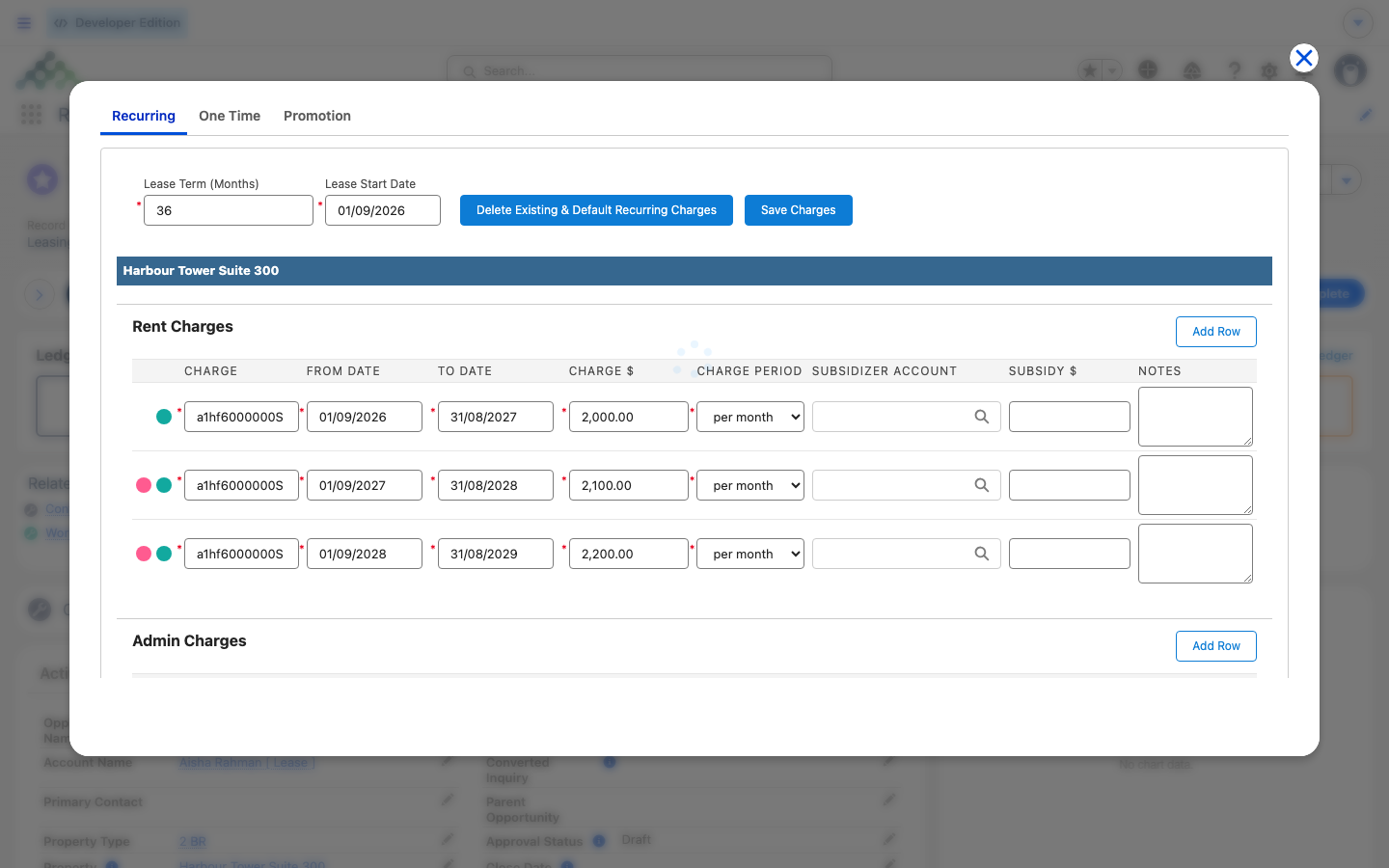
You don't type the rent — REDA resolves it from the property's rent cards (its rent charge setups). It looks for a card matching the lease's term; if none exists it falls back to a term-independent card. A term-specific card beats a term-independent one, and where there's a tie, the newest card wins. The amount used is the card's New Lease total, or its Renew Lease total when the editor was launched from a Renewal ticket, and it already includes the property's amenity additional rent. Multi-year leases generate several dated rent rows with step-ups — see Multi-Year Leases & Step-Ups.
Where fees come from
Fee rows come from the Admin Charge Setups that live under the lease's Leasing Rule. Each setup brings its amount, its Applicable At timing, whether it recurs and over what period, whether it's optional, whether it's a security deposit, whether it applies on renewal, and whether it is instance-based (billed as amount × the number of instances you enter). Deposits are a special case — they cannot recur, and REDA enforces it: "Security Deposit cannot be recurring."
When each line starts billing
Every line carries an Applicable At value that ties it to a stage gate. The line's invoicing switches on when the lease reaches that stage:
| Applicable At | Switches on at stage | Typical lines |
|---|---|---|
| Application | Application - Completed | Application fees |
| Application Approved | Application - Approved | Admin / approval fees |
| Move In | Occupied - Pending Move In | Rent, deposits, amenity add-ons, move-in fees |
Once a line switches on: a one-time line bills immediately, with today's billing date; a recurring line gets its next-invoice date computed from the rule's process day and is billed in advance for the coming period by the recurring run. A line that starts late in its cycle can produce two invoices on the first run — the by-design threshold-day behavior explained in How Recurring Invoicing Works.
Amounts, discounts & instances
The figure that actually gets billed is the Net Charge: the charge amount, times the instances (1 if you leave it blank), minus the discount. The lease-level total labelled Total Charge (Not Exact) is indicative only — it ignores proration, so it won't match invoices to the penny, and it isn't meant to. Recurring lines need a From Date and a To Date and a Charge Period (month, week, or day); leave a date out and REDA responds "For recurring charge, from and to dates (date range) must be provided.", and leave the period out and it responds "Charge Period must be provided if opportunity charge is recurring." Do Prorate can only apply to recurring lines — "Only recurring charges can be prorated." — and when set, REDA computes the first- and last-period prorated amounts. If a third party pays part of a line, the Subsidizer Account and Subsidy $ default from the lease and prorate along with the billed amount on each invoice. An Inactive Date hard-stops a line early, which is how a mid-lease charge removal takes effect (see Changing Charges Mid-Lease).
The approval lock
Approving a lease freezes its chargebook. Once the lease — or its parent lease — is approved, you can't create charge lines, and the money, dates, and property fields can't change:
Deleting is blocked under the same condition: "You cannot delete this record. Record is locked for editing." Lines that were created by a ticket stay editable until that ticket is approved. To restructure charges after approval, use the charge tickets — Add Lease Charge and Remove Lease Charge (see Changing Charges Mid-Lease) — or, before the tenant has moved in, use Reset Lease to start over.
Worked example: Aisha's chargebook
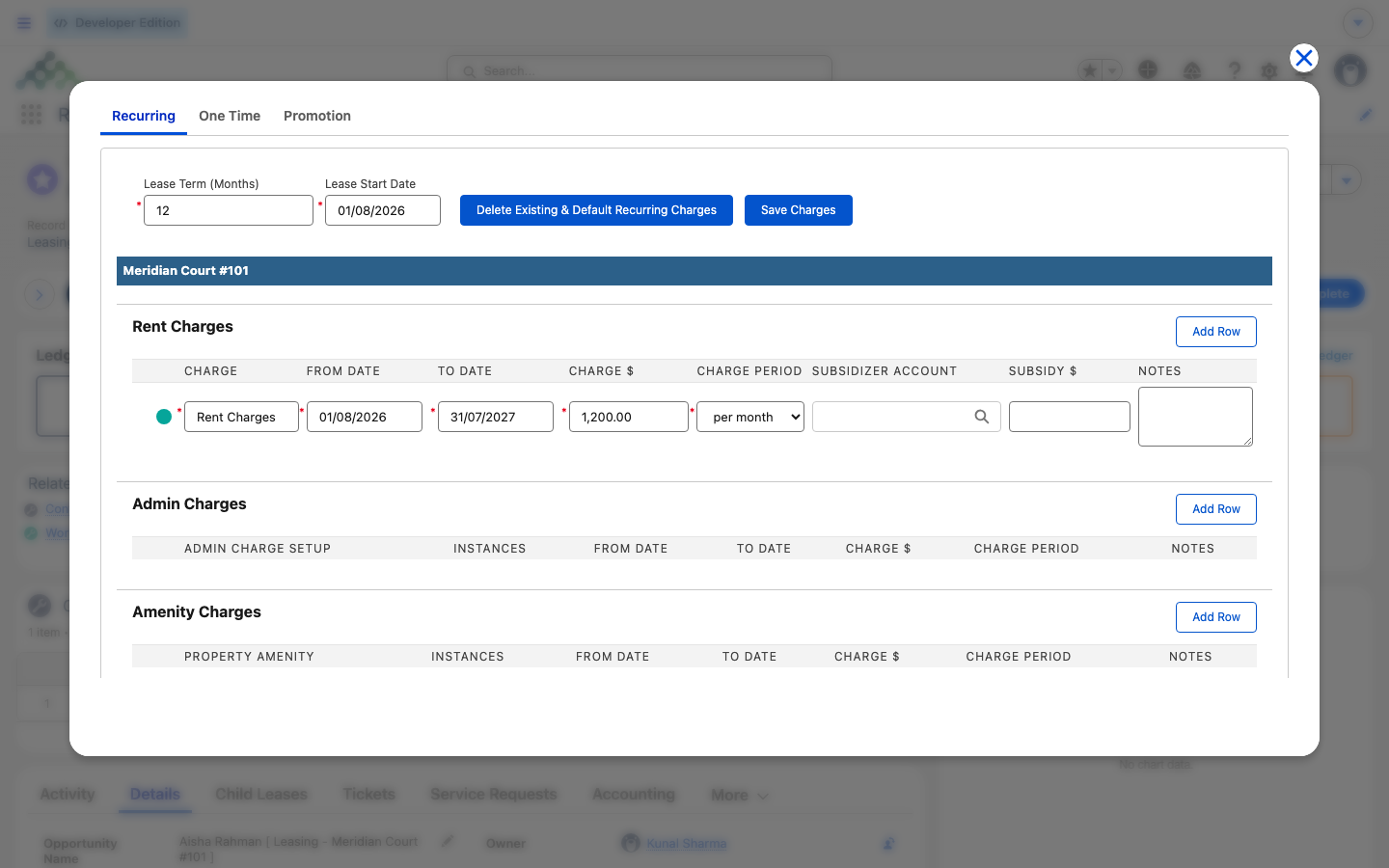
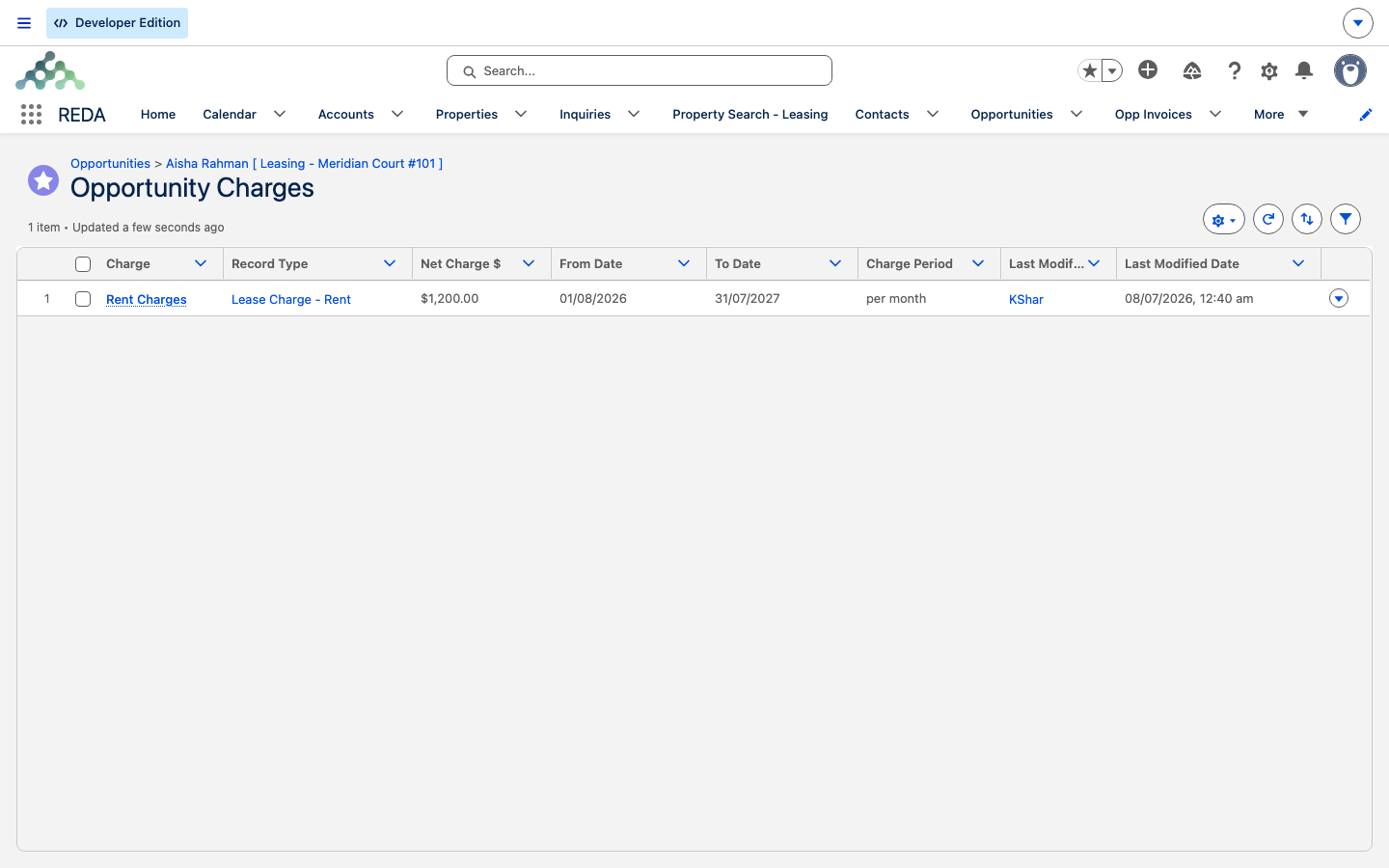
Aisha Rahman is applying for a 12-month lease on Meridian Court #101, starting 1 Aug 2026. Open Terms & Charges on her draft application and build it:
Now approve the lease and try to edit the rent line: REDA blocks you with the lock message above. From here on, changes go through the charge tickets, not the editor.
Reference: the charge-line fields
The fields you'll set on each line, at label level:
| Field | Meaning | Notes |
|---|---|---|
| Charge $ | Base per-occurrence amount | Locked after approval |
| Discount $ | Per-occurrence discount | Locked after approval |
| Instances | Multiplier (blank = 1) | For instance-based fees |
| Net Charge $ | Amount × instances − discount | What each invoice bills |
| From Date / To Date | The recurring window | Both required when recurring |
| Inactive Date | Early hard stop | Set by Remove Lease Charge tickets; overrides To Date |
| Charge Period | month (default) / week / day | Required on recurring lines |
| Do Prorate | Prorate partial first / last periods | Recurring only |
| Applicable At | Application / Application Approved / Move In | When the line starts invoicing |
| Is Optional | Tenant-choice marker | Chargebook rendering |
| Is Security Deposit | Deposit flag | Cannot be recurring |
| Subsidizer Account / Subsidy $ | Third-party payer and amount | Subsidy prorates with the billed amount |
| Charge Name Override / Notes | Display name / free text | — |
Where to go next
- From Application to Move-In — the stage gates that flip each charge line on.
- Changing Charges Mid-Lease — the tickets that add and remove lines after approval.
- Multi-Year Leases & Step-Ups — how multi-year rent rows are generated.
- Rent Charge Setups — where the rent numbers come from.
- Proration — how partial first and last periods are calculated.
- Leasing Rules: the Policy Engine — where the admin charge setups live.
Frequently asked questions
The lease (or its parent, or the ticket) is approved, which locks the chargebook: "The record is locked for editing. Charges can not be created and updated if the opportunity or opportunity's parent opportunity or associated ticket is Approved." Deletes are blocked too: "You cannot delete this record. Record is locked for editing." Use a charge ticket instead.
A recurring charge needs a window: "For recurring charge, from and to dates (date range) must be provided." Add a From Date and a To Date.
A security deposit is a one-time charge by design: "Security Deposit cannot be recurring." Leave the recurring settings off on the deposit line.
Only recurring lines can be prorated: "Only recurring charges can be prorated." If a fee should prorate, make it recurring; otherwise it bills at its full amount.
Each needs its source. Admin lines: "You must provide Admin Charge Setup for Lease Admin Charge." Amenity lines: "You must provide Property Amenity for Lease Amenity Charge." Pick the setup or amenity, then save.
The invoices. The chargebook total is labelled Total Charge (Not Exact) on purpose — it ignores proration, so it's an estimate, not a bill.
No. That is a legacy button, superseded by Terms & Charges. Ask your administrator to remove it from the layout.
Was this article helpful?