
Property Lists & Tags
A property list is a hand-picked group of properties you assemble yourself — for a report, a distribution split, or to scope an accounting task like an expense reconciliation. Unlike a portfolio, nothing is automatic: you choose exactly which properties belong. This article shows you how to create a tagged list, add and remove properties correctly around two rules that surprise people, and understand the tags REDA writes back onto each property. No prior REDA experience is assumed.
Access you'll need. Creating and editing property lists requires the REDA - Master Data - Admin permission set; REDA - Master Data - Read Only can view them but not change them.
Lists versus portfolios
REDA gives you two ways to group properties, and they solve different problems. A portfolio is automatic and ownership-driven: you add owner accounts and REDA fills in their properties. A property list is manual and tag-based: you pick the properties one by one, and each list carries a short tag that REDA writes onto the properties in it.
Reach for a list when the grouping has nothing to do with who owns what — a set of refinancing candidates, a distribution schedule, a batch of properties an accounting run should cover.
Creating a list
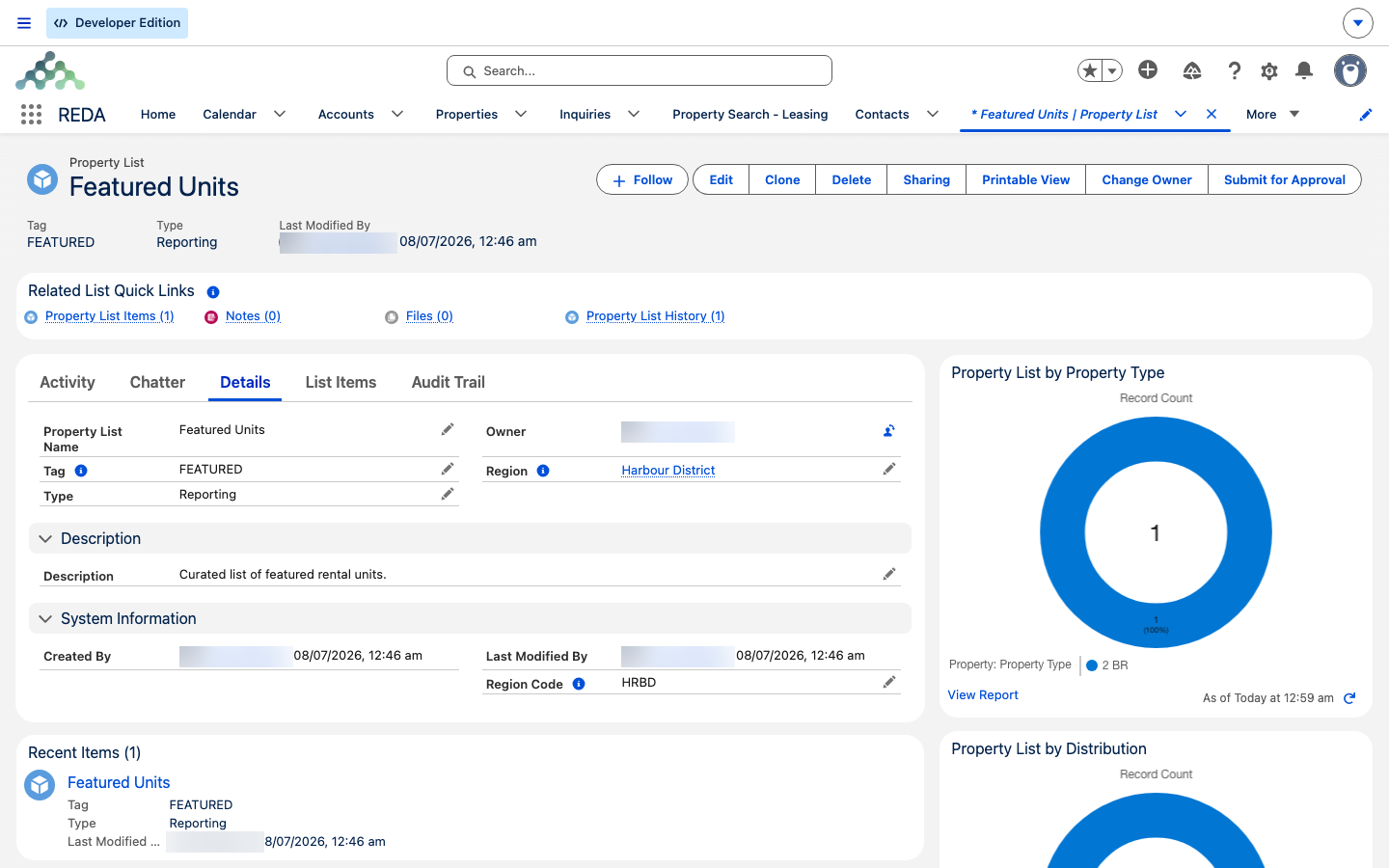
From the Property Lists tab, click New and fill in the list's profile:
| Field | What it's for |
|---|---|
| Property List Name | The name of the list. |
| Tag | A short, unique code (up to 20 characters) that REDA stamps onto every property in the list. Choose it as carefully as the name — see the warning below. |
| Type | What the list is for: Reporting, Distribution, or Accounting. See What lists are used for. |
| Description | Free text describing the list. |
| Region | The region the list belongs to, which governs who can see it. REDA stamps the region's code onto the list for you. |
Adding properties
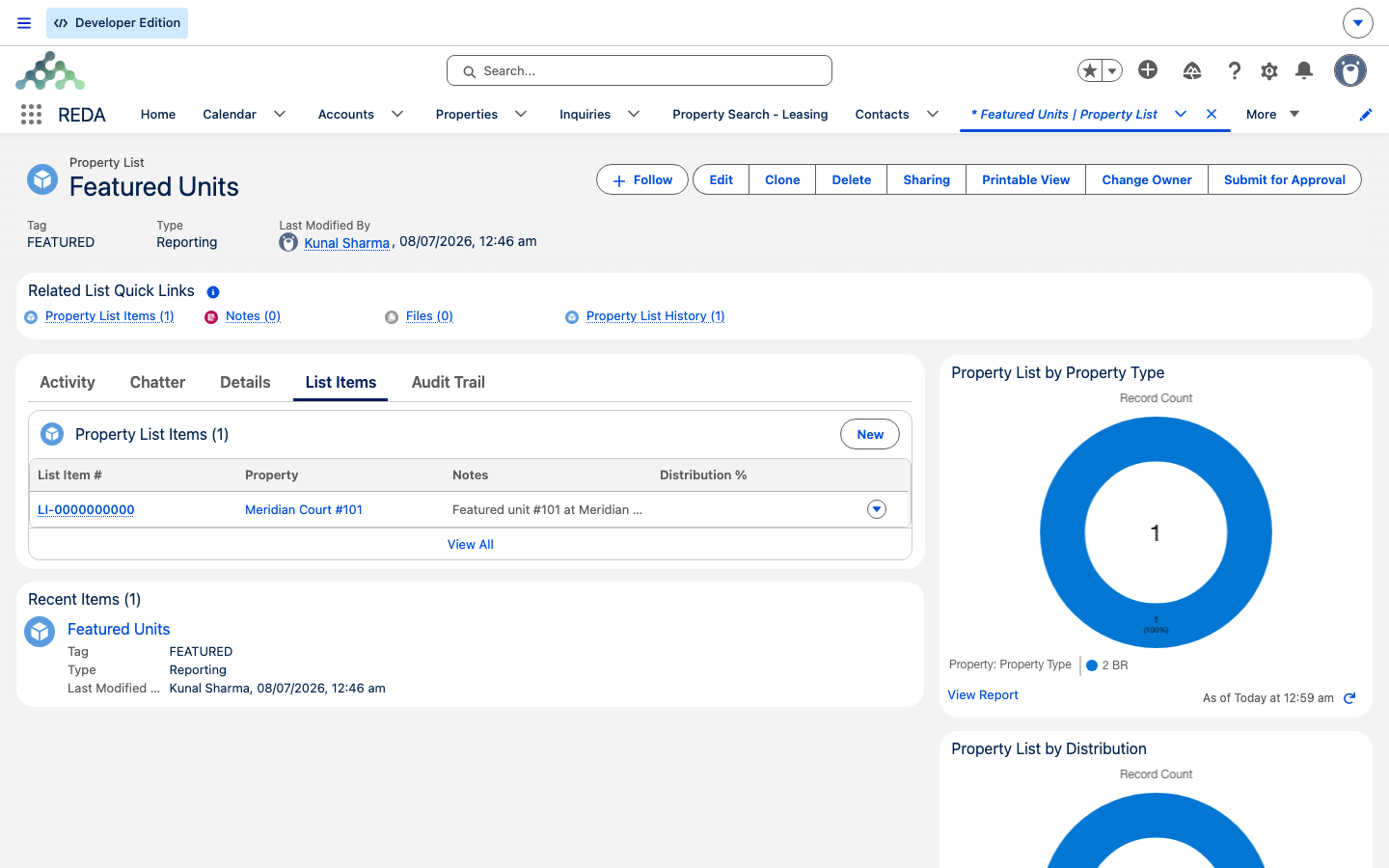
Each property joins a list as a list item — one item per property. From the list record:
Tags on the property
Adding a property to a list, or removing it, updates a field on the property called List Tags — the collected tags of every list the property belongs to. REDA maintains this for you: add the property to a list and the list's tag appears there; remove it and the tag drops off. Because each list's tag can never change, these tags on the property never drift.
The property field even says so on its own help text — "Reda Field. Automatically managed through Property List." Editing List Tags directly is futile — REDA overwrites it from the memberships. Change the memberships instead, and the tags follow.
What lists are used for
The Type you chose tells REDA — and your team — what the list is for:
| Type | Use it when… |
|---|---|
| Reporting | You want to filter reports to a specific set of properties by their tag. |
| Distribution | You're splitting something across the members by percentage — the Distribution % on each item is that member's share. |
| Accounting | You want to scope an accounting task to just these properties — REDA's expense reconciliation can limit its work to a list. |
For how a reconciliation actually consumes a list and its distribution percentages, see the expense-reconciliation guidance — here it's enough to know that REDA's accounting tools can scope their work to a property list.
Worked example: two lists for Meridian Court
You need a reporting group and a distribution group.
| You do | REDA does |
|---|---|
Create list 2026 Refi Candidates (Tag REFI26, Type Reporting) and add three Meridian Court units as items | Stamps REFI26 onto each of the three properties' List Tags |
| Notice one unit was added by mistake — try to edit that item's Property to the correct unit | Blocks it: "Property cannot be updated." |
| Delete the wrong item and add a new item for the correct unit | Drops the tag from the removed property, adds it to the new one |
| Create list Continental Holdings Distribution A (Type Distribution) with three items at 50 / 30 / 20 Distribution % | Records each member's share for the split |
Where to go next
- Portfolios — the automatic, ownership-driven alternative to a hand-picked list.
- Understanding Properties — the property record and its system-managed fields like List Tags.
- Regions — the region that governs a list's visibility and stamps its code.
Frequently asked questions
Tags are permanent: "Property List Tag cannot be updated." That's what keeps the tags on your properties from drifting. To use a different tag, create a new list under it and re-add the members.
The property on an item is fixed: "Property cannot be updated." Delete the item and add a new one for the correct property.
No — it's system-written and your edits are overwritten. Add the property to, or remove it from, a Property List instead, and the tags update themselves.
The Distribution % is each member's share, read by distribution and accounting scoping. REDA doesn't enforce a total, so treat "adds up to 100%" as your own convention and check it yourself.
A property that's on a list can't be deleted until you remove it from the list first. (Deleting a property is a Master Data Admin action in any case.)
Was this article helpful?