
Loan Terms & Allocation
This article covers two related jobs: recording a loan's terms — the rate, the cadence, the repayment style — and allocating one facility across several child loans so a single credit line can be split across properties. By the end you'll fill in the terms block correctly (understanding what these fields do and, just as importantly, what they don't), build a parent loan with child allocations, and satisfy the caps and consistency rules REDA enforces. Recording the actual instalments that follow is a separate job, covered in The Loan Repayment Schedule; here we deal with the terms of record and the allocation structure. No prior REDA experience is assumed.
Access you'll need. Editing loan terms and creating child loans requires the REDA - Property Lending User permission set.
The terms block
A loan is a Lending deal (see Loans in REDA), and its terms are a set of fields on the record. Each one, in plain terms:
What the terms do — and don't
It's natural to expect that filling in a rate, a frequency, and a repayment style would make REDA lay out the loan for you. It does not, so let's be clear.
The practical consequence: each instalment's principal-and-interest split is a figure you calculate and enter by hand on a Loan Payment row. Don't treat Amortize, Frequency, or Interest Rate as inputs to a schedule — they're a record of what was agreed. The mechanics of entering instalments are in The Loan Repayment Schedule and Recording Loan Payments.
Loan types
The Loan Type picklist has six values. Five describe where the money comes from; the sixth marks a child slice of a larger facility.
| Loan Type | Use it for |
|---|---|
| Private | A private or individual lender |
| Bank | A bank facility |
| Institutional | An institutional lender |
| Internal | Your own entity lending to itself |
| Equity | Investor equity you want to track as a loan |
| Allocation | A child slice of a parent facility (child loans only) |
Allocation is reserved for child loans. Choose it on a loan that has no parent and REDA stops you:
Parent and child loans
To split one facility across several properties, you build a parent loan and hang child loans beneath it. Each child points at the parent through its Parent Opportunity field. The structure is a single level deep — a parent loan cannot itself have a parent, so there are no grandparents.
Because the whole facility belongs to one borrower, REDA keeps the accounts consistent: if a child loan has both a parent and its own account set, that account must match the parent's borrower.
Allocating amounts
Each child carries its own slice as its Loan Amount. On the parent, the Loan Allotted Amount field shows how much of the facility has been carved out to its active children — REDA sums this for you, so you never type it. It rises and falls as children are added, funded, or dropped.
You can't over-commit the facility. The allotted total is capped below the parent's Loan Amount:
Allotted amounts don't stop at the parent. When a facility funds an acquisition, the committed amounts from its active loans also roll up to that Acquisition deal, so the acquisition shows how much loan money is committed against it. That acquisition-level view is covered in Property & Acquisition Loan Rollups.
Building a facility, step by step
Worked example: Meridian's 500,000 facility
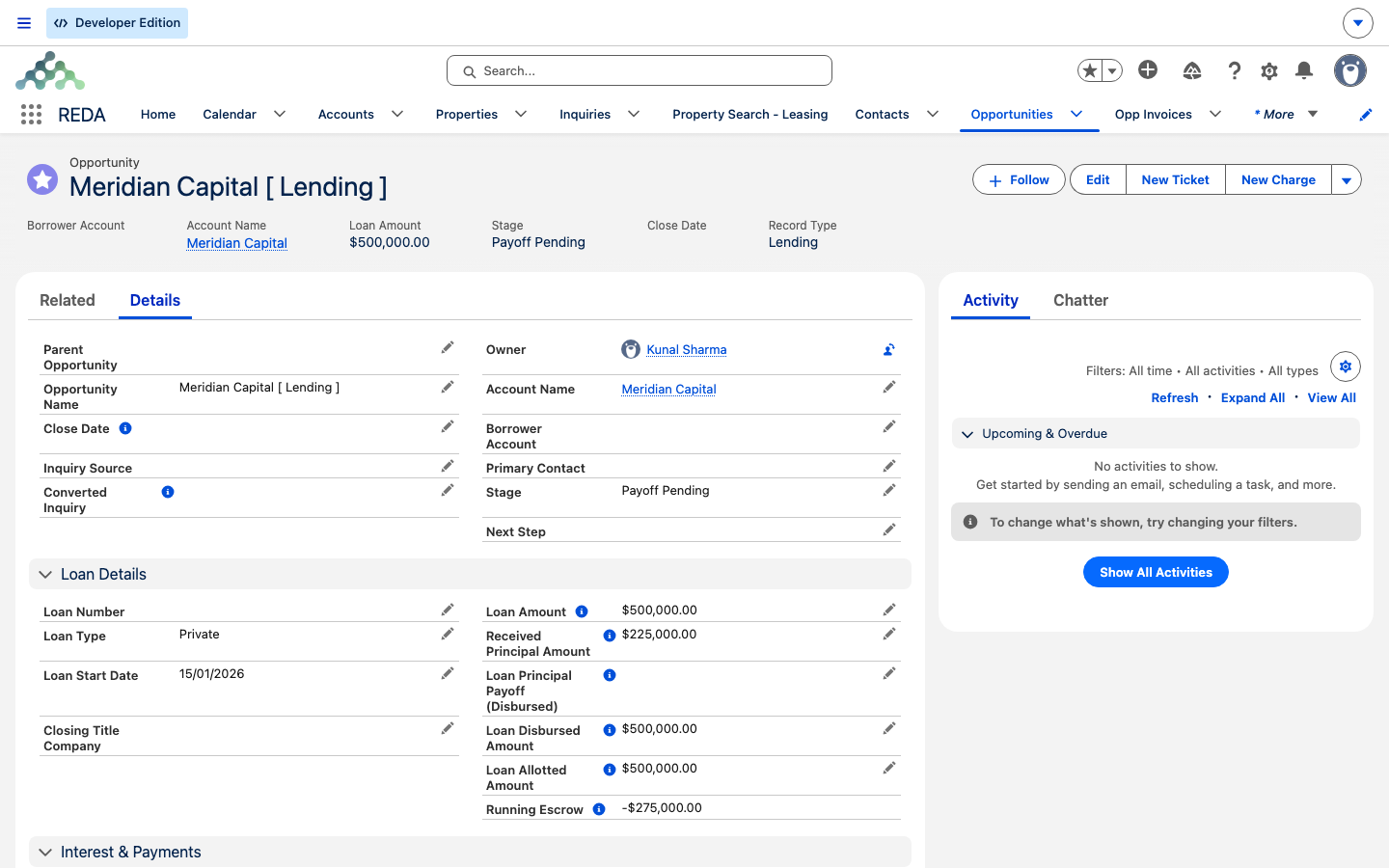
Meridian Capital sets up a 500,000.00 facility as a parent loan and wants to spread it across two properties. The team enters the parent's terms — Loan Type Private, a Loan Start Date, Amortize Interest Only, Frequency Monthly, Interest Rate 9.000%, Interest Accrual Type Arrears. REDA stores these but, as we saw, computes nothing from them.
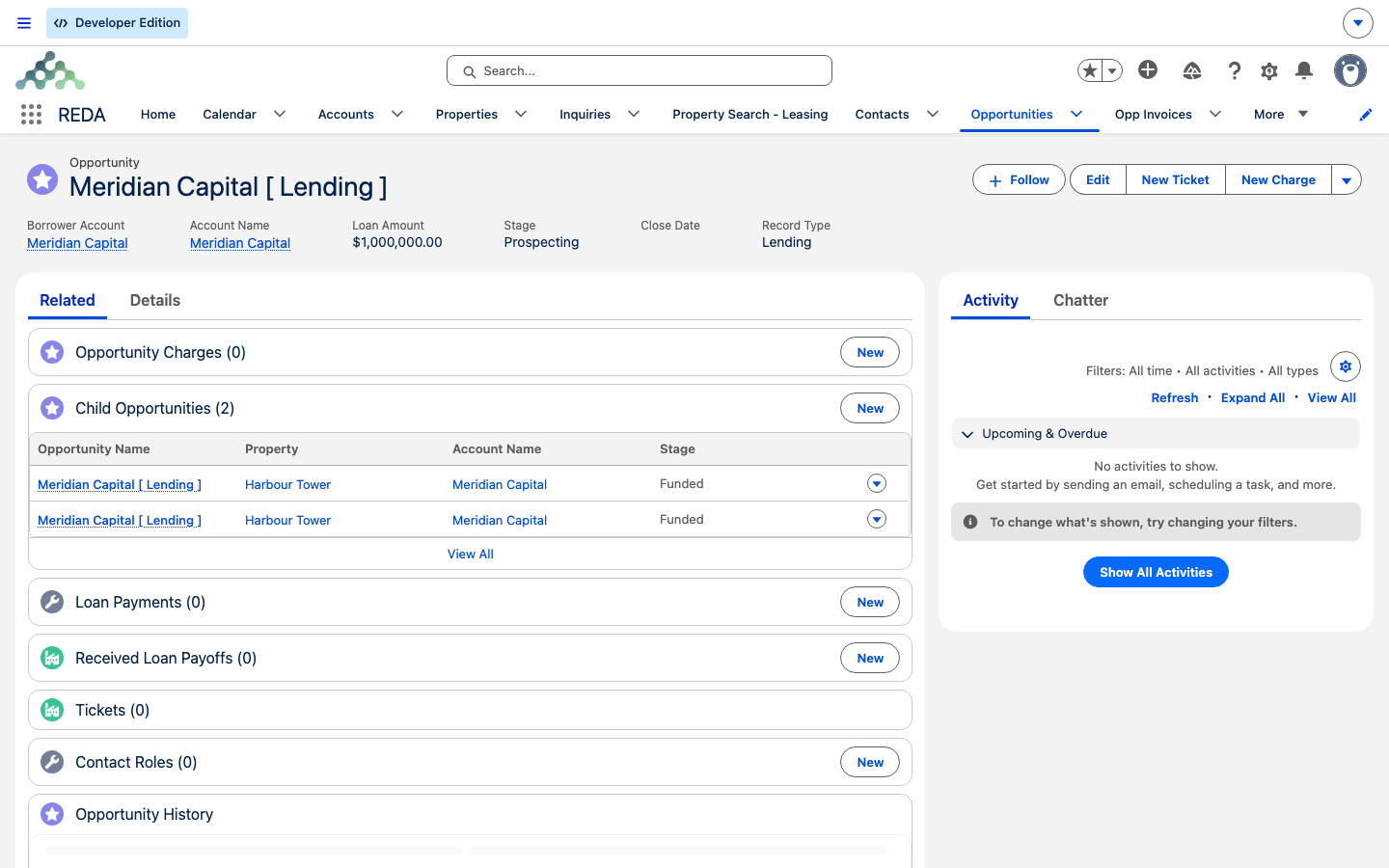
Now the children. The team creates two child Allocation loans, each with Parent Opportunity set to the facility: one for 300,000.00 on Harbour Tower, and one for 200,000.00 on a second Meridian property. (Try to set Allocation on either child before pointing it at the parent, and the toast appears: "The Loan Type Allocation option is only available for child lending opportunities.")
With both children active, their slices sum to 500,000.00 — which is not less than the parent's Loan Amount, so REDA blocks it:
The team drops the second child to 150,000.00. Now the allotted total is 450,000.00 — comfortably under the 500,000.00 facility — and the parent's Loan Allotted Amount reads 450,000.00. From here, actual draws and instalments are recorded per child in The Loan Repayment Schedule and Disbursements & Payoffs.
Reference: terms and allocation rules
The terms block, with what REDA computes from each field — which, for the repayment terms, is nothing:
| Field | On-screen values | Does REDA compute from it? |
|---|---|---|
| Loan Number | Free text (external reference) | No |
| Loan Type | Private / Bank / Institutional / Internal / Equity / Allocation | Allocation is restricted to child loans |
| Loan Start Date | A date | No — documentation only |
| Amortize | Interest Only / Amortize | No — documentation only |
| Frequency | Annually / Monthly / Quarterly | No — documentation only |
| Interest Rate | Annual % | No — interest is entered per payment |
| Interest Accrual Type | Arrears / Advance | No — documentation only |
The allocation checks, quoted exactly:
| When | Message |
|---|---|
| Loan Type "Allocation" on a loan with no parent | "The Loan Type Allocation option is only available for child lending opportunities." |
| A child's account differs from the parent's borrower | "On Lending Opportunity if "Parent Opportunity" is not blank and "Account" is not blank, then Account must be same as Borrower Account on Parent Opportunity." |
| The allotted total would reach or exceed the parent's Loan Amount | "Allotted Amount must be less than Loan Amount" |
Where to go next
- The Loan Repayment Schedule — record the instalments these terms describe.
- Recording Loan Payments — the mechanics of each payment, with every validation.
- Property & Acquisition Loan Rollups — where Loan Amount and allotted amounts surface on the property and acquisition.
- Disbursements & Payoffs — drawing money against a facility.
- Loans in REDA — the loan record and its full validation reference.
Frequently asked questions
No. Those fields document the agreement; REDA computes no schedule and no interest from them. You enter each instalment yourself — see The Loan Repayment Schedule.
Allocation is for child loans only: "The Loan Type Allocation option is only available for child lending opportunities." Set a Parent Opportunity first, or choose a different type.
The children's allotted total must stay under the parent's Loan Amount: "Allotted Amount must be less than Loan Amount". Reduce a child's slice, or raise the parent's Loan Amount if the facility really is larger.
No. The structure is a single level — a parent loan cannot itself have a parent, so there are no multi-level chains.
The whole facility belongs to one borrower, so REDA keeps them consistent: "On Lending Opportunity if "Parent Opportunity" is not blank and "Account" is not blank, then Account must be same as Borrower Account on Parent Opportunity."
No. It's summed for you from the active children's slices and appears on the parent automatically. You set each child's own Loan Amount; REDA does the totalling.
Was this article helpful?