
Settlement Codes
A settlement code is a closing-cost category — broker fees, title charges, lender charges, and the like — that you set up once and reuse on the settlement charges of your acquisition, sale, and lending deals. It's the vocabulary that keeps every closing statement consistent. This article explains what a settlement code is, lists the closing-cost types it offers, shows how to create one, and clears up the pairing that trips people up most: how a settlement code (the reusable category) differs from a settlement charge (the line on a specific deal). No prior REDA setup experience is assumed.
Access you'll need. Full setup requires the REDA - Master Data - Admin permission set. The REDA - Property Acquisition User set can also create and edit settlement codes — the one operational role with setup rights here. REDA - Master Data - Read Only can view them but not change them.
What a settlement code is
When a property deal closes, its closing statement is built from a set of one-off costs: a broker fee, a title search, various lender charges. A settlement code is the category you attach to each of those costs so they're labelled the same way on every deal. It is master data — a shared reference record you create once and reuse — much like a charge code, but for the one-time costs of closing a deal rather than for ongoing rent and fees.
Each settlement code carries a Type — the closing-cost family it belongs to — plus an on/off switch and some housekeeping fields. The code itself has no billing behavior; it exists to be picked on a settlement charge.
The seven types
The Type field offers seven closing-cost families. These are the exact values, in order:
| # | Type |
|---|---|
| 1 | Real Estate Broker Fees |
| 2 | Payable in Connection with Loan |
| 3 | Advance Payment Required by Lender |
| 4 | Reserve Deposited with Lender |
| 5 | Title Charges |
| 6 | Govt. Recording and Transfer Charges |
| 7 | Other |
The Type is how closing statements and reports group your settlement costs, so pick the family that matches the cost.
Creating a settlement code
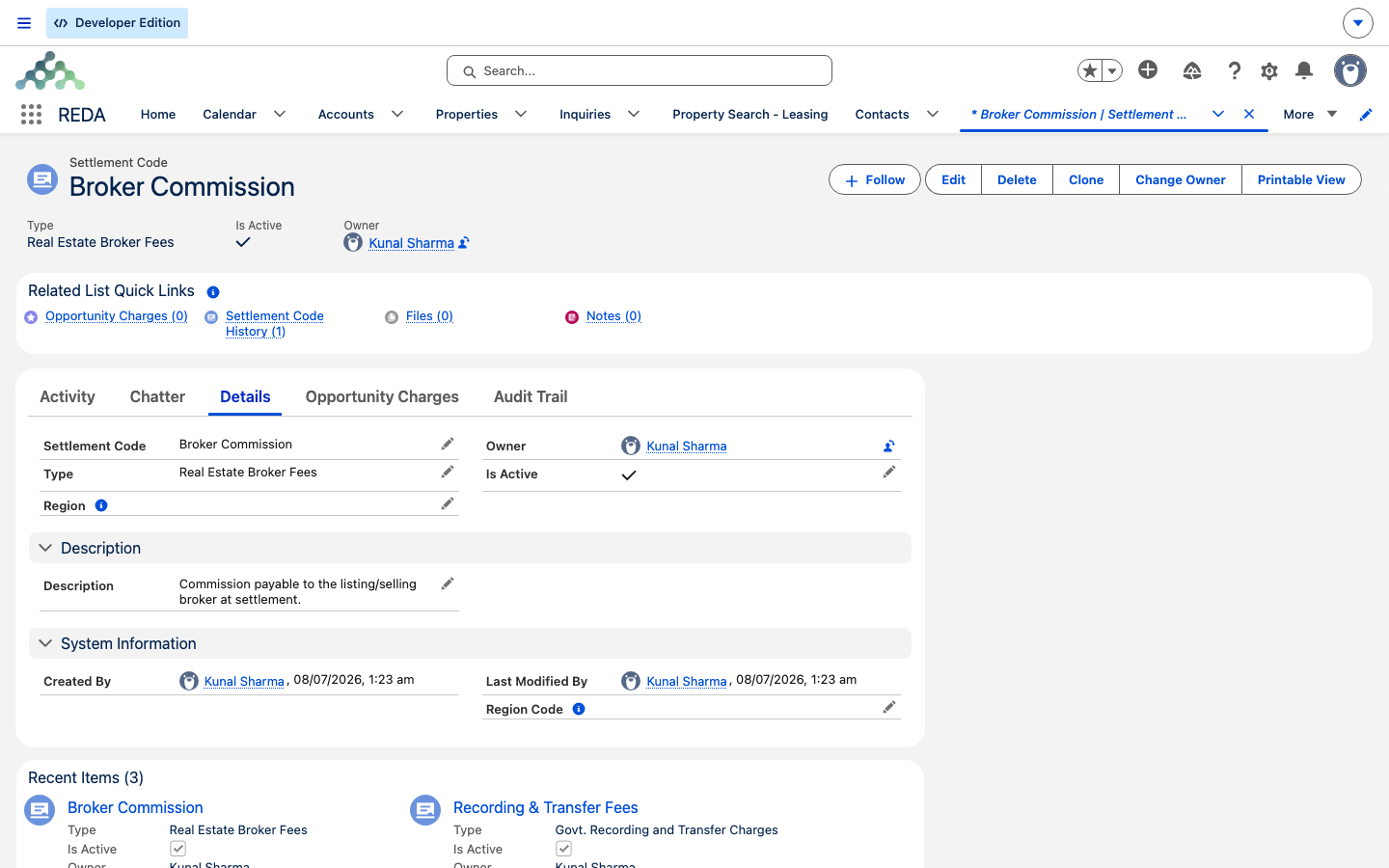
A settlement code is a short record — five fields:
Where settlement codes are used
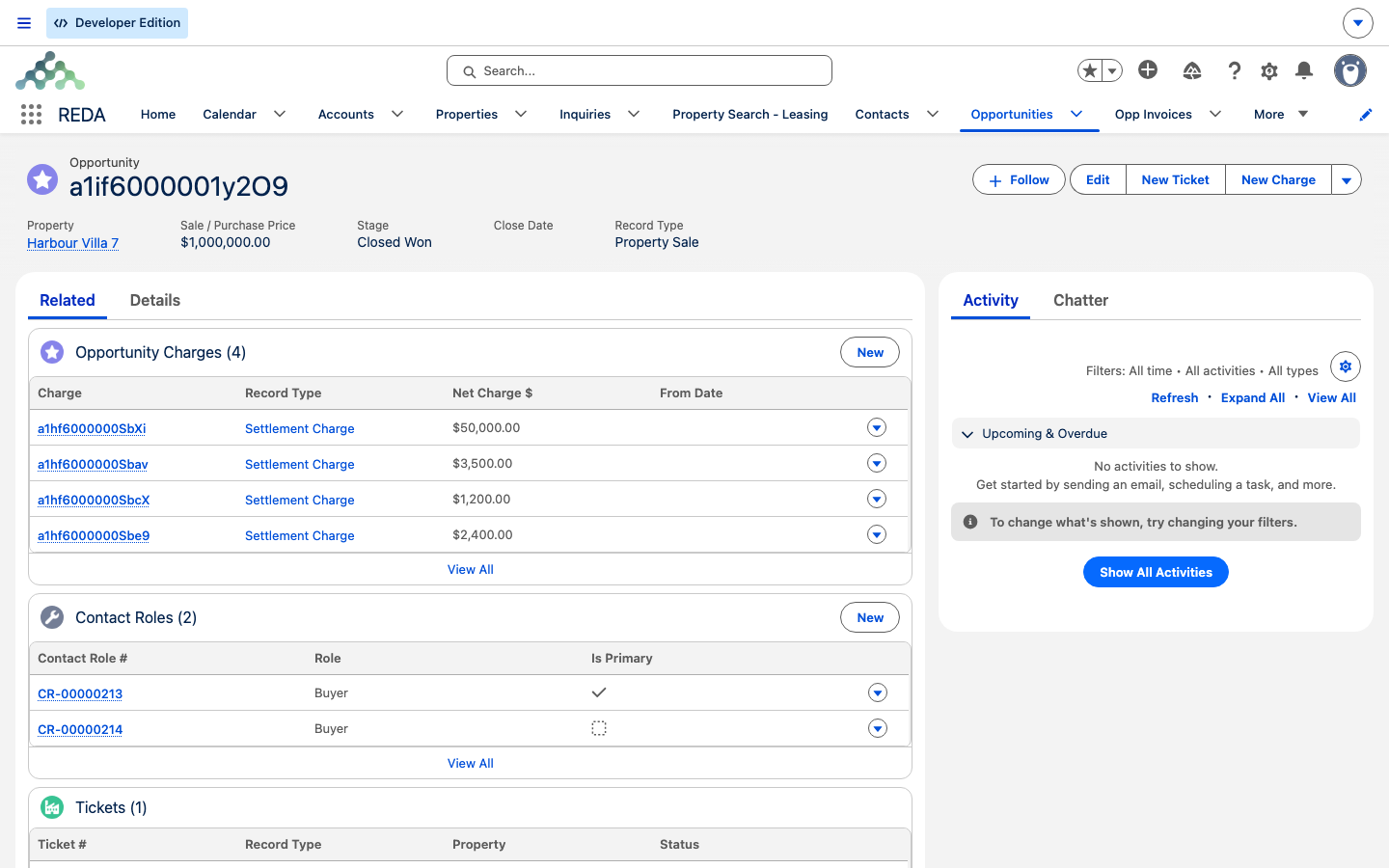
Settlement codes are consumed by settlement charges — the closing-cost lines on a deal. On an acquisition, sale, or lending deal, a charge created with the Settlement Charge record type carries a Settlement Code lookup, and that lookup offers only active codes. Its record-type description reads: "Applicable for settlement against Property Acquisition, Sale and Lending."
A settlement charge also has its own Settlement Type field — a separate classification from the code's Type — that marks how the cost sits on the closing statement:
| Charge record type | Settlement Type values available |
|---|---|
| Settlement Charge | Borrower Due · Adjustment - Unpaid By Seller |
| Lease record types | Borrower Due |
Otherwise, a settlement charge follows the normal charge math: its net amount is the charge amount times its number of instances, less any discount, and it's invoiced through the same engine as any other charge when it's opted in. See How Billing Works in REDA.
Settlement code vs charge code
The two vocabularies look alike but do different jobs. Keep them straight:
| Charge Code | Settlement Code | |
|---|---|---|
| Purpose | Ongoing billing category (rent, fees) | One-off closing-cost category on deals |
| Drives invoice routing, grace days, batching | Yes | No |
| Feature switches (late fee, straight-line, inflation) | Yes | No |
| Used by | All recurring and one-time billing | Settlement charges on acquisition, sale, lending deals |
| New records active by default | No (Is Active off) | Yes (Is Active on) |
Worked example: an acquisition's closing costs
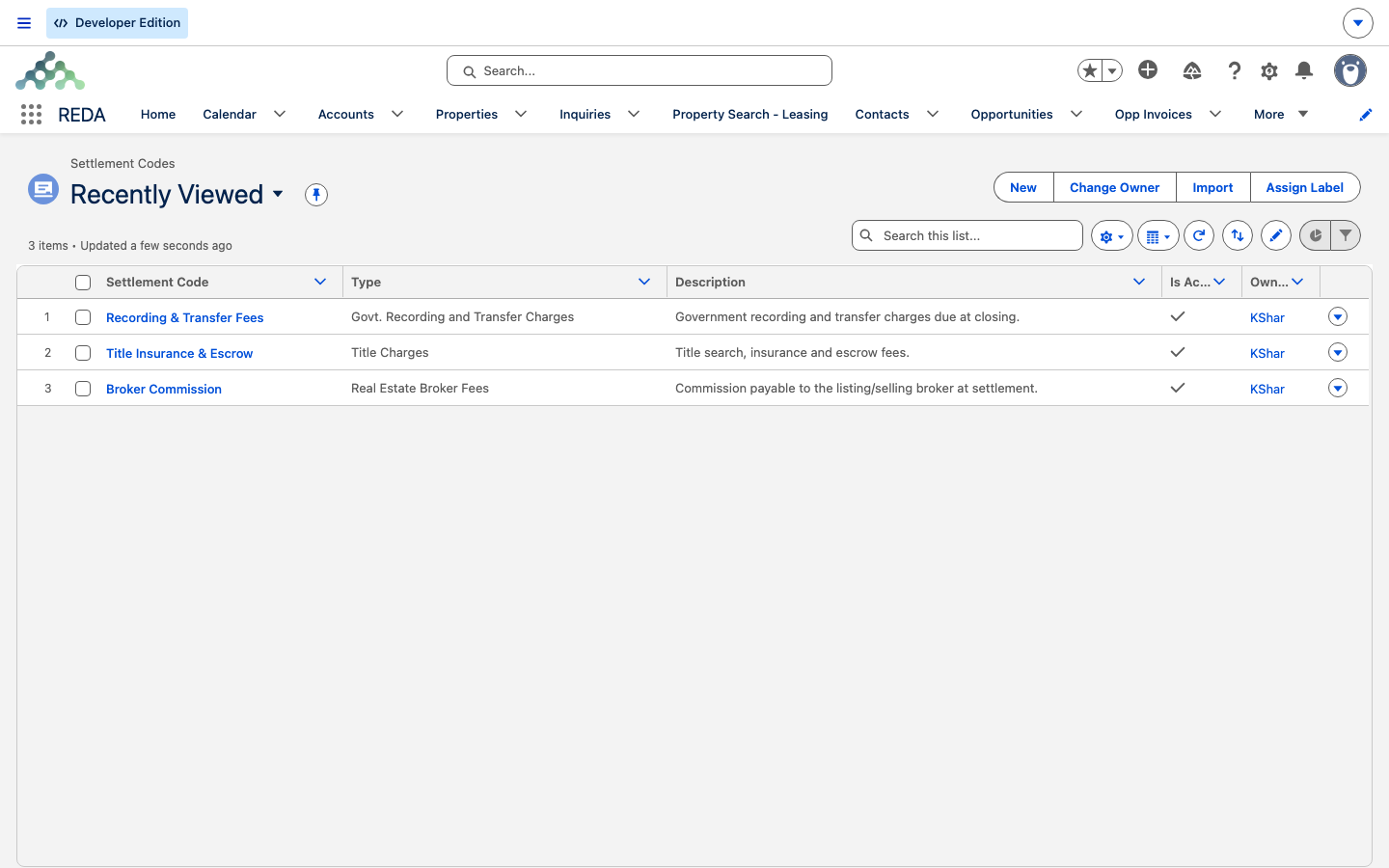
Your team is acquiring Meridian Court #101. In setup, an administrator creates two settlement codes: Broker Fee (Type: Real Estate Broker Fees) and Title Search (Type: Title Charges), both active.
On the acquisition deal, the team adds two settlement charges under the Settlement Charge record type: a Broker Fee of 9,000.00 with Settlement Type Borrower Due, and a Title Search of 450.00. Both appear on the deal's charge list, grouped by the code that categorizes them, ready to roll into the closing statement.
Field reference
Every field on a settlement code:
| Field | Default | What it does |
|---|---|---|
| Settlement Code | — | The code's display name everywhere it's used. |
| Type | None | The closing-cost family — one of the seven values. |
| Is Active | On | Inactive codes disappear from the settlement-charge lookup. |
| Description | — | Administrator reference note. |
| Region | — | Region-based sharing; the region code text is filled in by REDA. |
Where to go next
- Charge Codes — the sibling vocabulary for ongoing rent and fees.
- How Billing Works in REDA — how charges turn into invoices, end to end.
- Invoices Explained — reading a generated invoice, field by field.
Frequently asked questions
The lookup only offers active codes. Open the code and confirm Is Active is ticked.
No. Settlement Type is a classification for closing statements and reporting. What gets billed comes from the charge's amount and its invoicing settings, not from the Settlement Type.
Lease record types expose only a subset. All three values — Borrower Due and the two Adjustment types — appear on the Settlement Charge record type used on acquisition, sale, and lending deals.
The REDA - Master Data - Admin set, and — unusually — the REDA - Property Acquisition User set, the one operational role given setup rights here.
The charge lock applies to settlement charges too: "The record is locked for editing. Charges can not be created and updated if the opportunity or opportunity's parent opportunity or associated ticket is Approved." The charge is fixed once the deal or its ticket is approved.
Was this article helpful?