
Payments & Balance Sync-Back
When you bill a tenant in REDA, the invoice starts life owing its full amount. Later — once the money is received and the accounting side records it — the invoice's Received/Applied Amount, Tax Amount and Waived Amount update on their own, and the balance drops to match. This article is the sequel to Recording Tenant Payments: that one records the payment; this one explains what then flows back onto the invoice. You'll learn where those figures come from, how a single payment on a consolidated bill is split back across its child charges, why tax behaves differently from the payment itself, what happens when a payment is reversed, where an error shows up when the hand-off fails, and how clearing that error lets REDA try again. No accounting background is assumed — every term is defined as we reach it.
Access you'll need. Viewing invoices requires the REDA - Invoice Management Read Only permission set. Creating and editing them — including clearing an accounting error so the invoice can try again — requires REDA - Invoice Management Admin or REDA - Property Leasing User.
What syncs back, and when
An Opp Invoice is the bill REDA raises against a lease — rent, a deposit, a utility charge. On its own it only records what the tenant owes. The money itself is recorded on the accounting side, and REDA reflects that back onto the invoice so you never have to reconcile the two by hand.
The link between the two sides is a matching accounting invoice, created automatically from the REDA invoice. Once that accounting invoice reaches the Posted status — meaning it's final and booked, not a draft — the paid figures flow back onto the REDA invoice (or, for a consolidated bill, onto the batch). While it's still a draft, nothing syncs; the sync is what "Posted" triggers.
Follow one bill through its whole life and the pattern is easy to hold in your head. REDA raises the invoice, and it owes its full amount. The accounting side creates its matching invoice and posts it; the receipt against it records how much was paid. That posting is the signal — REDA copies the paid amount, the tax and any waived amount back onto its own invoice, and the balance falls. Pay the rest later, and the received amount rises again to match. Reverse the payment, and it falls back. At every step the REDA invoice is a faithful reflection of what accounting knows, and you never key the same number twice.
The figures that flow back
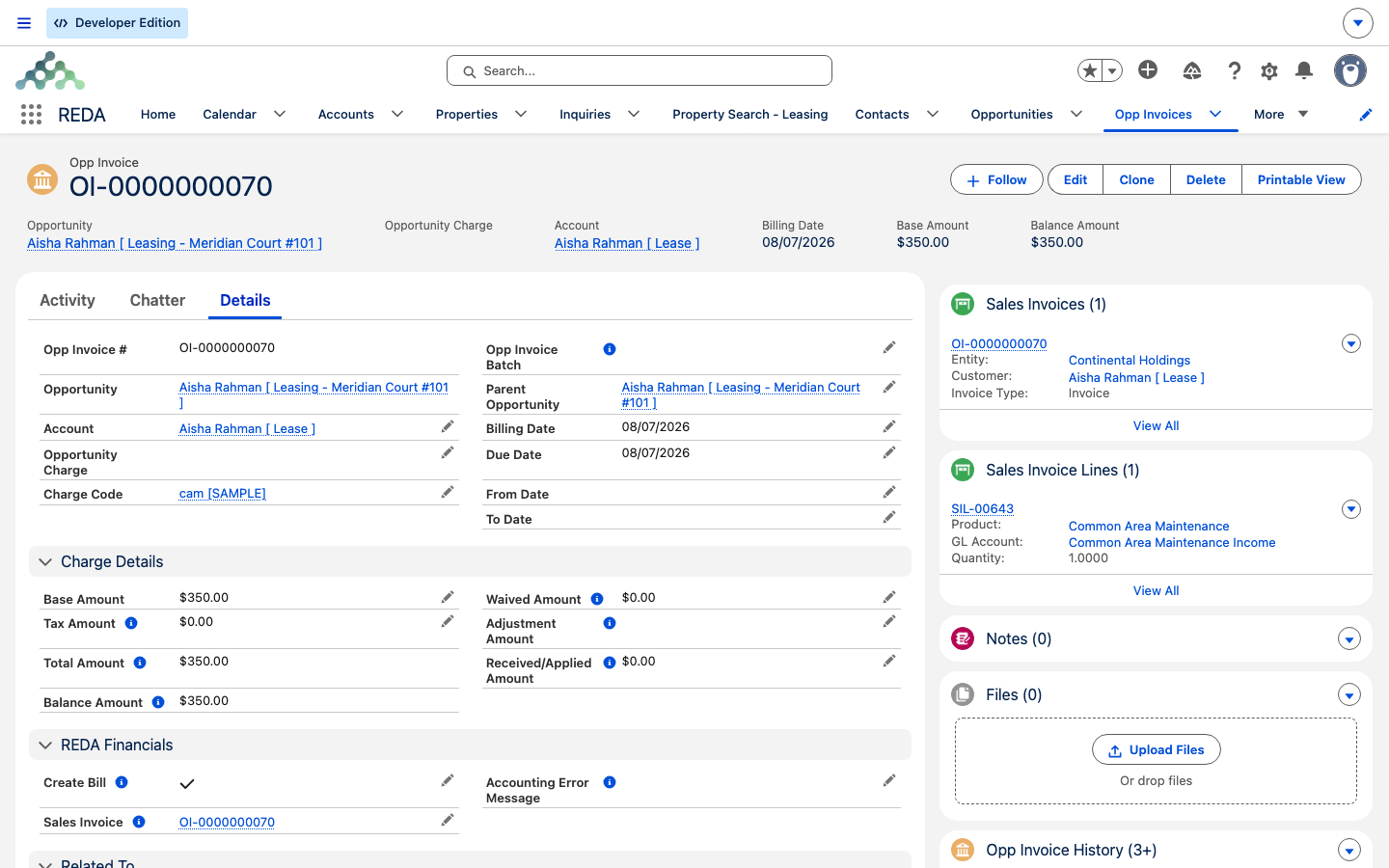
Four figures on the REDA invoice are maintained by this hand-off. Three carry payment information back; the fourth is only ever cleared by it (never set), and matters when a payment is reversed:
| REDA invoice figure | What it shows | When it clears |
|---|---|---|
| Received/Applied Amount | How much of the bill has actually been paid or applied | If the accounting invoice returns to Draft or is voided |
| Tax Amount | The tax portion recorded in accounting | If the accounting invoice returns to Draft or is voided |
| Waived Amount | Any amount written off with a credit | If the accounting invoice returns to Draft or is voided |
| Adjustment Amount | A manual accounting adjustment, when one applies | Cleared when the accounting invoice is un-posted or voided |
Because REDA's Balance is calculated from these figures, an invoice's balance drops the moment accounting confirms payment — that's why a REDA invoice can show itself as paid without anyone touching it. If the accounting invoice is later reset to draft or voided, the figures are cleared again and the balance returns to the full amount.
The order payments apply
The same hand-off does one more quiet thing: it sets how the invoice ranks when a payment is being matched against several open invoices. That ranking comes from the charge code behind the invoice — its cash-application priority — so a deposit and a rent charge settle in a deliberate order rather than at random. For a consolidated bill, REDA uses the highest-priority charge among the children. You don't set this per payment; it rides along from the charge code (see Charge Code Accounting Setup). The matching itself happens on the accounting side — REDA supplies only the ordering.
Consolidated bills: how one payment splits
A consolidated bill — an Opp Invoice Batch — gathers several charges into one document so the tenant gets a single statement instead of one bill per charge. Rent, parking and utilities can all sit on one batch. When a payment lands against that batch, REDA doesn't guess how to divide it: it spreads the amounts across the child invoices by each child's share of the total.
The share is simple to reason about:
A child that makes up a third of the bill receives a third of whatever was paid. The same ratio applies to any waived amount. This means a partial payment never lands entirely on one line — it touches every child in proportion, so each child's balance moves together.
Void or un-post: the amounts flow back out
Sync-back runs in both directions. If the accounting invoice is later voided or reset to Draft — because a check bounced, or a payment was reversed — the figures that flowed on now flow back out. Received, Tax and Waived are cleared, and on a single invoice the Adjustment Amount is cleared as well. The balance returns to the full amount owed, exactly as if the payment had never been recorded.
On a consolidated bill the same reversal reaches every child: each child's received amount is cleared, so the whole bill shows as unpaid again. Nothing is left half-applied. This is what makes the mirror trustworthy — the REDA invoice never lags behind a reversal on the accounting side.
It's worth naming the difference between the two things that can undo a payment, because they look similar on the invoice but start in different places. A void cancels the accounting invoice outright — used when a bill was raised in error or a payment bounced. An un-post sends a booked invoice back to draft so it can be corrected, then re-posted. Either one takes the accounting invoice out of the Posted status, and that's all the sync-back watches for: the moment it's no longer Posted, the received figures come off the REDA invoice. When the invoice is fixed and posted again, the figures flow back on. You never have to tell REDA which of the two happened — it simply mirrors whatever state the accounting invoice is in right now.
When the hand-off fails: the error on your invoice
The accounting hand-off can fail for real, fixable reasons — usually because a piece of setup is missing. When it does, REDA writes the reason into an accounting error message on the invoice or batch itself. That field is where you look; there is no separate alert to wait for.
The three most common reasons a hand-off fails, and where to fix each:
| What's missing | Where to fix it |
|---|---|
| The account behind the bill isn't set up as a financial entity, so there's no receivable account to post to | See Activating a Client Account as a Financial Entity |
| A charge code has no general-ledger account and no product to fall back on | See Charge Code Accounting Setup |
| The accounting extension isn't switched on for the org | Your administrator confirms the integration is enabled |
Clearing the error to try again
Once you've fixed the underlying cause, you re-arm the hand-off by clearing the error. REDA then treats the invoice as ready to reach accounting again.
For a consolidated bill the checklist is the same in spirit, with one extra guard: the hand-off won't run if the batch is already linked to an accounting invoice — that stops a bill from being posted to accounting twice.
Worked example: a partial payment on Aisha's bill
Tenant Aisha Rahman at Meridian Court #101 receives one consolidated bill for the month — three charges gathered onto a single batch:
| Charge | Amount | Share of the bill |
|---|---|---|
| Rent | 1,200.00 | 1,200 ÷ 1,700 |
| Parking | 200.00 | 200 ÷ 1,700 |
| Utilities | 300.00 | 300 ÷ 1,700 |
| Batch total | 1,700.00 |
Aisha pays 850.00 — exactly half. Once that payment posts in accounting, REDA spreads the 850 across the three children by their shares:
| Child invoice | Received/Applied Amount | How it's worked out |
|---|---|---|
| Rent | 600.00 | 850 × (1,200 ÷ 1,700) |
| Parking | 100.00 | 850 × (200 ÷ 1,700) |
| Utilities | 150.00 | 850 × (300 ÷ 1,700) |
Each child's balance drops by its share of the 850. Nothing was applied in full to any single charge — the split follows the proportions, exactly as the batch section describes. The tax on each child stays with that child: parking's tax is parking's, not a slice of the batch.
Now suppose the payment bounces and accounting voids it. The sync runs in reverse: Rent, Parking and Utilities each return to 0 received, and the whole bill shows unpaid again — the balances go back to 1,200.00, 200.00 and 300.00. (If any adjustment had been recorded on a single invoice, it would be cleared too.) The mirror follows the reversal without anyone re-keying a thing.
Reference tables
What flows back. One row per figure, showing its accounting source and the condition that clears it:
| REDA figure | Source on the posted accounting invoice | Cleared when |
|---|---|---|
| Received/Applied Amount | The amount recorded as paid | Accounting invoice is Draft or voided |
| Tax Amount | The tax recorded on the invoice (each child's own tax on a batch) | Accounting invoice is Draft or voided |
| Waived Amount | The amount written off with a credit | Accounting invoice is Draft or voided |
| Adjustment Amount | A manual accounting adjustment | Cleared on un-post or void of a single invoice |
Why a hand-off didn't run. The checklist REDA works through before creating the accounting invoice — if any row is unmet, nothing bridges:
| Single invoice | Consolidated bill (batch) |
|---|---|
| The accounting extension is switched on | The accounting extension is switched on |
| The invoice is marked to bill (automatic for new invoices) | The batch is marked to create an accounting entry |
| A receivable account is set, and its account is an activated entity | A receivable account is set on the batch |
| The accounting error message is empty | The accounting error message is empty |
| — | No accounting invoice is already linked |
Where to go next
- Recording Tenant Payments — how a receipt gets created from the lease in the first place.
- How REDA Works with REDA Financials — the whole accounting bridge in one place.
- Charge Code Accounting Setup — the charge codes behind every invoice line and the order payments apply.
- Activating a Client Account as a Financial Entity — the usual cure for a hand-off error.
Frequently asked questions
The sync only runs once the matching accounting invoice is Posted and linked. Check that the linked accounting invoice appears on the record, and check the accounting error message field — a filled-in error means the hand-off hasn't completed.
A previous attempt failed, so the accounting error message is populated. REDA deliberately won't retry while that field is filled in — it prevents the same failure from looping. Clear the error once you've fixed the cause and it will try again.
Clear the accounting error message on the invoice or batch and save. That re-arms the hand-off; when it succeeds, the error stays empty and the accounting-invoice link appears.
No — that's by design. A batch payment is spread by each child's share of the total, not divided evenly. A larger charge receives a larger slice of the payment.
Tax isn't pro-rated. Each child invoice carries its own line's tax amount directly — only Received and Waived are split by share. The tax on a charge stays with that charge.
Yes. When the accounting invoice is voided or reset to draft, the Received, Tax and Waived figures flow back out and the balance returns to full; on a single invoice, any adjustment amount is cleared too.
No — it's maintained by the hand-off, so it always mirrors accounting. To change what's shown, change the payment on the accounting side and REDA will reflect it.
Not automatically. The error surfaces on the invoice or batch itself, so the practical way to catch failures is to watch that field — for example, a list view filtered to invoices that carry an accounting error message.
Was this article helpful?