
Scenario: Leasing an Apartment End to End
This is the whole journey in one story: a single residential lease from the first inquiry to a renewed, occupied tenancy. We follow Aisha Rahman renting Meridian Court #101 at 1,200.00 per month on a 12-month term, with Continental Holdings as the property owner. Each step points to the article that owns the detail — this scenario's job is to show the order and the hand-offs, and above all which records REDA creates for you at each gate, so nothing on screen is a surprise. Read it once and you can map your own live deal onto this timeline and know what comes next.
Access you'll need. End to end this needs the REDA - Property Leasing User permission set (inquiry conversion, the lease, its charges, its tickets, its invoices), or REDA - Master Data - Admin for administrators. Posting the tenant's payment additionally uses the REDA Financials extension.
The story at a glance
Aisha enquires about a one-bedroom at Meridian Court. An agent qualifies the lead and converts it into a lease. The lease is completed, approved, signed, and turns billable; Aisha moves in, pays her rent, and — a year later — renews. Five acts, one record, and at every gate REDA quietly creates the next thing you need. Here is the entire file in a single table before we walk each act.
The timeline
Numbers are the running Meridian example; dates are illustrative, with the lease starting 1 Aug 2026. Each row names the article that owns the step in full.
| Step | Actor | What they do | What REDA does automatically | Owning article |
|---|---|---|---|---|
| 1 | Prospect / agent | A leasing inquiry is raised for Aisha against Meridian Court #101 — typed from a phone call, or arriving from the website | Fills Region, Neighbourhood and Property Type from the unit; formats the display name; sets Source (Web when it comes from the site) | Capturing Inquiries |
| 2 | Agent | Qualifies the inquiry; confirms the Move In Date (1 Aug 2026) and Lease Term (12) are set | — qualification is manual; nothing advances on its own | Qualifying Inquiries |
| 3 | Agent | Clicks Convert Inquiry, leaving the pickers blank to create fresh records | Creates the Account, Contact, Opportunity (the lease) and a primary Lessee contact role in one all-or-nothing step; forces the lease to Application - New; writes the move-in date into three date fields; marks the inquiry Converted | Converting Inquiries |
| 4 | Agent | Builds the chargebook (rent 1,200.00/mo, deposit, any application fee); marks the application complete | At Application - Completed, application-fee charge lines switch on and their invoice generates | Setting Up Lease Charges |
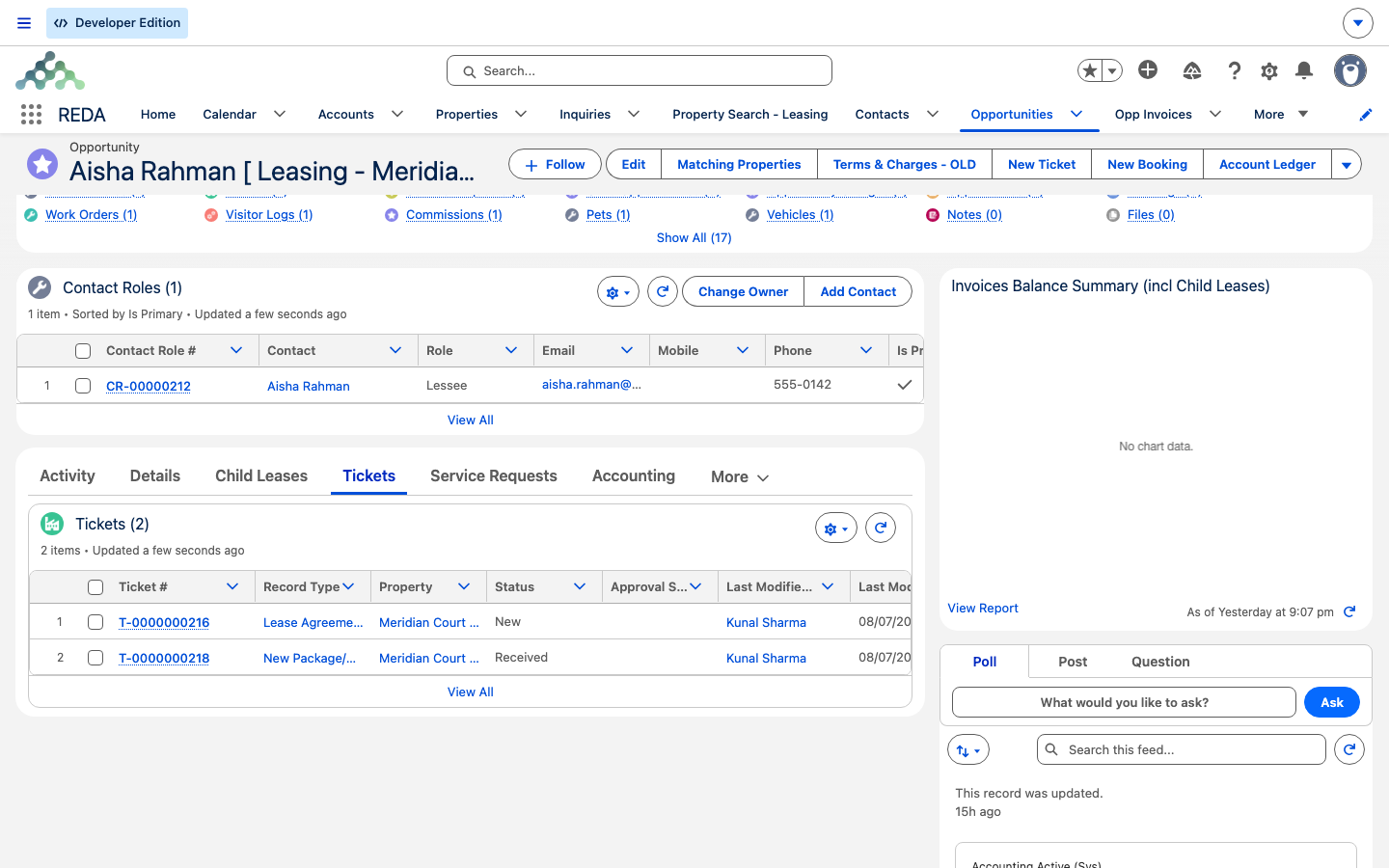
| 5 | Agent | Submits for approval, then sets Application - Approved | Locks the lease for editing; auto-creates the Lease Agreement ticket (Status New); switches on and invoices any approval-fee charges | From Application to Move-In |
| 6 | Agent | Works the Lease Agreement ticket: Contract Sent → Contract Signed, attaches the signed PDF, closes it | Contract Sent → Agreement - In Process; Contract Signed / Closed → Occupied - Pending Move In; stamps the signing and scheduled move-in dates; links the charges to the ticket | From Application to Move-In |
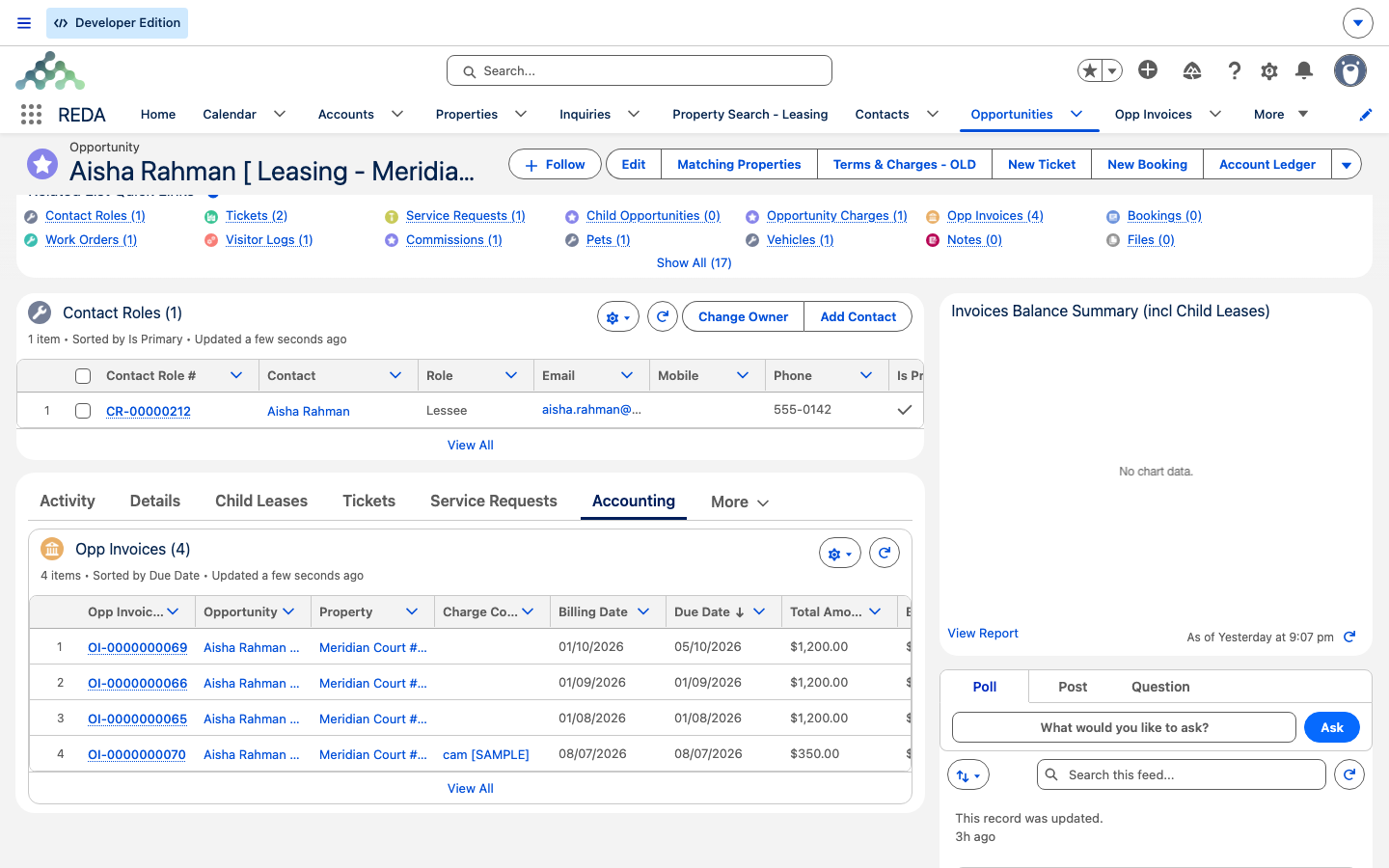
| 7 | (automatic) | — | Lease turns billable; the Move In ticket is created; the remaining charges switch on and the first invoices (rent + deposit) generate; a move-in inspection is scheduled (if configured); resident-portal access is provisioned (if the region runs the portal) | Move-In / Move-Out Inspections |
| 8 | Agent / inspector | Runs the move-in inspection; closes the Move In ticket on the day Aisha takes possession | Stamps the Actual Move In Date; lease moves to Occupied - No Notice; the first Renewal ticket is created (if the rule's renewal automation is on) | Running an Inspection |
| 9 | (automatic, monthly) | — | Recurring rent invoices generate on the rule's process day; the first cycle can produce two invoices (stub + next full period) by design | How Recurring Invoicing Works |
| 10 | Agent | Uses Post Payment on the lease when Aisha pays 1,200.00 | Posts a cash receipt in REDA Financials and applies it to the open rent invoice; the invoice's Received rises and Balance falls; the lease's outstanding balance drops | Posting Tenant Payments |
| 11 | Agent | Near expiry, opens the auto-raised Renewal ticket, agrees the new rent, signs and closes it | Writes the Renewal Agreement and Renewed Till Date to the lease; switches the renewal charges on; auto-creates the next Renewal ticket | Renewing a Lease |
Act 1 — Inquiry to lease
Aisha's interest is captured as a leasing inquiry — typed by the agent from a phone call, or arriving from Meridian's website with Source set to Web and the marketing attribution filled in (see Capturing Inquiries). Nothing advances on its own after that; the agent works the manual status funnel and qualifies the lead (see Qualifying Inquiries).
The one readiness gate that matters here is that the Move In Date and Lease Term must be filled before conversion — the conversion enforces it at the end, so a miss surfaces as a failed conversion rather than a form error. With those in place, the agent clicks Convert Inquiry. REDA builds the Account, the Contact, the lease Opportunity, and a primary Lessee contact role in one all-or-nothing transaction, drops the new lease at Application - New, and stamps the inquiry Converted. Full detail: Converting Inquiries.
Act 2 — Application to move-in
Now the agent builds the chargebook — rent, deposit, and any application or admin fee (deep detail in Setting Up Lease Charges) — and walks the stage ladder:
Application - New → Application - Completed → Application - Approved → Agreement - In Process → Occupied - Pending Move In → Occupied - No Notice
The two records users most often forget are the ones REDA creates for them: the Lease Agreement ticket the moment the lease is approved, and — when the signed agreement turns the lease billable at Occupied - Pending Move In — the Move In ticket, the first invoices, and (when the unit is configured for it) the move-in inspection. Closing the Move In ticket lands the lease at Occupied - No Notice and arms the renewal cycle. This is the heart of the lifecycle, walked step by step in From Application to Move-In.
Act 3 — The first invoices
This is where new users file the single most common first-month question: "Aisha got two invoices in her first month — is that a bug?" It isn't. On a recurring charge's first run only, REDA can bill the opening (usually prorated) stub period and the next full period in the same run, so a tenant who moves in late in the month isn't surprised by next month's bill a day later.
Act 4 — Living in the unit
With Aisha in residence, recurring rent invoices flow on the Leasing Rule's process day. There is one prerequisite worth stating plainly: the ongoing recurring-invoice job is produced by a background job that ships unscheduled — an administrator must schedule it once, or rent stops generating after the move-in invoices (see Scheduling Background Jobs). If rent goes overdue past the late-fee charge day and the charge code has late fees enabled, REDA accrues a late fee (see How Late Fees Work).
When Aisha pays, the agent uses Post Payment on the lease. REDA owns the receivable, but the cash side belongs to REDA Financials: it posts the receipt and applies it to the open rent invoice, so the invoice's Received rises and its Balance falls, and the lease's outstanding balance drops. The cash truth lives in Financials, not in editable REDA fields (see Posting Tenant Payments and How Payments Sync). This month is examined in close-up in the companion scenario, One Month of Recurring Billing.
Act 5 — Renewal
REDA raised the first Renewal ticket the moment the lease reached Occupied - No Notice (with rule automation on), dated the configured number of days before expiry so the conversation is never missed. Near term end the agent opens it, sets the renewed rent — resolved from the property's rent card Renew Lease amount, which for Meridian Court #101 is 1,250.00 (not the 1,200.00 she pays today) — gets it signed, and closes the ticket. Closing writes the Renewed Till Date to the lease, switches the renewal charges on, and auto-creates the next Renewal ticket. The cycle perpetuates while automation stays on. Full detail: Renewing a Lease.
The numbers, reconciled
Every figure in this scenario is internally consistent and matches the sibling articles it points to:
| Figure | Value | Where it appears |
|---|---|---|
| Monthly rent | 1,200.00 | The rent charge line; each recurring invoice; the payment posted |
| Term | 12 months | Lease Term; start 1 Aug 2026 → expiry 31 Jul 2027 |
| Security deposit | 1,200.00 | Raised with the first invoices at pending-move-in |
| First-month invoices | stub (prorated) + next full period | The first recurring run only, by design |
| Payment posted | 1,200.00 | Post Payment; the invoice's Received rises to 1,200.00, Balance falls to 0 |
| Renewal rent | 1,250.00 | Resolved from the rent card's Renew Lease amount at renewal time |
Where to go next
- Converting Inquiries — the conversion that starts the lease, in full.
- From Application to Move-In — the lifecycle heart of Act 2, step by step.
- How Recurring Invoicing Works — what bills after move-in, and the first-month double invoice.
- One Month of Recurring Billing — a close-up on Act 4's billing cycle.
- A Co-living Arrangement with Child Leases — the same journey when the tenant takes a second unit.
- Renewing a Lease — the Renewal ticket worked through.
Frequently asked questions
You record a Move Out ticket on the lease. Setting it to In Process moves the lease to Occupied - Notice (Move Out), and closing it on the actual move-out date sets the lease to Expired, stops billing, cancels open future renewal tickets, and deactivates portal access. See Notice, Move-Out & Lease End.
By design — the first-cycle double invoice bills the opening (prorated) stub period and the next full period together, so a late-in-month move-in isn't surprised by next month's bill a day later. See How Recurring Invoicing Works.
Rent charges switch on at Occupied - Pending Move In, not at approval; only application-fee and approval-fee lines invoice earlier. And the ongoing recurring invoices need the billing job scheduled by your administrator — see Scheduling Background Jobs.
The receipt and its cash application live in REDA Financials, created through Post Payment. REDA then shows the resulting Received and Balance on the invoice and the lease's outstanding balance. See Posting Tenant Payments.
Closing a renewal automatically creates the next cycle's Renewal ticket, so the renewal conversation is never missed while automation stays on. See Renewing a Lease.
Was this article helpful?