
Building Your Own Reports
REDA's packaged reports answer the questions most teams ask most often. Sooner or later, though, you'll want to report on your data your way — inquiries by region, promotions that actually convert, showings per property. This guide covers the one part of report-building that is specific to REDA: choosing the right report type as your starting point so the data you need is already joined in. The report builder itself is standard Salesforce, so once you've picked the type we point you to the official Salesforce documentation for the mechanics — filters, formulas, charts, and subscriptions.
Access you'll need. Creating reports is granted by your Salesforce administrator, separately from your REDA permission sets — if you can't create reports, ask your admin for report access. What a report can show is still limited to the REDA records you're allowed to see, which your REDA permission sets provide.
Pick your starting point: REDA report types
Every report begins with a report type — the template that decides which records and fields the report can pull. REDA installs eight report types that pre-join its records, so you can ask a question that spans two or more of them without wiring the objects together yourself. Start from the row that matches your question:
| You want to report on… | Start from this report type |
|---|---|
| Which acquisition deals carry which loans | Acq Opportunities with Lending Opportunities |
| Where your inquiries come from, by region / property type / neighbourhood | Inquiries with Property Fields |
| What a promotion cost you in billed discounts | Leasing Promotion with Opp Charge with Opp Invoice |
| Which promotions generate inquiries (return-on-investment) | Promotion with Inquiries |
| The occupancy structure of a building | Properties with Child Properties |
| How many showings each property received | Properties with Showing Events |
| Straight-line rent by property | Straight Line Schedule with Periods (Custom) |
For the full definition of each type — what it joins and when to reach for it — see REDA Report Types to Start From. In the New Report picker, six of them sit under the Other Reports category and one (the straight-line type) under Administrative Reports; typing part of a name into the picker's search box finds any of them.
What if no REDA report type fits?
If your question is about a single kind of record — all your Properties, every open Ticket, all Bookings — you don't need a REDA report type at all. The standard single-object report types cover those directly: pick "Properties," or "Tickets," and report away. The REDA report types exist for the cross-object questions in the table above, where a report has to reach from one record into a related one (a promotion into its invoices, a property into its child units). Choose a REDA type when your question spans records; choose a standard single-object type when it doesn't.
Build the report
Once you know the starting type, the build itself is short:
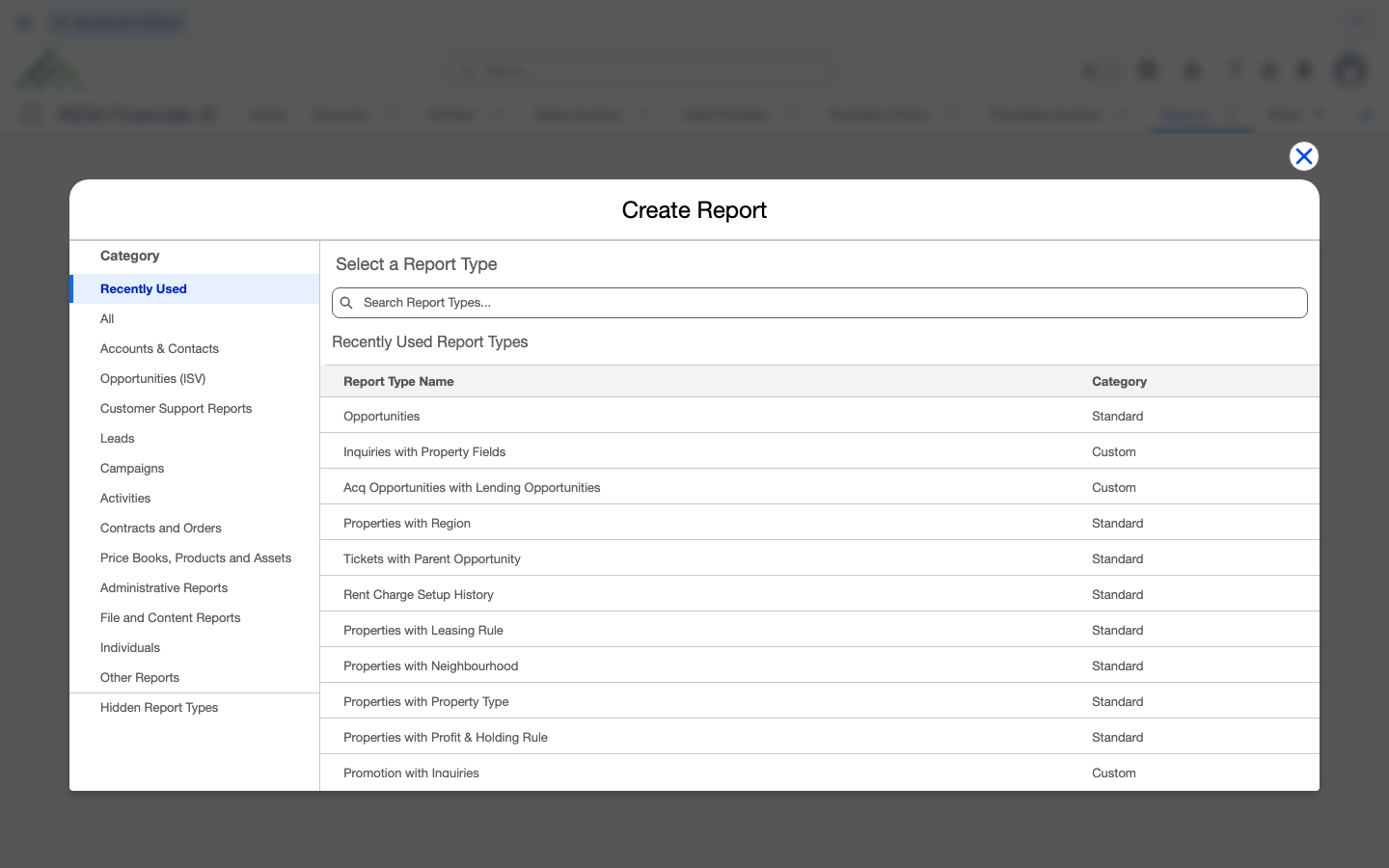
Worked example: a promotion return-on-investment report
Meridian's marketing lead wants to know whether the Spring Move-In Special is pulling its weight. Here's the whole build:
Counts here are illustrative report output, not figures REDA computes for you.
Where to go next
- REDA Report Types to Start From — the full definition of each of the eight types.
- Prebuilt REDA Reports — check whether a report you need already ships before building it.
- Report Folders & Sharing Access — where to save a report so your team can use it.
- REDA Dashboards — turn the reports you build into a dashboard.
- Subscribing to & Scheduling Reports — get a report emailed to you on a schedule.
Frequently asked questions
Report-builder access is granted by your Salesforce administrator. It is not part of any REDA permission set, so holding a REDA permission set does not by itself let you create reports. Ask your admin to grant report access.
The eight REDA report types live in the New Report type list — seven under the Other Reports category and one (the straight-line type) under Administrative Reports. Type part of the name into the picker's search box to find any of them. If you can't create a report at all, that's a report-access question for your administrator.
Reports respect your record access. Your REDA permission sets and your org's sharing determine which records you can see, so two people running the same report can see different rows.
Yes. REDA installs a REDA Email Messages (Sent/Received) report type, built on EmailMessage, which sits under Other Reports in the New Report picker. It covers the emails captured by the REDA Email Integration.
Was this article helpful?