
How Recurring Invoicing Works
Rent bills itself in REDA — month after month, without anyone raising an invoice by hand. This article explains the machinery behind that: when the next invoice generates, why REDA raises it before the period starts, and the one behavior that generates more support calls than any other — the tenant who gets two invoices in their first month. You'll also learn the three things a recurring charge needs before it will bill at all, so when someone says "nothing generated last night," you know exactly what to check. No prior REDA experience is assumed.
Access you'll need. Working with lease charges and invoices requires the REDA - Property Leasing User permission set (or REDA - Master Data - Admin). Scheduling the background runs is administrator-only.
The moving parts
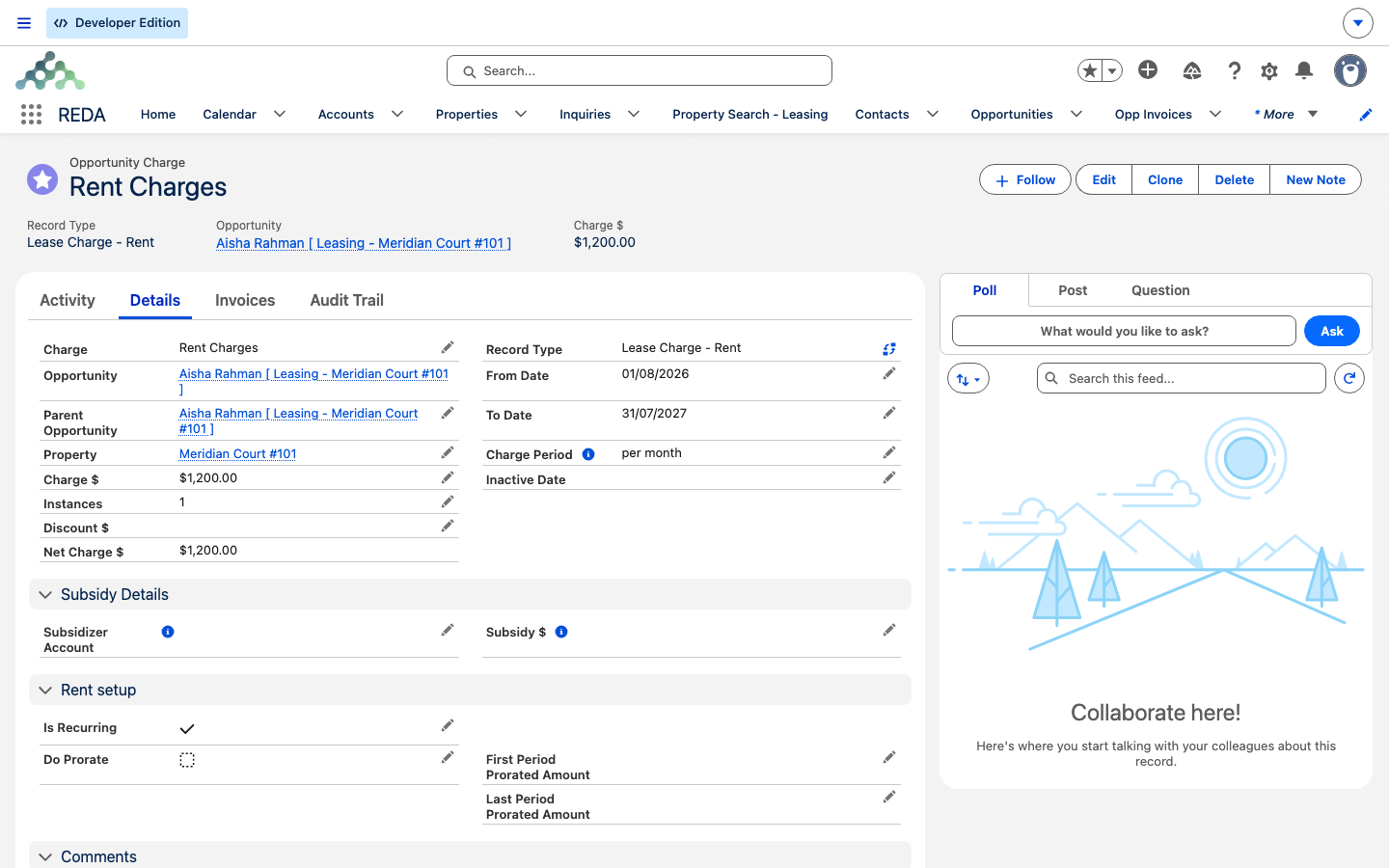
Three things have to line up for rent to bill automatically:
REDA bills in advance
Here's the idea that explains most of what follows: a run bills the next period, not the current one. REDA raises the invoice before the period begins, so the tenant always has the bill in hand ahead of time. What "next period" means depends on the charge's period:
| Charge period | Window a run bills |
|---|---|
| Month | The 1st to the end of the next calendar month |
| Month, custom cycle (e.g. start 25 / end 24) | The 25th of the next cycle through the 24th of the month after |
| Week | The next week — seven days, starting on the first day of the week for your org's locale (Sunday in most) |
| Day | The processing day itself |
A custom monthly cycle is optional: if a Leasing Rule sets a monthly charge start and end day (say 25 and 24), the billing periods run 25th-to-24th instead of calendar months. A blank charge period is treated as monthly.
When is my charge picked up?
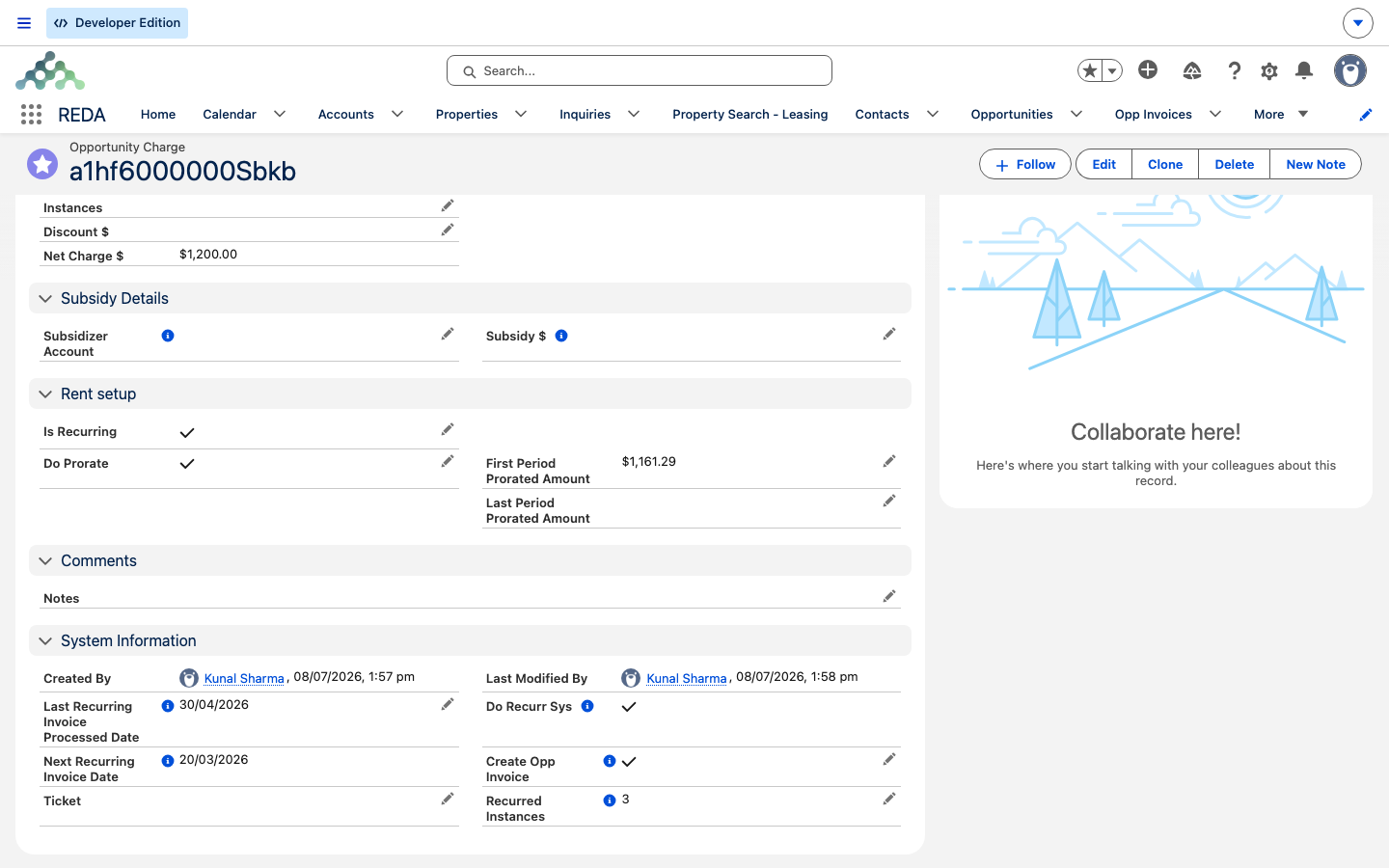
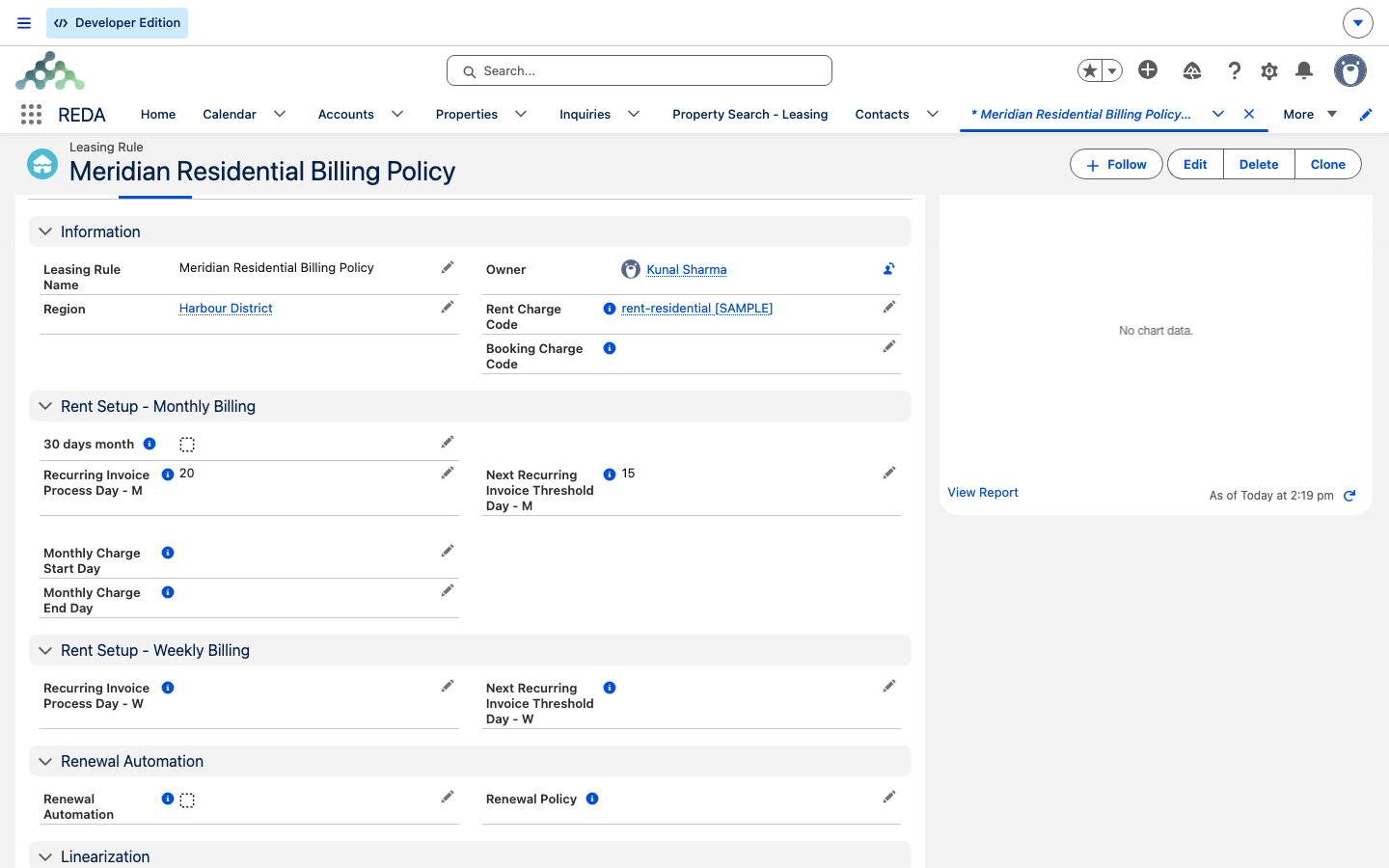
Each recurring charge carries a Next Recurring Invoice Date — the date a run will pick it up. Because REDA bills a cycle ahead, that pickup date sits a cycle before the period it bills. The date is driven by a process day set on the Leasing Rule (the Recurring Invoice Process Day - M for monthly charges; weekly charges use the - W pair, Recurring Invoice Process Day - W and Next Recurring Invoice Threshold Day - W, where Sunday is 1 and Saturday is 7), and after each run it advances on its own: REDA stamps the end of the period it just billed and recomputes the next pickup from there. You don't maintain this date by hand.
If you ever do need to force the next invoice to a specific date, the charge has a Next Recurring Invoice Date Override. Set it and the next run uses it.
The first-month double invoice (by design)
This is the behavior that fills the support queue, so it's worth being clear: a tenant who moves in late in the month can receive two invoices from the very first run — the move-in stub and the following full month, generated together on the same day. That is intentional, not a bug.
Why REDA does it: because it bills in advance. Picture a tenant moving in on the 28th. Their move-in period is a tiny stub, and the next month starts just days later. If REDA billed only the stub, the tenant would be billed for a whole new month a day or two afterward, with no lead time. So on the first run for a charge, if the lease started on or after the Leasing Rule's threshold day, REDA generates both invoices at once — the (usually prorated) stub period, plus the next full period.
What each run produces
For every period it bills, a run creates one invoice with:
- The amount — the charge's net amount, or the prorated amount when the period is partial and Do Prorate is on (see Proration).
- The dates — billing date at the period start, due date at billing plus the charge code's grace days, and the covered period appended to the billing comment as a bracketed range.
- Batch grouping — groupable invoices are folded into a consolidated bill when two or more share a grouping key (see Consolidated Invoices).
- An instance count — the charge's generated-instance counter ticks up by one for each invoice, so a first-cycle double advances it by two.
REDA keeps the first-cycle pair atomic: if one of the two invoices fails to generate, REDA removes the other so you never end up with just half of a first cycle. Failed rows are recorded for an administrator to review.
The runs must be scheduled
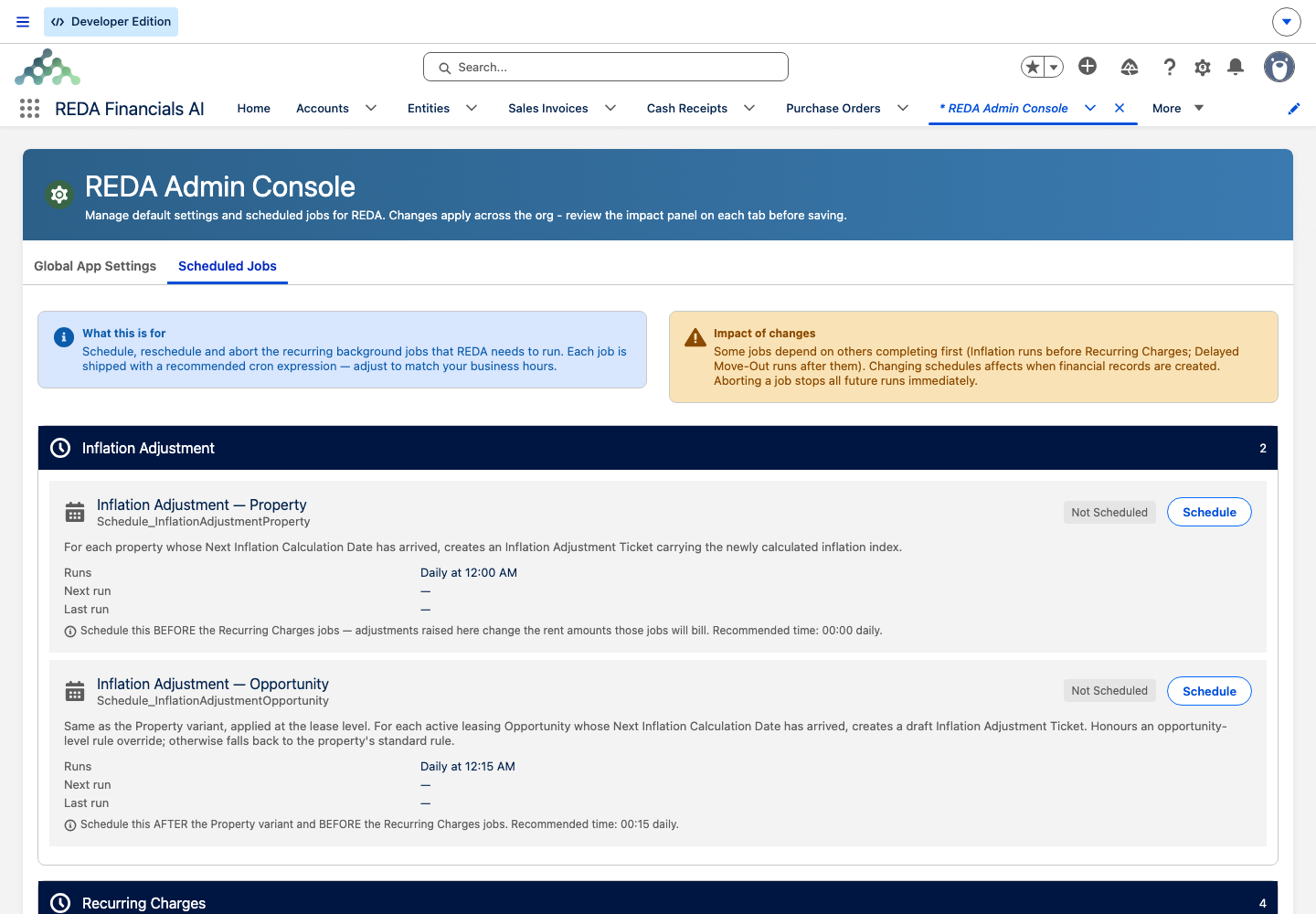
This is go-live critical: none of the recurring billing runs ships already scheduled. An administrator schedules them once, in the Admin Console, and until they do, no rent bills. The monthly, weekly, and daily periods are scheduled as separate runs. See Scheduling Background Jobs for how.
"Why didn't it bill?" checklist
When an invoice you expected didn't appear, walk this list in order — the cause is almost always one of these:
| # | Check | Where |
|---|---|---|
| 1 | Is Create Opp Invoice ticked? | The charge |
| 2 | Is the lease accounting-active? | The lease |
| 3 | Is a property set on the lease? | The lease |
| 4 | Is the charge recurrence-eligible (has dates, or an instance target)? | The charge |
| 5 | Does the next-invoice date equal the run date? (a missed day won't catch up) | The charge |
| 6 | Is the run for that charge period actually scheduled? | Admin Console → Scheduled Jobs |
| 7 | Were any errors logged? | REDA Async Logs |
If a lease has no start date, the run can't build a billing window and records the error rather than generating anything: "Error while processing for Opportunity Invoice."
Special cases
- On-demand first invoice. Ticking Create Opp Invoice can bill straight away — a recurring charge bills on the spot if its next date is today or earlier; a one-time charge bills immediately (billing date today) and is never batched.
- Promotions with a fixed number of instances. A promotion set to bill a fixed count keeps billing until it reaches that count, then stops on its own.
- When billing stops on its own. A charge stops billing once its window closes — the run never bills past the charge's To Date, an Inactive Date if one is set (an early hard-stop, for example from a charge-removal ticket), or the lease's calculated end date, whichever comes first. You don't switch anything off; the window running out ends it.
- Delayed move-out. When a scheduled move-out day passes but the tenant hasn't actually moved out, a dedicated run bills one extra holdover period (this run must also be scheduled).
- Renewals. Closing a renewal ticket re-ticks Create Opp Invoice on the charges, so billing carries straight into the renewed term.
Worked example: Aisha's first two months
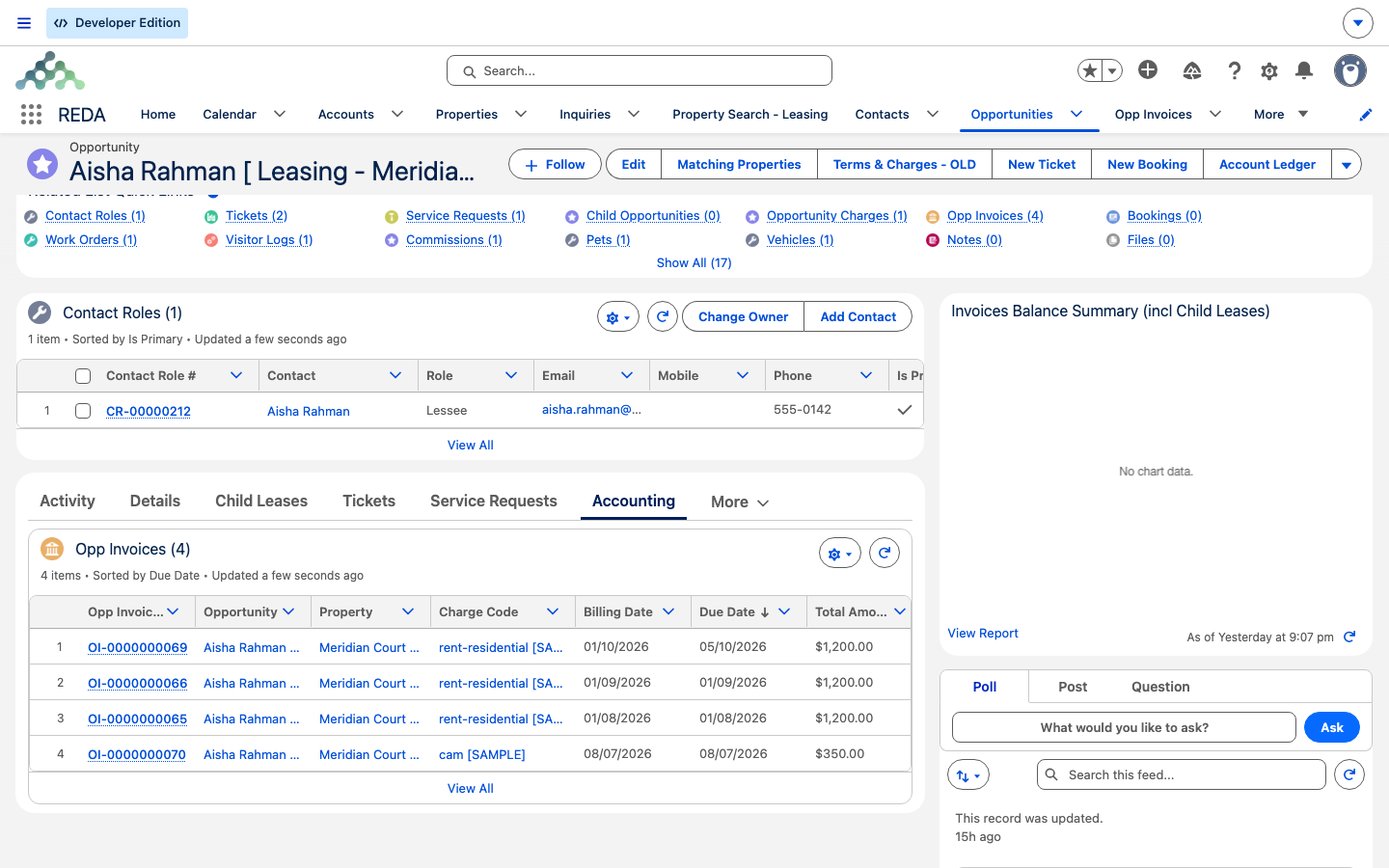
Canon lease: Aisha Rahman, Meridian Court #101, rent 1,200.00/month, Do Prorate on, lease starts 2 January; the Leasing Rule's threshold day is the 15th.
| Run | What REDA generates |
|---|---|
| First run (charge never billed before) | The lease started on the 2nd — before the 15th threshold — so this first run raises the January stub invoice (2–31 Jan, prorated per Proration) and, because REDA bills in advance, the full February invoice of 1,200.00 right behind it. |
| Each later run | Bills a single next month. A run in February raises the March invoice of 1,200.00 covering 1–31 March; the charge's next-invoice date advances from the last billed period. |
Where to go next
- Scheduling Background Jobs — the runs must be scheduled before any rent bills.
- How Billing Works in REDA — the twice-opt-in model behind billing.
- Proration — how the partial first and last invoices are calculated.
- Consolidated Invoices (Batches) — how groupable invoices are combined.
- Invoices Explained — reading a generated invoice, field by field.
Frequently asked questions
No — it's by design. When a lease starts on or after the rule's threshold day, the first run creates the move-in period's (usually prorated) invoice and the next period's invoice together, so the tenant has next month's bill ahead of time.
Check, in order: is Create Opp Invoice ticked, is the lease accounting-active, is the recurring run actually scheduled in the Admin Console, and does the charge's next-invoice date equal the run date? A missed day does not catch itself up automatically.
REDA bills in advance — each run bills the next period so the tenant has the invoice before that period starts.
In REDA Async Logs, in the REDA Admin app. A lease with no start date, for example, logs "Error while processing for Opportunity Invoice."
Yes — set the next-invoice-date override on the charge, and the next run uses it. Don't rely on it clearing itself afterward.
Recurring charges need a date range: "For recurring charge, from and to dates (date range) must be provided." The exception is a promotion set to a fixed number of instances, which needs a count instead: "Recurring Instances are required for recurring promotions of calculation type Fixed Instances."
Was this article helpful?