
Key Concepts & Glossary
Every other article in this Help Center links back here when it uses a REDA term for the first time. This is the anchor: it defines REDA's core vocabulary and, more importantly, teaches the three mental models that make the whole product click — the property hierarchy, the idea that the Opportunity is the deal, and the rule that tickets drive lifecycles (so you rarely edit a stage by hand). No prior REDA or Salesforce knowledge is assumed. Read it top to bottom for a guided grounding, or jump to the A–Z glossary at the end to look up a single word.
The property hierarchy
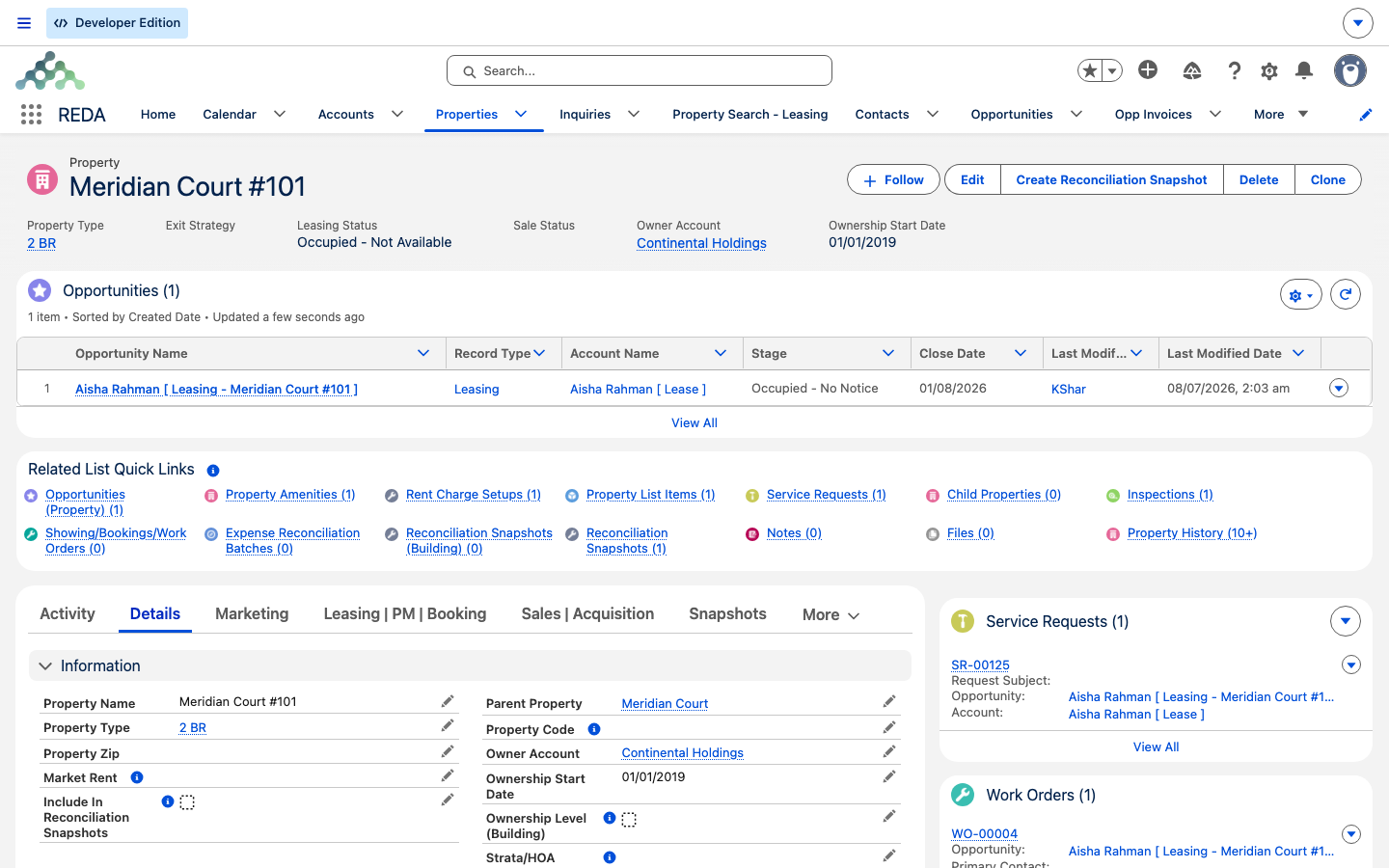
A Property is the master record everything else in REDA hangs off — every lease, sale, acquisition, booking, work order, and invoice points back to a property. Properties nest into a hierarchy using a Parent Property link, so a unit can belong to a building or a community. A property whose type is flagged as a building/community cannot itself have a parent:
Community or Building → Unit or other non-container child
What decides whether a property is a community, a building, or a leasable unit is its Property Type — the property's classification, which carries an "Is Building/Community" flag. There are no separate record kinds on a property; its Property Type is its kind. Buildings and communities behave a little differently from units: in the Platform edition they need a Property Code; in both editions they cannot have a parent property, and they're left out of property-level rent-inflation runs. REDA enforces the first two with plain messages — try to save a building without a code and you'll see "Property Code is required for Buildings/Communities.", and try to give one a parent and you'll see "Parent property cannot be provided for building or communities."
Regions
A Region is an operating geography — think of it as a market you do business in. A region sets the currency for records under it, supplies the default leasing rule, controls who can see the records, drives resident-portal setup, and provides the showing calendar. Because regions matter so widely, REDA stamps a short Region Code onto many records automatically. You'll see region codes in a lot of places; they're written for you, not something you fill in.
The deal hub: the Opportunity is the deal
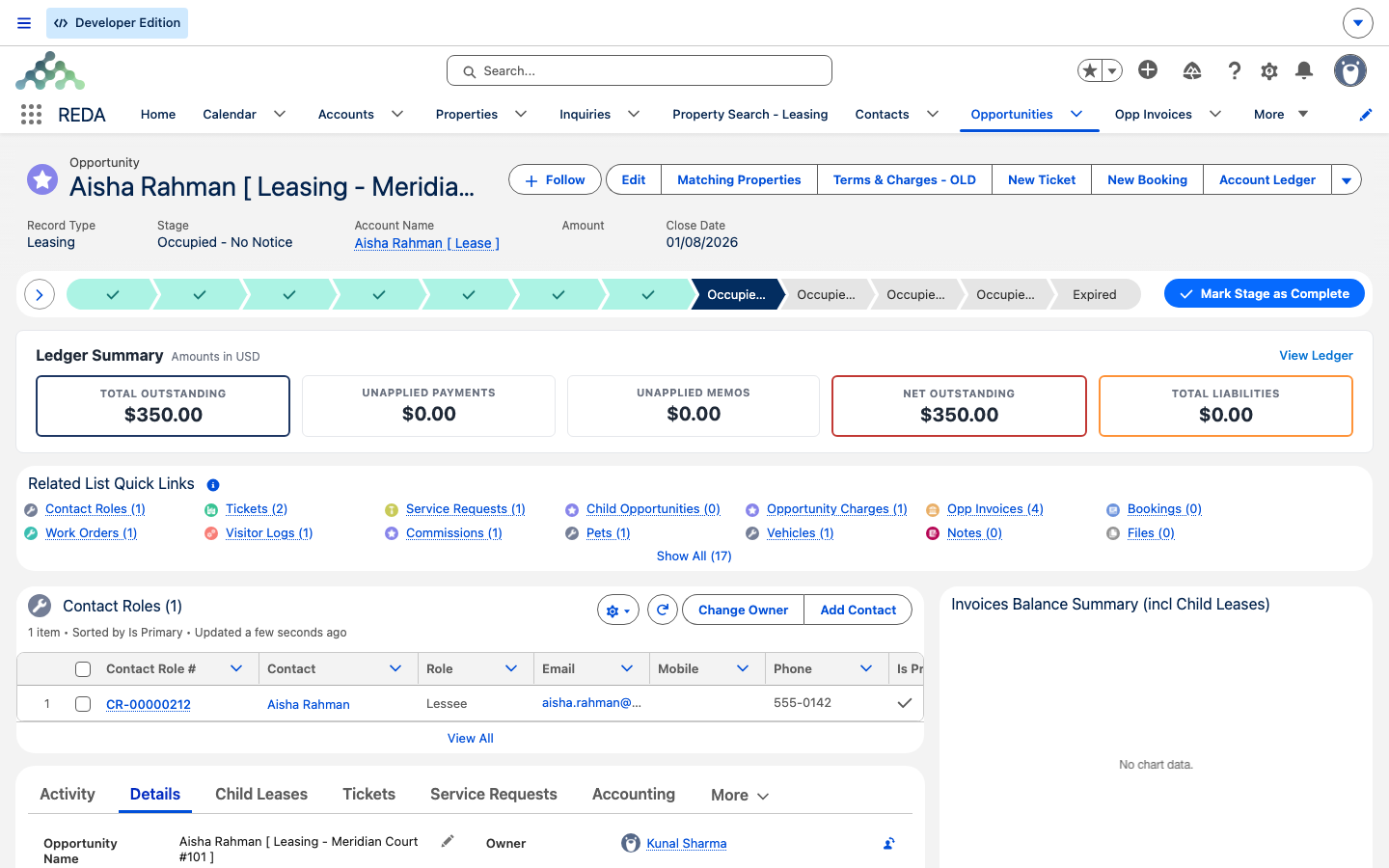
An Opportunity is REDA's single deal record. Rather than a different record for each business line, one Opportunity takes on the shape of whichever line it serves — a lease, a property sale, an acquisition, a loan, or a management engagement — and five of these shapes are active today. For leasing, the Opportunity is the lease: it carries the lease dates, the term, month-to-month and late-fee settings, the tenant, and the links between parent and child leases.
Because a lease lives on the deal record, its Stage names describe where the lease is, not where a sale is — for example Occupied - No Notice means an occupied lease with no notice to leave on file. And here's the model that trips up newcomers: many stage changes happen automatically when you complete a ticket. So you drive the lease by working its tickets, not by dragging the stage yourself.
Tickets: how things happen
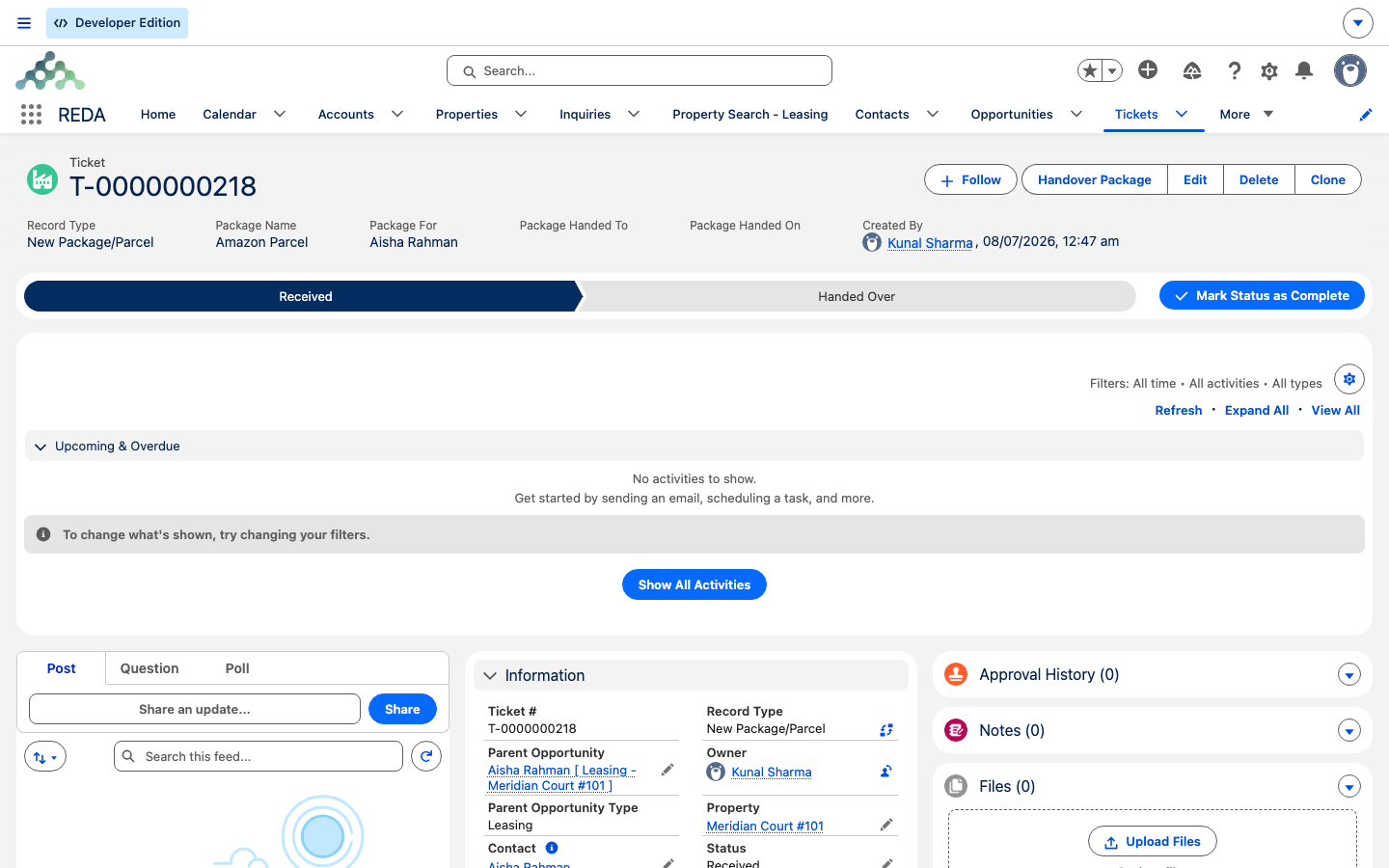
A Ticket is a short, controlled checklist attached to a deal or a property, representing one step in its life — a Move In, a Move Out, a Renewal, a Lease Agreement, and so on. A ticket has its own status track — a Path of its own, distinct from the deal's stage — and finishing it moves the parent record forward. Three things about tickets are worth knowing up front:
Money: charges and invoices
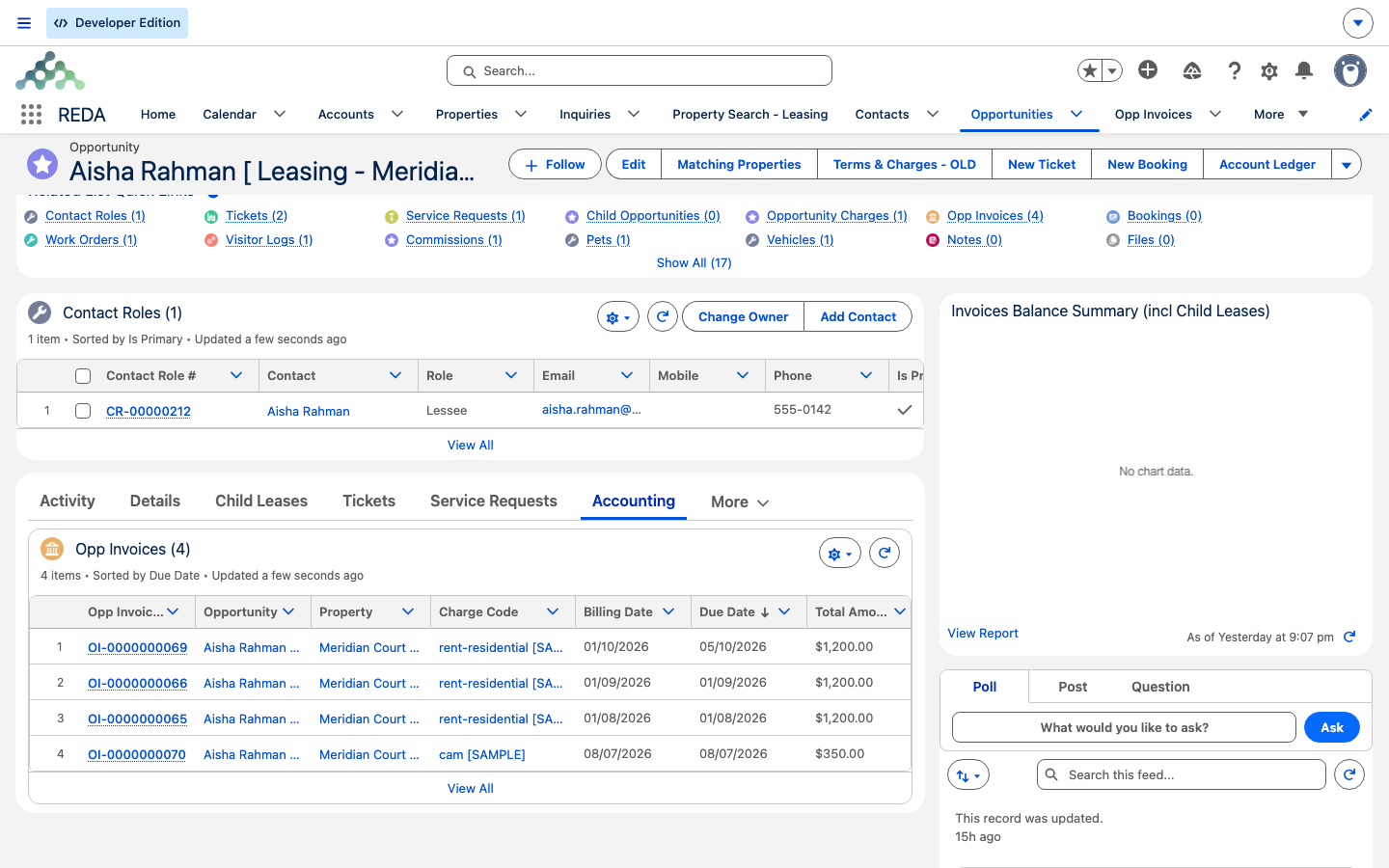
Two records carry the money side, and the difference between them is the single most common point of confusion. An Opportunity Charge is the contracted charge line on a deal — either a recurring template (monthly rent) or a one-time item (a deposit). An Opp Invoice is the actual billed instance the tenant owes. In short: a charge is the plan, an invoice is the bill.
Billing is opt-in twice. A charge only produces invoices if it's flagged for invoicing and the lease is accounting-active. The vocabulary that routes and groups a charge — where it posts, how it groups, whether it's a pass-through, its grace days — comes from a Charge Code. And note the division of labor: REDA computes the charges and raises the invoices, while the accounting product (REDA Financials AI) owns tax, receipts, and the general ledger.
Glossary A–Z
Every term uses REDA's exact on-screen label. Follow the link in each row for the full treatment.
| Term | What it means | Learn more |
|---|---|---|
| Amenity Code / Property Amenity | The shared-amenity catalogue and its link to a property. Only active amenities flagged "Addition To Rent" add to the rent. | Amenities |
| Booking | A short-term reservation or hold of a bookable property, scheduled through calendar slots and protected against overlaps. | Bookings |
| Calendar Slot Rule | The grid of time slots that powers showing, booking, and maintenance scheduling. | Calendar Slot Rules |
| Charge Code | The billing vocabulary entry that controls how a charge routes, groups, passes through, and its grace days. | Charge Codes |
| Commission | A payout calculated on closed-won deals from your commission rules. | Commission Calculation |
| Contact Role | Who is attached to a deal or lease and in what capacity (Lessee, Occupant, and so on); also the hook for resident-portal access. | Contact Roles |
| Council Event | An HOA meeting or notification, with generated participants and attendance. | Council Events |
| Expense Reconciliation | Common-area cost recovery: a cost pool is allocated across tenants and billed on posting. | Expense Reconciliation |
| Inflation Rule / Entry | A rent-escalation rule and the index entries it applies each period. | Inflation Adjustments |
| Inquiry | The prospect record — someone who isn't a customer yet. One click converts it into an Account, a Contact, and an Opportunity. | Understanding Inquiries |
| Inspection | A template-driven checklist; move-in and move-out inspections are created automatically from a property's templates. | Running Inspections |
| Leasing Rule | The lease policy engine whose settings cascade onto every lease. | Leasing Rules |
| Master data | Everything on the REDA Admin tabs; changing it requires administrator access. | Admin Console |
| Opportunity | THE deal record — a lease, sale, acquisition, loan, or management engagement, depending on its kind. | Understanding Opportunities |
| Opp Invoice / Opp Invoice Batch | The billed instance of a charge, and the consolidated grouping of several invoices. | Invoices Explained |
| Opportunity Charge | The contracted charge line on a deal — a recurring template or a one-time item. | Lease Charges |
| Ownership Trail | Automatic ownership-history rows written when a property's owner changes. | Owners & Ownership Trail |
| Payment Plan / Schedule | A staged sale-payment structure and the instalment schedule it generates. | Payment Plans |
| Portfolio | An investor grouping that maintains itself — add owner accounts and their properties flow in automatically. | Portfolios |
| Promotion | A marketing promotion, matched to inquiries and applicable to lease charges (the tab reads "Promotions"). | Promotions |
| Property / Property Type | The asset record and its classification, including the building/community flag. | Understanding Properties |
| Property List | A manual, tagged grouping of properties — the hand-picked counterpart to a self-maintaining Portfolio. | Property Lists |
| REDA Admin Console | The administrator tool holding Global App Settings and Scheduled Jobs; administrator access only. | Admin Console |
| REDA Async Log | A system-generated job log where administrators monitor background work. | Async Logs |
| Region | An operating geography that sets currency, the default leasing rule, sharing, and portal setup. | Regions |
| Rent Charge Setup (the "rent card") | The rent per term for a property; feeds property search and the charges editor. | Rent Charge Setups |
| Service Request / Work Order | A maintenance intake and the execution job it becomes — leading to a calendar event and, optionally, a tenant invoice. | Service Requests |
| Settlement Code | A closing-cost category used on sale settlements. | Settlement Codes |
| Straight-Line Schedule | Rent linearized across the lease term for accounting purposes, generated from the lease. | Straight-Line Schedules |
| Ticket | A controlled process instance that drives lifecycle transitions on a deal or property. | Understanding Tickets |
| Visitor Log | A front-desk visitor-registry entry, fed by the request and permit flows. | Visitor Access |
Where to go next
- Understanding Properties — the hub everything else hangs off.
- Understanding Opportunities — the one deal record, in depth.
- Understanding Tickets — the process engine behind every lifecycle.
- Leasing Rules — the policy engine that cascades onto leases.
- How Billing Works — charges, invoices, and what bills when.
- Getting Around: the REDA & REDA Admin Apps — find where each of these records lives.
Frequently asked questions
REDA uses one deal record for all its business lines. The leasing kind of that record is the lease, so a lease appears on the Opportunities tab.
REDA creates tickets automatically at lifecycle points — a Lease Agreement ticket at approval, a Move In ticket after signing, a Renewal ticket once occupied, and Move Out tickets from an opt-out, termination, or eviction. Some even arrive already closed as audit records.
The stage ladder is ticket-driven, so editing the stage by hand fights the automation. Work through the tickets instead and let them move the stage.
A charge is the contracted template — the plan for what will be billed. An invoice is the actual bill the tenant owes, raised from that charge.
A Portfolio maintains itself from the owner accounts you add — properties flow in automatically. A Property List is a manual, hand-tagged group.
Was this article helpful?