
Understanding Tickets: REDA's Process Engine
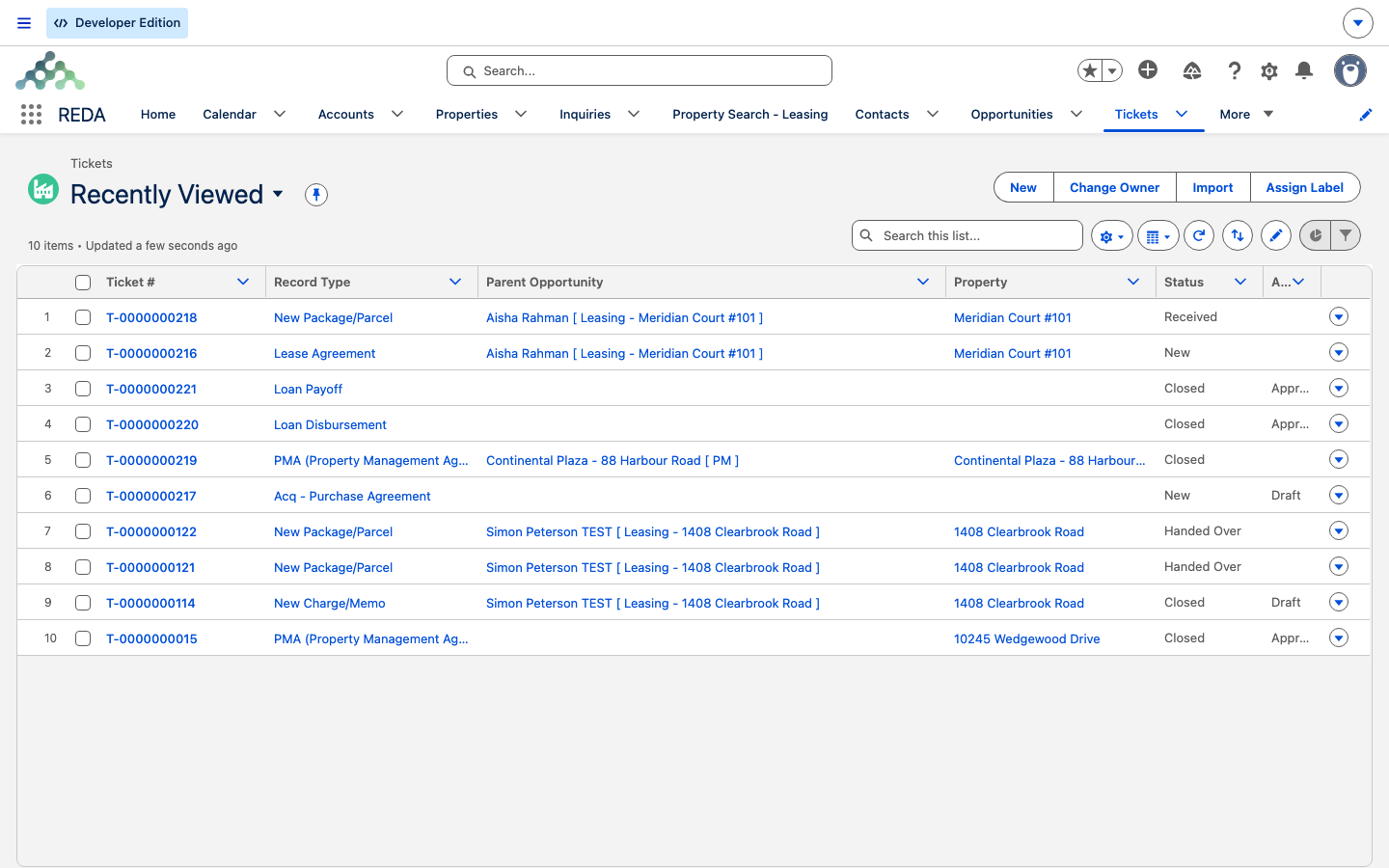
If a deal's stage ever seems to move on its own, a ticket moved it. Tickets are REDA's controlled way of running business processes — signing a lease, executing a move-in, renewing, evicting, disbursing a loan, logging a parcel at the front desk. Every REDA user meets them, usually because one appears on a deal "by itself." This article explains what a ticket is, names all 17 ticket types and what each does, shows why moving a ticket moves its deal, and covers the two things that surprise people most: system-created tickets that arrive already finished, and the cancellation that rewinds a deal a stage. It's the concept behind every business process in REDA; the step-by-step for each process lives in its own section, and we map those at the end.
Access you'll need. Creating and editing tickets requires one of the operational permission sets that matches your business line — REDA - Property Leasing User, REDA - Property Sales User, REDA - Property Acquisition User, REDA - Property Management User, or REDA - Property Lending User. Ask your administrator to assign the set that fits your role.
What a ticket is
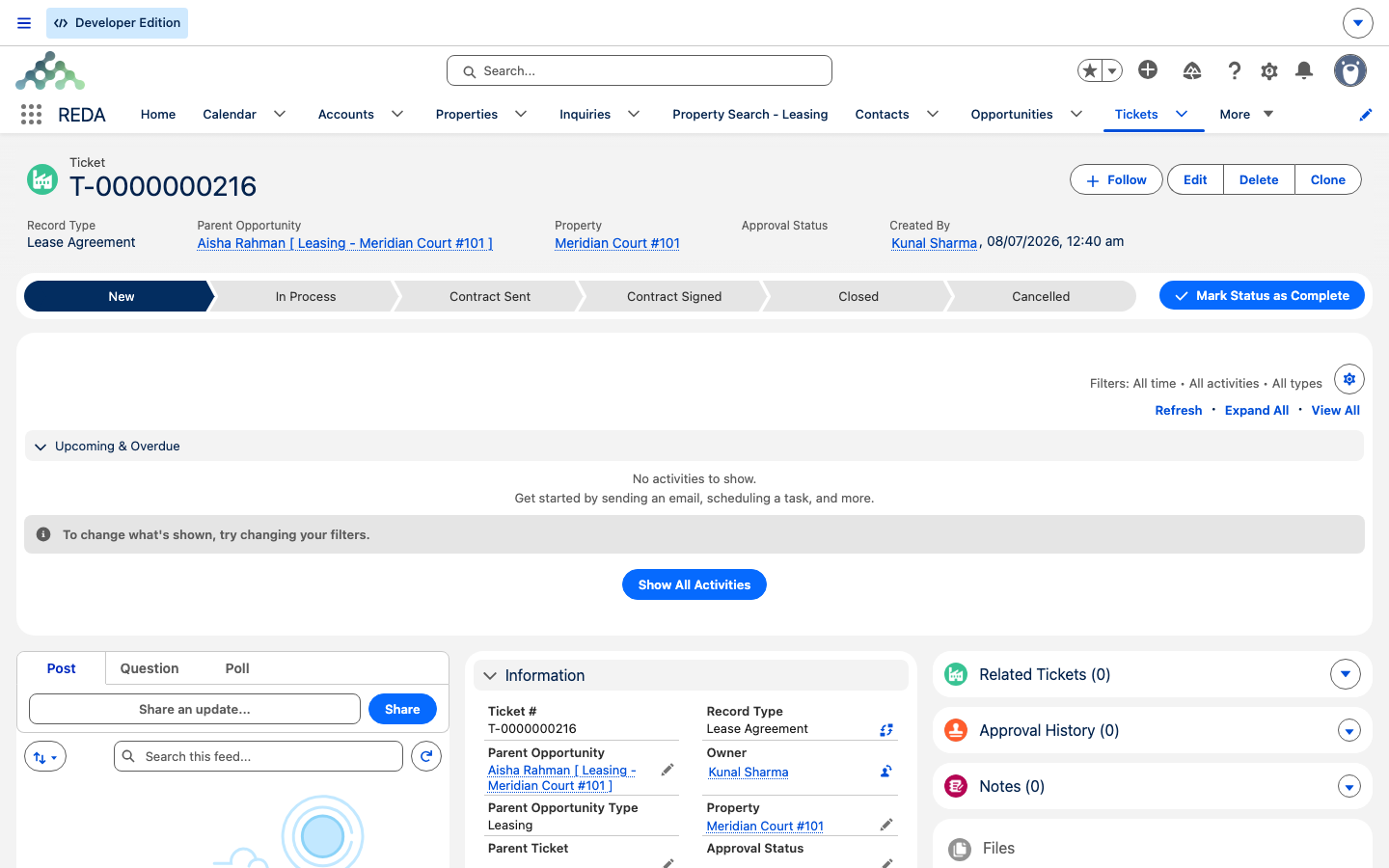
A ticket is a numbered, tracked "process instance" attached to a deal and/or a property. Think of it as one run of one business process, with a life of its own: its own status, its own documents and dates, its own audit trail of who did what and when. Each ticket is numbered automatically — T-0000000001 and up — labelled simply Ticket, and its record shows a Path across the top driven by its Status.
Why does REDA use tickets at all, instead of letting you edit a deal's stage directly? Because a lease agreement isn't just "set the stage to signed" — it's a real event with a signed document, a signing date, a move-in date, and consequences (charges, invoices, the next process). The ticket captures all of that as an auditable transaction, and the deal's stage follows the ticket. That's the core idea, and everything else in this article is a consequence of it.
A few fields appear on most tickets, at the label level:
| Field | What it holds |
|---|---|
| Parent Opportunity | The deal this process runs on. The ticket type decides which kind of deal is valid. |
| Property | The property in question — required to close most tickets, and it must match the deal's property. |
| Status | Where the process stands. Moving it is how you run the process. |
| Escalation & Priority | Low, Medium, or High. |
| Approval Status | A separate gate — whether REDA's automation may act on the ticket. |
| Parent Ticket | The ticket that spawned this one, when it was created by another process. |
| Description | Free-text notes. |
The 17 ticket types
Every ticket is one of 17 types, and the type fixes both the statuses available and the automation that runs. Here's each type, what it does in one line, and the section that owns its step-by-step how-to — this table doubles as your map to the rest of the KB.
| Type | What it does | How-to lives in |
|---|---|---|
| Lease Agreement | Signs a lease: takes the deal from approved application to occupied-pending-move-in | From Application to Move-In |
| Move In | Executes the move-in: sets the move-in date, books the move-in inspection, deal becomes occupied | From Application to Move-In |
| Renewal | Runs a lease renewal end to end, including opt-in/opt-out and creating the next renewal | Renewing a Lease |
| Move Out | Executes the move-out: notice stage, move-out inspection, deal becomes expired | Notice, Move-Out & Lease End |
| Eviction | Runs an eviction; on completion spawns the child Move Out ticket | Eviction & Termination |
| Termination | Runs an early termination; same child Move Out pattern | Eviction & Termination |
| Add Lease Charge | Adds a recurring or one-time charge to an active lease | Adjusting Lease Charges |
| Remove Lease Charge | Retires an active lease charge from a chosen date | Adjusting Lease Charges |
| New Charge/Memo | Bills a one-off charge (positive) or a credit memo (negative) straight to an invoice | Adjusting Lease Charges |
| Tenant Referral | Logs a resident's referral, creates the referee's inquiry, and later pays both bonuses | Tenant Referrals |
| Inflation Adjustment | Applies an inflation index to lease charges or rent setup — system-generated in bulk | Inflation Adjustments |
| PMA (Property Management Agreement) | Signs a management agreement; stamps the agreement and PM entity onto the property | PM Agreements |
| Sales - Purchase & Sales Agreement | Contracts a property sale; drives the deal stage and the property's sale status | The Sale Lifecycle |
| Acq - Purchase Agreement | Contracts an acquisition; the deal moves to under contract | The Acquisition Lifecycle |
| Loan Disbursement | Records a loan disbursement; totals roll up when it's closed | Disbursements & Payoffs |
| Loan Payoff | Pays off a loan from escrow; caps are enforced until it's closed | Disbursements & Payoffs |
| New Package/Parcel | Front-desk parcel registry: received, then handed over with a signature | Packages & Parcels |
How a ticket drives its deal
Here's the mechanism at the heart of REDA. When you move a ticket's Status, REDA moves the deal's stage to match, and often spawns the next records. The status change on the ticket is running the process. A few examples, all from the leasing lifecycle:
- Set a Lease Agreement ticket to In Process or Contract Sent, and the deal moves to "Agreement - In Process." Set it to Contract Signed or Closed, and the deal moves to "Occupied - Pending Move In" — which itself creates the Move In ticket.
- Close a Move In ticket, and the deal moves to "Occupied - No Notice" — which, when renewal automation is on, creates the next Renewal ticket.
- Close a Move Out ticket, and the deal moves to "Expired."
- The PMA, Sales, and Acquisition agreement tickets walk their deals to "Under Contract."
Which deal a ticket will accept
Because the ticket type is the process, each type is picky about the deal you attach it to — it only accepts a deal of the right kind, and often in the right stage. This is why the deal you expect sometimes won't appear in a ticket's Parent Opportunity lookup, or why saving stops with a message. A few of the most common you'll meet, in REDA's own words:
| Ticket type | Only accepts |
|---|---|
| Lease Agreement | "Only Leasing Opportunity in Application Stage can be selected." |
| Move In | "Only "Occupied - Pending Move In" Leasing Opportunity can be selected." |
| Move Out / Termination | "Only Occupied Leasing Opportunity can be selected." |
| Renewal | "Renewal Request can be created for Leasing Opportunity in stage "Occupied - No Notice"." |
| Sales - Purchase & Sales Agreement | "Only Property Sale Opportunity can be selected." |
| Acq - Purchase Agreement | "Only Acquisition Opportunity can be selected." |
| Loan Disbursement / Loan Payoff | "Only Closed Won Lending Opportunity can be selected." |
The pattern to remember: the type fixes the process, and the process fixes the deal. When a ticket refuses a deal, it isn't broken — the deal simply isn't at the point this process runs from. The full list of these messages, and what to do about each, lives in Ticket Troubleshooting.
Who creates tickets
Tickets come into being three ways, and knowing which is which explains a lot of "where did this come from?" moments.
Approval status
Separate from where a process stands is a second gate: Approval Status, with values Draft, Waiting for Approval, Approved, and Rejected. Its purpose, in plain terms, is that REDA's automation acts only on approved tickets — it's used mainly for inflation. Nine ticket types start life as Draft: Acquisition Agreement, Eviction, Loan Disbursement, Move In, Move Out, New Charge/Memo, Renewal, Sales Agreement, and Termination.
One nuance worth knowing: the Lease Agreement process approves its own ticket as part of signing. So if you notice a Lease Agreement ticket reads "Approved" without you touching it, that's expected — you don't approve those by hand.
Cancelling a ticket: the stage revert
This is the single concept that prevents the most confusion, so it's worth getting exactly right.
When a ticket is created, REDA quietly records the deal's stage at that moment — a snapshot, written once, so the original stage survives later edits. Then, when you set the ticket's Status to Cancelled, REDA applies one universal rule:
That conditional is the safety net. Cancel a Lease Agreement ticket while the deal still sits in "Agreement - In Process," and the deal snaps back to where it was when the ticket was created. But if some other process has since moved the deal onward, the cancellation leaves it untouched — a cancel never clobbers a stage another process now owns.
Some ticket types clean up their own extras on cancel: a Lease Agreement cancel clears the move-in date; a Move Out cancel clears the move-out dates and cancels its inspections; a Renewal cancel deletes that renewal's not-yet-invoiced charges and re-points to the prior closed renewal; a Sales Agreement cancel also reverts the property's sale status. And a few types have no cancel automation at all — PMA (its Cancelled status drives nothing), Add/Remove Lease Charge (no Cancelled status), and New Package. The section article for each process covers its specifics.
Parent and child tickets
Some processes spawn others, and the Parent Ticket field links the two. The clearest case is a Move Out ticket created by an Eviction, a Termination, or an opted-out Renewal. When a Move Out has such a parent, the parent process owns the notice stage — so a child Move Out moving to In Process does not set the notice stage itself; its eviction or termination parent already handled that.
When automation fails
When a system-run process can't complete, REDA doesn't fail silently. The ticket lands in Processing Error and records the reason in an error note on the ticket. A filled error note usually means the ticket needs an administrator. Recovery — for inflation, via a reprocess action — is covered in Ticket Troubleshooting.
Tickets vs their look-alikes
A few REDA records look ticket-shaped but aren't part of the ticket engine. Keeping them straight avoids the classic mix-ups:
| Not a ticket | What it actually is |
|---|---|
| Service Request | The maintenance and complaint intake record (its own SR- numbers), handled through work orders — not a business process on a deal. |
| Work Order | The record that executes a maintenance job. Work Orders never link to tickets — see Work Orders. |
| Booking | A reservation with its own approval ladder — not the process engine. |
The one front-desk process that is a ticket is the New Package/Parcel type — parcels are logged and handed over inside the ticket engine.
Vocabulary, once
These terms recur across the whole KB; here's the canonical meaning of each.
| Term | Meaning in REDA |
|---|---|
| Ticket | A numbered process instance that executes one business transaction on a deal or property |
| Ticket type | Which process it runs (one of 17); it fixes the status set and the automation |
| Status | Where the process stands; moving it is running the process |
| Approval Status | A separate gate — whether automation may act (Draft → Approved) |
| Snapshot / revert | The deal stage saved at ticket creation, restored on cancel if still applicable |
| Parent ticket | The ticket that spawned this one (eviction → move out) |
| Born-closed ticket | A system-generated ticket created already executed (inflation) |
Worked example: one lease, told as tickets
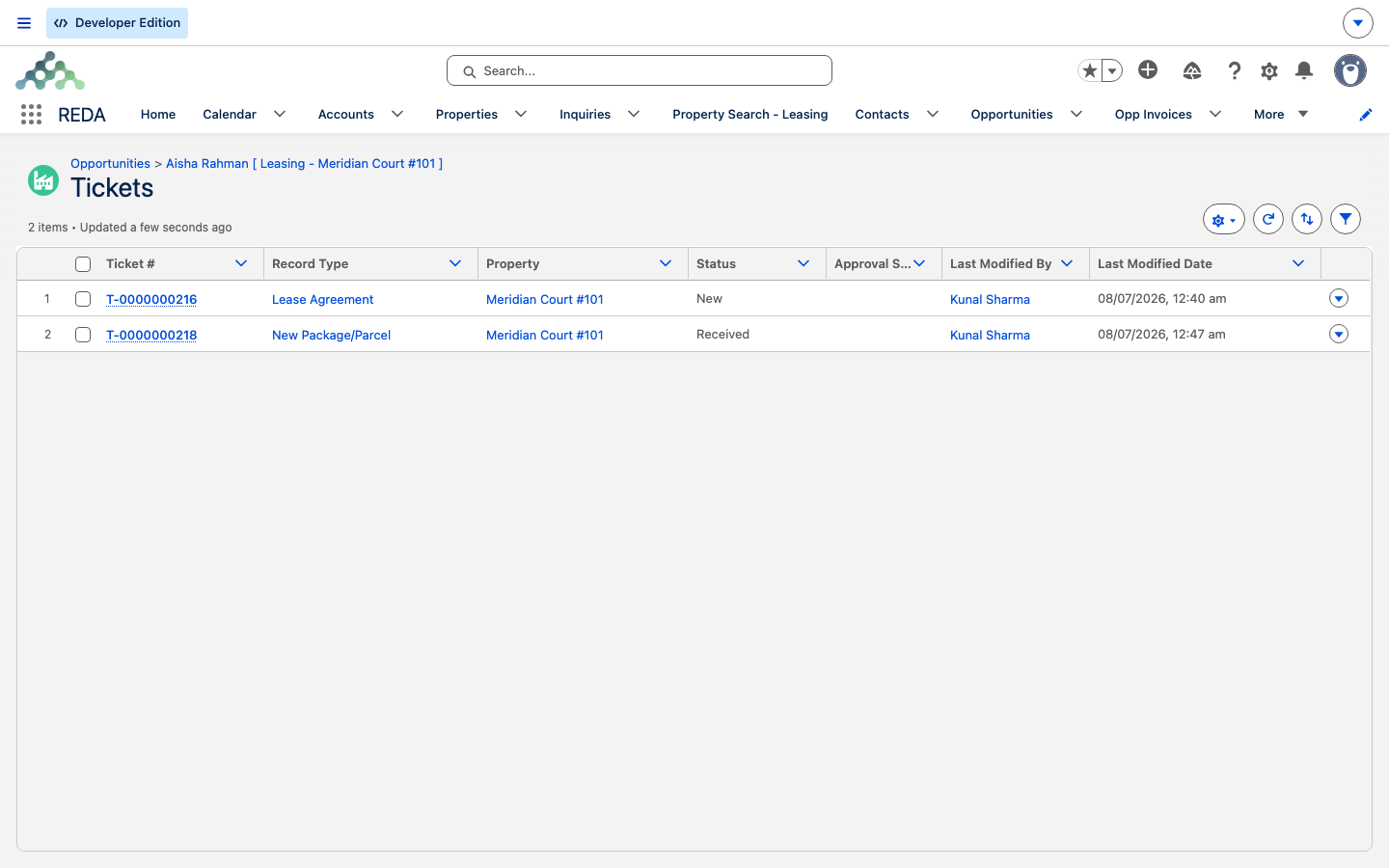
Follow a single lease on Meridian Court #101 as a chain of tickets:
| What happens | The ticket | The deal |
|---|---|---|
| The application is approved | REDA creates Lease Agreement ticket T-…01 (Status New; snapshot = "Application - Approved") | Application - Approved |
| The agent sends and signs the contract | T-…01 moves to Contract Signed / Closed | Jumps to Occupied - Pending Move In; REDA creates Move In ticket T-…02 |
| The tenant moves in | T-…02 closes | Occupied - No Notice; with renewal automation on, REDA creates Renewal ticket T-…03 |
Now the counterfactual that shows the revert. Had the agent cancelled T-…01 while the deal still sat in "Agreement - In Process," the deal would have snapped back to "Application - Approved" — its snapshot. But if some other process had already carried the deal onward, cancelling T-…01 would have left the deal exactly where it was.
Where the how-tos live
This article is the concept. Each business process has its own step-by-step:
- Leasing lifecycle — From Application to Move-In, Renewing a Lease, Notice, Move-Out & Lease End, Eviction & Termination, Adjusting Lease Charges, Tenant Referrals.
- Billing — Inflation Adjustments (the born-closed tickets).
- Property management — PM Agreements.
- Sales & acquisitions — The Sale Lifecycle, The Acquisition Lifecycle.
- Lending — Disbursements & Payoffs.
- Community — Packages & Parcels.
- Tickets reference — The Ticket Catalog (what each of the 17 types is and does), Ticket Status Reference (every status per type), Ticket Troubleshooting (when a ticket won't move).
Frequently asked questions
Reaching certain stages creates the next process ticket automatically: "Application - Approved" creates a Lease Agreement ticket, "Occupied - Pending Move In" creates a Move In ticket, and "Occupied - No Notice" creates a Renewal ticket when renewal automation is on.
By design. The ticket reverts the deal to the stage saved when the ticket was created, as long as the deal is still in the stage this ticket's process set. It's the safety net that keeps the deal and its paperwork in step.
No. The deal had already moved to a stage owned by another process, so the cancel deliberately leaves it alone rather than overwrite that other process.
System-generated tickets — inflation adjustments — execute on creation. Closed means the work is done; Processing Error means it needs attention.
REDA's automation acts only on approved tickets (used mainly for inflation). Nine ticket types start life as Draft.
You shouldn't. Deal-type and stage validation rules will fight you, and the automation may overwrite your change. Always move the process through its ticket.
A Renewal cancel deletes that renewal's not-yet-invoiced charges — housekeeping of its own work. Nothing else is deleted: reverts restore stages, they don't erase your data.
The Property is required to close most tickets and must match the deal's property (loan disbursements check the acquisition deal's property).
Each ticket type only accepts a deal of the right kind, usually in the right stage — a Move In ticket takes only an "Occupied - Pending Move In" lease, a Renewal only an "Occupied - No Notice" lease, a Loan Payoff only a Closed Won lending deal, and so on. If your deal isn't offered, it isn't yet at the point this process runs from. See "Which deal a ticket will accept" above, and Ticket Troubleshooting for every message.
Was this article helpful?