
About REDA
REDA is real-estate operations software: one place to run leasing, property sales, acquisitions, lending, property management, and bookings for the buildings and units you own or manage. The idea that makes it hang together is simple — every deal, every tenant, every invoice traces back to a property. This article is the 60-second orientation: what REDA is, the six business lines it covers, the two apps you'll work in, and where to go next. No prior REDA experience is assumed, and every term is defined the moment it appears.
Access you'll need. Any REDA user can open the app and see its Home tab. What else you can see and do depends on the permission sets your administrator has assigned — that's covered in the navigation articles.
What REDA is
REDA stands for Real Estate Design & Administration — the description you'll see on the app itself. Unlike a general-purpose CRM that you bend to fit real estate, REDA is built for real estate from the ground up: the person using it is a property owner, operator, or manager, so the software speaks natively of your properties, your tenants, and your leases. It runs on both desktop and mobile, so a leasing agent in the field and an accountant at a desk work from the same records.
Because REDA is purpose-built, the concepts map directly onto the real-estate business: a property is a property, a lease is a lease, a tenant is a tenant. You won't have to translate generic sales jargon into property terms as you go.
One property hub, six business lines
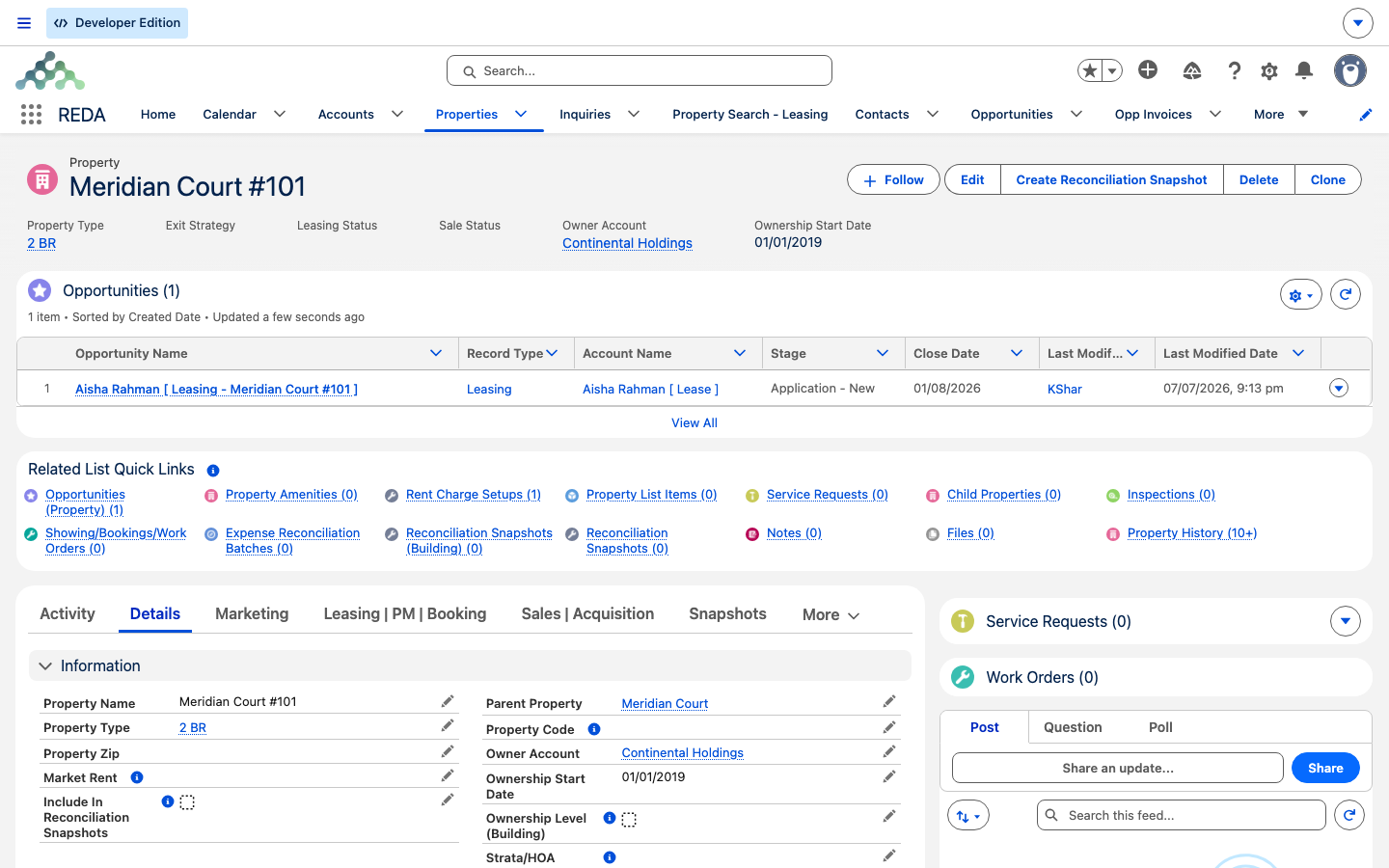
The Property is the backbone of everything in REDA. A property can be a whole community, a building, or a single unit, and every other record in the system points back to it — leases, sales, acquisitions, bookings, work orders, and invoices all reference the property they belong to. Learn to think "which property does this belong to?" and the rest of REDA falls into place.
Hanging off that hub are six business lines. Five are active today; the sixth, short-term Bookings, is handled by its own booking records and calendar rather than a deal pipeline (more on that below).
| Business line | What it covers | Where in this Help Center |
|---|---|---|
| Leasing | The full lease lifecycle — application, agreement, move-in, renewal, and move-out — with charges and invoicing driven by your leasing policy. | Leasing |
| Property Sales | Selling properties: sale deals, payment plans and milestones, settlement charges, and automatic ownership transfer when a sale closes. | Property Sales |
| Acquisitions | Acquiring properties: acquisition deals that create the property record for you when the deal is activated. | Acquisitions |
| Lending | Loans tracked as lending deals — payments, disbursements, payoffs, and escrow. | Lending |
| Property Management | Management agreements, service requests that become work orders, inspections, and owner expense reconciliation. | Property Management |
| Bookings | Short-term reservations of bookable properties through calendar slots — a feature, not a deal pipeline. | Bookings |
All five active deal lines run on a single deal record called an Opportunity. That's a deliberate design choice: rather than a separate object for each business line, REDA uses one deal record that takes on the shape of a lease, a sale, an acquisition, a loan, or a management engagement. For leasing, the Opportunity is the lease. Supporting engines run across all the lines — the Ticket process engine moves deals through their lifecycles, billing turns charges into invoices, and community features track visitors, packages, and council meetings.
The two apps
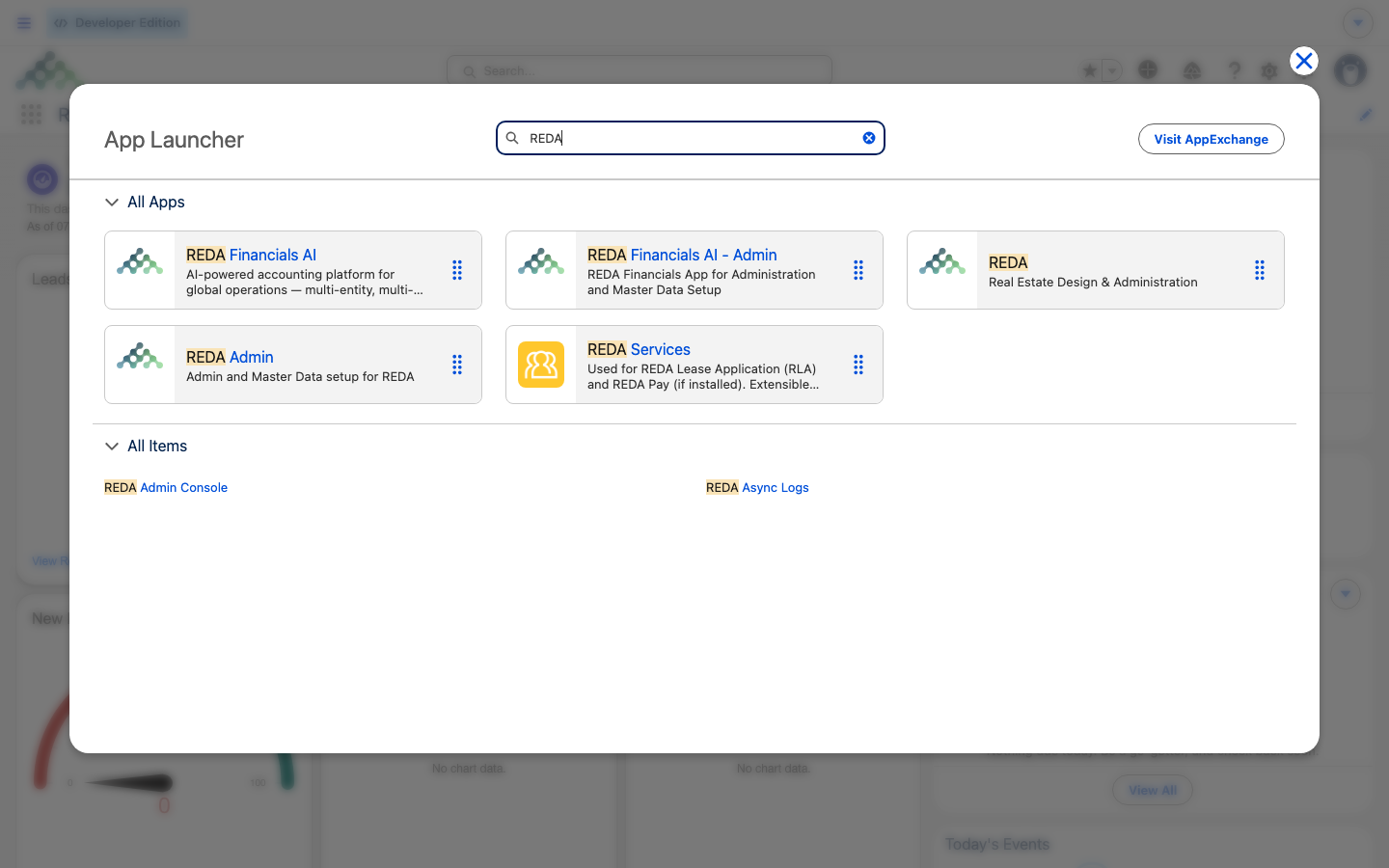
REDA installs as two apps, and you switch between them from the App Launcher:
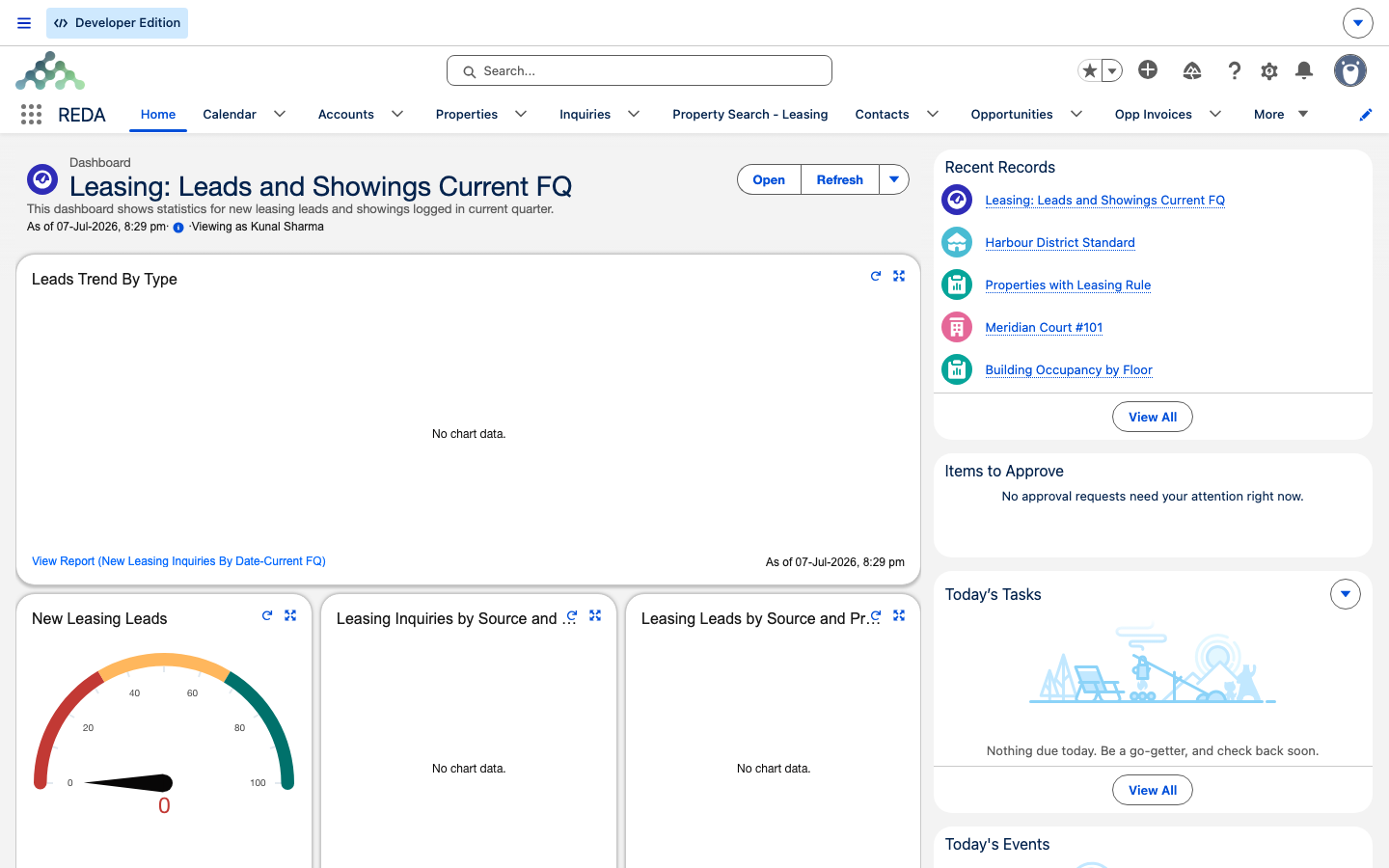
When you first open the REDA app you land on its Home tab — a working summary that pulls together an at-a-glance dashboard, Today's Tasks, Pending Approvals, Recent Records, and Today's Events. It's designed to answer "what needs me today?" before you go anywhere else. The full guided tour of both apps' tabs is in Getting Around: the REDA & REDA Admin Apps.
How work flows through REDA
Here's the shape of a typical journey, so the records you'll meet aren't a surprise. A prospect arrives — often from a web or advertising form — and becomes an Inquiry, REDA's record for someone who isn't a customer yet. When the inquiry qualifies, one click converts it, creating an Account, a Contact, and an Opportunity (the deal). From there the deal advances through its Stages, driven largely by Tickets — short tracked checklists REDA creates at each lifecycle step. For a lease, charges are added and, once the tenant is billable, invoices are raised on the schedule your leasing policy sets.
A defining trait of REDA is that it creates records for you at the right moments: tickets appear when a deal reaches a milestone, inspections are scheduled at move-in, invoices are raised when a lease turns billable, and a property record is created when an acquisition is activated. The lifecycle articles explain exactly where each of these comes from, so nothing on your screen is unexplained.
The wider REDA family
You may notice other REDA-branded items in your App Launcher. These are separate products that plug into REDA; this Help Center documents core REDA and the points where these products touch it, not their internals.
| Product | What it adds | Relationship to REDA |
|---|---|---|
| REDA Financials AI | Accounting — tax, receipts, and the general ledger. It receives the invoices REDA raises. | Separate product; REDA computes charges and invoices, and the accounting side owns tax, receipts, and the ledger. |
| REDA Connect | WhatsApp and SMS messaging. | Separate messaging companion. |
| Listing, application & resident-portal extensions | Publish listings, take online applications, and give tenants a portal. | Separate extensions, set up per implementation. |
| Residents / REDA Services | Community websites for residents. | Your community site, if your administrator has set one up. |
Editions at a glance
REDA comes in two editions. They share the same features and behavior; only a few record names differ. The Platform edition uses REDA's own prospect record — the Inquiry — while the Sales Cloud edition uses the standard Salesforce Lead instead. A quick self-check: if your app has an Inquiries tab, you're on the Platform edition; if it works with standard Leads, you're on the Sales Cloud edition. This Help Center's screenshots and terms show the Platform edition, and articles that differ carry a short note pointing to the full mapping in REDA Editions: Platform vs Sales Cloud.
Reports & dashboards included
REDA ships with reports and dashboards ready to use — for example, the dashboard "Leasing: Leads and Showings Current FQ" and the report "New Leasing Inquiries By Date-Current FQ." You can also build your own using the report types that come with the product. Whether reports and dashboards appear for you depends on the access your administrator grants; more on that in the reports articles.
Where to go next
- Key Concepts & Glossary — the vocabulary and the three mental models behind everything in REDA.
- Getting Around: the REDA & REDA Admin Apps — the guided tour of every tab.
- REDA Editions: Platform vs Sales Cloud — which edition you run and how the names map.
- Setup Roadmap — the order to switch things on for a new org.
- Understanding Opportunities — the one deal record that serves every business line.
- Understanding Properties — the hub everything else hangs off.
Frequently asked questions
REDA includes CRM-style prospect and deal management, but it's more than a CRM — it's a real-estate operations platform spanning six business lines, all built on one property hub.
Only administrators and auditors work in REDA Admin. Day-to-day users — leasing agents, sales agents, front desk — stay in the REDA app.
They're separate products that plug into REDA. This Help Center covers core REDA and the points where these products connect to it, not their internals.
Short-term bookings aren't run as a deal pipeline in the current release. They're handled by Booking records and calendar slots instead — see Bookings.
Yes. Packaged reports and dashboards ship with the product, and you can build your own from the report types included.
Yes. Both apps run on desktop and mobile, so you can work the same records from a phone or a laptop.
If your app has an Inquiries tab, you're on the Platform edition. If REDA works with standard Leads, you're on the Sales Cloud edition. The full mapping is in REDA Editions: Platform vs Sales Cloud.
Was this article helpful?