
Property Sales in REDA
This is the starting point for selling a property in REDA. Here you'll learn what a "sale" actually is in the system, meet the eight stages a sale moves through, and see how the pieces — the deal, the buyer, the agreement, the closing statement, the commission — fit together. It also points you to the right article for each task, so this page is the map and the articles it links are the territory. No prior REDA experience is assumed; every term is defined as we reach it.
Access you'll need. Working the sales pipeline requires the REDA - Property Sales User permission set, which lets you create and edit deals, tickets, and payment plans. System administrators use REDA - Master Data - Admin. Deleting a deal is limited to REDA - Master Data - Admin and REDA - Property Leasing User. Access to the buyer's Account and Contact records is granted by your administrator separately — it is not part of the REDA permission sets.
What a property sale is in REDA
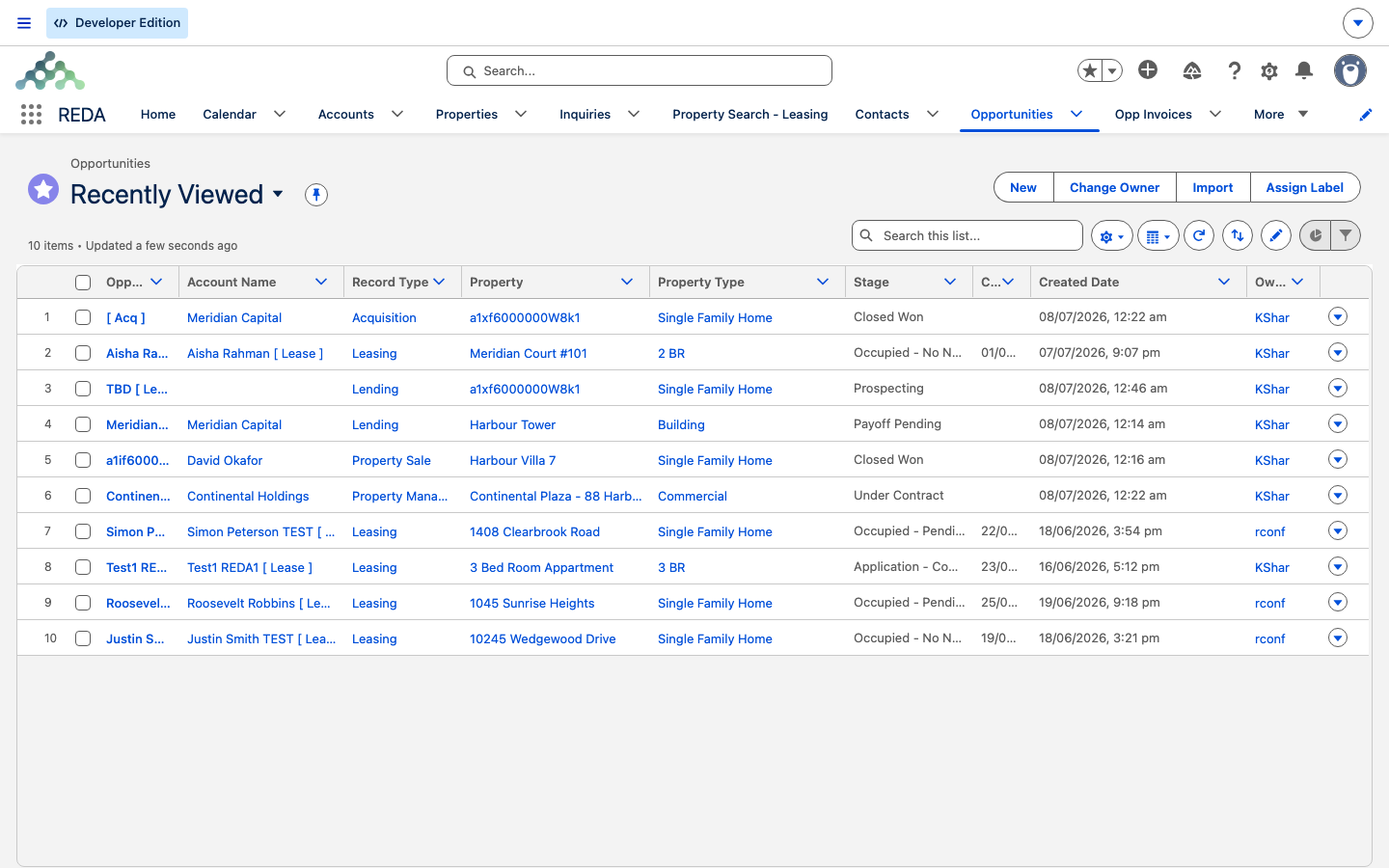
A property sale is a deal — a record on the Opportunities tab, REDA's single "deal" hub. The Opportunities tab doesn't only hold sales: the same object runs leasing deals, acquisitions, lending, and property-management deals too. What keeps them apart is the deal's type. A sale is a deal of type Property Sale, and that type decides which stages, fields, and automation apply. Everything in this section concerns the Property Sale type only.
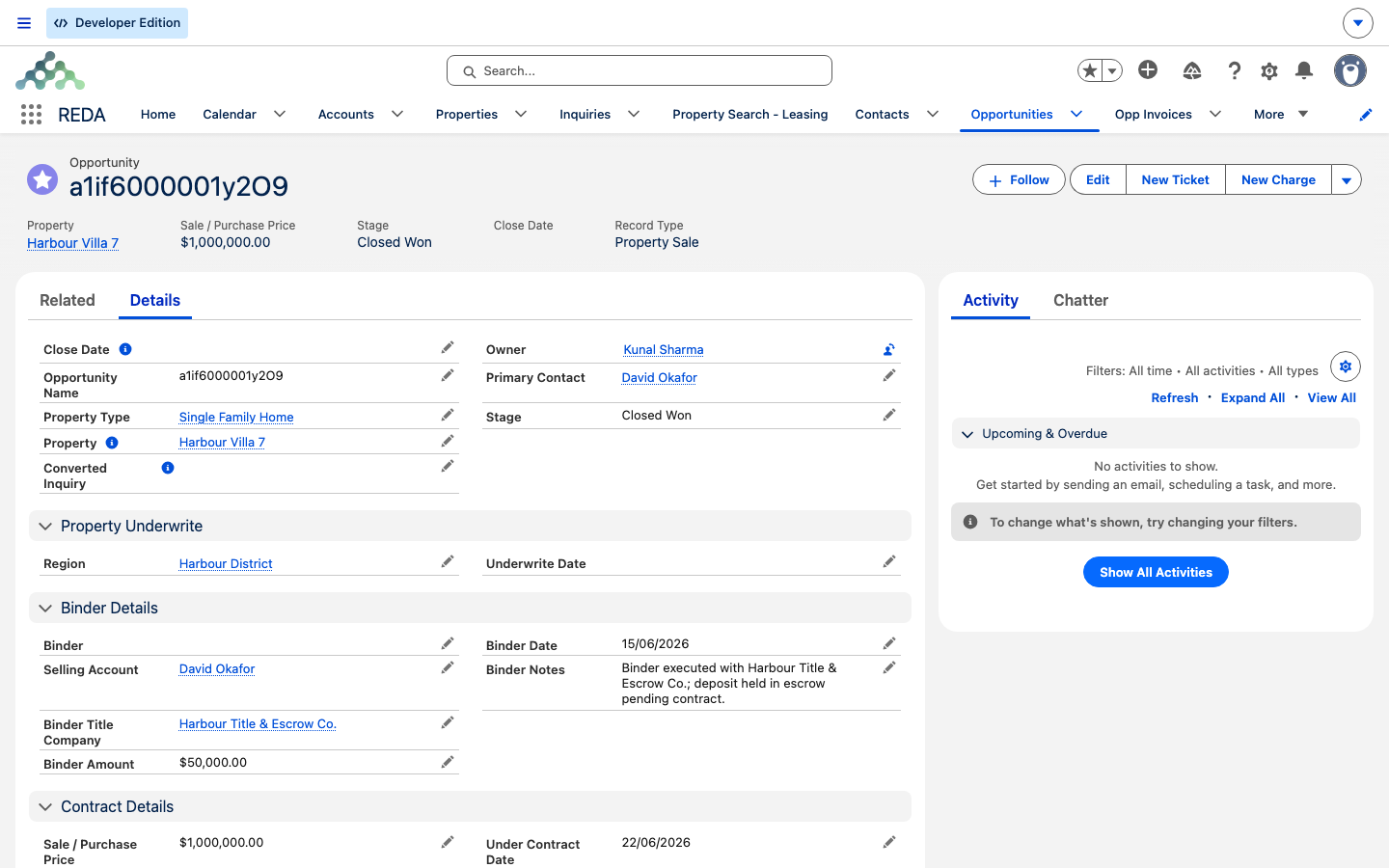
One sale deal represents one property sold to one buyer. The buyer is recorded as the deal's Account, and REDA names the deal for you from the property it's attached to (for example, Harbour Villa 7 [ Property Sale ]) — though you can type your own name and REDA keeps it. The deal is the hub everything else hangs from: the buyer's staged payments, the closing-statement lines, the commission, and the Sales Agreement checklist all belong to it.
The sales pipeline at a glance
Every sale advances through a fixed ladder of Stages, shown as a Path across the top of the deal. In order:
Property Selection → Binder → Contract Out → Under Contract → Funded → Clear to Close → Closed Won (or Closed Lost)
A quick reference to what each stage means — the flags, gates, and automation behind them live in The Sale Stages Reference:
| # | Stage | In one line |
|---|---|---|
| 1 | Property Selection | New sale opened; buyer and property confirmed |
| 2 | Binder | Earnest money recorded |
| 3 | Contract Out | Contract sent to the buyer |
| 4 | Under Contract | Contract signed; the Under Contract Date is stamped |
| 5 | Funded | Buyer funds received (the deal counts as won from here) |
| 6 | Clear to Close | Title clear / final walkthrough |
| 7 | Closed Won | Sale closed; ownership transfers to the buyer |
| 8 | Closed Lost | Deal ended without a sale |
The building blocks
A handful of records work together to run a sale. Here's each one in a line, with the article that covers it in full:
| Building block | What it is |
|---|---|
| Sale deal | The Property Sale deal itself — the hub — see Selling a Property and The Sale Stages Reference |
| Buyer / co-buyer | People on the deal, added as contact roles; the default role is Buyer |
| Sales Agreement ticket | The controlled checklist that drives the middle of the pipeline and the property's Sale Status — see The Sales Agreement Ticket |
| Sale Status | The property's inventory state (from Inventory - Available through to Sold) |
| Payment plan / schedule | Staged buyer instalments generated when the sale activates |
| Settlement charges / closing statement | Closing costs and the two headline figures — see Settlement Charges & Closing Statements |
| Commission | Calculated when the deal reaches Closed Won, from the deal's commission rule |
| Ownership trail | The property's ownership history, written when the sale closes |
How a sale flows end to end
The happy path is five moves. Each links the article that walks it in detail:
Property Selection.Contract Out and then Under Contract (stamping the Under Contract Date), and keep the property's Sale Status in step. See The Sales Agreement Ticket.Closed Won, REDA transfers ownership to the buyer, writes an ownership-trail entry, and flags the deal for commission calculation.What REDA does for you automatically
A lot of a sale runs itself. At a glance — each of these is detailed in the article that owns it:
- Selling Account defaults from the property's owner while the deal is open, so the deal always shows who currently owns the property.
- Commission Rule defaults from the property's default sale commission rule, so the right rate is already in place.
- Available For Sale is maintained from the Sale Status on every save — it's on only when the Sale Status is Inventory - Available, so setting the Sale Status is how you list a property.
- Payment schedules are generated when the sale first becomes active, if the property carries a sale payment plan.
- Ownership transfers at Closed Won, and the ownership start date is the deal's Under Contract Date — not the close date.
Who does what
REDA - Property Sales User is the everyday permission set for this whole section: it lets you create and edit deals, tickets, and payment plans. Read-only viewing of setup data such as payment plans and commission rules comes from REDA - Master Data - Read Only. Deleting a deal is limited to REDA - Master Data - Admin and REDA - Property Leasing User. Because the buyer's Account and Contact are standard records, access to them is granted by your administrator outside the REDA permission sets.
Where to go next
- Selling a Property — the master how-to: run a sale end to end.
- The Sale Stages Reference — look up what each stage means and which gates apply.
- The Sales Agreement Ticket — the controlled process that drives the middle of the pipeline.
- Settlement Charges & Closing Statements — build the closing statement and reconcile both gross figures.
Frequently asked questions
No — both a sale and a lease are deals on the same Opportunities tab. What differs is the deal's type: a sale is the Property Sale type, a lease is the Leasing type. This section covers the Property Sale type only.
Property Selection → Binder → Contract Out → Under Contract → Funded → Clear to Close → Closed Won (or Closed Lost). See The Sale Stages Reference for the details.
REDA - Property Sales User. Administrators use REDA - Master Data - Admin.
From inquiries. A Property Sale inquiry is converted into the buyer's Account and Contact and the sale deal, all in one step, with the buyer set as the primary contact.
Ownership of the property transfers to the buyer, an ownership-trail record is written to log the change, and the deal is flagged for commission calculation.
Was this article helpful?