
Mass Email Configurations
The Mass Email button is a launcher. What it offers when someone clicks it, and every default it pre-fills — subject, message, sender — comes from configuration records an administrator controls. This article is for the person who has watched an end user send a council mailing and now wants to change the default subject or sender, or to add a mass-email option to another object entirely. After it, you'll understand the config-card-plus-flow pattern, be able to edit the defaults, choose the right sending identity, and stand up a brand-new mass-email option with one configuration record and one flow.
Access you'll need. Sending the shipped council mailings requires the REDA - Council Management Admin permission set, plus your org's email deliverability being set up. Creating configurations and flows is a Salesforce administrator task.
How the launcher works
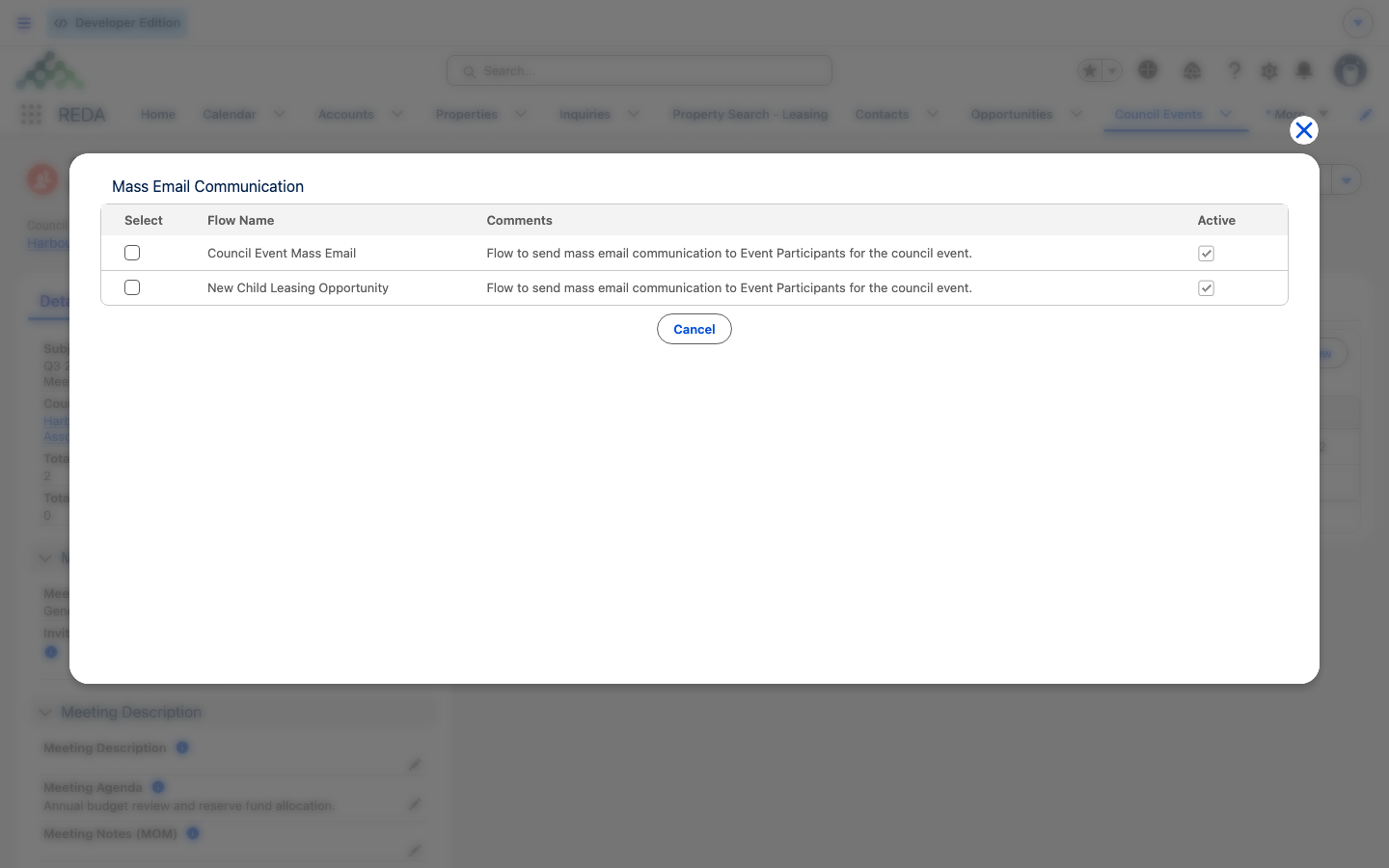
When someone clicks Mass Email on a record, REDA works out the record's object and record type, then finds the active configuration records for it. It keeps only the ones whose send flow actually exists, and shows those as cards with their pre-filled defaults, along with the current user and the org's shared email addresses to send from. The card the user picks hands off to its flow, and the flow does the actual send — the launcher is just the menu and the defaults.
One helpful consequence: a card whose flow is missing is hidden automatically rather than shown broken. The launcher is self-healing — which is convenient for users but can puzzle an administrator wondering why a card doesn't appear (check the flow name and the active flag).
Anatomy of a configuration record
A configuration record has three jobs: say where the card appears, wire it to a flow, and hold the defaults the launcher pre-fills.
| Field | What it does |
|---|---|
| Object | Which object's records offer this card |
| Record Type | Optionally limits the card to one record type |
| Flow | The send flow the card launches; the card is hidden if this flow is missing |
| Is Active | The card's master switch — and it's off by default, so a new card stays hidden until you activate it |
| Email Subject | The pre-filled subject (up to 200 characters) |
| Email Message | The pre-filled rich-text body (up to 20,000 characters) |
| Email Message Text | The plain-text twin of the body |
| Email Template | Reference an email template instead of inline content |
| Sender Type | The sending identity (see below) |
| Sender Email | Which shared address to send from, when applicable |
| Is Invitation Email | Stamps invitation-sent date and times on the event and its participants |
| Archive Data | When Yes, the send's participant records are cleared afterward (a privacy step for one-off notification blasts). It does not control whether the emails are logged — see the note below |
| Comments / Instructions | Admin notes; Instructions can surface guidance in the launcher for the end user |
Sender types
The Sender Type decides whose address the mail goes out as. There are three choices:
| Sender type | Sends as | Use when |
|---|---|---|
| The sending user | The clicking user's own address | Personal outreach, where replies should come back to the sender |
| The default workflow user | The org's default workflow user | System-voiced sends, keeping replies out of personal inboxes |
| An org-wide email address | A verified shared address, picked in Sender Email | Branded community or association sends — the usual choice for councils |
Org-wide (shared) addresses are standard Salesforce setup that your Salesforce administrator maintains, and they must be verified there before the launcher will offer them. None ships with REDA — a new org has zero org-wide addresses, so the org-wide sender option shows nothing to pick until you create and verify one in Setup. If you configure a card for the org-wide sender type but haven't added an address yet, the send has nothing to send as; add the address first. Mass sends also respect your org's email deliverability and daily limits.
What ships
REDA ships mass-email configurations for Council Events. The primary one points at the council mass-email send flow — the full wizard your community team uses. That shipped flow, at a glance:
The end-user walkthrough of that wizard lives in Sending a Council Mass Email; this article stays on the configuration side.
Adding a mass-email option to another object
The engine is object-generic, so you can offer Mass Email on another object with the same one-record-plus-one-flow pattern:
Worked example: an annual meeting invitation
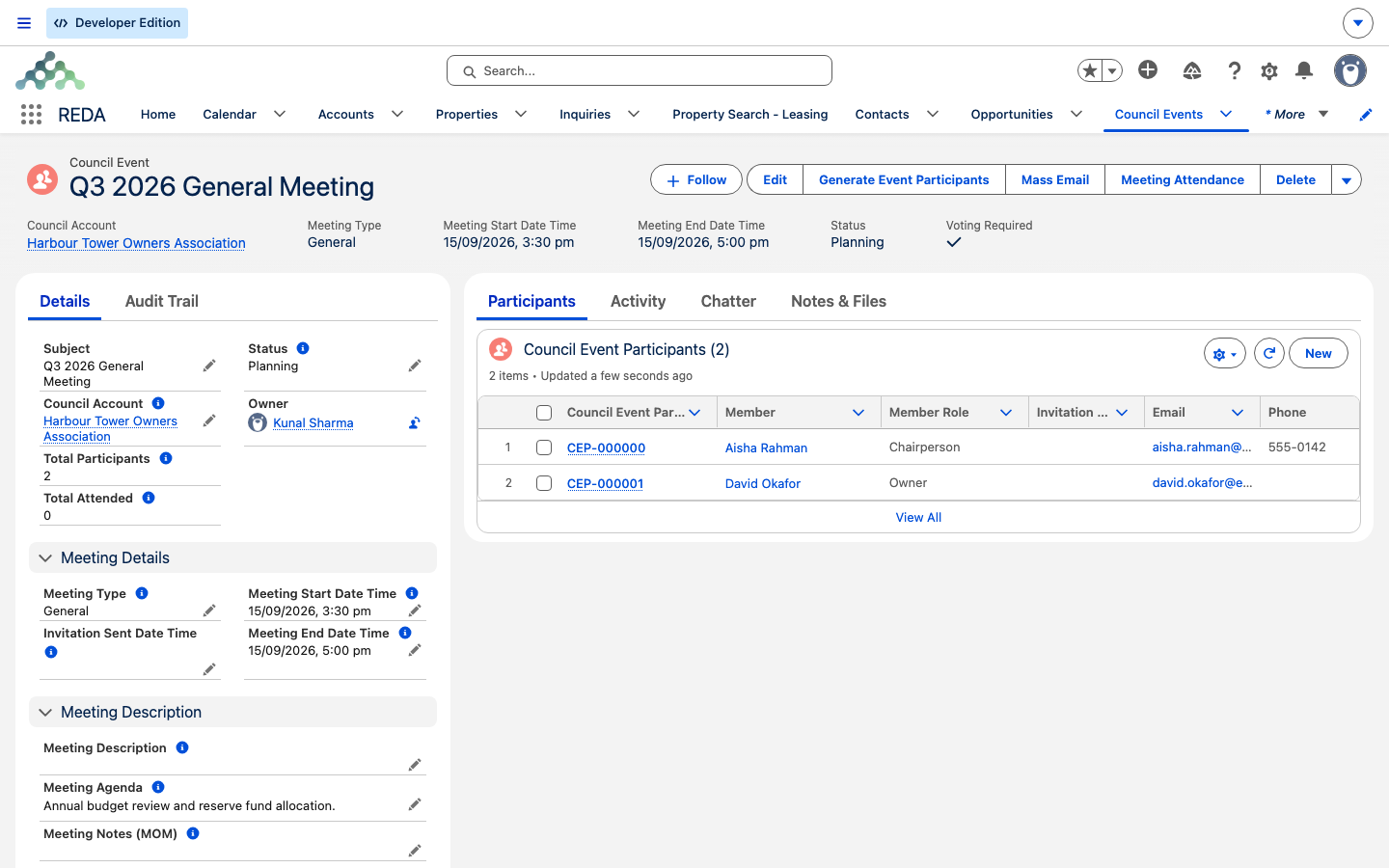
The Harbour Tower Owners Association sends its annual-meeting invitation to the 140 participants of the council event "Annual General Meeting 2026." The community coordinator clicks Mass Email and picks the invitation card. Its defaults are pre-filled — the subject, the HTML body, and (once the administrator has verified one) a shared association sender address. They test-send to themselves, then send for real. Each participant gets a logged email record of the send either way; and because it's an invitation card, invitation-sent date and times are stamped on the event and every participant. This is a Meeting event, so even if the card's Archive Data were Yes the participant list would be kept — the delete-after-send cleanup only applies to notification blasts.
The following year, the administrator wants a different default subject. They edit the configuration record's Email Subject — one field, no flow change — and the new subject pre-fills for everyone from then on.
Where to go next
- Sending a Council Mass Email — the end-user send walkthrough.
- Council Events — the record the shipped configuration serves.
- Setting Up a Council — generating the participants a send needs.
- Global App Settings — the kindred configuration-record pattern.
- The REDA Admin Console — the administrator's control tower.
Frequently asked questions
Either no configuration record is active for this object and record type, or the configured flow doesn't exist — cards with missing flows are hidden automatically. Check the configuration's active flag and flow name.
Set the configuration's sender type to the org-wide address option and pick the verified shared address in Sender Email. Your Salesforce administrator maintains those addresses in Setup.
Yes — every send logs one email record per recipient, regardless of the Archive Data setting, so the event's email history is always your audit trail. Archive Data does something different: when it's Yes and the event is a notification, the participant records are deleted after the send.
An invitation-type send additionally stamps invitation-sent date and times on the event and its participants, which downstream attendance tracking uses.
Yes — the engine is object-generic: one configuration record plus one send flow. Confirm where the action is placed for the new object with your implementation team.
Was this article helpful?