
Ticket Types & Status Reference
This is the lookup page for ticket statuses. Land here mid-task asking "which statuses does this ticket type have, which one does it start on, and what happens when I move it?" and you'll find your answer in a table. It lists the eleven possible statuses, then shows exactly which subset each of the seventeen ticket types actually uses, which types REDA creates automatically, and what each closing or cancelling move triggers. It's deliberately mostly tables — for the why behind the statuses (how a ticket drives its deal, the snapshot-and-revert on cancel) read Understanding Tickets, and for what each type is, see The Ticket Catalog.
Access you'll need. Creating and editing tickets requires one of the operational permission sets that matches your business line — REDA - Property Leasing User, REDA - Property Sales User, REDA - Property Acquisition User, REDA - Property Management User, or REDA - Property Lending User. Ask your administrator to assign the set that fits your role.
How to read this page
REDA has one master list of ticket statuses, but no single type uses all of them. Each type exposes only the subset that makes sense for its process, and starts on one default status. On the ticket record, that subset renders as the Path — the guided status bar across the top — and moving along it is how you run the process. This page gives you three things in order: the master list with a one-line meaning for each value, the exact status subset for every type (with its default marked), and a condensed table of what each move actually does.
The master status list
Every ticket status is one of these eleven values. Not every type shows all of them.
| Status | What it means |
|---|---|
| New | Created but not yet started — the default for almost every type. |
| In Process | The process is being worked. |
| Contract Sent | The agreement has gone out for signature (agreement-style types only). |
| Contract Signed | The agreement is signed (agreement-style types only). |
| Renewal - Opted In | The tenant has chosen to renew (Renewal only). |
| Renewal - Opted Out | The tenant has chosen not to renew (Renewal only). |
| Processing Error | System automation failed — the ticket carries an error note (see Ticket Troubleshooting). |
| Closed | Done — the automation has run and its records are stamped. |
| Cancelled | Abandoned — where applicable, the deal's stage reverts (see Understanding Tickets). |
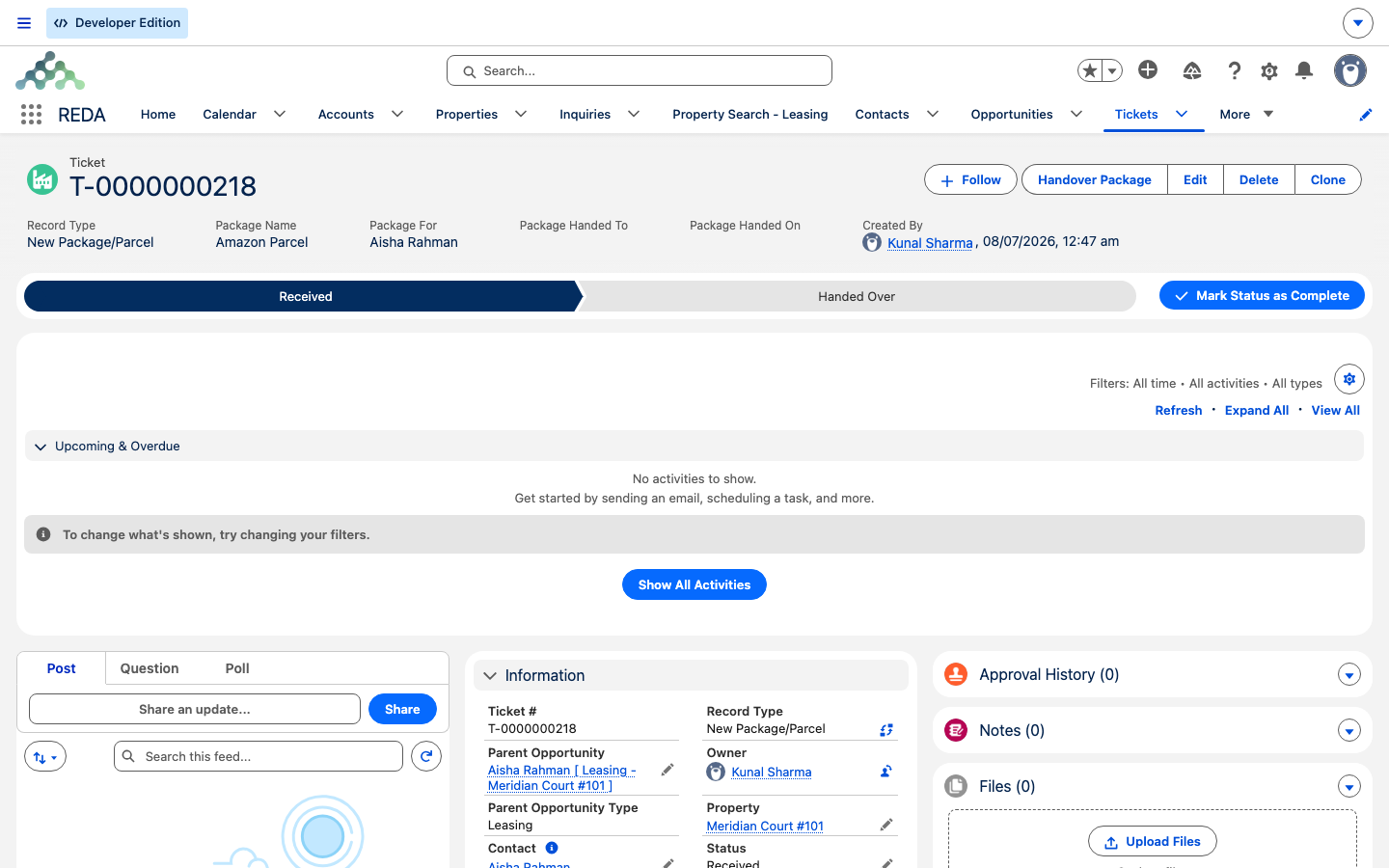
| Received | A parcel has been logged at the desk (New Package/Parcel only). |
| Handed Over | A parcel has been given to its recipient with a signature (New Package/Parcel only). |
Statuses per ticket type
Here's the exact set each type shows, in path order, with the default marked. This is the centerpiece lookup — find your type and you'll know precisely which moves are available.
| Ticket type | Statuses (default marked *) |
|---|---|
| Acq - Purchase Agreement | New* · In Process · Contract Sent · Contract Signed · Closed · Cancelled |
| Add Lease Charge | New* · Closed |
| Eviction | New* · In Process · Closed · Cancelled |
| Inflation Adjustment | New* · Closed · Processing Error |
| Lease Agreement | New* · In Process · Contract Sent · Contract Signed · Closed · Cancelled |
| Loan Disbursement | New* · In Process · Closed · Cancelled |
| Loan Payoff | New* · In Process · Closed · Cancelled |
| Move In | New* · In Process · Closed · Cancelled |
| Move Out | New* · In Process · Contract Sent · Contract Signed · Closed · Cancelled |
| New Charge/Memo | New* · In Process · Closed · Cancelled |
| New Package/Parcel | Received* · Handed Over |
| PMA (Property Management Agreement) | New* · In Process · Contract Sent · Contract Signed · Closed · Cancelled |
| Remove Lease Charge | New* · Closed |
| Renewal | New* · Renewal - Opted In · Renewal - Opted Out · Contract Sent · Contract Signed · Closed · Cancelled |
| Sales - Purchase & Sales Agreement | New* · In Process · Contract Sent · Contract Signed · Closed · Cancelled |
| Tenant Referral | New* · In Process · Closed |
| Termination | New* · In Process · Contract Sent · Contract Signed · Closed · Cancelled |
Which types REDA creates automatically
Most tickets you raise yourself. These appear on their own when a deal reaches a certain stage — knowing the trigger explains a ticket that "showed up by itself."
| Ticket type | Created automatically when |
|---|---|
| Lease Agreement | The lease reaches "Application - Approved." |
| Move In | The lease reaches "Occupied - Pending Move In." |
| Renewal | The lease reaches "Occupied - No Notice" and its leasing rule has renewal automation on. Each closed renewal then creates the next. |
| Move Out (child) | An Eviction or Termination closes, or a Renewal is opted out. |
| Inflation Adjustment | The inflation engine generates them in bulk — often arriving already Closed. |
Every other type is created by hand — through a purpose-built action or the generic New Ticket action; New Package/Parcel through its intake screen.
What each status move does
The condensed effect of each meaningful move. The full nuance for any process lives in its section article, linked in the last column — this table is the quick reference, not the walkthrough.
| Ticket type | What the key moves do | Full how-to |
|---|---|---|
| Lease Agreement | In Process / Contract Sent → deal "Agreement - In Process." Contract Signed / Closed → "Occupied - Pending Move In," records the signing and scheduled move-in date, and creates the Move In ticket. Cancelled → revert; clears the deal's move-in date. | From Application to Move-In |
| Move In | On create → a move-in inspection is booked when the property has a template and schedule. Closed → records the move-in date and moves the deal to "Occupied - No Notice." Cancelled → revert; cancels its inspections. | From Application to Move-In |
| Move Out | On create → a move-out inspection. In Process → "Occupied - Notice (Move Out)" and a scheduled date (suppressed when an Eviction or Termination is the parent). Closed → records the move-out date and moves the deal to "Expired." Cancelled → revert; clears the dates; cancels its inspections. | Notice, Move-Out & Lease End |
| Eviction | In Process → "Occupied - Notice (Eviction)." Closed → spawns a child Move Out ticket. Cancelled → revert. | Eviction & Termination |
| Termination | Same shape as Eviction, with the notice stage "Occupied - Notice (Termination)." | Eviction & Termination |
| Renewal | Closed → records the renewal on the deal, starts invoicing the renewal charges, and creates the next Renewal (when automation is on). Renewal - Opted Out → spawns a child Move Out and stops future renewal-charge invoicing. Cancelled → deletes the un-invoiced renewal charges, restores the prior renewal references, and reverts. | Renewing a Lease |
| Add Lease Charge | Closed → creates the charge on the lease. | Adjusting Lease Charges |
| Remove Lease Charge | Closed → stamps the charge's inactive date (a soft retire, never a delete). | Adjusting Lease Charges |
| New Charge/Memo | Closed → creates the invoice (a negative amount becomes a credit memo). | Adjusting Lease Charges |
| Tenant Referral | Closed → creates the referee's inquiry. The bonuses pay later, when the referred lease goes active. | Tenant Referrals |
| Inflation Adjustment | Closed (including born-closed) → applies the index. A fault → Processing Error and an error note. | Inflation Adjustments |
| PMA | Contract Sent → the deal "Contract Out." Contract Signed / Closed → "Under Contract" (with the date), and Closed also stamps the agreement and PM entity onto the property. Cancelled → drives no updates. | PM Agreements |
| Sales Agreement | Contract Sent → "Contract Out." Contract Signed / Closed → "Under Contract" (with the date); maintains the property's sale status as the ticket moves. Cancelled → reverts both the deal stage and the property's sale status. | The Sale Lifecycle |
| Acq Agreement | Contract Signed / Closed → "Under Contract." Cancelled → revert. | The Acquisition Lifecycle |
| Loan Disbursement / Loan Payoff | Only Closed tickets count toward the disbursed and payoff totals — the rollups fire on close. There's no deal-stage automation. | Disbursements & Payoffs |
| New Package/Parcel | Received → Handed Over, capturing a signature at handover. No deal effects. | Packages & Parcels |
Which types can be cancelled
Cancelling is only available on types that have a Cancelled status. Where it exists, cancelling reverts the deal's stage to the snapshot taken when the ticket was created — but only if the deal is still in the stage this ticket's process set (the full rule is in Understanding Tickets). Some types also clean up their own extras on cancel.
| Ticket type | Has Cancelled? | What cancel does |
|---|---|---|
| Lease Agreement | Yes | Reverts; clears the deal's move-in date. |
| Move In | Yes | Reverts; cancels its inspections. |
| Move Out | Yes | Reverts; clears the move-out dates; cancels its inspections. |
| Eviction / Termination | Yes | Reverts; clears the scheduled move-out date. |
| Renewal | Yes | Deletes the un-invoiced renewal charges, restores the prior renewal references, reverts. |
| New Charge/Memo | Yes | Reverts the snapshot only (nothing is spawned before Closed). |
| PMA | Yes | No updates — Cancelled is bookkeeping only. |
| Sales Agreement | Yes | Reverts the deal stage and the property's sale status. |
| Acq Agreement | Yes | Reverts. |
| Loan Disbursement / Payoff | Yes | The rollups simply exclude any ticket that isn't Closed. |
| Add / Remove Lease Charge | No | Two-status types — New and Closed only. |
| Inflation Adjustment | No | New, Closed, and Processing Error only. |
| Tenant Referral | No | New, In Process, and Closed only. |
| New Package/Parcel | No | Received and Handed Over only. |
Approval status
Separate from where the process stands is a second gate, Approval Status, whose purpose is that REDA's automation acts only on approved tickets — used mainly for inflation. It has four values:
| Approval Status | Meaning |
|---|---|
| Draft | The starting value on nine types (below) — not yet submitted. |
| Waiting for Approval | Submitted, awaiting a decision. |
| Approved | Automation may act on the ticket. |
| Rejected | Declined. |
Nine ticket types start life as Draft: Acq - Purchase Agreement, Eviction, Loan Disbursement, Move In, Move Out, New Charge/Memo, Renewal, Sales Agreement, and Termination.
Other pick-your-value fields
A few fields offer the same fixed choices on every ticket, regardless of type:
| Field | Choices |
|---|---|
| Escalation & Priority | Low · Medium · High |
| Charge / Memo | Charge · Credit Memo |
| Charge Type | Admin · Rent |
| Disbursement Type | Acquisition · Renovation · Construction · Property Turn |
| Document Signed Type | Paper · Electronic |
| Document Attached | No · Yes |
| Management Fee Type | Fixed · Rent Percentage |
| Placement Fee Type / Renewal Fee Type | Fixed - One Time · Fixed - Per Year · Rent Percentage |
One field to recognize rather than set: on a Loan Disbursement or Loan Payoff ticket, a read-only Amount mirrors that ticket's disbursement or payoff figure — it's what the rollup totals draw on once the ticket is Closed, not a value you type here.
Reading one row end to end
To use these tables together, follow a single type through them. Take a Renewal on Aisha Rahman's lease at Meridian Court #101:
- Statuses: the per-type table shows New (default), Renewal - Opted In, Renewal - Opted Out, Contract Sent, Contract Signed, Closed, Cancelled.
- How it appeared: the auto-creation table shows REDA created it when the lease reached "Occupied - No Notice" with renewal automation on.
- What the moves do: the effect table shows Closed records the renewal and creates the next one; Renewal - Opted Out spawns a Move Out; Cancelled deletes the un-invoiced renewal charges and reverts.
Three tables, one answer — that's the page working as intended.
Where to go next
- Understanding Tickets — why moving a ticket moves its deal, and the snapshot-and-revert on cancel.
- The Ticket Catalog — what each of the seventeen types is and does.
- Ticket Troubleshooting — the exact messages behind a ticket that won't save, close, or cancel.
Frequently asked questions
Each type exposes only its own subset of the eleven master statuses. Check the per-type table — for example, Add Lease Charge only has New and Closed, so there's no In Process or Cancelled to pick.
It's the one type without a path. Inflation Adjustment tickets are executed by the system rather than walked by hand, so there's no status bar to click — the ticket runs on creation and lands on Closed or Processing Error.
New, for every type except New Package/Parcel, which starts on Received. The default is marked with an asterisk in the per-type table.
Loan Disbursement and Loan Payoff amounts only count toward the rolled-up totals once the ticket is Closed. A ticket still in New or In Process isn't included.
No. Add Lease Charge, Remove Lease Charge, Inflation Adjustment, Tenant Referral, and New Package/Parcel have no Cancelled status — see the cancellation table for the full list.
The agreement family: Lease Agreement, Move Out, Renewal, PMA, Sales Agreement, Acq - Purchase Agreement, and Termination.
Was this article helpful?