
Settlement Charges & Closing Statements
A closing statement adds up all the costs of closing a sale and rolls them into two headline figures: what the buyer brings to the table and what the seller walks away with. REDA builds that statement from settlement codes (a catalogue of closing-cost categories), settlement charges (the individual line items on the deal), and two totals it computes for you. This article explains where each figure comes from, spells out the two formulas in plain words, and shows how to record title fees, seller advances, and unpaid seller items so both totals come out right. No accounting background is assumed.
Access you'll need. Setting up settlement codes requires the REDA - Master Data - Admin permission set; REDA - Property Acquisition User can also create and edit them, and REDA - Master Data - Read Only can view them. Adding charges on a sale deal requires REDA - Property Sales User (acquisition and lending deals use their own sets).
What a closing statement is in REDA
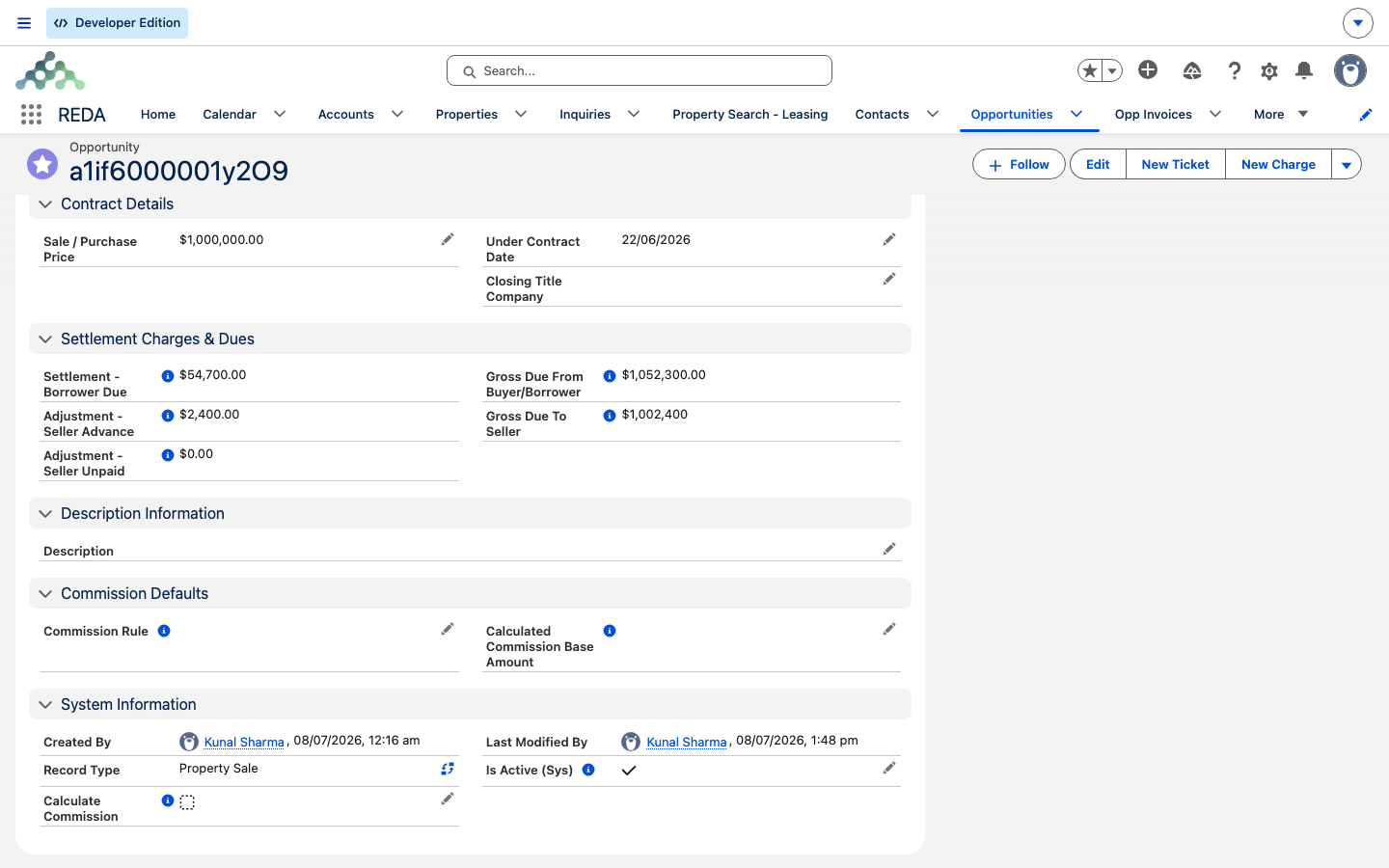
The closing statement isn't a separate document you open — it's a set of figures that live on the sale deal and recompute as you add line items. Each closing cost is entered as a settlement charge line, tagged with a settlement type that tells REDA which side of the statement it belongs on. REDA sums those lines into three subtotals, then combines them with the sale price (or the loan) to produce the two figures everyone cares about: Gross Due From Buyer/Borrower and Gross Due To Seller.
The buyer-side figure is labelled "Buyer/Borrower" because the same statement serves both a financed closing (a borrower with a loan) and a cash closing (a buyer with none). From here on we'll just say "buyer."
Settlement codes: the catalogue
A settlement code is a reusable closing-cost category, set up once by an administrator. Each code has a Name, a Type, an active flag (new codes are active), a Description, and a Region. To retire one, deactivate it rather than deleting it — and only active codes are offered when you add a charge. There are seven types:
| Type | Typical examples |
|---|---|
| Real Estate Broker Fees | Listing and buyer's-agent commission lines |
| Payable in Connection with Loan | Loan origination, points, lender fees |
| Advance Payment Required by Lender | Prepaid interest, first-year insurance premium |
| Reserve Deposited with Lender | Tax and insurance escrows collected at closing |
| Title Charges | Title search, title insurance, closing-agent fees |
| Govt. Recording and Transfer Charges | Deed recording, transfer tax |
| Other | Anything that doesn't fit the categories above |
Settlement charges: the line items
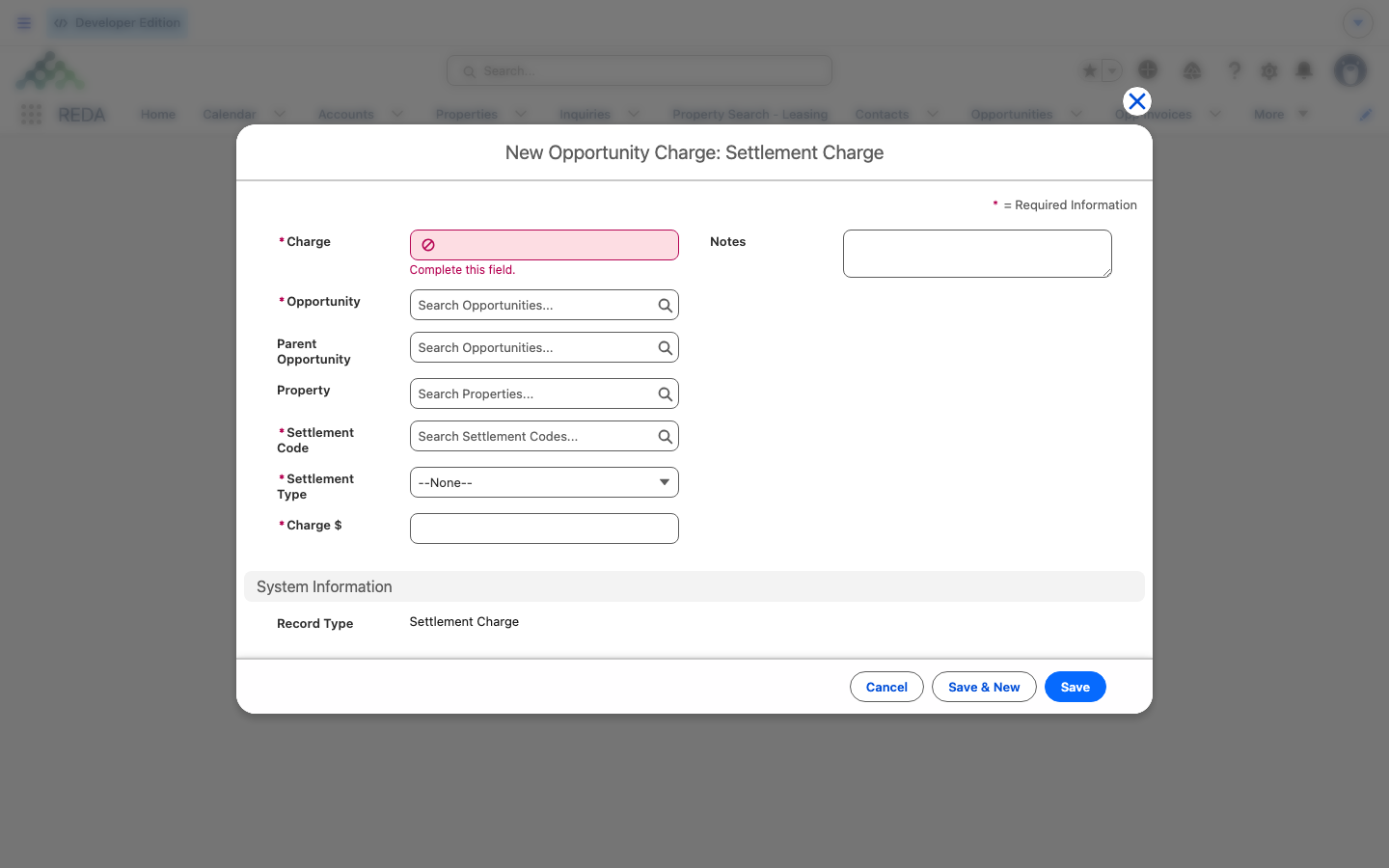
A settlement charge is a line on the deal of the Settlement Charge type. Settlement charges are available on sale, acquisition, and lending deals (leasing deals use their own charge types instead). Each line carries these fields:
| Label | Meaning |
|---|---|
| Settlement Code | Which catalogue category the cost belongs to |
| Settlement Type | Which side of the statement it lands on (see the next section) |
| Charge $ / Instances / Discount $ | The base amount, how many times it applies, and any discount |
| Net Charge | The computed amount that rolls up: Charge $ × Instances (1 when blank or 0), minus Discount $ |
The Net Charge is what feeds the statement. The Settlement Type is a simple classifier — it fires no automation; it only tells REDA which subtotal, and therefore which gross figure, the line belongs to. There are three types:
| Settlement Type | Rolls into | Gross Due From Buyer | Gross Due To Seller |
|---|---|---|---|
| Borrower Due | Settlement - Borrower Due | + adds | (no effect) |
| Adjustment - Unpaid By Seller | Adjustment - Seller Unpaid | + adds | − subtracts |
| Adjustment - Advance Paid By Seller | Adjustment - Seller Advance | − subtracts | + adds |
The two adjustment types capture who has already paid what. Advance Paid By Seller means the seller already paid a cost that's really the buyer's, so the buyer owes it back — it raises what the seller receives and lowers what the buyer brings. Unpaid By Seller means the seller owes a cost that hasn't been paid, so it raises what the buyer brings and lowers the seller's proceeds.
The math, in words
REDA first sums the three subtotals from the line items:
- Settlement - Borrower Due — the Net Charge of every line typed Borrower Due.
- Adjustment - Seller Advance — the Net Charge of every line typed Adjustment - Advance Paid By Seller.
- Adjustment - Seller Unpaid — the Net Charge of every line typed Adjustment - Unpaid By Seller.
It then combines them with the sale price (or the loan) into the two headline figures:
The starting figure is the Loan Amount when the deal carries a loan, otherwise the Sale / Purchase Price.
Gross Due To Seller = the Sale / Purchase Price + Adjustment - Seller Advance − Adjustment - Seller Unpaid.
So the buyer's gross starts from the loan when the sale is financed — because a lender is covering the price, and the buyer only brings the costs and adjustments — and from the price itself when the buyer pays cash.
One small display detail: Gross Due To Seller shows as a whole-currency figure (no cents), while the other totals carry cents. That's just how the seller figure is formatted — the underlying arithmetic is unchanged.
Worked example: Harbour Villa 7
Meridian's sale of Harbour Villa 7, Sale / Purchase Price 1,000,000.00, with the buyer financing a Loan Amount of 750,000.00. Four settlement charge lines:
| Line | Net Charge | Settlement Type |
|---|---|---|
| Title Charges | 8,000.00 | Borrower Due |
| Broker fee | 30,000.00 | Borrower Due |
| Prepaid HOA | 2,000.00 | Adjustment - Advance Paid By Seller |
| Overdue property tax | 5,000.00 | Adjustment - Unpaid By Seller |
The three subtotals come out as: Borrower Due 38,000.00, Seller Advance 2,000.00, Seller Unpaid 5,000.00. Now the two grosses:
| Figure | Calculation | Result |
|---|---|---|
| Gross Due From Buyer/Borrower | 750,000 (loan present, so the loan is the starting figure) + 38,000 + 5,000 − 2,000 | 791,000.00 |
| Gross Due To Seller | 1,000,000 + 2,000 − 5,000 | 997,000.00 |
If the same buyer paid cash instead (no loan), the starting figure would be the sale price, and the buyer's gross would be 1,000,000 + 38,000 + 5,000 − 2,000 = 1,041,000.00. The seller's proceeds don't change — they never depend on the loan.
Putting it together
Where to go next
- Selling a Property — the stage gates that require the price and Under Contract Date.
- The Sale Stages Reference — the gates behind a blank statement.
- Property Sales in REDA — the section map.
Frequently asked questions
Because a lender is covering the purchase price. When the deal carries a Loan Amount, REDA starts the buyer's gross from the loan — the buyer only brings the costs and adjustments. With no loan, it starts from the Sale / Purchase Price.
Lines typed Adjustment - Advance Paid By Seller. Because the seller already paid the cost, it subtracts from the buyer's gross (and adds to the seller's proceeds).
The charges lock once the deal or its linked ticket is approved: "The record is locked for editing. Charges can not be created and updated if the opportunity or opportunity's parent opportunity or associated ticket is Approved."
In REDA Admin → the Settlement Codes tab. It needs REDA - Master Data - Admin (or REDA - Property Acquisition User).
No. The settlement type fires no automation — the lines only classify closing costs and feed the statement totals. They aren't billed the way lease charges are; the money movement is handled at closing.
Was this article helpful?