
Owner Draws & Owner Statements
Two questions come up every month for every owner you manage: how much can the owner take out, and what do we send them? When you run REDA Financials, REDA answers both — and it does the arithmetic for you. An owner equity draw works out exactly what a landlord can withdraw, splits it between co-owners by their shares, and books the payout. Owner statements total each portfolio's income, expenses and balance for the month, render a branded PDF, and email it to the owner on a schedule. This guide is for owner-services and PM-finance staff, and it assumes no accounting background — every term is defined as we go. By the end you'll be able to run a draw, follow both calculations number by number, set up the escrow reserve and the statement send day, and know where every audit stamp lives.
Access you'll need. Working with portfolios requires the REDA - Portfolio Management Admin permission set (or REDA - Portfolio Management Read Only to view). Running draws and statements also needs the accounting access this feature requires — ask your administrator to grant it if you can't reach either tool.
How draws and statements fit together
Both flows read the same underlying ledger, from two directions. Rent collected from tenants flows in; management fees and property expenses flow out; what remains belongs to the owner. The draw is the action — it reads that remaining balance and books the payout to the owner. The statement is the account of it — the same income, expenses and balance, written up for the owner to read. One moves money; the other explains it. Because they share a source, a statement and a draw for the same owner should tell a consistent story.
That's why the order of your monthly work matters. Rents should be recorded and management fees calculated before you run a draw, so the balance the draw sees is complete; and a statement is most useful once the month's activity has settled. REDA doesn't force an order on you, but running either against a half-finished month produces numbers you'll have to explain later. Neither flow touches the property manager's own books — a draw is the owner paying themselves out of the owner's books, and a statement just reports on those same books.
Part 1: how a draw is computed
An owner can't simply withdraw all the cash their properties collected. Some of it is owed elsewhere — tenant deposits you're holding, bills not yet paid — and some is deliberately kept in reserve. The draw works out what's genuinely free to pay out, and it does so from the beginning of the owner's records up to the draw date — not just for the current month. Three ingredients go into it:
| Ingredient | Plain meaning | How it's measured |
|---|---|---|
| Asset Balance | What the landlord's properties hold — cash and money owed to them | The debit side net of the credit side on the owner's property-management asset accounts, up to the draw date |
| Liability Balance | What's owed against those properties — deposits held, unpaid bills | The credit side net of the debit side on the owner's property-management liability accounts, up to the draw date |
| Escrow Reserve | Money deliberately held back rather than paid out | The owner account's Cumulative Escrow Amount, captured at draw time |
From those three, REDA runs a short chain of subtractions:
Draw Amount = Available to Owner − Escrow Reserve
Here is that chain traced end to end for one owner. The figures come from the landlord's ledger in REDA Financials — how they accrue is accounting territory, covered in the REDA Financials help center; the draw simply reads them and does the subtraction.
The rule that a draw is only booked when the amount is positive is deliberate: it stops the run from ever paying an owner money that isn't there. An owner whose reserve exceeds their available balance simply isn't drawn that period.
Splitting the draw across owners
Many properties are owned by more than one party. When they are, REDA splits the draw between the co-owners by their ownership percentages, using the ownership records that are in effect on the draw date. Each owner is paid their share as a separate document, so everyone has their own clean record of what they received.
Ownership shares are captured on Account Ownership records, each with a Parent Account (the landlord), an Owner Account (the co-owner), an Ownership Percentage, and Ownership Start Date / Ownership End Date so the split can change over time. The draw uses whichever shares are effective on the draw date.
What a draw run creates
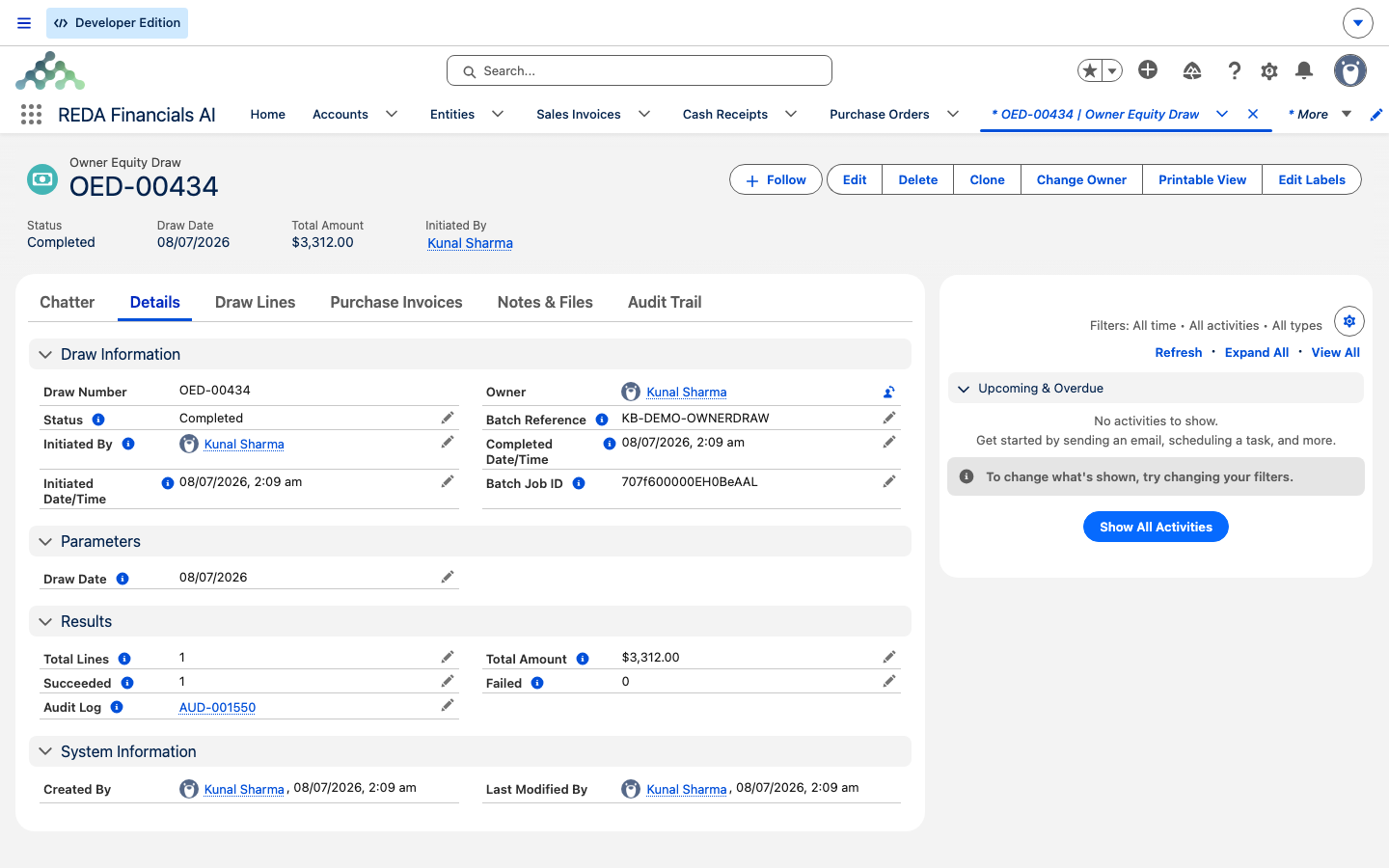
A run is more than a single number — it records the whole calculation and then books the payout as real accounting documents, so there's an audit trail from the draw figure down to the ledger.
Every draw line records the exact numbers behind the payout:
| Draw line field | What it means | Traced value |
|---|---|---|
| Asset Balance | The landlord's property-management assets, inception to draw date | 18,000.00 |
| Liability Balance | What's owed against them | 5,000.00 |
| Available to Owner | Asset Balance − Liability Balance | 13,000.00 |
| Escrow Reserve | The held-back reserve (the account's Cumulative Escrow Amount) | 2,000.00 |
| Draw Amount | Available to Owner − Escrow Reserve (booked only if above zero) | 11,000.00 |
| Landlord Account / Entity / Property | Whose books the payout lands on | Continental Holdings |
The Owner Draw Product the payout is built from lives on each Entity and is set when you activate the account — which is why that default must be in place before you run (see Activating a Client Account as a Financial Entity). When the run completes, each owner's account is stamped with its Last Owner Draw Date, so you can see at a glance who has been paid for the period.
Running a draw, step by step
A run only works for landlords that are set up for it. Confirm the prerequisites, then run:
A landlord you selected can still be left out of the run, and the preview says why. The usual reasons are that the account isn't marked an Active PM Client, that its entity has no Owner Draw Product set, or that there's simply nothing to pay — the available balance is zero, or the escrow reserve is as large as it (both land as a draw amount of zero or below, so nothing is booked). Each reason points at one setup field or at a balance that genuinely leaves nothing to draw; fix the first, and re-run for the second once more rent has settled.
Part 2: how a statement is computed
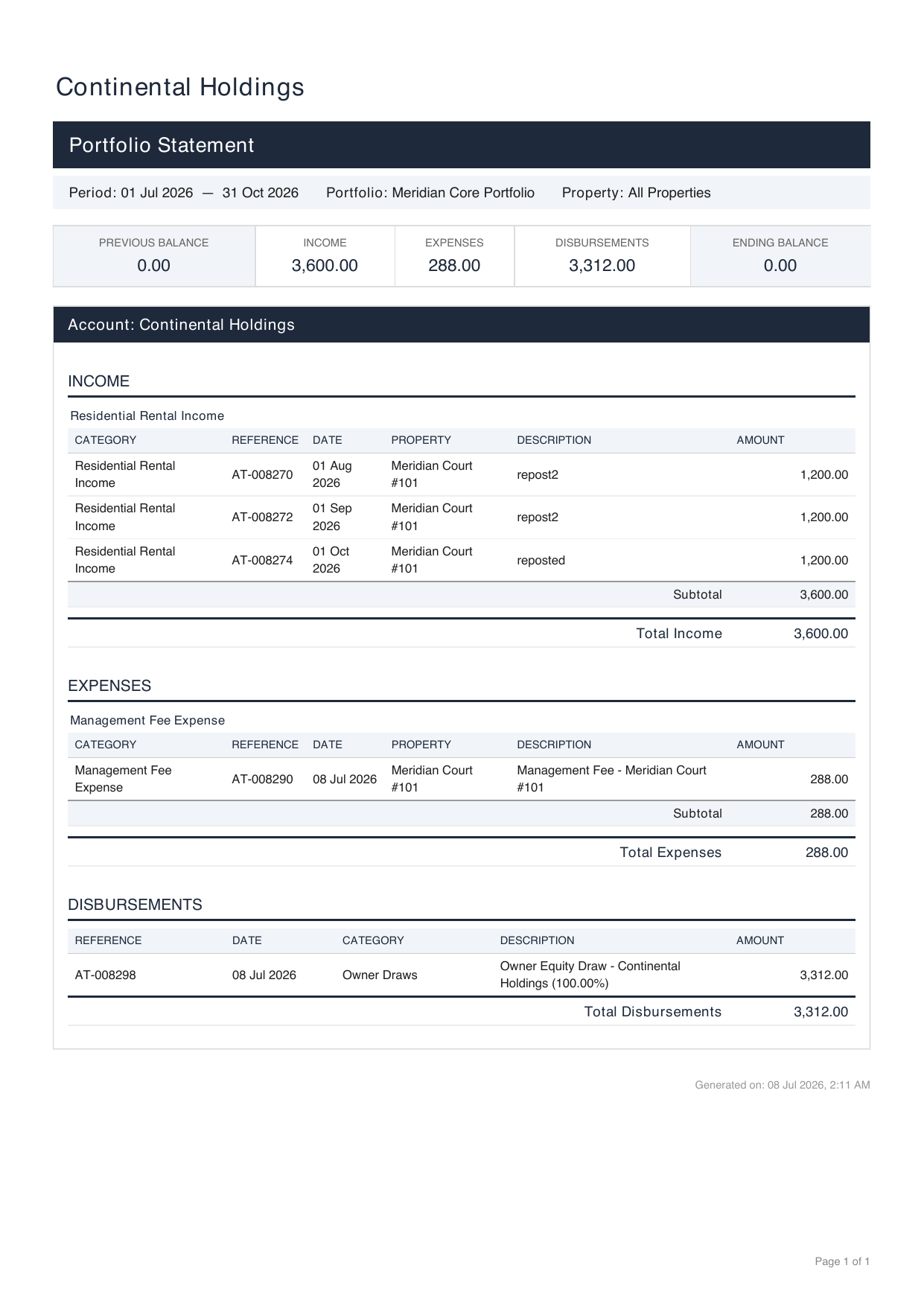
The statement is the owner-facing narrative of the same ledger: what came in, what went out, what was paid to the owner, and where the balance stands. REDA builds it from the accounting transactions recorded against a portfolio — a grouping of an owner's properties and accounts — for a single month, and renders it as a PDF. Four figures make up the statement, and they combine into a closing balance.
| Statement figure | Plain meaning | How it's measured |
|---|---|---|
| Opening balance | What was carried in from before the month started | The net of everything before the period |
| Income | What the properties earned in the month | The credit side net of the debit side on revenue accounts |
| Expenses | What the properties cost in the month | The debit side net of the credit side on expense accounts |
| Disbursements | What was paid out to the owner in the month | The amounts posted as owner distributions |
The closing figure is a single subtraction chain:
Traced for one owner account over the month of June:
Each owner's share
When a portfolio's owner account is shared, the statement doesn't just show the whole picture — it also apportions the income and expenses to each owner by how much of the period they owned and at what percentage. This matters when ownership changes partway through a month or when several parties hold different stakes.
The share is a factor built from two things: the fraction of the month the owner held the stake, and their ownership percentage.
Had that owner held the stake for only half the month, the days-owned fraction would fall to 15 ÷ 30 = 0.5, halving the factor to 0.20 and their net accordingly. The proration always uses whole, inclusive days, so a stake held from the 1st to the last day of the month counts as the full period.
How statements are sent
Statements go out automatically, one portfolio at a time, on a day you choose. The mechanism is simple: each day, REDA looks for portfolios whose Statement Send Day matches today's date, and for each match it builds and sends that portfolio's statement for the whole previous calendar month.
The statement's look — logo, colors, fonts, page size — comes from your Entity's branding and its statement template in REDA Financials, not from this screen. If you want to change how the PDF looks, that's configured on the accounting side; see the REDA Financials help center.
Worked example: Continental Holdings & Meridian
Your company, Meridian Properties, manages for the owner Continental Holdings, whose properties sit in the Meridian Core Portfolio (Harbour Tower and Meridian Court). Here are both flows for the June close, end to end.
The draw. On the draw date, Continental Holdings' property-management balances read an asset balance of 18,000.00 and a liability balance of 5,000.00, and its account carries a Cumulative Escrow Amount of 2,000.00:
| Step | Calculation | Result |
|---|---|---|
| Available to Owner | 18,000.00 − 5,000.00 | 13,000.00 |
| Draw Amount | 13,000.00 − 2,000.00 | 11,000.00 |
| Main owner share (60%) | 11,000.00 × 0.60 | 6,600.00 |
| Co-owner share (40%) | 11,000.00 × 0.40 | 4,400.00 |
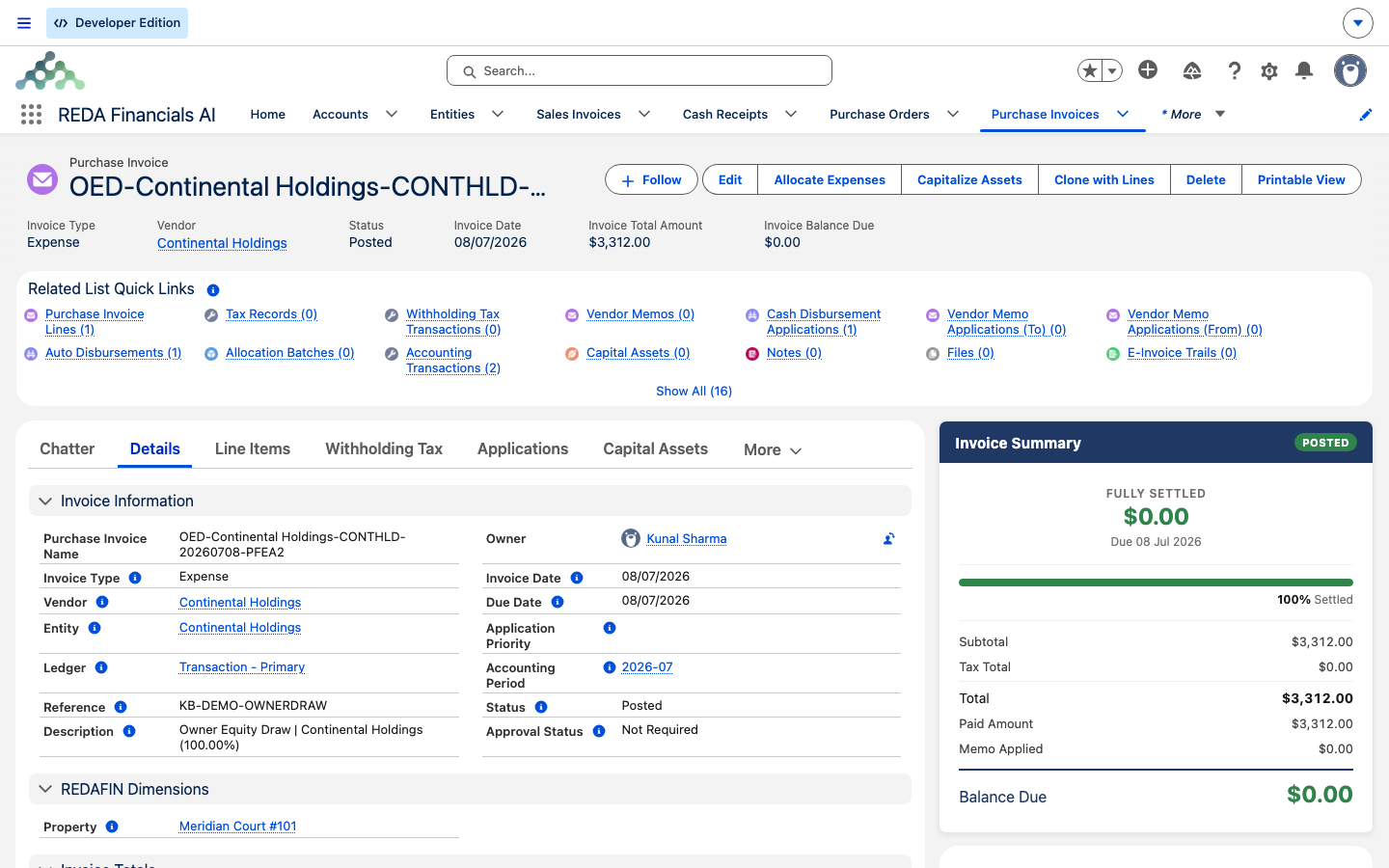
The run books two Posted Expense Purchase Invoices on Continental Holdings' Entity — 6,600.00 to the main owner and 4,400.00 to the co-owner, adding back to 11,000.00 — each built from the Owner Draw Product, and stamps the account's Last Owner Draw Date.
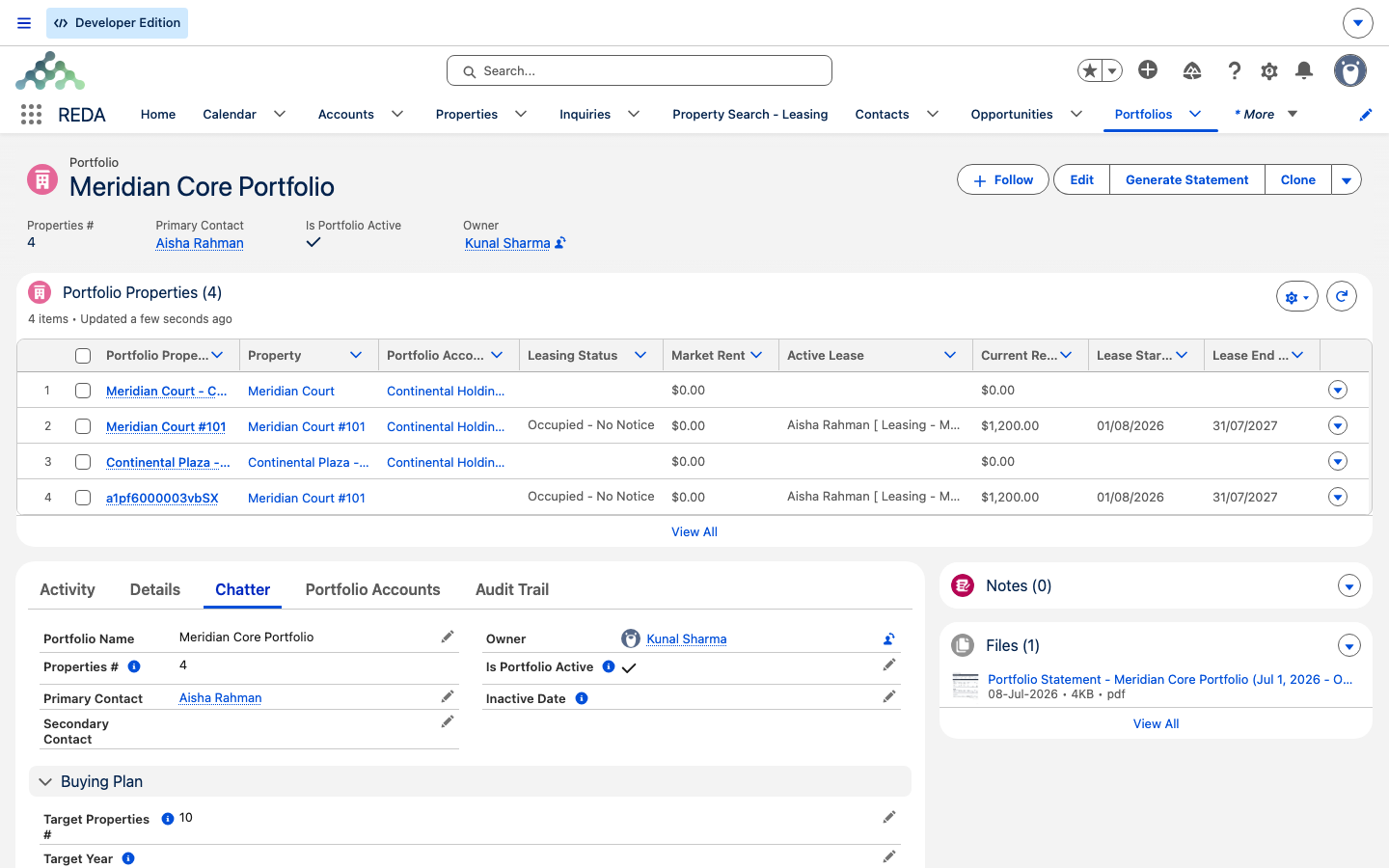
The statement. The Meridian Core Portfolio's Statement Send Day is the 5th, so on July 5 REDA builds and emails Continental Holdings its June statement. The month nets out to:
| Statement line | Amount | Running balance |
|---|---|---|
| Opening balance | 1,200.00 | 1,200.00 |
| Income | + 9,000.00 | 10,200.00 |
| Expenses | − 3,500.00 | 6,700.00 |
| Disbursements | − 5,000.00 | 6,700.00 − 5,000.00 |
| Ending balance | 1,700.00 |
If Continental Holdings' account is shared and a co-owner holds 40% across the full month, that owner's slice of the statement reads an income share of 3,600.00 and an expense share of 1,400.00, for a net of 2,200.00. The portfolio's Last Statement Sent On reads July 5, and the PDF is attached to the portfolio for anyone to re-open.
Reference tables
Where each setting and stamp lives. These are the fields you configure and read for both flows:
| Setting / stamp | Lives on | Field label |
|---|---|---|
| The reserve held back from a draw | The owner Account | Cumulative Escrow Amount |
| The last time this owner was drawn | The owner Account | Last Owner Draw Date |
| Marks the owner eligible to appear in a draw run | The owner Account | Active PM Client |
| The product each payout document is built from | The Entity | Owner Draw Product |
| The bank a draw pays from | The Entity | Default Bank Account |
| Which co-owner gets what percentage | Account Ownership | Owner Account · Ownership Percentage · Ownership Start/End Date |
| The day of the month statements are sent | The Portfolio | Statement Send Day |
| Who a statement is emailed to | The Portfolio | Primary Contact / Secondary Contact |
| The last time this portfolio's statement went out | The Portfolio | Last Statement Sent On |
Prerequisites for both flows. A draw or a statement only works when its setup is complete:
| Prerequisite | Draw | Statement |
|---|---|---|
| Accounting extension registered | Yes | Yes |
| Landlord activated as an Entity | Yes | Yes |
| Owner Draw Product on the Entity | Yes | — |
| Cumulative Escrow Amount set on the owner Account | Yes | — |
| Owner marked an Active PM Client | Yes | — |
| Account Ownership records for split ownership | If co-owned | For per-owner shares |
| Owner Accounts and Properties linked to the Portfolio | — | Yes |
| Primary/Secondary Contact (with email) on the Portfolio | — | Yes |
| Statement Send Day set on the Portfolio | — | Yes |
| Daily statement email job scheduled | — | Yes |
| Ledger balances up to date | Yes | Yes |
Where to go next
- Management Fee Automation — fees reduce what an owner can draw, so run these before a draw.
- Activating a Client Account as a Financial Entity — where the Owner Draw Product and Default Bank Account are set.
- Bank EFT / NACHA Processing — paying a draw electronically.
- Scheduling Background Jobs — turning on the statement email job.
- Property Dimensions in Financial Reports — what keeps statement figures attributed correctly.
- How REDA Works with REDA Financials — the whole seam these flows sit inside.
Frequently asked questions
Because the draw nets out the landlord's liabilities and the escrow reserve, not just the cash that came in — and it measures from the beginning of the owner's records up to the draw date, not just the current month. Available to owner is the asset balance less the liability balance; the draw amount then takes off the escrow reserve on top.
No. A draw is only booked when the amount comes out above zero. If the escrow reserve is at least as large as the available balance, the landlord is simply excluded from the run and nothing is paid out that period.
By each owner's ownership percentage as recorded on the account's ownership records and effective on the draw date. Each co-owner receives their percentage of the draw, the remaining percentage goes to the main owner, and every owner gets their own separate payout document. With no ownership split recorded, the whole amount goes to the single owner.
On each portfolio's Statement Send Day, covering the previous calendar month, automatically — provided the daily statement email job is running. Setting the send day alone isn't enough; scheduling the job is an administrator step. See Scheduling Background Jobs.
The send day is matched against the exact calendar date, so a send day of 29, 30 or 31 is skipped in any month that doesn't have that day. For delivery in every month, set the Statement Send Day to 28 or lower.
The most common cause is that no email address is set on the portfolio's contacts — with nowhere to send it, the statement is skipped. The other cause is that there was no activity to report for the period. Set a Primary or Secondary Contact with an email and confirm the month has transactions.
The portfolio carries a Last Statement Sent On date that's stamped each time its statement is emailed, and the generated PDF is attached to the portfolio record so you can re-open exactly what was sent.
Yes. Alongside the scheduled monthly send there's a per-portfolio action to email that portfolio's statement on demand, so you can re-issue a single owner's statement whenever you need to.
Sending email relies on your organization's general email configuration, which your administrator manages. The statement feature produces, schedules and addresses the email; your email setup is what delivers it.
Was this article helpful?