
Scenario: One Month of Recurring Billing
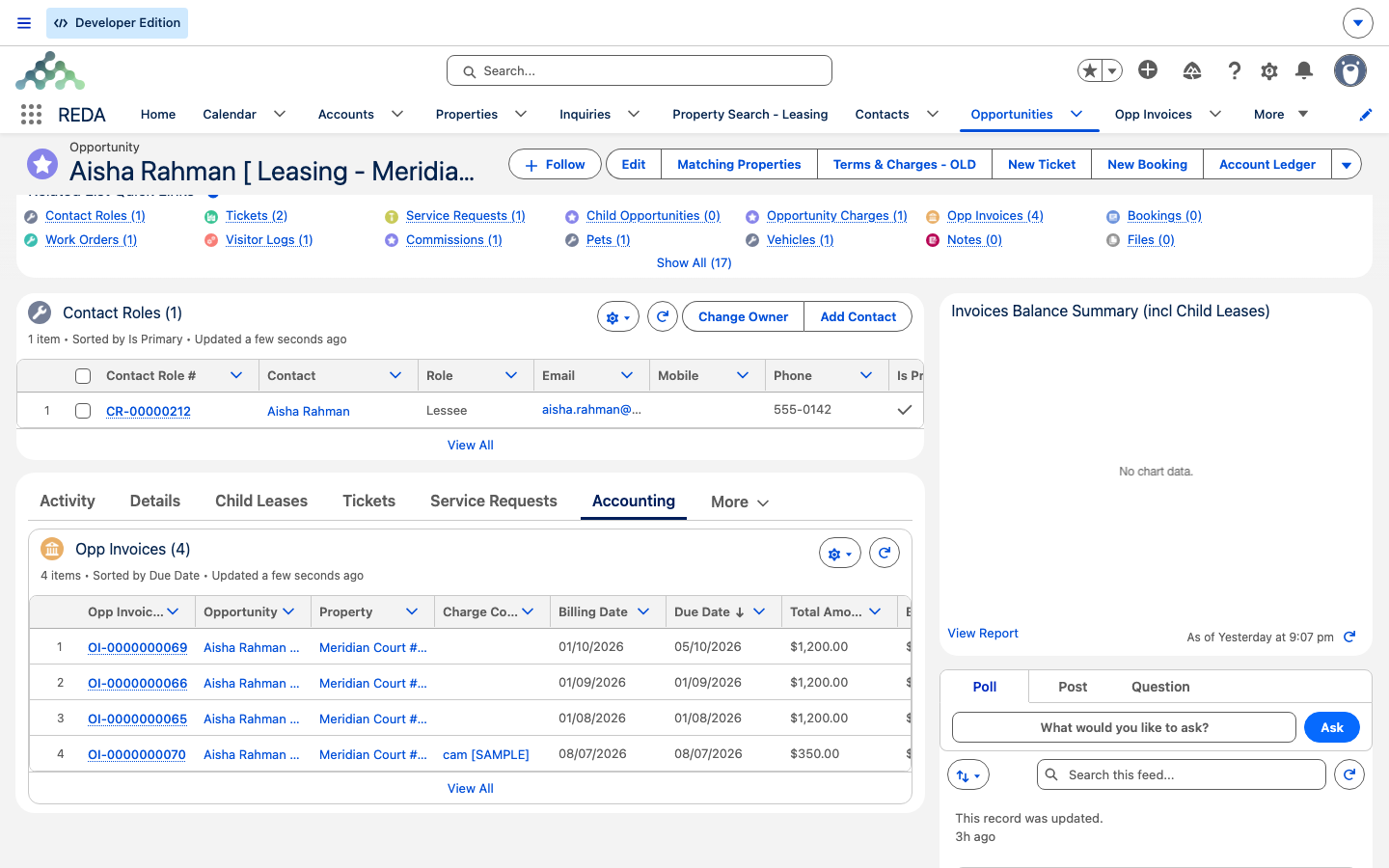
This is a close-up on a single billing cycle for an active lease: the recurring rent charge fires, an invoice generates, an overdue balance accrues a late fee, and the tenant's payment is posted through REDA Financials. We follow Aisha Rahman's occupied lease on Meridian Court #101 at 1,200.00 per month. This scenario zooms into the "living in the unit" act of Leasing an Apartment End to End and shows the billing-to-Financials seam in sequence. The mechanics live in the billing and integrations articles; here we sequence one month of them and reconcile the numbers.
Access you'll need. Viewing invoices needs the leasing and billing read access; posting a tenant payment uses the REDA Financials extension. Scheduling the billing jobs is an administrator task.
The story at a glance
Aisha's lease is occupied and accounting-active, so once a month REDA bills the coming period in advance. This month the rent invoice generates, goes unpaid past its late-fee day, accrues a late fee, and is finally settled when Aisha pays and the agent posts the receipt. Four moves — three of them automatic, one done by hand. Here they are in one table.
The timeline
The lease is Occupied (accounting-active). The rent charge is recurring at 1,200.00/mo. In this illustrative month the process day falls, rent goes unpaid, a late fee accrues, and then Aisha pays.
| Step | Actor | What they do | What REDA does automatically | Owning article |
|---|---|---|---|---|
| 1 | (scheduled job) | — | On the Leasing Rule's process day, the recurring run bills the next period; a rent invoice for 1,200.00 generates and is flagged for accounting; the lease's last-processed date advances | How Recurring Invoicing Works |
| 2 | (automatic) | — | The invoice crosses into REDA Financials as a sales invoice and is posted; Received, Tax and Waived sync back to the REDA invoice once it posts | How Payments Sync |
| 3 | (scheduled job, if unpaid) | — | When the invoice is overdue past its billing date plus the late-fee charge day, and the charge code has late fees enabled (and the minimum-due test passes), REDA accrues a late fee | How Late Fees Work |
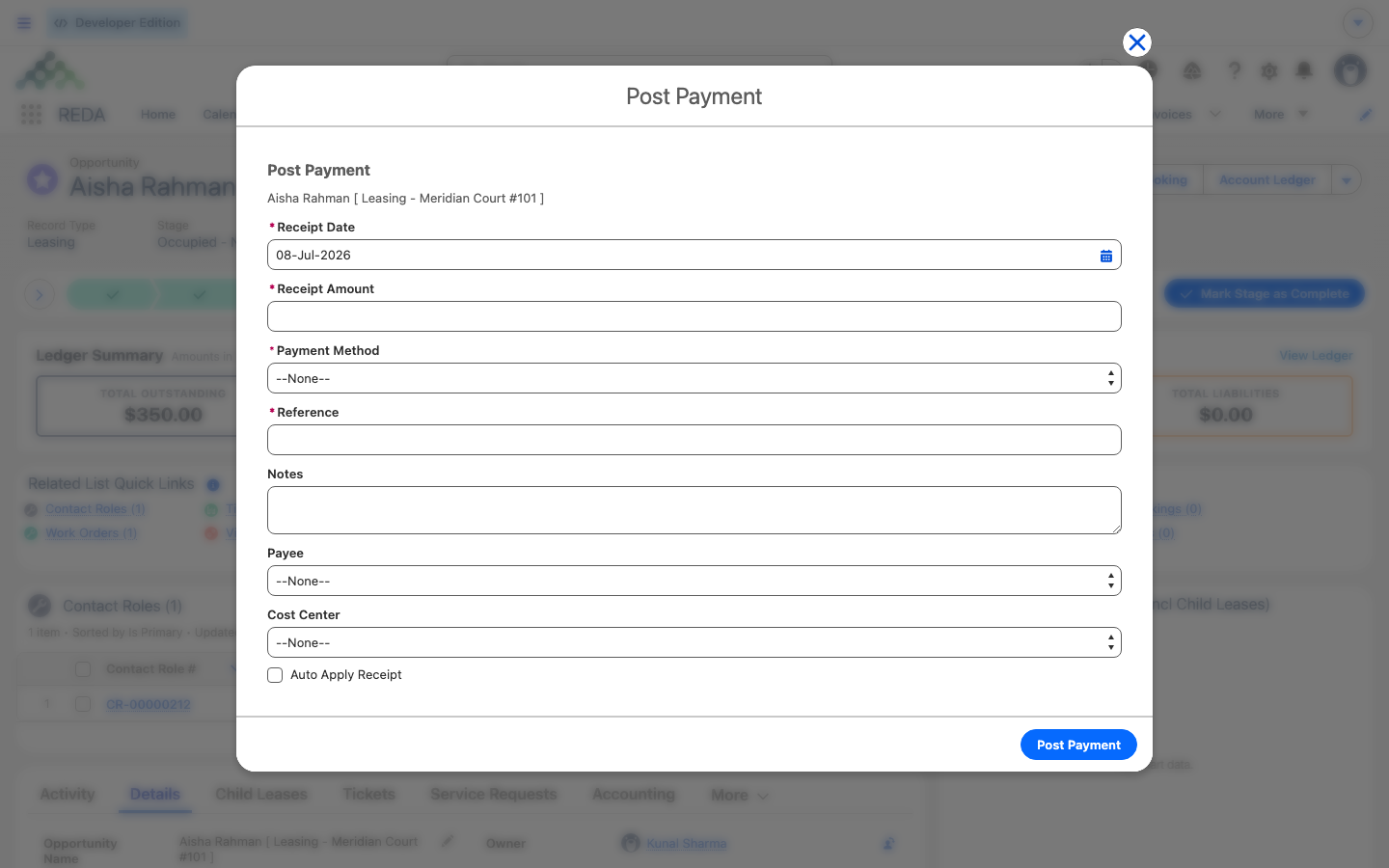
| 4 | Agent | Uses Post Payment on the lease when Aisha pays 1,200.00 | Posts a cash receipt in REDA Financials against the lease Account and applies it to the open rent invoice; the invoice's Received rises and Balance falls; the lease's outstanding balance drops; any unapplied cash shows as Unapplied Payments | Posting Tenant Payments |
Act 1 — The recurring run
REDA bills in advance: the run on the process day generates the next calendar period's rent invoice (a monthly charge bills the next month, first to last day). The process day is set on the Leasing Rule; after each run the lease's last-processed date advances to the invoice's To date, which sets up the following run. For a charge to recur it must be marked recurring with From and To dates, be set to create an invoice, sit on an accounting-active lease, and have a property. Detail: How Recurring Invoicing Works.
Act 2 — When rent goes late
A late fee accrues only when every gate is met: the invoice is a leasing invoice with a source charge and charge code, the code has late fees enabled, the lease has a late-fee calculation mode with a charge day above zero, the minimum-due test passes, and both the amount and the balance are above zero. The trigger date is the billing date plus the late-fee charge day. The exact amount depends on the mode — a one-time monthly fee per invoice, or a per-day charge that grows with the days overdue and self-heals across runs. The worked math and the numbers live in How Late Fees Work.
Act 3 — The tenant pays
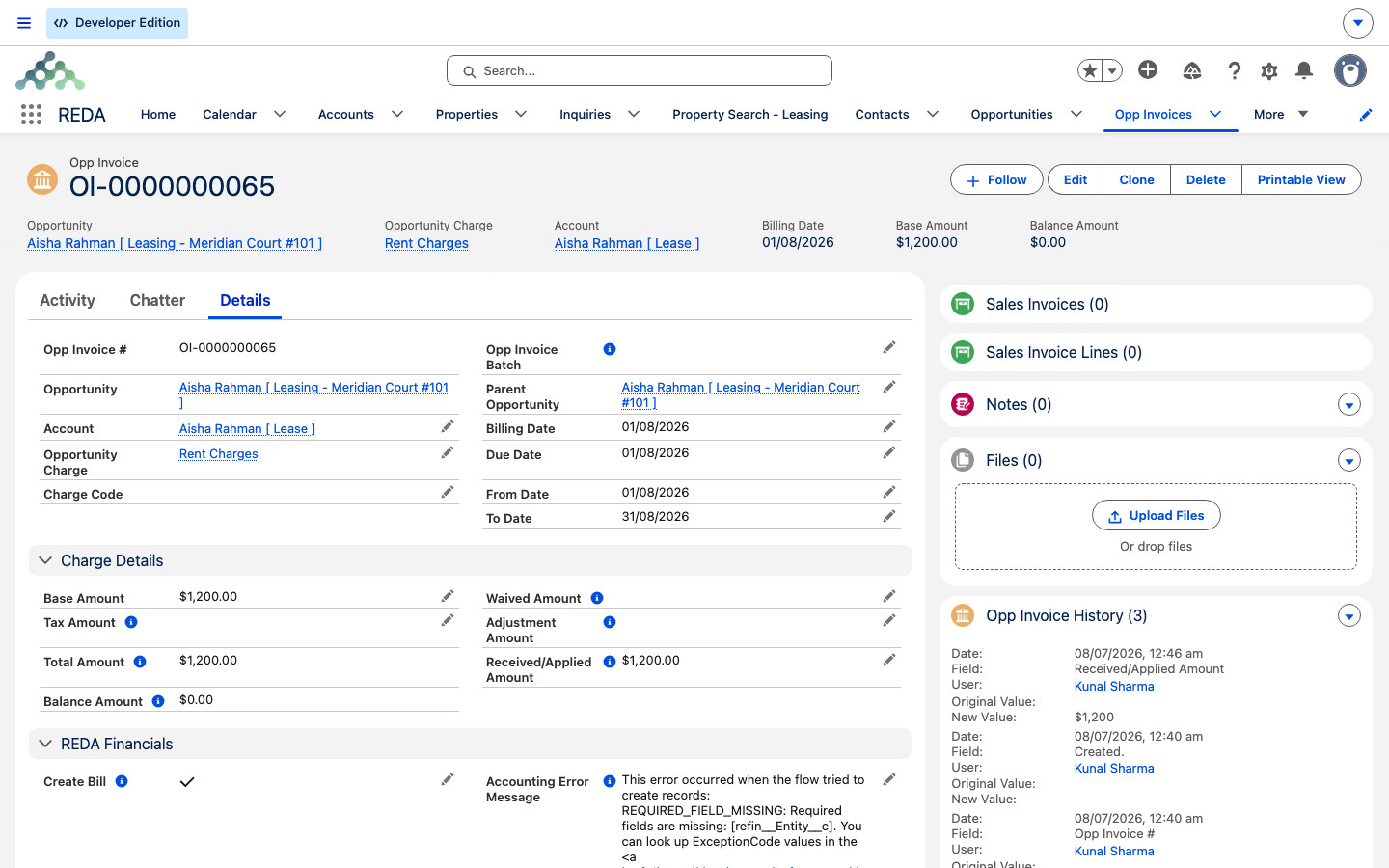
REDA owns the receivable — the invoice — but the cash side belongs to REDA Financials. The agent uses Post Payment on the lease, entering the amount received: REDA Financials creates a posted cash receipt against the lease Account and, with auto-apply left on, applies it to the open rent invoice. The invoice's Received amount rises and its Balance falls; the lease's outstanding balance drops; any unapplied cash shows as Unapplied Payments (an unapplied credit). The cash truth lives in Financials, not in editable REDA fields. Detail: Posting Tenant Payments, The Post Payment Action, and How Payments Sync.
The scheduled-jobs prerequisite
The numbers, reconciled
Every figure here is internally consistent and matches the sibling articles it points to:
| Figure | Value | Where it appears |
|---|---|---|
| Monthly rent | 1,200.00 | The recurring rent invoice this cycle |
| Invoice balance before payment | 1,200.00 | Base + Tax − (Received + Waived + Adjustment) |
| Payment posted | 1,200.00 | Post Payment; the receipt is applied to the open invoice |
| Invoice after posting | Received 1,200.00, Balance 0 | Received and Balance synced back from Financials |
| Late fee | per the late-fee mode | Accrued only if the invoice passes its trigger date unpaid |
Where to go next
- How Recurring Invoicing Works — the recurring run and the first-cycle double invoice, in full.
- How Late Fees Work — the late-fee gates and the two calculation modes.
- Posting Tenant Payments — the Post Payment action, step by step.
- How Payments Sync — the Financials seam and the synced-back amounts.
- Scheduling Background Jobs — the prerequisite for this whole cycle.
- Leasing an Apartment End to End — the wider lease story this cycle sits inside.
Frequently asked questions
By design — on a recurring charge's first run, REDA can bill the opening (usually prorated) stub period and the next full period together, so a late-in-month move-in isn't surprised by next month's bill a day later. This is expected. See How Recurring Invoicing Works.
The recurring-invoice job must be scheduled by your administrator; it ships unscheduled. See Scheduling Background Jobs.
All the gates must hold: the charge code has late fees enabled, the lease has a late-fee calculation mode with a charge day above zero, and the minimum-due test passes past the trigger date. See How Late Fees Work.
The cash receipt and its application live in REDA Financials, created through Post Payment. REDA shows the resulting Received and Balance on the invoice and the lease's outstanding balance. See Posting Tenant Payments.
Received, Tax and Waived sync back from REDA Financials when the sales invoice posts; they aren't editable in REDA. See How Payments Sync.
Only recurring charges can be prorated; the amount uses the Leasing Rule's 30-day-month switch. See How Proration Works.
Was this article helpful?